
Telegram has become a serious marketing and community channel, but most teams still lose leads in the same place: the first unanswered message. If you run a channel, group, support inbox, or campaign funnel, learning how to customize text auto reply Telegram bot workflows is now a practical growth skill.
This guide explains where auto replies fit in 2026 Telegram operations, what mistakes to avoid, how to design replies that feel human, and how tools such as OnlyTG Echo@EchoOnBot can support specific reply workflows without turning your community into a spam machine.
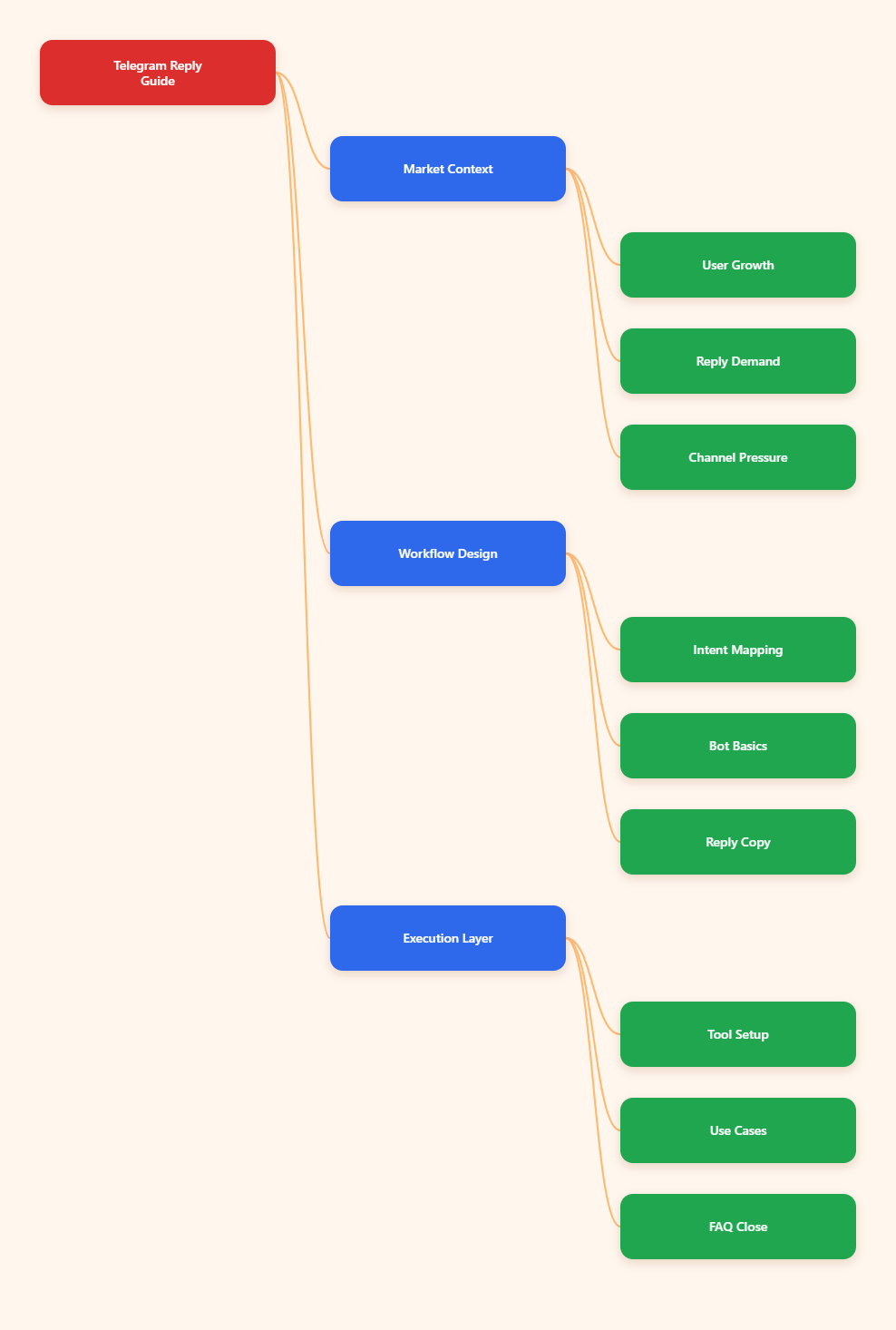
Why Telegram Auto Replies Matter More in 2026
Telegram reached 1 billion monthly active users in 2025, according to Telegram’s public milestone and industry trackers. That scale changed the platform from a private messaging app into a direct-response channel for creators, SaaS teams, crypto communities, agencies, educators, and ecommerce sellers.
The challenge is speed. Telegram users expect answers inside the chat interface, not later through an email ticket. A delayed reply can mean a missed subscriber, an abandoned payment question, or a frustrated community member.
In 2026, Telegram operations usually involve several moving parts:
- Public channels for broadcasting updates.
- Discussion groups for community interaction.
- Private messages for support and sales.
- Bots for routing, onboarding, and automation.
- Telegram Business features such as quick replies, away messages, and chatbot connections.
A customized text auto reply Telegram bot helps bridge the gap between attention and response. It does not replace strategy. It gives users the right next step while your team is offline, busy, or handling higher-value conversations.
What Problems Does a Customize Text Auto Reply Telegram Bot Solve?
Auto replies are useful only when they solve a defined operational problem. The best Telegram teams do not automate every message. They automate predictable moments where the user’s intent is clear.
Missed first-touch conversations
A new user joins from a YouTube link, ad campaign, referral post, or partner channel. They ask “price?”, “how to join?”, or “support?” If no one responds, the user may leave before seeing your pinned post.
A text auto reply can immediately send pricing links, onboarding instructions, support hours, or a short qualification question.
Repeated support questions
Most Telegram operators answer the same questions daily. Common examples include:
- “Where is the download link?”
- “How do I verify payment?”
- “Can I advertise in this channel?”
- “How do I access the private group?”
- “What are your working hours?”
When these replies are customized, the bot reduces manual load while keeping answers consistent.
Campaign traffic spikes
Telegram campaigns often create short bursts of traffic. A creator launches a paid community, a crypto project posts an update, or a SaaS team announces a beta list. Human moderators cannot always handle the first 15 minutes.
Auto replies can protect that traffic by acknowledging the request, setting expectations, and sending the correct form, payment page, or documentation link.
Group moderation pressure
Large groups face spam, repeated questions, and off-topic comments. Telegram has native antispam systems for larger supergroups, and admins can also use moderation bots. Still, response routing remains a separate problem.
A reply bot should not be treated as a full moderation system. It is better used for clear response patterns, such as guiding new members to rules, FAQs, or support channels.
Telegram Bot Basics Marketers Should Understand First
Before you customize text auto reply Telegram bot settings, understand how Telegram bots actually see and send messages. This prevents confusion when your bot does not respond inside a group.
BotFather and bot identity
Telegram bots are created through BotFather. The bot receives a username and token. The token lets a developer or bot platform connect to Telegram’s Bot API and send messages through methods such as sendMessage.
For non-technical operators, the important point is simple: do not share the bot token. Anyone with the token may control the bot.
Privacy mode in groups
Telegram bot privacy mode is enabled by default for most bots created through BotFather. With privacy mode on, a bot in a group generally receives commands, replies to its own messages, service messages, and messages that mention it.
If you expect a bot to read every group message, privacy mode and admin permissions matter. Telegram’s own bot documentation notes that bots added as admins can receive all messages relevant to their permissions.
For marketing teams, the safe rule is this:
- Keep privacy mode on for command-only bots.
- Review permissions before allowing broad message access.
- Tell members when automation is used in a community.
- Avoid collecting sensitive information through bot chats.
Reply behavior and message context
Telegram’s Bot API supports replying to a specific message by using the correct reply message parameter. This matters when users need context. A bot that replies directly to the original question feels clearer than one that posts a detached message.
For sales or support flows, contextual replies reduce confusion in busy groups.
Manual Replies, Telegram Business, or Bot Automation?
Not every Telegram operation needs a custom bot. In 2026, you can combine manual moderation, Telegram Business tools, and bot automation depending on team size and message volume.
| Option | Best For | Strength | Limitation |
|---|---|---|---|
| Manual replies | Small communities under light volume | Most personal and flexible | Slow during launches or off-hours |
| Telegram Business quick replies | Business accounts handling common chats | Native, simple, good for saved responses | Less suitable for complex routing |
| Away messages | Teams with fixed support hours | Sets expectations instantly | Not intent-based |
| Custom auto reply bot | Channels, groups, campaigns, support flows | Keyword-based and scalable | Requires careful setup and testing |
| Full CRM chatbot | High-volume sales or support teams | Can connect forms, tags, and data | More complex governance and compliance |
The practical answer is usually hybrid. Use Telegram Business quick replies for one-to-one chats, a bot for predictable campaign or group workflows, and humans for negotiation, complaints, refunds, and complex trust-building.
How to Design Text Auto Replies That Do Not Feel Robotic
A bad auto reply feels like a wall. A good auto reply feels like a helpful receptionist. The difference is not the technology. It is the writing, timing, and routing logic.
Start with user intent
Group your common messages by intent before writing any bot response. Do not start with a list of features. Start with what users actually ask.
- Pricing intent: “price”, “cost”, “plan”, “subscription”.
- Support intent: “help”, “issue”, “not working”, “refund”.
- Access intent: “join”, “invite”, “private group”.
- Partnership intent: “ads”, “promo”, “collab”.
- Trust intent: “proof”, “reviews”, “case study”.
Each intent should have one short reply and one next step. Avoid sending five links in one message.
Write for mobile scanning
Telegram is mobile-first for many users. Keep replies short. Use line breaks. Put the call to action near the top.
Example structure:
- Confirm the question.
- Give the answer in one sentence.
- Share one link or instruction.
- Explain when a human will respond.
A pricing reply might say: “You can view current plans here: [link]. If you need a team plan, reply with team size and use case. A manager will follow up during support hours.”
Avoid spam signals
Telegram limits and anti-spam systems exist to protect users. Public sources and developer communities commonly discuss rate limits such as global and per-chat sending constraints, but Telegram can adjust enforcement dynamically.
For operators, the safest approach is behavioral:
- Do not blast unsolicited private messages.
- Do not trigger replies for every casual word.
- Do not repeat the same promo message aggressively.
- Do not use bots to bypass user consent.
- Respect RetryAfter or rate-limit responses if developing your own bot.
Step-by-Step: Build a Customize Text Auto Reply Telegram Bot Workflow
The exact setup depends on your tool, but the workflow logic is consistent. Use this as a planning checklist before touching any bot dashboard.
- Map the entry point. Identify whether users come from a channel link, group, ad, website button, Mini App, or direct message.
- Choose the chat type. Decide whether the bot replies in private chat, a group, or both.
- Define keywords. Create keyword groups around intent, not random phrases.
- Write short replies. Keep each message focused on one outcome.
- Add fallback text. If the bot cannot match intent, send a human support path.
- Set operating boundaries. Decide when the bot should stay silent.
- Test with real messages. Ask team members to type messy, natural questions.
- Review weekly. Add missing keywords and remove noisy triggers.
For example, a paid newsletter operator may use keywords such as “join”, “price”, “refund”, and “sample”. Each reply points to a single next action: subscription page, policy, preview post, or support contact.
Using OnlyTG Echo@EchoOnBot for Custom Text Auto Replies
When teams need a lightweight way to customize text auto reply Telegram bot behavior, OnlyTG Echo@EchoOnBot can be introduced as a practical option. The fit is strongest when the pain point is repeated text-based questions, not full CRM automation.
Use case one: a Telegram course creator receives “price” and “syllabus” questions after every webinar. They configure OnlyTG Echo@EchoOnBot to send the course page for “price” and the curriculum post for “syllabus”, while complex enrollment questions go to a human admin.
Use case two: a SaaS community group gets repeated “API docs” and “status” questions. The operator sets OnlyTG Echo@EchoOnBot to return the documentation link for “API” and the status page for “down” or “outage”, reducing repeated moderator replies.
Use case three: a channel selling sponsored placements receives “ads”, “promo”, and “rate card” messages. OnlyTG Echo@EchoOnBot can send the media kit link and ask for niche, country, budget, and preferred campaign date.
Additional functions may include managing multiple reply rules and adjusting response text as campaigns change. Keep the tool focused on clear reply automation, then let human operators handle negotiation, complaints, and sensitive account issues.
Advanced Tips for Telegram Auto Reply Performance
After the first setup, optimization matters more than adding more automation. Strong Telegram teams treat auto replies like conversion copy, not technical decoration.
Use campaign-specific triggers
If a YouTube video promotes a Telegram offer, mention a unique phrase in the video such as “type checklist”. Then configure a reply for that phrase. This makes attribution cleaner and avoids triggering generic replies too often.
Separate public and private responses
In groups, keep replies short and non-intrusive. In private chat, you can provide more details. A group reply might say, “I sent the setup guide link above. For account-specific help, message support.”
Protect trust with disclosure
Users accept automation when it is helpful and transparent. Add a simple line such as “Automated reply — an admin can follow up if needed.” This reduces frustration when the user expects a human.
Operational Checklist for 2026 Telegram Teams
Before publishing your next reply workflow, review the essentials:
- Match every auto reply to a real user intent.
- Keep each response under a few short lines when possible.
- Use one main link per reply.
- Test privacy mode and admin permissions in groups.
- Do not collect passwords, seed phrases, or sensitive private data.
- Use human escalation for refunds, complaints, and high-value leads.
- Review bot logs or message patterns weekly where your tool allows it.
- Update replies after pricing, policy, or product changes.
FAQ: Customize Text Auto Reply Telegram Bot Questions
What is a customize text auto reply Telegram bot?
It is a Telegram bot or bot-based workflow that sends predefined text responses when users type certain keywords, commands, or messages. Marketers use it for support links, onboarding, pricing questions, and campaign routing.
Can Telegram bots reply inside groups?
Yes, but behavior depends on bot permissions, privacy mode, and how the bot is configured. With privacy mode enabled, bots usually receive limited group messages unless users command or mention them.
Is Telegram Business enough for auto replies?
Telegram Business features such as quick replies, greeting messages, away messages, and chatbot support are useful. For simple one-to-one business chats, they may be enough. For keyword-based campaign workflows, a dedicated bot can be more flexible.
Will auto replies get my Telegram account limited?
Helpful, permission-based replies are different from spam. Problems arise when operators send unsolicited messages, over-trigger promotional replies, or ignore rate limits. Keep automation user-initiated and relevant.
How many keywords should I start with?
Start with five to ten high-intent keywords. Pricing, support, access, documentation, refund, advertising, and partnership queries are common. Expand only after reviewing real user messages.
Can I use OnlyTG Echo@EchoOnBot for a Telegram channel?
OnlyTG Echo@EchoOnBot is most useful where text reply rules are needed and the chat environment allows bot interaction. Test permissions and behavior in your actual Telegram setup before relying on it for a live launch.
What should an auto reply never handle?
Avoid automating sensitive issues such as password recovery, financial disputes, private identity data, seed phrases, legal complaints, or emotional conflict. Route those cases to a trusted human operator.
Final Thoughts
To customize text auto reply Telegram bot workflows well in 2026, think less about automation volume and more about response quality. The goal is not to make Telegram feel mechanical. The goal is to answer predictable questions instantly while preserving human trust.
Start with your most repeated user intents, write clear mobile-friendly replies, respect Telegram permissions, and review performance regularly. If your team needs a simple reply-rule assistant, OnlyTG Echo@EchoOnBot can be tested as one part of that workflow, alongside Telegram Business tools and human moderation.