
Skip to content
OnlyTG Icon
  • ProductsExpand
    • Echo
    • Recorder
  • ResourcesExpand
    • Help
    • Blog
    • Channel & Bot Finder
    • SMM Panel
  • PricingExpand
    • Echo Pricing
  • EnglishExpand
    • 中文 (中国)
    • Русский
    • English
Contact us
Telegram Tips

Can’t Log In or Open t.me Links? Full Troubleshooting Guide

Home » Blog » Telegram Tips » Can’t Log In or Open t.me Links? Full Troubleshooting Guide

Telegram users worldwide are facing a universal issue: the short domain t.me cannot be loaded through standard web browsers. This failure affects all users across the globe.
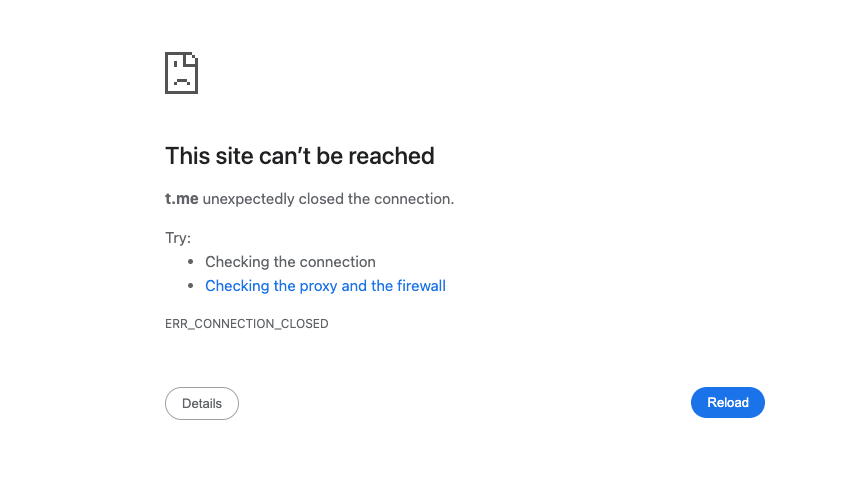
Can’t Log In or Open t.me Links

While browser access to t.me is broken, all native Telegram mobile and desktop clients remain fully functional. Links clicked inside the official Telegram apps trigger normal redirects without any errors.

If you need to share Telegram content on external platforms as a temporary workaround, replace t.me links with the alternative domain telegram.me.

Root Cause & Technical Details

The exact trigger of this domain block remains unconfirmed for now.

WHOIS lookup data (https://www.whois.com/whois/t.me) verifies that the .me registry authority has completely removed the t.me domain from global DNS zones.

This restriction was enforced by doMEn d.o.o., the Montenegro-based company that administers the entire .me top-level domain. It is the primary zone operator, independent of domain registrar GoDaddy, and a joint venture between Identity Digital, GoDaddy and ME-net. GoDaddy holds no authority to reverse this DNS suspension.

Effective Fixes for Broken t.me Links

1. Swap t.me with telegram.me for browser visits

This is the easiest temporary replacement for web access.

  • Original link format: https://t.me/ID
  • Modified working link: https://telegram.me/ID Example: t.me/officialchannel → telegram.me/officialchannel

2. Open links inside official Telegram clients (Most Reliable)

The domain block only impacts web browsers. All Telegram apps bypass this DNS restriction:

  1. Copy the full unmodified t.me URL
  2. Paste and send it in any chat within your Telegram mobile or desktop app
  3. Tap the link inside the chat window — redirects work flawlessly

3. Use Telegram’s official web version

If you must use a browser, skip short links entirely:

  1. Visit web.telegram.org
  2. Log into your Telegram account via QR code
  3. Search usernames or channel IDs directly without relying on t.me links

Common Misconceptions to Rule Out

  1. Clearing browser cache, switching incognito tabs or changing browsers will not fix the issue, as the problem lies in global DNS records rather than local device settings.
  2. If links work in your Telegram app but fail on browsers, the issue is confirmed as the global t.me DNS removal, not your network.
  3. The domain t.me is not expired; it has been forcefully suspended by the .me registry operator indefinitely, with no official restoration timeline announced.
Post Tags: #bug#Telegram

Post navigation

Previous Previous
Telegram Marketing Growth Playbook for Brands in 2026
Table of Contents
  • Root Cause & Technical Details
  • Effective Fixes for Broken t.me Links
    • 1. Swap t.me with telegram.me for browser visits
    • 2. Open links inside official Telegram clients (Most Reliable)
    • 3. Use Telegram's official web version
  • Common Misconceptions to Rule Out
Echo Sidebar
  • Latest Post
  • Echo
  • Recorder
  • Tips
Telegram Tips

Telegram Marketing Growth Playbook for Brands in 2026

A practical 2026 Telegram business playbook for brands, agencies, and creators covering growth channels, ads, monetization, privacy, automation, ROI measurement, and customer trust.

Telegram Tips

How to Hide Phone Number on Telegram in 2026: A Practical Privacy Guide

Learn how to hide your phone number on Telegram in 2026, control who can find you by number, manage contacts, and tighten key privacy settings step by step.

Telegram Tips

Hide Phone Number on Telegram for Business Admins in 2026

A practical 2026 guide for business admins who want to hide their phone number on Telegram, reduce exposure in groups and channels, and use safer admin workflows.

Telegram Tips

Hide Phone Number Telegram in 2026 Without Losing Clients

Learn how to hide your phone number on Telegram without losing client contacts, chats, leads, or business reach. Step-by-step privacy settings, contact sync fixes, tools, and FAQ included.

Telegram Tips

How to Auto Greeting on Telegram in 2026: Practical Setup Guide for Groups, Channels, and Business Chats

Learn how to auto greeting on Telegram in 2026 with practical onboarding flows, bot permissions, welcome message examples, privacy notes, and automation tips for community managers.

Telegram Tips

How to Set Auto Greeting on Telegram for Business Support in 2026

A practical 2026 guide for Telegram channel operators, marketers, and support teams on greeting messages, auto replies, business workflows, and customer response strategy.

Telegram Tips

How to Set Up Auto Greeting on Telegram Group New Members in 2026

A practical 2026 guide for Telegram admins and marketers on welcoming new group members, improving onboarding, reducing spam, and using automated greeting workflows without hurting community trust.

Telegram Tips

Auto Greeting on Telegram for Business Leads in 2026: A Practical Playbook

Learn how to use auto greeting on Telegram for business leads in 2026, including Telegram Business settings, bot limits, response workflows, compliance tips, and practical automation examples.

How to Get Unbanned from Telegram in 2026: A Practical Step-by-Step Guide

If your Telegram account or phone number has been restricted, this guide explains how to confirm the ban, appeal to Telegram support, reduce spam flags, and avoid getting blocked again in 2026.

How to create telegram bot in 2026?

Learn how to create a Telegram bot in 2026 using BotFather, with step-by-step coding and no-code methods, plus tips for security, deployment, and choosing the best setup.

How to Loop Post in Channel via Telegram Bot

OnlyTG Echo provides the function to automatically loop posts in your channel. Firstly, you need to create a new bot via @botfather and…

How to Configure Multiple Media when Setting OnlyTG Echo Features

OnlyTG Echo provides the function to configure multiple media to a single message when setting Start Message/Auto Reply/Quick Reply/Broadcast and other features. Firstly, you need…

How to Upgrade Channel to Pro Channel in Telegram

OnlyTG Echo provides the function to upgrade your channel to Pro Channel. This will consume your Pro Communities slots and unlock more advanced features….

How to Edit a Published Post via Telegram Bot

OnlyTG Echo provides the function to Edit Channel Post via your bot. Firstly, you need to create a new bot via @botfather and…

How to Publish Channel Post via Telegram Bot

OnlyTG Echo provides the function to Publish Channel Post via your bot. Firstly, you need to create a new bot via @botfather and…

How to Manage Channel via Telegram Bot

OnlyTG Echo provides the function to Manage Channel via your bot. Firstly, you need to create a new bot via @botfather and send its…

How to Use OnlyTG Recorder?

Welcome to OnlyTG Recorder! Developed by our dedicated bot development team, OnlyTG Recorder is designed to serve as an assistant…

Telegram Marketing Growth Playbook for Brands in 2026

A practical 2026 Telegram business playbook for brands, agencies, and creators covering growth channels, ads, monetization, privacy, automation, ROI measurement, and customer trust.

How to Hide Phone Number on Telegram in 2026: A Practical Privacy Guide

Learn how to hide your phone number on Telegram in 2026, control who can find you by number, manage contacts, and tighten key privacy settings step by step.

Hide Phone Number on Telegram for Business Admins in 2026

A practical 2026 guide for business admins who want to hide their phone number on Telegram, reduce exposure in groups and channels, and use safer admin workflows.

Hide Phone Number Telegram in 2026 Without Losing Clients

Learn how to hide your phone number on Telegram without losing client contacts, chats, leads, or business reach. Step-by-step privacy settings, contact sync fixes, tools, and FAQ included.

How to Auto Greeting on Telegram in 2026: Practical Setup Guide for Groups, Channels, and Business Chats

Learn how to auto greeting on Telegram in 2026 with practical onboarding flows, bot permissions, welcome message examples, privacy notes, and automation tips for community managers.

How to Set Auto Greeting on Telegram for Business Support in 2026

A practical 2026 guide for Telegram channel operators, marketers, and support teams on greeting messages, auto replies, business workflows, and customer response strategy.

How to Set Up Auto Greeting on Telegram Group New Members in 2026

A practical 2026 guide for Telegram admins and marketers on welcoming new group members, improving onboarding, reducing spam, and using automated greeting workflows without hurting community trust.

Auto Greeting on Telegram for Business Leads in 2026: A Practical Playbook

Learn how to use auto greeting on Telegram for business leads in 2026, including Telegram Business settings, bot limits, response workflows, compliance tips, and practical automation examples.

  • OnlyTG
  • Echo
  • Recorder
  • Help
  • Blog
  • Echo Pricing
  • Channel & Bot Finder
  • SMM Panel
OnlyTG EchoTelegram VK YouTube Facebook X Email

© 2026 OnlyTG

Scroll to top
  • Products
    • Echo
    • Recorder
  • Resources
    • Help
    • Blog
    • Channel & Bot Finder
    • SMM Panel
  • Pricing
    • Echo Pricing
Contact us