
If you use Telegram for sales, consulting, support, recruiting, or community management, your phone number can become a privacy risk fast. Clients may save it, strangers in groups may try to identify you, and contact syncing can expose more than you intended.
The good news: you can hide your phone number on Telegram without losing client contacts if you adjust the right settings in the right order. This guide walks you through the exact setup, safe contact management habits, and practical tools to keep your business reachable without handing out your personal number.
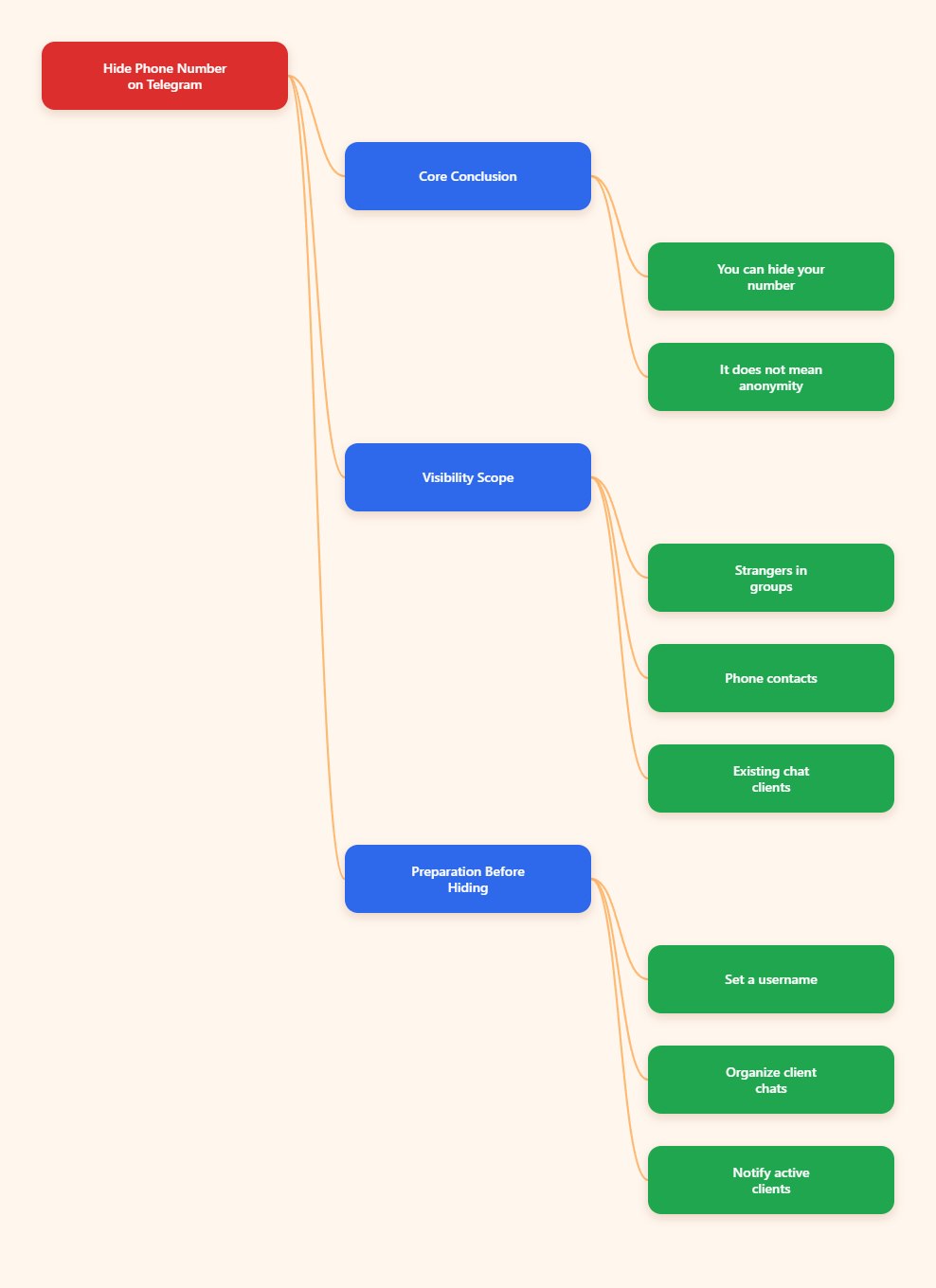
Quick Answer: Can You Hide Your Number Without Losing Contacts?
Yes. Telegram lets you control who can see your phone number under Settings > Privacy and Security > Phone Number. You can set number visibility to Nobody while still allowing people to find or contact you through your username, profile link, QR code, groups, channels, and existing chats.
However, hiding your number is not the same as becoming fully anonymous. People who already saved your number in their phone may still recognize you, depending on their contacts and your profile details. Telegram also requires a phone number to register an account, according to Telegram’s own FAQ, even if you later hide that number from other users.
What Telegram Actually Shows to Other People
Before changing settings, it helps to understand what different users may see. Telegram privacy is not one single switch. It combines your phone number visibility, discoverability, synced contacts, username, profile photo, bio, last seen status, and group behavior.
| Person Type | Can They See Your Number? | Best Setting |
|---|---|---|
| Random group member | Usually no, unless your settings allow it | Set visibility to Nobody |
| Client already in your phone contacts | Possibly, if you allow contacts to see it | Use exceptions carefully |
| Someone who has your phone number saved | They may identify your account | Limit discoverability |
| Channel admin | Not normally shown as subscriber data | Use username for public activity |
| Existing chat contact | Depends on privacy and contact status | Do not share number when adding contacts |
The key point is simple: you can keep conversations and client access while reducing exposure. The safest setup is to make your username your business identity and keep your personal phone number hidden.
Before You Start: Protect Your Existing Client List
Do not rush straight into privacy settings if Telegram is important for your business. First, make sure clients have at least one way to reach you after your number is hidden. This avoids missed messages, confused leads, and lost follow-ups.
Create or Check Your Telegram Username
Your username is the cleanest replacement for sharing a phone number. It gives you a public handle such as @YourBrandName and a profile link such as t.me/YourBrandName.
To set it up, open Telegram and go to Settings > Edit Profile > Username. Pick a short, brand-safe name that clients can spell easily. Avoid random numbers unless your business name is already taken.
Save Important Client Chats
Telegram cloud chats normally remain available across your logged-in devices, but you should still organize important client conversations before changing your workflow. Pin priority chats, label leads in your CRM, and copy critical project details into your business system.
If you use Secret Chats, remember that they are device-specific. They do not sync across all devices like regular cloud chats, so do not rely on them as your only record for client instructions.
Tell Active Clients How to Reach You
For active projects, send a short note before making your privacy tighter. Keep it simple: ask clients to contact you through your Telegram username, company channel, or support group going forward.
Example message: For privacy, I now use my Telegram username for business messages. You can always reach me here or via @YourBrandName. No action needed on your side.
How to Hide Your Phone Number on Telegram Without Losing Client Contacts
Follow these steps in order. They work on the official Telegram mobile apps, and the wording is very similar on desktop. If your app looks different, update Telegram first from the official app store.
Step 1: Open Telegram Privacy Settings
- Open the Telegram app.
- Tap Settings.
- Choose Privacy and Security.
- Tap Phone Number.
This is the control center for number visibility and number-based discovery. Most privacy mistakes happen because users change only one option and ignore the second one.
Step 2: Set Who Can See Your Phone Number to Nobody
- Find Who can see my phone number?
- Select Nobody.
- Review any exceptions below the setting.
- Remove people from Always Allow unless they truly need your number.
This prevents your number from being shown to regular users who view your profile. It is the most important step if you participate in large groups, public communities, or client channels.
Step 3: Limit Who Can Find You by Number
- Stay on the Phone Number privacy screen.
- Find Who can find me by my number?
- Choose My Contacts if available in your app.
- Avoid broad discovery settings unless you want phone-based lead discovery.
This setting controls whether people can use your phone number to locate your Telegram account. For business privacy, My Contacts is usually safer than letting anyone who has your number find you.
Step 4: Turn Off Contact Sync If You Do Not Need It
- Go back to Privacy and Security.
- Look for Data Settings or contact-related settings.
- Turn off Sync Contacts.
- Use Delete Synced Contacts if you want to remove previously uploaded contacts from Telegram.
Privacy International and other privacy guides recommend paying close attention to Telegram contact syncing. If sync stays on, Telegram can match your local address book with Telegram users and notify you when contacts join. That may be convenient, but it can also blur the line between personal and client networks.
Step 5: Add Clients by Username, Not Phone Number
- Ask the client for their @username.
- Use Telegram search to find the username.
- Open the profile and start the chat.
- When adding them to contacts, avoid any option that shares your phone number.
This is the habit that protects your privacy long term. If you keep adding business contacts by phone number, your address book becomes a privacy leak again. A username-first workflow keeps your personal number out of the relationship.
Step 6: Use a Telegram Profile Link or QR Code for New Leads
Instead of writing your phone number on websites, invoices, business cards, or social bios, use a Telegram link. A standard format is https://t.me/YourUsername.
You can also create a QR code that points to your Telegram profile, group, or channel. Many QR generators support Telegram links, but the safest input is simply your official t.me URL. Test the code before printing or publishing it.
Step 7: Audit Profile Details That Can Still Identify You
Hiding your number will not help much if your profile photo, bio, and name reveal the same personal identity. Review your public-facing profile as if you were a stranger from a group.
- Use a business name instead of your full legal name if appropriate.
- Set your profile photo visibility under Privacy and Security.
- Keep your bio professional and minimal.
- Limit Last Seen & Online visibility if clients do not need it.
- Review group and channel settings before joining public communities.
Recommended Privacy Setup for Business Users
Most client-facing users need a balance between privacy and reachability. You do not want strangers seeing your number, but you also do not want leads to hit a dead end.
| Setting | Recommended Value | Why It Helps |
|---|---|---|
| Who can see my phone number | Nobody | Prevents profile-based number exposure |
| Who can find me by number | My Contacts | Limits phone-number lookup |
| Username | Enabled | Gives clients a non-phone contact route |
| Sync Contacts | Off for high privacy | Reduces address book matching |
| Two-Step Verification | On | Protects account access |
Also enable Two-Step Verification in Telegram. It adds a password on top of SMS or login code access. Telegram’s FAQ recommends this for account protection, especially if losing access to your number would create recovery problems.
Free and Paid Tools That Help You Stay Reachable
You do not need expensive software to hide your number and keep clients. Still, the right tools can make the workflow cleaner, especially if Telegram is part of your sales or support process.
Free Tools
- Telegram Username: Best for direct client contact without sharing a phone number. The main advantage is simplicity; the downside is that good usernames may already be taken.
- Telegram Public Channel: Best for announcements, updates, and one-to-many communication. It keeps your number hidden, but it is not ideal for private support by itself.
- Telegram Groups: Best for community support or cohort-based clients. Use admin rules and privacy settings because group members can still interact with your profile.
- t.me Profile Link: Best for websites, email signatures, and social bios. It is easy to remember and does not require third-party tracking.
- Basic QR Code Generator: Best for business cards, event booths, and printed materials. Use a reputable generator and point the QR code to your Telegram link, not a sensitive number.
Paid or Business-Friendly Tools
- Telegram Premium: Useful if you want higher limits, faster downloads, voice-to-text, and other productivity features. Pricing varies by region and purchase method, and Telegram notes that yearly plans and @PremiumBot purchases may be discounted.
- Telegram Business Features: Telegram introduced business features such as opening hours, location, quick replies, greeting messages, away messages, and chatbot support. These are useful for client-facing accounts that need structured responses.
- CRM Software: Tools such as HubSpot, Pipedrive, Zoho CRM, or Airtable can store client names, project notes, and follow-up status outside your phone contacts. This reduces dependence on Telegram contact sync.
- Password Manager: 1Password, Bitwarden, or Dashlane can store your Telegram two-step verification password and recovery details securely. This matters because privacy is useless if you lose account access.
Common Mistakes That Expose Your Number Again
Most privacy leaks come from habits, not from a broken setting. After you hide your number, keep your workflow consistent.
- Adding every client as a phone contact: This pulls business relationships back into your address book.
- Leaving contact sync on: This can keep matching your personal phone book with Telegram.
- Sharing screenshots: Screenshots of settings, profiles, or chats may accidentally show your number.
- Using your legal name everywhere: People can connect your Telegram identity with public records or social profiles.
- Ignoring exceptions: A single Always Allow exception can reveal your number to someone you forgot about.
Review your settings every few months, especially after major app updates or when your business process changes. Telegram evolves quickly, so a quick audit is worth the time.
FAQ
Can I use Telegram without a phone number at all?
Telegram requires a phone number to create an account. Some guides discuss virtual numbers or alternative numbers, but you should be cautious because losing access to that number can make account recovery difficult. For most business users, the safer approach is to register properly, hide the number, and use a username publicly.
Will I lose my Telegram contacts if I hide my phone number?
No. Changing phone number visibility does not delete your chats or contacts. Clients can still message you in existing conversations, and new clients can reach you through your username, profile link, QR code, group, or channel.
Can clients still find me after I set my number to Nobody?
Yes, if they already have an open chat with you or you give them your username. If they only know your phone number and you limit number-based discovery, they may not be able to find you that way. That is why you should share your Telegram username with active clients before tightening settings.
Can Telegram group members see my phone number?
Not normally if your phone number visibility is set to Nobody. Group members usually see your display name, username, and profile details allowed by your privacy settings. Always check your profile photo, bio, and last seen settings too.
Should I delete synced contacts on Telegram?
If you want stronger separation between personal contacts and client communication, yes, consider turning off sync and using Delete Synced Contacts. If you rely on Telegram to discover which phone contacts use the app, you may prefer to keep sync on. The privacy-focused option is to turn it off.
Is a Telegram username enough for business communication?
For many freelancers, agencies, coaches, and community managers, yes. A username is easy to share and does not reveal your number. For larger teams, combine it with a Telegram channel, group, business features, and a CRM so no client relationship depends on one personal account.
Final Checklist
To hide your phone number on Telegram without losing client contacts, use a username-first system. Set Who can see my phone number to Nobody, limit who can find you by number, review exceptions, and turn off contact sync if privacy matters more than automatic discovery.