
Getting people to join a Telegram group is no longer the hard part. Keeping them active, informed, and safe is. In 2026, many communities lose new members within minutes because newcomers do not know the rules, cannot find the right link, or land in a noisy chat with no clear direction.
This guide breaks down how Telegram onboarding works in 2026, what to include in a welcome message, where most admins make mistakes, and how to build a practical greeting flow for marketing, creator, support, and paid communities.
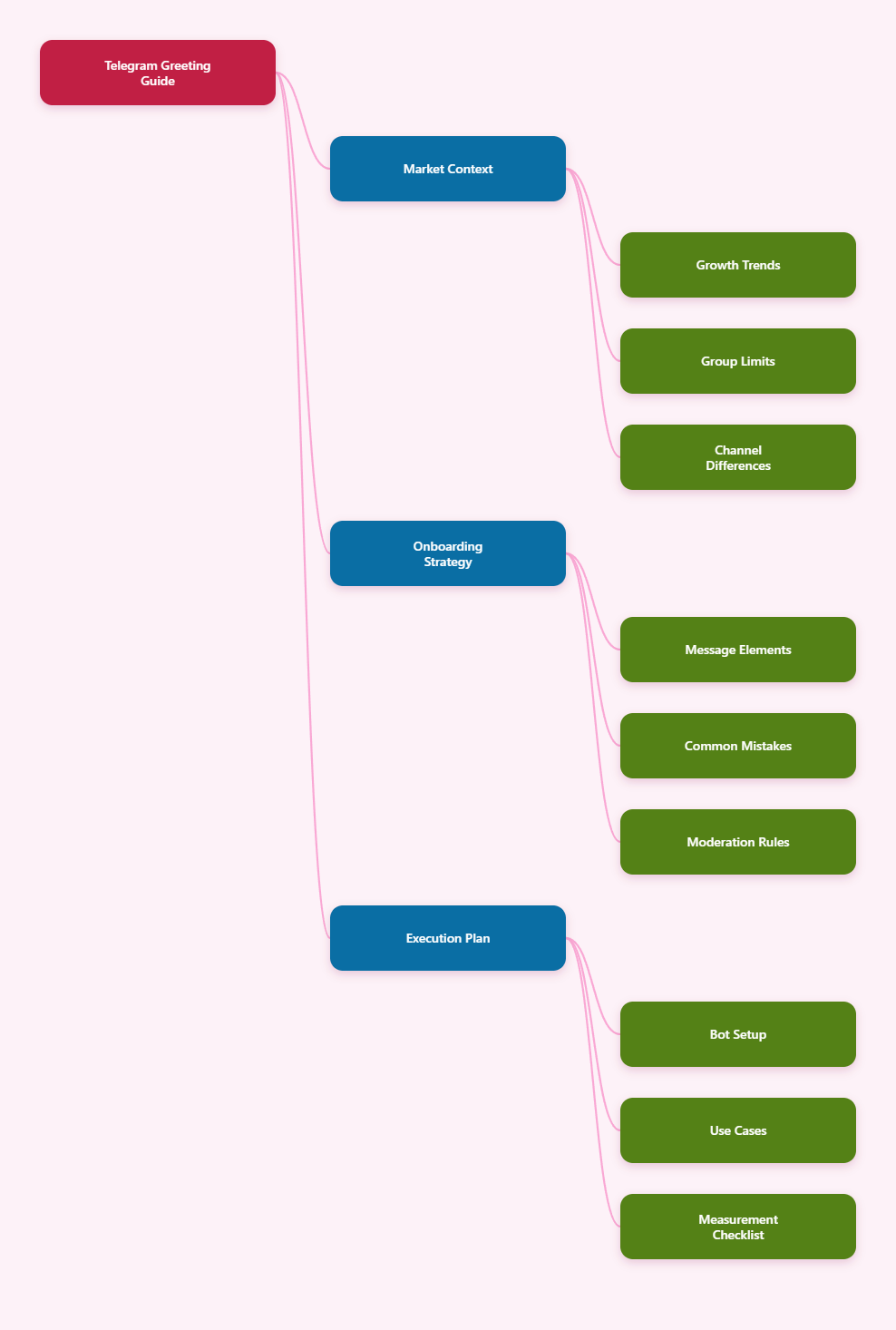
Why Auto Greeting on Telegram Group New Members Matters in 2026
Telegram has grown into a major distribution channel for creators, crypto communities, SaaS companies, educators, media brands, and affiliate marketers. Telegram publicly crossed 1 billion monthly active users in 2025, and its group and channel model remains attractive because it gives operators direct access without a traditional social feed algorithm.
But direct access creates a new problem: unmanaged attention. When a new member joins a group, they often see an active conversation, scattered links, and several pinned posts. If group history is hidden or the rules are not obvious, the user has to guess what to do next.
An effective greeting solves four common onboarding problems:
- Context gap: New members do not know what the group is for.
- Rule confusion: They may post promotions, links, or off-topic questions.
- Resource discovery: Important links are buried in pins or old messages.
- Trust building: A clear admin voice makes the group feel moderated and safe.
For marketers, the first message also protects conversion. If someone joins from an ad, newsletter, landing page, or influencer campaign, the greeting should continue the promise that brought them in.
Telegram Group vs Channel: Which One Needs a Welcome Flow?
Telegram groups and channels are often used together, but they serve different jobs. A channel is mainly for broadcasting. A group is for discussion. If your goal is feedback, support, peer conversation, lead qualification, or community engagement, the group is where onboarding matters most.
A channel can have unlimited subscribers, while groups can support large conversations up to 200,000 members. That scale is powerful, but it also means manual greetings are unrealistic once growth becomes consistent.
| Feature | Telegram Group | Telegram Channel | Best Use in 2026 |
|---|---|---|---|
| Communication style | Two-way discussion | One-way broadcast | Use groups for community and support; channels for announcements |
| Audience limit | Up to 200,000 members | Unlimited subscribers | Groups need moderation as they scale |
| New member onboarding | Highly important | Useful but less interactive | Automate greetings mainly in groups |
| Spam risk | Higher because members can post | Lower because only admins post | Groups need rules, permissions, and anti-spam layers |
| Marketing role | Conversation, research, retention | Reach, updates, content distribution | Use both when building a full Telegram funnel |
If you run both, connect them clearly. Your channel can publish polished updates, while your group greeting can explain how to ask questions, where to find support, and which channel post to read first.
What Should a Strong Telegram Welcome Message Include?
A useful welcome message is short, structured, and action-oriented. The goal is not to write a long policy document. The goal is to help someone take the next best step in under 15 seconds.
For most Telegram groups, the best greeting includes:
- A personal hello: Use the member name if your bot supports it.
- One-line purpose: Explain what the group helps people do.
- Three core rules: Keep rules simple and enforceable.
- Primary action: Ask users to read a pinned post, introduce themselves, or choose a topic.
- Resource link: Add only the most important link, not a full link dump.
- Admin signal: Mention how to contact admins or where support happens.
A Practical Welcome Message Template
Here is a clean template for an auto greeting on Telegram group new members:
Welcome, {first_name}. You are now inside the [Group Name] community. We discuss [specific topic] and help members [specific outcome]. Please read the pinned rules before posting. No spam, no unsolicited DMs, and no off-topic links. Start by introducing yourself with your role, country, and one thing you are working on this week.
This format works because it tells the user where they are, what behavior is expected, and how to participate. It also gives moderators a clear standard for enforcement.
What Are the Biggest Mistakes in Telegram New Member Onboarding?
Most failed welcome flows are not caused by lack of automation. They fail because the message is vague, too promotional, or disconnected from the actual group experience.
Avoid these mistakes:
- Writing a wall of text: New members will not read a 500-word welcome message in a fast chat.
- Sending too many links: Five links create confusion. One next step is better.
- Sounding like a sales page: A group greeting should build trust before pitching.
- Ignoring mobile readability: Most Telegram users read on phones, so line breaks matter.
- Not updating the message: Old event links, expired offers, and outdated rules reduce credibility.
- Welcoming bots and obvious spam accounts: Pair greetings with moderation settings.
One overlooked issue is group history. In some Telegram settings, newcomers may not see earlier messages. If your group relies on a rules post or resource thread, make sure the critical content is pinned and visible after users join.
How Do You Set Up Auto Greeting on Telegram Group New Members?
The safest setup depends on your technical level. Some admins use Telegram-native pins and manual moderation. Others use bots that detect new members through Telegram Bot API events such as new_chat_members, provided the bot has the needed group access and admin permissions.
A typical setup looks like this:
- Define the onboarding goal. Choose one outcome: read rules, introduce yourself, verify identity, select interest, or visit a resource.
- Write a short greeting. Keep it under 120 words for most public groups.
- Add your bot to the group. Promote it as admin only with the permissions it needs.
- Test with a second account. Join, leave, and rejoin to confirm the message appears correctly.
- Pin your rules post. The greeting should point to a stable pinned message.
- Monitor the first week. Watch whether newcomers follow the CTA or still ask basic questions.
If your group has topic-based discussions or forum-style threads, route people to the right topic. For example, a SaaS community may direct billing questions to one thread and product feedback to another.
When Should You Use Automation Instead of Manual Admin Replies?
Manual replies feel personal, but they break once your group grows. If you get more than 20 to 30 new joins per day, admins usually become inconsistent. Some users get a warm welcome, while others arrive during quiet hours and receive nothing.
Automation is useful when:
- You run paid acquisition into a Telegram group.
- You manage international members across time zones.
- You need to show rules before people post.
- You want a consistent brand voice.
- Your admins are spending time answering the same beginner questions.
Still, automation should not replace human presence. The best communities combine an instant greeting with real admin follow-up, weekly prompts, and visible moderation.
A Natural Tool Workflow: Using OnlyTG Echo@EchoOnBot for Greeting Operations
When a group’s main pain point is repetitive onboarding, a lightweight bot workflow can help. OnlyTG Echo@EchoOnBot is one option Telegram operators may consider when they need a simple way to echo or deliver prepared messages inside Telegram-based operations.
Practical Scenarios
- Creator community: A newsletter creator welcomes new members and points them to the pinned weekly discussion instead of repeating instructions manually.
- SaaS beta group: A product team uses a prepared greeting to tell testers where to post bugs, where to request features, and when admins are online.
- Affiliate marketing group: A moderator sends a rules-first greeting that blocks link spam and tells members how to share offers correctly.
Depending on the current bot menu, OnlyTG Echo@EchoOnBot may also support related message-handling options useful for repetitive Telegram operations. Treat those as supporting features, not a replacement for a real onboarding strategy.
How to Write Welcome Messages for Different Telegram Communities
Different groups need different first messages. A trading group, parenting group, developer group, and paid course cohort should not use the same greeting.
Marketing and Lead Generation Groups
Keep the first message focused on trust. Tell members what they will learn, how often the group posts useful material, and what type of self-promotion is allowed.
- Ask for a short introduction.
- Link to a pinned case study or start-here post.
- Explain whether DMs are allowed.
Customer Support Groups
Support groups need routing. The greeting should reduce repeated questions and prevent emotional escalation.
- Tell users what information to include in a support request.
- List admin response hours.
- Link to status pages, documentation, or FAQ posts.
Paid Membership and Course Groups
Paid groups need clarity and boundaries. Members expect value quickly, but admins must also protect the quality of discussion.
- Confirm what the group is for.
- Point to the lesson library or schedule.
- State refund, access, or support rules outside the chat if needed.
Moderation Rules That Make Auto Greetings More Effective
A greeting message works best when paired with basic moderation. Otherwise, good members see the rules but bad actors ignore them.
Use these safeguards:
- Limit new member permissions: Consider restricting media, links, or forwarding for new members in high-risk groups.
- Use clear pinned rules: Make enforcement visible and consistent.
- Watch for unsolicited DMs: Many scams happen outside the group after members identify targets.
- Remove dead links: Audit your greeting and pins monthly.
- Assign moderator shifts: Automation covers entry, but humans handle context.
For large groups, do not rely only on one bot. Use Telegram permissions, admin review, and community reporting. A healthy group is built through layers.
How to Measure Whether Your Telegram Greeting Works
You do not need complex analytics to improve onboarding. Start with observable behavior inside the group.
Track these simple signals weekly:
- Introduction rate: What percentage of new members introduce themselves?
- Rule violations: Are spam links or off-topic posts decreasing?
- Repeated questions: Are fewer people asking where to start?
- First-day replies: Do newcomers participate within 24 hours?
- Admin workload: Are moderators answering fewer repetitive messages?
If the greeting is ignored, shorten it. If users still ask basic questions, make the CTA clearer. If spam continues, strengthen permissions instead of adding more text.
Practical Checklist for 2026 Telegram Admins
- Use an auto greeting on Telegram group new members only after defining the exact first action you want.
- Keep the message short, mobile-friendly, and easy to scan.
- Include rules, but do not turn the greeting into a legal document.
- Point to one pinned post or one resource link.
- Test the message with a real non-admin account.
- Review the greeting monthly for outdated links or events.
- Pair automation with admin presence and consistent enforcement.
- Use tools carefully and grant only the permissions required.
FAQ: Auto Greeting on Telegram Group New Members
1. What is the best way to set up auto greeting on Telegram group new members?
The best approach is to use a Telegram bot with the right group permissions, write a short welcome message, test it with a second account, and link it to a pinned rules post. Keep the first action simple.
2. Can Telegram welcome new members without a bot?
You can use pinned messages and manual admin replies, but Telegram does not provide every advanced greeting workflow natively for all use cases. For automatic greetings, most admins use a bot-based setup.
3. Should the welcome message be public or private?
A public greeting is good for transparency and community warmth. A private greeting can be better for longer onboarding instructions, but bots generally cannot message users unless the user has started the bot or the workflow supports it within Telegram’s rules.
4. How long should a Telegram welcome message be?
For most groups, 60 to 120 words is enough. If you need more detail, put it in a pinned post and link to it from the greeting.
5. Can an auto greeting reduce spam?
It can reduce accidental rule-breaking, but it will not stop determined spammers by itself. Combine greetings with permissions, link restrictions, active moderators, and clear enforcement.
6. Is auto greeting useful for private paid groups?
Yes. Paid groups benefit from structured onboarding because members expect clarity. The greeting should explain where to start, how to get support, and what behavior keeps the community valuable.
7. How often should I update my Telegram greeting?
Review it at least once a month. Update it immediately if your rules, links, schedule, offer, or support process changes.
Final Thoughts
In 2026, Telegram growth is not just about adding more members. It is about creating a first experience that makes people stay, participate, and trust the group. A well-written auto greeting on Telegram group new members is one of the simplest ways to improve that experience.