
If you want to add telegram contacts to business groups in 2026, the safest strategy is not mass-inviting everyone you can find. Telegram is built around user consent, privacy controls, and anti-spam enforcement, so business growth works best when people choose to join through clear, trusted paths.
This guide explains what still works, what gets accounts limited, and how to build a repeatable process for moving customers, leads, members, or paid subscribers into the right Telegram business group.
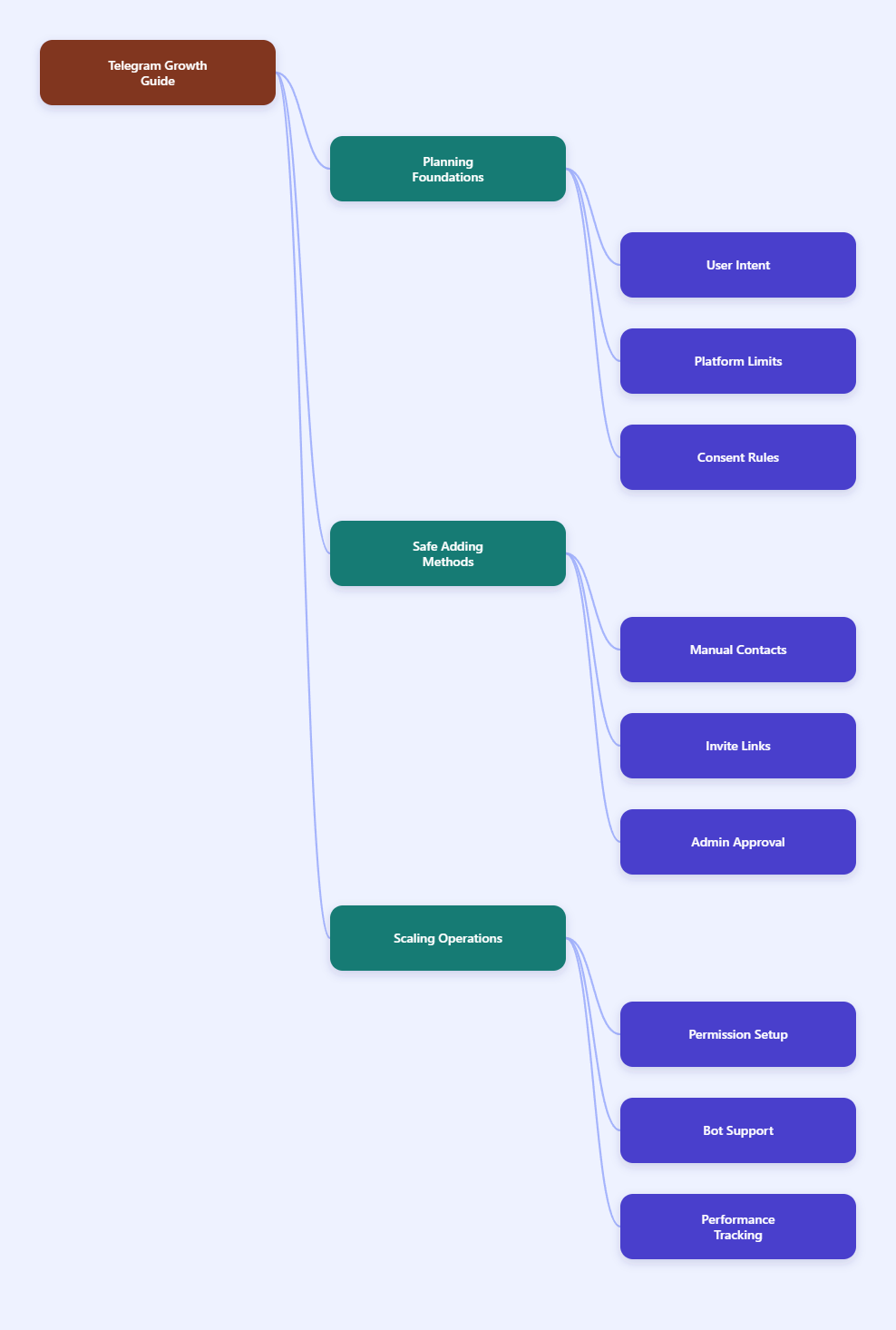
Why Telegram Business Groups Still Matter in 2026
Telegram groups remain useful because they combine fast messaging, searchable discussion, file sharing, moderation tools, and automation. A business group can support customers, host a paid community, manage a cohort, onboard event attendees, or connect a sales team with qualified leads.
The difference in 2026 is that users are more sensitive to unsolicited invites. Telegram also limits spam-like behavior, especially when accounts contact strangers, add people too quickly, or use automation in a way that looks abusive.
A healthy business group should be built around three principles:
- Permission: users understand why they are joining.
- Relevance: the group topic matches the user’s interest.
- Control: admins can approve, restrict, remove, and organize members.
Telegram supports very large communities. Official Telegram group information states that groups can support up to 200,000 members, while basic groups are limited to smaller use and supergroups provide stronger community tools.
That capacity is powerful, but it does not mean every business should chase volume. For most brands, a smaller group with real customers is more valuable than a huge group filled with silent, annoyed, or low-quality members.
Understand Telegram Contact and Group Limits First
Before you add anyone, know the limits that shape your workflow. Telegram does not publish every anti-spam threshold in a simple public table, and some limits can vary by account history, device, region, and user reports.
Still, several practical limits are clear from Telegram documentation and widely observed platform behavior.
| Area | Known 2026 Reality | Business Impact |
|---|---|---|
| Basic group size | Up to about 200 members before supergroup behavior applies | Good for small teams or pilots |
| Supergroup size | Up to 200,000 members | Suitable for large communities |
| Group admins | Up to 50 admins in groups | Enough for tiered moderation |
| Bots in groups | Up to 20 bots in groups | Choose automation carefully |
| Invite links | Can include expiration, usage limits, and admin approval | Best option for controlled growth |
| Spam enforcement | Unwanted messages or suspicious adding can temporarily limit accounts | Avoid scraping and forced invites |
The important takeaway is simple: Telegram allows group growth, but it punishes behavior that feels unwanted. If a user reports your message as spam, Telegram may limit what your account can do.
Those restrictions can affect actions such as messaging people who did not contact you first, posting in public groups, creating groups, or managing admins. For a business, that can interrupt operations at the worst possible time.
How to Add Telegram Contacts to Business Groups Safely
The safest way to add telegram contacts to business groups is to treat Telegram like an opt-in channel, not a cold outreach list. You can still use direct adds in limited cases, but invite links and consent flows are usually better.
Method 1: Add Existing Contacts Manually
Manual adding works when the person is already a real contact and expects to be included. This is suitable for internal teams, existing clients, support staff, or a small private group.
On mobile, the typical flow is:
- Open the Telegram group.
- Tap the group name or group info.
- Select Add Members.
- Choose contacts from your Telegram contact list.
- Confirm the invitation or addition.
On desktop, open the group, go to group management or members, then choose the option to add members. The exact label can differ slightly by app version.
Use this method only when the relationship is clear. If you upload a phone contact and invite someone without context, they may leave, mute the group, or report the action.
Method 2: Use Private Invite Links
Private invite links are the best default for business groups. Telegram invite links can be shared through email, checkout pages, CRM messages, onboarding screens, newsletters, or customer portals.
They work well because the user decides to join. That lowers spam risk and creates a cleaner membership record.
A strong invite link setup includes:
- One link per campaign so you can track where members came from.
- Usage limits for paid products, cohorts, or private events.
- Expiration dates for launches, webinars, and temporary access.
- Admin approval when the group contains paid, sensitive, or regulated discussion.
Do not post one permanent private link everywhere forever. If it leaks, unwanted members can enter until you revoke or replace it.
Method 3: Require Admin Approval
Admin approval adds a review step before someone enters the group. This is useful when your business group is not fully public or when access depends on purchase, identity, role, or qualification.
For example, a course creator can require approval and ask users to submit the same email used at checkout. A B2B company can verify company domains before approving prospects into a product feedback group.
Approval is slower than open joining, but it protects quality. It also gives your moderation team a chance to reject suspicious accounts before they can post links or scrape members.
Build a Compliant Contact-to-Group Workflow
A business workflow should not depend on one admin manually remembering who to add. The process should be clear enough that a support agent, community manager, or automation tool can follow it consistently.
Step 1: Segment Contacts Before Inviting
Do not send every contact to the same group. Segment people based on why they should join.
Useful segments include:
- Paying customers
- Free trial users
- Newsletter subscribers
- Course students
- Event attendees
- VIP clients
- Internal staff
Each segment should have a matching group or topic. A person who bought a premium plan should not land in the same noisy chat as unqualified leads unless that is your intended community design.
Step 2: Ask for Consent Outside Telegram
The best time to invite someone is when they already understand the value. Add a Telegram opt-in step to your checkout page, signup form, welcome email, or customer dashboard.
Use direct language such as: “Join our Telegram support group for setup help, product updates, and member-only Q&A.” This tells users what they will receive and reduces surprise.
If you collect phone numbers, explain why. Telegram contact discovery depends heavily on phone-based contacts, but many users protect their phone number and may not want to be added directly.
Step 3: Send the Right Link
Once the user opts in, send the correct link for their segment. For a public community, a reusable public link may be fine. For paid or private access, use a limited private invite link.
Your message should include:
- The group name
- The benefit of joining
- The invite link
- Any access deadline
- Basic behavior rules
Keep it short. A clear one-paragraph invitation performs better than a long policy message.
Step 4: Welcome and Orient Members
Once people join, do not leave them guessing. Pin a welcome post that explains the group purpose, rules, support hours, and how to get help.
For larger groups, use Telegram topics if available for your community structure. Topics can separate support, announcements, feedback, off-topic chat, and product updates.
A good welcome system reduces repeated questions and gives admins a standard reference when enforcing rules.
Avoid Bulk Adders, Scrapers, and Forced Invites
Many tools claim they can add unlimited members to Telegram groups. In practice, “member adder” tools often scrape public groups and try to re-add users elsewhere.
This is risky for three reasons:
- Consent risk: scraped users did not ask to join your group.
- Account risk: adding too many people can trigger restrictions.
- Brand risk: annoyed users may report, leave, or criticize your business.
Some third-party guides estimate that warmed-up accounts may only tolerate limited daily invites before anti-spam systems react. New accounts can be even more fragile.
Do not build a business process around unpublished daily limits. Telegram can change enforcement, and user reports can matter more than raw numbers.
If your goal is growth, use safer channels:
- Website join buttons
- Email onboarding
- QR codes at events
- Paid customer portals
- Telegram channel announcements
- Partner newsletters
- In-app community prompts
These methods attract people who actually want the group, which improves retention and discussion quality.
Set Permissions Before You Scale
Adding members before configuring permissions is a common mistake. Once a group grows, spam and confusion become harder to fix.
Telegram lets admins control member rights and administrator rights. In supergroups, permissions are more granular, allowing owners to decide who can post media, add users, pin messages, change group info, or manage topics.
Before inviting a large batch of users, review these settings:
- Who can send messages during onboarding or launches.
- Who can add users to prevent uncontrolled expansion.
- Who can post links or media to reduce spam.
- Which admins can ban users for moderation speed.
- Which admins can promote others to protect ownership.
Keep admin rights minimal. A support moderator may need to delete messages and restrict members, but may not need permission to add new admins or change group information.
For business groups, the owner account should use two-step verification and avoid sharing login access. If the creator account is compromised, the entire community can be at risk.
Use Bots and Telegram Business Features Carefully
Telegram Business features can support customer communication with quick replies, opening hours, location, automated messages, start pages, and connected bots. Official Telegram Business documentation notes that business users can connect bots to process and answer messages on their behalf.
These tools are helpful, but they do not remove the need for consent. A bot should improve onboarding, support, and moderation, not force people into a group they did not request.
Useful bot tasks include:
- Sending a welcome message
- Checking basic rules acceptance
- Routing support questions
- Removing obvious spam
- Collecting feedback
- Posting scheduled reminders
Keep bot permissions limited to what the bot actually needs. If a bot only welcomes users, it does not need full admin power.
Also remember that groups can have a limited number of bots. Too many bots can create conflicts, slow moderation, and confuse members.
Practical Templates for Business Group Invites
Good invitation copy is short, specific, and honest. It should tell people why the Telegram group exists and what they will get after joining.
Customer Support Group Invite
“Thanks for joining [Product]. You can join our Telegram support group here: [link]. We use it for setup help, known issue updates, and weekly Q&A. Please use the same name you used at checkout so our team can approve you faster.”
Paid Community Invite
“Your membership is active. Join the private Telegram group here: [link]. This link is limited to one use and may expire on [date]. Inside, you will find member discussions, announcements, and live session reminders.”
Event Attendee Invite
“Join the Telegram group for [Event Name]: [link]. We will post schedule changes, speaker updates, networking prompts, and session resources there. The group opens today and will stay active for 30 days after the event.”
These examples make expectations clear. They also reduce random joining because the user understands the context before clicking.
Measurement: Know Whether Your Group Is Working
Adding contacts is only the first step. A business group should have measurable outcomes.
Track simple signals every week:
- Join rate from invite links
- Approval rate for private links
- First-week member activity
- Questions answered by admins
- Spam removals and reports
- Churn or group exits after campaigns
- Support tickets reduced by group answers
If many people join but never participate, the promise may be unclear. If people leave quickly, the group may be too noisy, too promotional, or poorly moderated.
Use separate invite links for different channels so you can compare email, website, checkout, partners, and events. This is cleaner than guessing where members came from.
Common Mistakes to Avoid in 2026
The biggest mistake is treating Telegram like an email list you can upload and message freely. Telegram users expect personal control, and many have privacy settings that restrict who can add them to groups and channels.
Avoid these errors:
- Adding cold contacts without permission
- Buying scraped Telegram member lists
- Using one permanent invite link everywhere
- Giving every admin full rights
- Ignoring welcome rules and pinned posts
- Letting members add anyone freely
- Running multiple untested bots at once
Also avoid promising “unlimited members.” Telegram groups have real limits, and spam controls can stop aggressive growth long before you reach technical capacity.
A better promise is: the right members, invited the right way, with the right controls.
Final Checklist Before You Invite Contacts
Use this checklist before launching a new Telegram business group or moving a large contact segment into an existing one.
- Create a clear group name, photo, and description.
- Write a pinned welcome message and rules post.
- Set member permissions before promotion starts.
- Limit admin rights based on role.
- Create separate invite links for each campaign.
- Use expiration or usage caps for private access.
- Enable admin approval when membership must be verified.
- Prepare a short invite message with the group benefit.
- Monitor spam, reports, and early member behavior.
- Replace leaked or abused invite links quickly.