
If you are looking for a quick way to add telegram business contacts in 2026, the real goal is not just speed. You also need clean consent, low friction, correct privacy settings, and a workflow that does not trigger Telegram’s anti-spam systems.
This guide explains how to add business contacts fast, when to use each method, and how to avoid the common mistakes that get accounts limited. It is written for founders, support teams, sales reps, community managers, and solo operators who want a practical process they can use today.
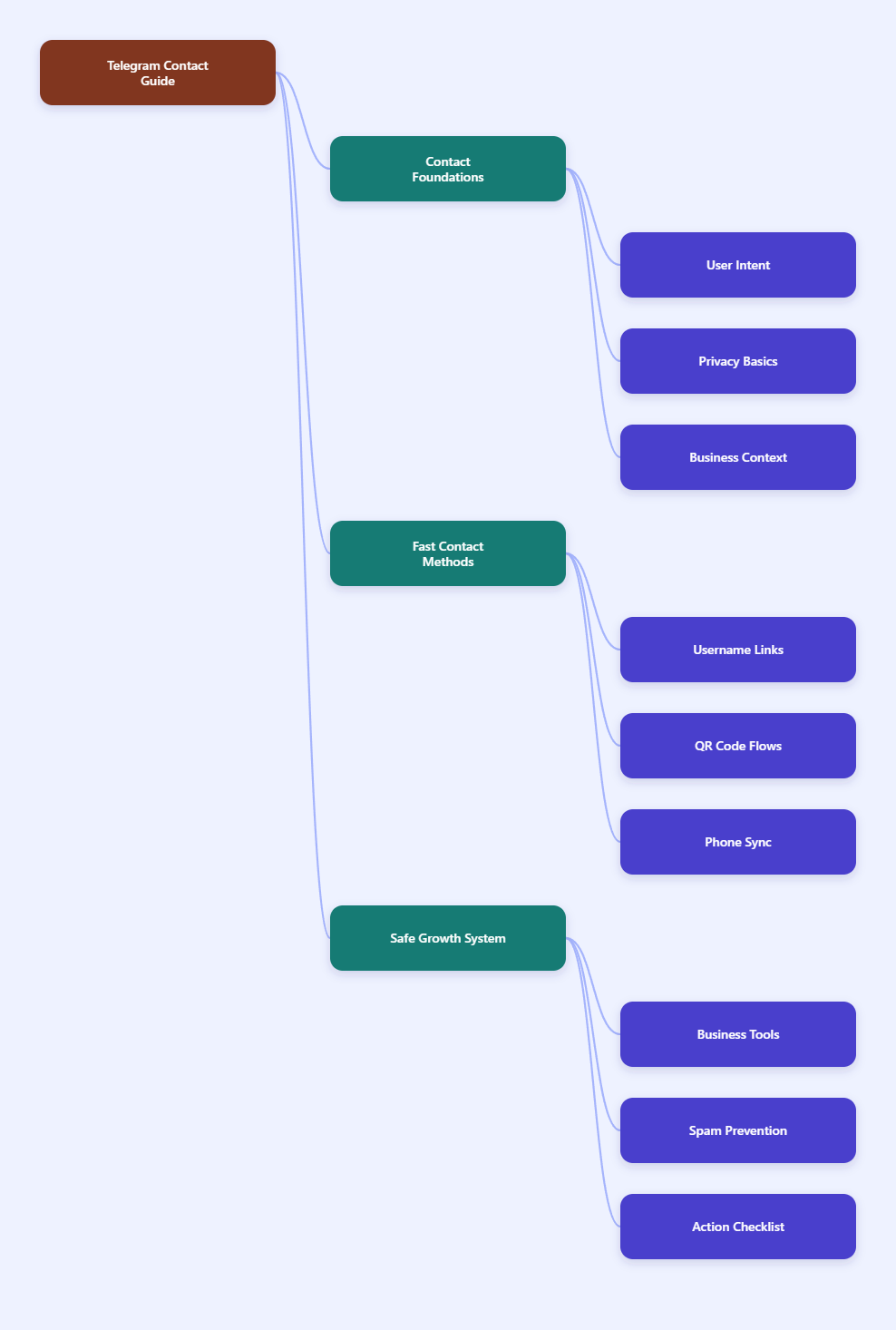
Why Telegram Contacts Matter for Business in 2026
Telegram is now used for customer support, creator communities, order updates, private groups, lead qualification, and direct sales conversations. Telegram’s developer pages also position the platform as business infrastructure, with APIs for bots, payments through third-party providers, and business account features.
The contact layer matters because it controls whether a conversation feels trusted or intrusive. A customer who scans a QR code at an event is different from a stranger whose phone number was imported without context.
For business use, your contact workflow should achieve four things:
- Reduce typing so users do not have to search manually.
- Respect privacy because Telegram users can hide phone numbers.
- Create context so the customer knows why you are messaging.
- Protect deliverability by avoiding spam-like behavior.
The fastest method is not always the best method. The best method is the one that fits the relationship and keeps both sides comfortable.
Quick Way to Add Telegram Business Contacts: Choose the Right Method
The quick way to add telegram business contacts depends on what information you already have. Telegram allows people to connect through phone numbers, usernames, profile links, QR codes, groups, channels, and bot entry points.
Use the table below as a practical decision guide before you build your workflow.
| Method | Best For | Speed | Privacy Level | Main Risk |
|---|---|---|---|---|
| Username or t.me link | Public-facing leads and support | Very fast | High | Wrong username or impersonation |
| QR code | Events, stores, packaging, print | Very fast | High | Unclear destination |
| Phone contact sync | Existing customers who shared numbers | Fast | Medium | Consent and visibility issues |
| Group or channel entry | Communities and announcements | Fast | Medium to high | Low personal context |
| Bot or Business chat link | Support, lead forms, automation | Fast | High | Poor bot handoff |
If you only remember one rule, use this: let the customer initiate whenever possible. A scan, click, or first message gives you cleaner intent than a cold import.
Method 1: Add Contacts by Username or t.me Link
A username or public t.me link is usually the best balance of speed and privacy. It lets people reach your business without revealing a phone number.
This is ideal for websites, email signatures, social bios, invoices, product inserts, and support pages. It also works well when customers do not want to exchange personal numbers.
How to Use It
- Create a clear Telegram username for the business or support identity.
- Use the same handle across your website, social profiles, and help center.
- Share a direct link such as a public t.me username link instead of asking people to search.
- Add a short instruction: Message us on Telegram for order help.
Do not use confusing usernames that look like personal accounts. A name such as your brand plus support is easier to verify than random letters or numbers.
Best Business Use Cases
Use username links when the customer journey starts online. For example, a SaaS product can place a Telegram support link on its pricing page, while a course creator can include it in onboarding emails.
This method is also useful for teams that want a quick way to add telegram business contacts without collecting extra personal data. The customer chooses to open the chat, and your team gets immediate context from the page where the link appeared.
Method 2: Use Telegram QR Codes for Offline and Mobile Flows
QR codes are one of the fastest contact methods because they remove typing. They are especially useful when the customer is standing in front of you, holding packaging, attending an event, or viewing a printed flyer.
Telegram supports QR-based sharing and scanning flows, and many businesses also create QR codes that point to Telegram profile, group, channel, or chat links. The important part is not the code itself; it is the promise beside the code.
Where QR Codes Work Best
- Retail counters and reception desks.
- Event booths and conference badges.
- Product manuals and warranty cards.
- Restaurant menus and delivery inserts.
- Printed appointment reminders.
A QR code should never stand alone. Add a label such as Scan to chat with support on Telegram or Scan for delivery updates.
Implementation Tips
Test the QR code on iOS and Android before printing it. Also test it with a user who does not already follow your channel or have your contact saved.
If the code opens a group or channel, explain what happens next. If it opens a direct chat, use a prefilled message or a short instruction so the first message contains useful context.
Method 3: Add Existing Customers by Phone Number Carefully
Phone number contact sync can be fast, but it needs more care. Telegram’s privacy policy says Telegram uses phone numbers as unique identifiers and asks permission before syncing contacts; it also stores the name and number needed for contact discovery and notifications.
That means phone-based contact workflows should be limited to people who already gave you their number for a relevant business reason. Do not upload random lists and start messaging strangers.
When Phone-Based Adding Makes Sense
- The customer provided a phone number during checkout.
- The lead requested Telegram follow-up on a form.
- The customer is already in your CRM and opted into messaging.
- You need to continue an existing support case.
Even then, the first message should explain why you are contacting them. A simple line such as Hi Maya, this is Alex from Northline Support following up on your warranty request reduces confusion and report risk.
Privacy Settings to Understand
Telegram users can control who sees their phone number and who can find them by number. Some users also limit discovery or prefer usernames instead.
If a customer cannot be found by number, do not force the workflow. Ask for their username, t.me link, or QR code instead.
Method 4: Turn Groups and Channels Into Contact Paths
Groups and channels are useful when you need one-to-many communication before one-to-one contact. Channels work well for announcements, while groups are better for community discussion.
A business can use a public channel for updates and then route serious inquiries into direct support. This keeps broadcast content separate from private customer conversations.
How to Structure the Flow
- Use a channel for news, launches, deadlines, and alerts.
- Use a group for community questions and peer discussion.
- Pin a message that explains how to contact support.
- Link to a bot, username, or Business chat entry point for private help.
This creates a clean funnel. People can observe first, join if interested, and contact the business when they need help.
What to Avoid
Do not scrape members from a group and message them cold. That behavior feels invasive and can increase reports.
Also avoid adding people to groups without a clear reason. Invite links are usually safer because the user chooses to join.
Method 5: Use Telegram Business Features and Bots
Telegram Business adds tools that make contact management more professional. Official Telegram materials describe features such as business hours, location, start pages, quick replies, greeting messages, away messages, labels, and chatbot support.
For many teams, the fastest contact process is not manually adding people. It is creating a business entry point that automatically welcomes, qualifies, labels, and routes the conversation.
Set Up the Business Profile First
- Add business hours so customers know when to expect replies.
- Add a location if visits or local service matter.
- Create a start page that explains what the chat is for.
- Use quick replies for pricing, returns, booking, and troubleshooting.
- Use greeting and away messages to reduce response anxiety.
A polished profile makes a new contact feel safer. It also reduces repetitive questions before a human agent joins the chat.
Use Bots for Intake, Not Deception
Telegram’s Bot API and business bot documentation support automated workflows, including bots that can process and answer messages for business users when properly connected. Bots can qualify leads, ask for order numbers, collect issue categories, and hand off to humans.
Be transparent when automation is involved. A good bot saves time; a fake human assistant damages trust.
Anti-Spam Rules: How to Add Contacts Without Getting Limited
Telegram’s spam FAQ explains that accounts can be limited after users report unwanted messages. In practice, this means business outreach must be permission-based and paced.
The safest quick way to add telegram business contacts is not mass adding. It is building repeatable entry points where customers start the relationship themselves.
Safe Operating Rules
- Do not message random strangers from scraped groups or bought lists.
- Do not send the same pitch to many new contacts in a short period.
- Do not hide your identity in the first message.
- Do not bypass privacy choices if someone prefers not to share a number.
- Do keep records of consent when using CRM or phone-based workflows.
If your account is limited, Telegram’s spam guidance points users toward understanding report-based restrictions. Businesses should treat any limitation as a signal to slow down and review outreach quality.
Better First Messages
The first message should be short, specific, and expected. It should tell the customer who you are, why you are messaging, and what they can do next.
For example: Hi Daniel, this is Priya from Atlas Gear. You asked for Telegram updates about order AG-2418, so I will send shipping changes here.
A 15-Minute Contact Workflow You Can Set Up Today
If you want a practical setup, use this simple workflow. It works for online stores, consultants, agencies, creators, and local service businesses.
Step-by-Step Setup
- Minute 1-3: choose a business username that clearly matches your brand.
- Minute 4-5: create a direct t.me link and test it on another device.
- Minute 6-8: create a QR code that points to the same link.
- Minute 9-11: add a short call to action on your website, email footer, and order confirmation page.
- Minute 12-15: write one greeting message, one away message, and three quick replies.
This gives you a fast, privacy-friendly system. Customers can click or scan, and your team can respond with prepared answers instead of typing everything from scratch.
Suggested Quick Replies
- /hours: share business hours and average response time.
- /order: ask for order number, email, and issue type.
- /pricing: send your current pricing page or booking link.
- /handoff: tell the customer when a human will reply.
Quick replies are small, but they change the customer experience. They make fast contact feel organized instead of chaotic.
Common Mistakes That Slow Down Telegram Contact Growth
Many businesses make Telegram harder than it needs to be. They treat it like a cold outreach tool instead of a high-trust messaging channel.
Mistake 1: Asking Users to Search Manually
Manual search creates friction and mistakes. Always provide a direct link or QR code when possible.
Mistake 2: Mixing Personal and Business Identity
A personal account can work for a freelancer, but it becomes risky as volume grows. Use clear profile information, consistent branding, and Business features where appropriate.
Mistake 3: No Context After Contact
If a customer opens a chat and sees no instructions, they may leave. Use a start page, pinned message, greeting, or bot prompt to guide the next step.
Mistake 4: Importing Before Asking
Phone imports are not a replacement for permission. If the relationship is weak, use a link or QR code and ask the user to initiate.
Final Checklist for 2026
Before you publish your Telegram contact path, review this checklist. It keeps your workflow fast, trustworthy, and easier to scale.
- Your Telegram name, photo, and bio clearly identify the business.
- Your website and emails use direct links, not vague search instructions.
- Your QR codes are tested and labeled with a clear benefit.
- Your first message explains the reason for contact.
- Your quick replies cover the top five customer questions.
- Your team avoids cold messaging people who did not ask to hear from you.
The best quick way to add telegram business contacts in 2026 is a combination of username links, QR codes, Business profile setup, and consent-based follow-up. It is fast because customers do not have to think, and it is safe because they choose how to connect.