
I see the same Telegram problem every week. A channel has good posts, decent reach, and a real audience, but the next step is messy. People read, scroll, and disappear.
That is where a well-placed Telegram button changes the experience. It turns a passive post into a clear path: read more, join, vote, buy, open a bot, or visit a landing page.
This guide shares how I plan Telegram button layouts, measure clicks, avoid spammy patterns, and use buttons inside real marketing workflows. I will also touch on one lightweight tool option later, but the main focus is strategy.
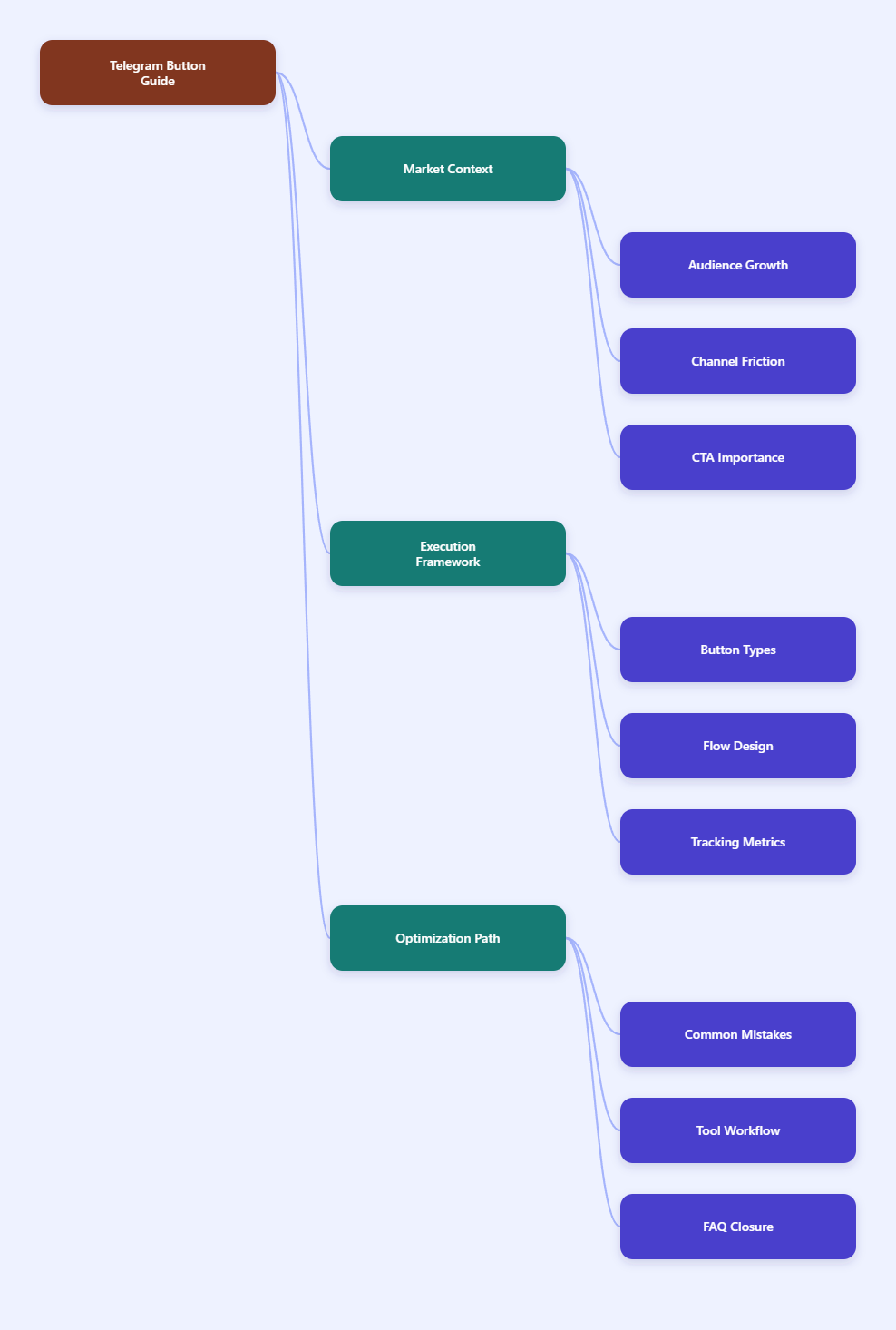
Why Does a Telegram Button Matter More in 2026?
Telegram channels used to feel simple. Post an update, add a link, wait for views. That still works for news or announcements, but it is weak for campaigns.
Users now expect faster navigation. They do not want to copy links, type commands, or search old posts. A Telegram button removes friction at the exact moment attention is highest.
For marketers, the button is more than decoration. It creates a measurable action layer between content and conversion.
- It makes the next step obvious.
- It keeps posts cleaner than long raw URLs.
- It supports UTM tracking and deep links.
- It helps bot flows start from context.
- It reduces repeated questions in comments or groups.
The real value is not the button itself. The value is the intent behind the click.
Telegram Button Types: What Should You Use?
Before designing anything, I separate Telegram buttons into three practical groups. Each group solves a different job.
URL Buttons
URL buttons open a webpage, landing page, checkout, signup form, blog post, or tracking link. I use them when the conversion happens outside Telegram.
For example, a SaaS channel can publish a short release note and add one button: View Changelog. That is cleaner than adding three links in the post body.
Inline Keyboard Buttons
Inline keyboard buttons sit under bot messages. Telegram Bot API documentation describes inline keyboards as buttons attached to messages. They can trigger callback queries, open URLs, launch web apps, or support other bot actions.
I use inline keyboards when a user needs to choose something without typing. Examples include selecting a plan, choosing a language, voting on content, or opening a guided support flow.
Reply Keyboard Buttons
Reply keyboard buttons replace the typing area with preset options. They work well for simple repeated commands, such as Pricing, Support, or My Orders.
I avoid reply keyboards in public groups unless they clearly help. Persistent buttons can feel heavy when the chat moves fast.
| Button Type | Best Use | Where It Appears | Measurement Tip | Common Risk |
|---|---|---|---|---|
| URL button | Traffic, signup, checkout | Under a post or bot message | Add UTM tags | Weak landing-page match |
| Inline keyboard | Bot navigation and choices | Attached to bot messages | Track callback events | Too many options |
| Reply keyboard | Fast repeated commands | Input area in chat | Track command usage | Cluttered chat UX |
| Mini App button | Interactive app flows | Bot or Mini App entry points | Track app events | Overbuilding too early |
| Deep-link button | Campaign source tracking | Link to bot start flow | Use start parameters | Payload limits |
How I Design a Telegram Button Flow Before Publishing
I never start with the button label. I start with the user journey. A good Telegram button answers one question: what should the reader do next?
Here is my usual planning process.
- Pick one primary action for the post.
- Match the action to the content promise.
- Use a short button label with a verb.
- Add tracking before publishing.
- Test the button on mobile and desktop.
- Check the post after it goes live.
Short labels win. I prefer labels like Read Guide, Open Tool, Join Waitlist, Get Template, or Vote Now.
Long labels break the rhythm. If a button needs a full sentence, the post probably needs clearer copy.
Where Should You Place Telegram Button CTAs?
Button placement depends on context. In a channel post, the button usually sits after the message. That means the post body must create enough motivation before the reader reaches it.
I like the inverted pyramid approach. Put the result first, explain the value second, and place the action third.
Example Layout for a Channel Post
A simple launch post can follow this order:
- Lead: what changed and why it matters.
- Proof: one screenshot, metric, or use case.
- Context: who should care.
- Button: one clear next step.
If the post has multiple audiences, use two buttons at most. For example: For Creators and For Agencies. More than that often lowers clarity.
Example Layout for a Bot Message
Bot messages need even less copy. I write one short explanation, then show buttons.
A good support bot message might say: What do you need help with today? Then it offers Billing, Setup, and Account.
That is faster than asking users to type a command they may not remember.
Telegram Button Metrics I Actually Track
Views alone can mislead you. A channel can show strong views but weak action. That is why I track button performance separately.
For external links, I use UTMs. For bot flows, I use deep links and callback events where available. Telegram deep links can pass a start parameter to a bot, but payload limits matter, so keep values short.
These are the metrics I check after campaigns:
- Click-through rate: clicks divided by post views.
- Start rate: bot starts divided by button clicks.
- Drop-off step: where users leave the bot flow.
- Conversion rate: leads or purchases divided by clicks.
- Revenue per 1,000 views: revenue divided by views, then multiplied by 1,000.
I do not compare every channel with the same benchmark. A finance channel, a crypto alert channel, and a language-learning community behave differently.
Instead, I compare each post against its own history. That shows whether a new button label, offer, or layout improved the outcome.
Common Telegram Button Mistakes I Still See
Most button failures are not technical. They are strategic. The button exists, but the reason to click feels weak.
Too Many Buttons
When every option looks important, nothing looks important. I usually keep channel posts to one or two buttons.
For bot menus, I group choices by intent. If there are many options, I use step-by-step menus instead of showing everything at once.
Vague Labels
Labels like Click Here or More waste space. The user should know what happens after the tap.
Use direct labels. Download Checklist beats Learn More when the destination is a checklist.
No Tracking
A button without tracking is a guess. At minimum, add UTM tags for web links. For bot campaigns, separate deep links by source, post, or partner.
Broken Mobile Flow
I always test on a phone. Telegram is mobile-heavy, and a landing page that loads slowly will kill the campaign.
The button may be perfect, but the page after it can still fail.
How Can a Telegram Button Support Real Marketing Campaigns?
Here are three workflows I use often.
Lead Magnet Flow
A channel publishes a useful post, then adds a button like Get the Template. The button opens a bot deep link.
The bot asks one qualifying question, delivers the file, and tags the source. This works well for agencies, newsletters, and B2B communities.
Event Registration Flow
A community announces a webinar. The post explains the topic, speaker, and date. The Telegram button opens the registration page with UTM tags.
After registration, the confirmation page invites users back into a Telegram reminder bot. That closes the loop.
Content Navigation Flow
A media channel posts a long guide. Buttons split the next action into Read Part 2, Join Discussion, or Save Resources.
This makes evergreen content easier to explore. It also helps new subscribers find important assets faster.
A Practical Tool Workflow for Faster Telegram Button Publishing
When the pain is speed, not strategy, I look for a tool that removes repetitive publishing steps. This is where OnlyTG Echo@EchoOnBot can fit into a Telegram button workflow.
The key benefit is operational. You avoid rebuilding the same post structure every time you need a clean Telegram button under channel content.
Use Case 1: Newsletter Channel
A newsletter operator posts weekly summaries. With OnlyTG Echo@EchoOnBot, the operator can prepare a short teaser and attach a Read Full Issue button to the archived article.
The practical detail: each issue should use a unique UTM campaign value, such as utm_campaign=weekly_2026_04_12.
Use Case 2: Product Update Channel
A SaaS team announces a release. The post gives the headline change and adds a View Docs button.
OnlyTG Echo@EchoOnBot helps the team keep the format consistent. The marketer still needs to test the docs link and confirm the button label matches the release.
Use Case 3: Community Resource Hub
A community manager shares templates, checklists, and recorded sessions. Each post can use one Telegram button to send users to the right resource.
If OnlyTG Echo@EchoOnBot offers extra posting or formatting options in the current bot interface, treat them as helpful add-ons. Do not let features replace campaign planning.
My 2026 Telegram Button Checklist
Before I publish, I run through this quick checklist. It catches most mistakes.
- Use one primary CTA per post whenever possible.
- Keep button labels short, specific, and action-oriented.
- Match the destination with the promise in the post.
- Add UTM tags or bot deep-link parameters.
- Test on mobile, desktop, and a secondary account.
- Preview the post before sending it to a large channel.
- Check results within the first few hours.
- Archive winning button labels for reuse.
I also keep a small swipe file. It includes button labels that worked, weak labels that failed, and notes on audience behavior.
That file becomes more useful than generic best-practice lists.
FAQ: Telegram Button Questions Marketers Ask in 2026
What is a Telegram button?
A Telegram button is a clickable action element attached to a post, bot message, or Telegram interface flow. It can open links, trigger bot callbacks, launch web apps, or guide users through choices.
Can I add a Telegram button to every channel post?
You can, but you should not always do it. Use a button when there is a clear next step. If the post is only an announcement, a button may add clutter.
What is the best Telegram button label?
The best label is short and specific. Use verbs. Good examples include Read Guide, Join Group, Open Dashboard, Get Checklist, and Start Bot.
How do I track Telegram button clicks?
For website links, use UTM parameters and analytics software. For bot flows, use unique deep links, start parameters, and callback tracking if your bot setup supports it.
Are inline buttons better than reply keyboard buttons?
Neither is always better. Inline buttons are cleaner for message-specific actions. Reply keyboards work better for repeated commands inside a bot conversation.
Can a Telegram button improve conversions?
Yes, if the offer and destination are strong. The button reduces friction, but it cannot fix weak copy, a slow landing page, or a poor product fit.
Should I use OnlyTG Echo@EchoOnBot for Telegram button posts?
Use OnlyTG Echo@EchoOnBot if your bottleneck is preparing, previewing, or repeating button-based posts. Still plan the CTA, tracking, and destination before publishing.
Final Thoughts
A Telegram button looks small, but it shapes the whole user journey. In 2026, that journey matters because Telegram audiences move fast and expect clean navigation.
My advice is simple. Start with one clear action, write a button label that tells the truth, track every serious campaign, and test before publishing.