
If you want a clean split between work, personal chats, clients, communities, or testing accounts, dual Telegram is usually the simplest way to do it without logging out all day.
The important part is knowing what Telegram officially supports, where the limits are, and which shortcuts create privacy or security risks. This guide explains the practical options for 2026, with steps you can use on Android, iPhone, desktop, and Telegram Web.
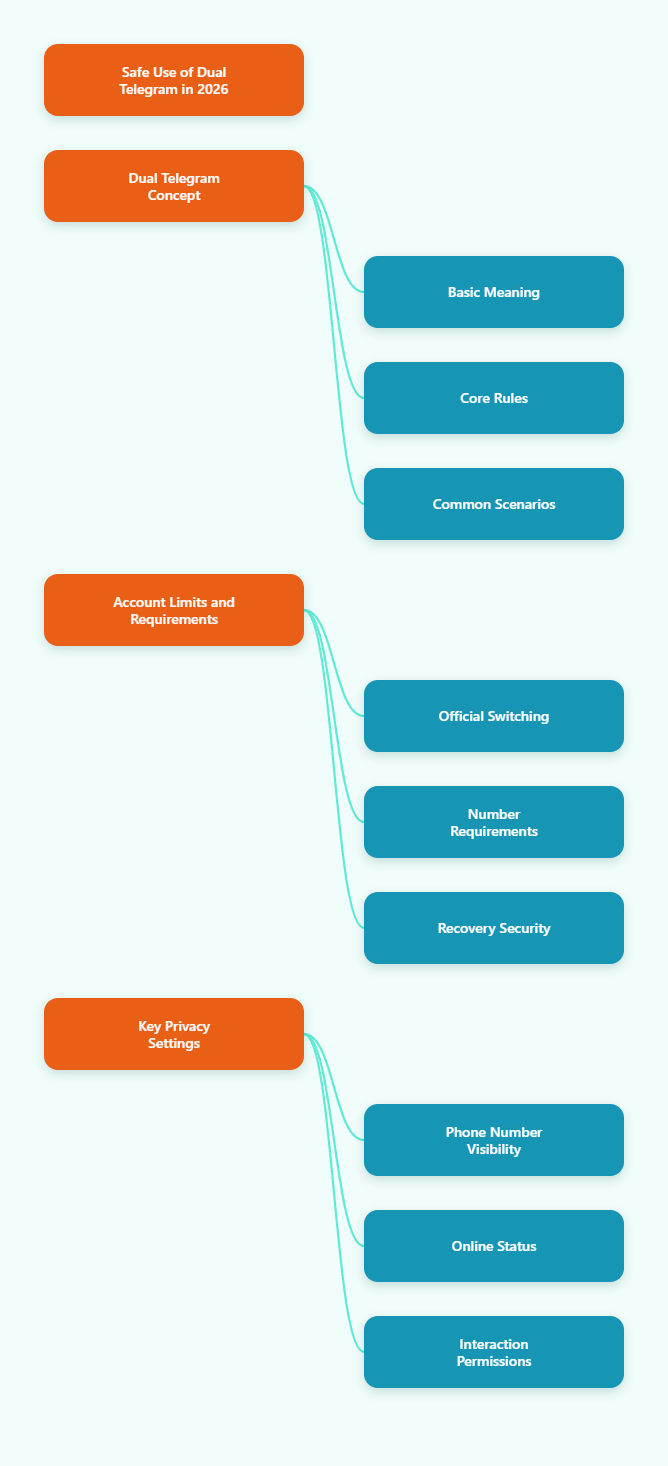
What Dual Telegram Means in 2026
Dual Telegram means using two or more Telegram accounts on the same device, or running separate Telegram environments side by side. It does not mean creating two accounts with one phone number.
The core rule is simple: each Telegram account needs its own phone number. Telegram uses the phone number as the account identity during registration and verification.
For most people, dual Telegram falls into one of four setups:
- Adding multiple accounts inside the official Telegram app.
- Using a phone’s built-in app clone or secure profile feature.
- Running Telegram Desktop plus Telegram Web on a computer.
- Using separate browser profiles for isolated web sessions.
The safest path is to start with the official app because it receives direct security updates and avoids the malware risks associated with fake or modified Telegram apps.
Dual Telegram Account Limits and Rules
Telegram’s official multi-account feature lets users switch between accounts without logging out. Telegram’s own blog describes support for switching between up to three phone numbers in the app.
Several 2026 multi-account guides report that Telegram Premium users may manage up to four accounts in supported clients. Because limits can vary by app version and platform, check your current Telegram app before building a workflow around the maximum number.
What does not change is the phone number rule. You cannot register two independent Telegram accounts with the same number, and you should not rely on temporary numbers you cannot access later.
Official App Limits
The native account switcher is best for normal daily use. It keeps all accounts in one Telegram installation and lets you move between them quickly.
Use it when you need:
- One personal account and one work account.
- A main identity and a community management identity.
- Fast switching without separate apps.
- Reliable push notifications from official Telegram clients.
The trade-off is that accounts still live on the same device. That is fine for ordinary use, but it may not be enough for agencies that need strict client separation.
Phone Number Requirement
Every account must be linked to a number you control. If you lose access to that number, account recovery becomes harder.
A long-term SIM, eSIM, business number, or stable virtual number is safer than a disposable SMS code service. Disposable numbers are risky because someone else may receive future verification messages.
Before adding a second account, make sure the number can receive SMS or calls and that your recovery details are current.
Privacy Basics
Telegram lets users set usernames, so people can contact you without seeing your phone number. Telegram’s FAQ also notes that phone number visibility can be controlled in Settings > Privacy and Security > Phone Number.
For dual Telegram setups, review these settings on every account:
- Phone Number: choose who can see your number.
- Last Seen & Online: reduce unnecessary exposure.
- Profile Photos: separate personal and business visuals.
- Calls: limit who can call each account.
- Groups & Channels: control who can add you.
Do not assume privacy settings carry over. Each Telegram account has its own settings and should be configured separately.
Best Ways to Set Up Dual Telegram
The best method depends on how much separation you need. A freelancer may only need two accounts in one app, while a support team may need separate browser profiles, devices, or workspaces.
| Method | Best For | Main Benefit | Main Limitation |
|---|---|---|---|
| Official Telegram app | Personal and work use | Safest and easiest setup | Limited account slots |
| Android app clone | Separate app icons | Clearer visual separation | Varies by phone brand |
| Secure Folder or work profile | Business separation | Better data isolation | Android-only in many cases |
| Desktop plus Web | Computer workflows | Useful side-by-side access | Web sessions can be limited |
| Separate browser profiles | Multiple web accounts | Isolated cookies and sessions | Requires careful organization |
Method 1: Use Telegram’s Built-In Account Switcher
This is the recommended first choice for most users. It is official, simple, and does not require third-party cloning tools.
On Android, the typical flow is:
- Open Telegram.
- Tap the menu icon or your profile area.
- Choose Add Account.
- Enter the second phone number.
- Confirm the verification code.
- Repeat only if you have another valid number and available slot.
On iPhone, the path is usually inside Settings or the profile edit area, depending on the app version. Look for Add Account, then complete the phone verification process.
After setup, you can switch accounts from the profile menu. Telegram shows each account separately, and notifications can identify which account received the message.
Method 2: Use Android App Cloning Carefully
Some Android phones include built-in tools for running a second copy of supported apps. Samsung has Secure Folder and Dual Messenger features, while brands such as Xiaomi, OPPO, OnePlus, vivo, Huawei, and Honor may offer similar dual app options depending on model and region.
This approach can make dual Telegram easier to manage because each account may appear under a separate app icon. It is useful when you want one Telegram icon for personal use and another for business.
Use built-in phone features before downloading random cloning apps. Third-party clone apps can request broad permissions, consume extra battery, and create security uncertainty.
A safer Android workflow looks like this:
- Check your phone settings for Dual Apps, Dual Messenger, App Twin, or Secure Folder.
- Enable Telegram only through the phone’s official feature.
- Install Telegram from the official app store or Telegram’s official site.
- Log in with a second number you control.
- Set different notification tones and names for each account.
Avoid fake “Telegram Premium” apps or unofficial APKs that promise unlimited accounts. Security researchers have repeatedly warned that fake Telegram apps and modified messenger builds can carry malware or spyware.
Method 3: Use Telegram Desktop and Web
On a computer, Telegram Desktop is usually the cleanest option for everyday work. It supports multiple accounts in modern versions and is easier to manage during long support or community sessions.
You can also open Telegram Web in a browser with another account. This is useful when you want one account in the desktop app and another in the browser.
However, Telegram Web normally depends on browser sessions. If you try to use several accounts in the same browser profile, sessions may conflict or replace one another.
For better separation, use:
- One account in Telegram Desktop.
- One account in Chrome.
- One account in Firefox or Edge.
- Separate browser profiles for different client accounts.
Browser profiles keep cookies and session data separate. That makes them more reliable than constantly logging in and out of the same browser window.
How to Manage Dual Telegram Without Confusion
The technical setup is only half the job. The harder part is avoiding mistakes, such as replying from the wrong account or mixing personal and business contacts.
Name Accounts Clearly
Give each account a clear profile name and photo. Avoid using nearly identical profile pictures if the accounts serve different purposes.
For example, use a company logo for support and a real headshot for personal messaging. If you manage regions, include the region in the profile name or bio.
Clear naming reduces misdirected replies, especially on desktop where switching is fast.
Separate Notifications
Notification design matters when accounts are active all day. Use different tones, badges, or mute rules for each account.
A practical setup is:
- Keep urgent support chats unmuted.
- Mute low-priority channels.
- Use custom notification sounds for business accounts.
- Archive inactive chats weekly.
- Pin only the chats you need today.
This keeps dual Telegram helpful instead of noisy. It also makes it easier to notice which account needs attention.
Use Folders for Daily Work
Telegram folders are valuable when an account belongs to a business workflow. Create folders such as Support, Leads, Partners, Internal, and Channels.
Folders reduce scrolling and make it easier to hand off work. They also prevent important client chats from getting buried under public channel updates.
Review folders monthly. Remove dead chats, update pinned conversations, and keep each account focused on its purpose.
Security Checklist for Dual Telegram
Multiple accounts increase convenience, but they also increase the number of places where mistakes can happen. A secure setup should be boring, consistent, and easy to maintain.
Turn On Two-Step Verification
Telegram supports two-step verification with an additional password. Enable it on every account, not just the main one.
Use a unique password and store it in a trusted password manager. Add a recovery email you control, especially for business accounts.
This protects you if someone gets access to a phone number or SMS code.
Review Active Sessions
Check active sessions regularly under device or privacy settings. Remove old phones, shared computers, and browser sessions you no longer use.
This is especially important if you tested Telegram Web on several browsers. Forgotten sessions can become a weak point.
For business use, create a habit of reviewing sessions after staff changes, device replacements, or travel.
Avoid Risky Shortcuts
Do not install random Telegram clones, modified APKs, or browser extensions unless you fully trust the publisher and understand the permissions. The safest version is still the official Telegram app.
Be careful with services that sell temporary verification numbers. If the number is recycled, your account access may be exposed later.
Also avoid aggressive automation, spam messaging, or mass account behavior. These patterns can trigger platform restrictions and damage legitimate business operations.
When Dual Telegram Is Not Enough
Dual Telegram works well for simple separation, but it is not a full customer support system. If several people need to answer the same inbox, Telegram alone may create accountability problems.
Consider a more formal workflow when you need:
- Shared team access with permissions.
- Customer history across agents.
- Response time reporting.
- Automated routing or tagging.
- Clear ownership of every conversation.
In those cases, Telegram can remain the communication channel, while your team uses a CRM, helpdesk, or documented process to track work. The goal is not just having more accounts; it is preventing missed messages and wrong replies.
Common Mistakes to Avoid
Most dual Telegram problems come from rushing the setup. A few minutes of planning can prevent weeks of messy account management.
Using Unstable Numbers
A Telegram account is only as recoverable as its phone number. If the number disappears, the account becomes fragile.
Use stable numbers for accounts that matter. For client-facing or revenue-related accounts, disposable verification numbers are a poor foundation.
Mixing Personal and Business Contacts
Do not sync every contact list into every account without thinking. Contact sync can blur the separation you are trying to create.
Use usernames, invite links, and manual contact management when privacy matters. Keep the personal account personal and the business account business.
Ignoring App Updates
Old Telegram versions may miss security patches or newer account management features. Update from official sources only.
If you rely on desktop and mobile together, keep both updated. Consistent versions reduce login and notification issues.
Final Takeaway: The Safest Dual Telegram Setup
The best dual Telegram setup in 2026 starts with the official multi-account feature, uses one reliable phone number per account, and applies privacy settings separately to each identity.
If you need stronger separation, use built-in Android profiles, Telegram Desktop plus Web, or separate browser profiles instead of risky unofficial clones. Keep account names, notifications, folders, and active sessions organized.