
Skip to content
OnlyTG Icon
  • ProductsExpand
    • Echo
    • Recorder
  • ResourcesExpand
    • Help
    • Blog
    • Channel & Bot Finder
    • SMM Panel
  • PricingExpand
    • Echo Pricing
  • EnglishExpand
    • 中文 (中国)
    • Русский
    • English
Contact us
Telegram Tips

Can Dual Telegram Manage Multiple Business Telegram Channels at Once in 2026?

Home » Blog » Telegram Tips » Can Dual Telegram Manage Multiple Business Telegram Channels at Once in 2026?

 Telegram channel operators can manage multiple channels from one workflow using bots, schedulers, and dashboard-based tools, but a single account or bot still needs proper setup and permissions to do it cleanly.

If your goal is to run several business channels without constant manual posting, the safest approach is a structured system: one main control layer, separate channel roles, and a publishing workflow that supports scheduling, analytics, and team handoff.
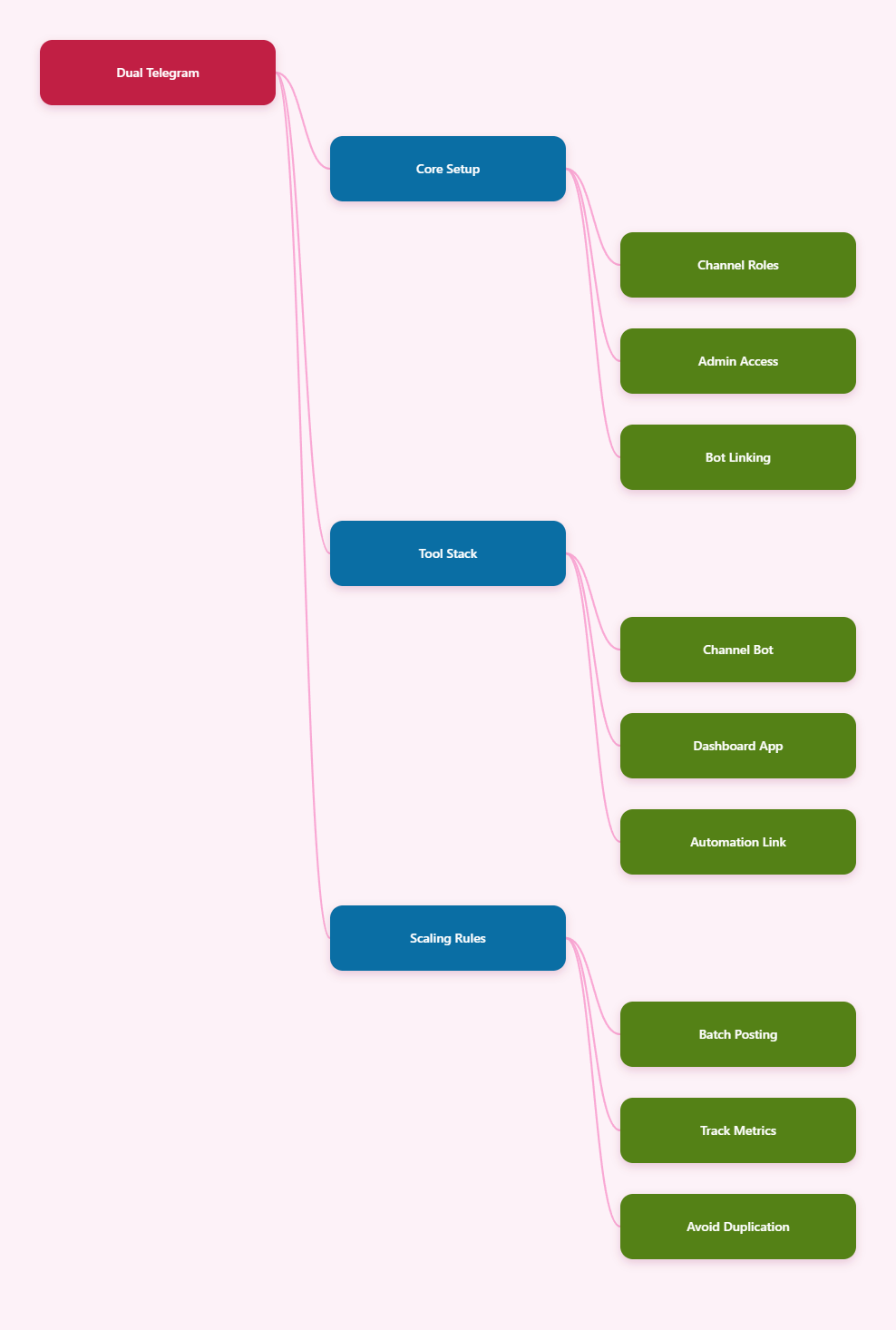
Mind map

What Dual Telegram Means

One account, many channels

In practice, “dual Telegram” usually means one operator managing more than one Telegram channel from a central setup. Tools like TelegramHub and other channel managers are built for this kind of multi-channel publishing and account switching.

One bot, many destinations

Channel-manager bots can post to multiple linked channels after you add the bot as an admin and connect each channel correctly. Public tutorials show one bot can publish to as many channels as you want when the linking process is done properly.

One team, shared workflow

For business use, the stronger model is not “one person doing everything.” Telegram business tooling increasingly supports shared inboxes, routing, and team coordination so multiple people can work from one operating system .

Can Dual Telegram Manage Multiple Business Telegram Channels at Once

The short answer

Yes, it can, but only if you build around the right control layer. Current tools support multi-account management, centralized posting, scheduled delivery, and unified histories, which makes multi-channel operation realistic for marketing teams.

The main limitation

Telegram itself does not magically merge channels into one native workspace. You still need admin access, linked bots, or an external management platform to avoid logging in and out of separate channels all day.

The business use case

This setup works best for brands running separate channels by niche, product line, region, or funnel stage. A single operator can schedule content, monitor performance, and keep each channel consistent without manually publishing every post.

Setup Best For Main Benefit Main Risk
Native Telegram only Very small teams Simple to start Manual work grows fast 
Bot-based management Channel automation Scheduled multi-channel posting  Needs correct admin setup
Dashboard platform Business teams Unified control and analytics  Tool dependency

Best Workflow in 2026

1. Separate channel roles

Do not make every channel do the same job. Use one channel for announcements, one for content, and one for offers or support so the audience gets a clear reason to subscribe.

2. Schedule in batches

Batch creation is the easiest way to stay consistent. Prepare posts for a full week, schedule them in advance, and let the system handle the timing instead of relying on daily manual uploads.

3. Track what performs

Use analytics to compare reach, growth, and engagement across channels. Telegram-native stats help, but third-party dashboards give you a better view when you manage multiple properties at once.

Tool Stack That Works

Channel manager bot

This is the core layer if you want one bot to publish across channels. The bot must be added as admin, linked to each channel, and used with clear posting rules.

Dashboard platform

A centralized dashboard is better for teams because it reduces context switching. Platforms in 2026 increasingly offer multi-account support, shared inboxes, and content history in one place.

Automation connector

Workflow tools can connect Telegram to CRMs, spreadsheets, and alerts. That matters when you need leads, approvals, or reporting to move automatically between systems.

Common Mistakes

Overposting one audience

When too many channels repeat the same content, subscribers churn quickly. Segmentation by niche or intent performs better than copying the same post everywhere.

Poor admin setup

If the bot is not added correctly or the channel links are incomplete, publishing fails. Most multi-channel setups break because of configuration errors, not because the method itself does not work.

No content system

Random posting is the fastest way to make multi-channel management feel impossible. A repeatable workflow with templates, batches, and a publishing calendar is what keeps the system stable.

Final Takeaway

So, can dual telegram manage multiple business Telegram channels at once? Yes, and in 2026 it is already a normal workflow for marketers who rely on bots, dashboards, and scheduled publishing. The key is to treat Telegram as an operating system for channel management, not just a chat app.

If you build the right structure, can dual telegram manage multiple business Telegram channels at once becomes less of a question and more of a scalable content process for your business.

Post Tags: #Telegram

Post navigation

Previous Previous
Dual Telegram in 2026: How to Manage Multiple Accounts Safely
NextContinue
How to Choose the Best Safe Dual Telegram App for Marketing Agency Teams in 2026
Table of Contents
  • What Dual Telegram Means
    • One account, many channels
    • One bot, many destinations
    • One team, shared workflow
  • Can Dual Telegram Manage Multiple Business Telegram Channels at Once
    • The short answer
    • The main limitation
    • The business use case
  • Best Workflow in 2026
    • 1. Separate channel roles
    • 2. Schedule in batches
    • 3. Track what performs
  • Tool Stack That Works
    • Channel manager bot
    • Dashboard platform
    • Automation connector
  • Common Mistakes
    • Overposting one audience
    • Poor admin setup
    • No content system
  • Final Takeaway
Echo Sidebar
  • Latest Post
  • Echo
  • Recorder
  • Tips
  • Telegram Tips

    Auto Welcome on Telegram: How Businesses Can Improve Member Onboarding

    Telegram auto welcome messages improve onboarding, guide members, and reduce admin work.

  • Telegram Tips

    How to Optimize Social Media Content for Better Growth

    Learn how to optimize social media content with goals, audience insights, formats, and metrics.

  • Telegram Tips

    Set Prohibited Words for Telegram Groups: A Practical Moderation Workflow

    Learn to set prohibited words in Telegram groups and automate moderation with OnlyTG Echo.

  • Telegram Tips

    How to Improve Social Media Post Performance: A Practical Growth Workflow

    Learn how to improve social media post performance with audience insights, testing, and analytics.

  • Telegram Tips

    Track Source of Telegram Leads: How Businesses Can Build a More Measurable Lead Workflow

    Learn how to track Telegram lead sources with links, automation, and analytics.

  • Telegram Tips

    How to Build a Social Media Audience From Scratch

    Learn how to build a social media audience with targeted content, discovery, engagement, and data.

  • Telegram Tips

    Telegram Leads: Turn More Chats Into Qualified Customers

    Turn Telegram chats into qualified leads with automated replies, onboarding, and follow-up.

  • Telegram Tips

    How to Grow a New Social Media Account

    Grow a new social media account with clear positioning, useful content, engagement, and analytics.

  • How to Get Unbanned from Telegram in 2026: A Practical Step-by-Step Guide

    If your Telegram account or phone number has been restricted, this guide explains how to confirm the ban, appeal to Telegram support, reduce spam flags, and avoid getting blocked again in 2026.

  • How to create telegram bot in 2026?

    Learn how to create a Telegram bot in 2026 using BotFather, with step-by-step coding and no-code methods, plus tips for security, deployment, and choosing the best setup.

  • How to Loop Post in Channel via Telegram Bot

    OnlyTG Echo provides the function to automatically loop posts in your channel. Firstly, you need to create a new bot via @botfather and…

  • How to Configure Multiple Media when Setting OnlyTG Echo Features

    OnlyTG Echo provides the function to configure multiple media to a single message when setting Start Message/Auto Reply/Quick Reply/Broadcast and other features. Firstly, you need…

  • How to Upgrade Channel to Pro Channel in Telegram

    OnlyTG Echo provides the function to upgrade your channel to Pro Channel. This will consume your Pro Communities slots and unlock more advanced features….

  • How to Edit a Published Post via Telegram Bot

    OnlyTG Echo provides the function to Edit Channel Post via your bot. Firstly, you need to create a new bot via @botfather and…

  • How to Publish Channel Post via Telegram Bot

    OnlyTG Echo provides the function to Publish Channel Post via your bot. Firstly, you need to create a new bot via @botfather and…

  • How to Manage Channel via Telegram Bot

    OnlyTG Echo provides the function to Manage Channel via your bot. Firstly, you need to create a new bot via @botfather and send its…

  • How to Use OnlyTG Recorder?

    Welcome to OnlyTG Recorder! Developed by our dedicated bot development team, OnlyTG Recorder is designed to serve as an assistant…

  • Auto Welcome on Telegram: How Businesses Can Improve Member Onboarding

    Telegram auto welcome messages improve onboarding, guide members, and reduce admin work.

  • How to Optimize Social Media Content for Better Growth

    Learn how to optimize social media content with goals, audience insights, formats, and metrics.

  • Set Prohibited Words for Telegram Groups: A Practical Moderation Workflow

    Learn to set prohibited words in Telegram groups and automate moderation with OnlyTG Echo.

  • How to Improve Social Media Post Performance: A Practical Growth Workflow

    Learn how to improve social media post performance with audience insights, testing, and analytics.

  • Track Source of Telegram Leads: How Businesses Can Build a More Measurable Lead Workflow

    Learn how to track Telegram lead sources with links, automation, and analytics.

  • How to Build a Social Media Audience From Scratch

    Learn how to build a social media audience with targeted content, discovery, engagement, and data.

  • Telegram Leads: Turn More Chats Into Qualified Customers

    Turn Telegram chats into qualified leads with automated replies, onboarding, and follow-up.

  • How to Grow a New Social Media Account

    Grow a new social media account with clear positioning, useful content, engagement, and analytics.

  • OnlyTG
  • Echo
  • Recorder
  • Help
  • Blog
  • Echo Pricing
  • Channel & Bot Finder
  • SMM Panel
  • Partner Links
OnlyTG EchoTelegram VK YouTube Facebook X Email
Scroll to top
  • Products
    • Echo
    • Recorder
  • Resources
    • Help
    • Blog
    • Channel & Bot Finder
    • SMM Panel
  • Pricing
    • Echo Pricing
Contact us