
When I talk to marketers and Telegram channel owners, I hear the same complaint again and again: bots are useful, but privacy feels messy. That concern is valid. Telegram has a huge audience, bots are everywhere, and not every bot chat works like a secret chat.
In this guide, I will break down the safe tips to chat via Telegram bot privately without turning your workflow into a headache. I will cover the real privacy tradeoffs, the habits that reduce risk, and a no-code option I use when I need a cleaner setup.
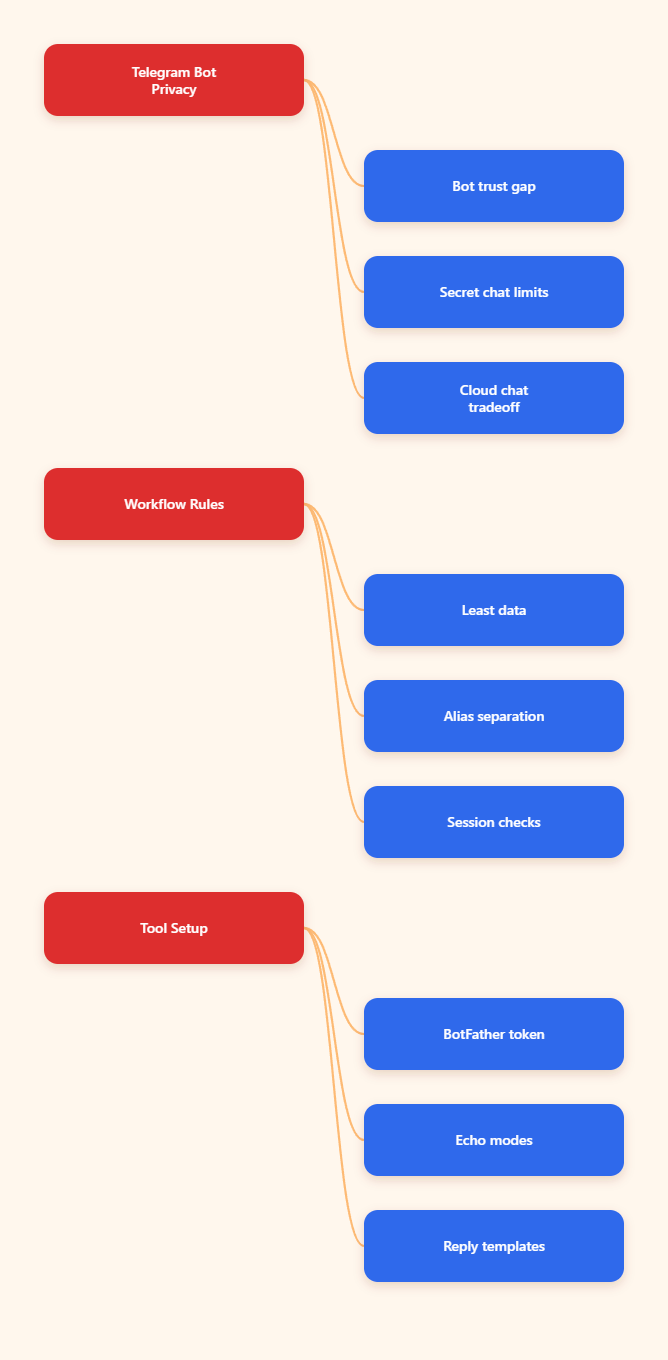
Safe tips to chat via Telegram bot privately: what that really means
The first thing I remind myself is simple. A Telegram bot is not the same as a secret chat. Telegram’s own docs make that distinction very clear. Secret chats use end-to-end encryption and stay device-specific. Bot chats do not work that way.
That means privacy is not about magic encryption. It is about reducing exposure. I want to limit what I share, who can access it, and how much of my identity is visible in the first place.
Bot chats are not secret chats
Telegram bots are third-party services. If I hand data to a bot, I am also trusting the bot developer and its connected backend. That is fine for automation, lead routing, reminders, and support. It is not fine for passwords, recovery codes, or anything I would not want processed outside my control.
So my rule is simple. If the conversation needs true secrecy, I use a secret chat or another secure channel. If the conversation needs automation, I keep the bot blind to sensitive data.
The real privacy goal is data minimization
Most bot privacy problems start with over-sharing. I see people send full names, phone numbers, internal notes, and private files into bots that only needed a yes or no.
The better habit is to ask one question before every bot workflow: what is the minimum data this bot needs to do the job? That one question saves me from most unnecessary risk.
Safe tips to chat via Telegram bot privately without slowing your workflow
Privacy does not have to kill speed. In fact, the best Telegram workflows feel faster because they are simpler. I keep them lean, segmented, and easy to audit.
Here is the framework I use before I connect any bot to an audience, team, or channel.
| Chat type | How it works | Best for | Privacy note |
|---|---|---|---|
| Secret chat | End-to-end encrypted and device-specific | Highly sensitive conversations | Not usable for bots |
| Cloud private chat | Synced across Telegram devices | Everyday 1:1 messaging | Useful, but not secret |
| Bot chat | Third-party automation layer | Support, lead capture, reminders | Keep data minimal |
1. Separate identity from operations
I do not mix personal identity with business automation unless I must. If a bot is for a brand, I treat it like a brand asset. If it is for my own workflow, I still avoid putting personal details into public-facing flows.
This is especially important for marketers and TG channel admins. The less your private identity leaks into a bot process, the easier it is to scale later.
2. Turn on account protection first
Before I touch any automation, I harden the Telegram account behind it. Two-step verification matters. A passcode lock matters. Reviewing active sessions matters too.
I also keep an eye on phone number visibility and last seen settings. Those do not make a bot private by themselves, but they reduce how easy it is to link a bot workflow back to me.
3. Use the bot for routing, not secrets
My safest bot flows do one of three things: route a request, collect a non-sensitive answer, or send a prewritten response. That is it.
If I need a customer to share something sensitive, I usually move that part of the process elsewhere. Bots are great for speed. They are not the right place for confidential information.
4. Audit who can touch the bot
Many privacy leaks are not technical. They happen because too many people can see the same bot, same logs, or same admin panel. If a workflow grows, I review who has access and why.
I also keep permissions narrow. A bot should have only the access it needs. Nothing more.
How I use OnlyTG Echo@EchoOnBot for safer Telegram bot workflows
When I need a no-code way to build a Telegram bot workflow, I use OnlyTG Echo@EchoOnBot as a lightweight layer. The official setup is straightforward: create a bot in @BotFather, copy the token, and send it to OnlyTG Echo@EchoOnBot. From there, the bot can be configured without coding.
I like that workflow because it keeps the setup practical. I can move fast, but I still stay conscious about what the bot handles and what it should never see.
How the setup works
- Create a bot in @BotFather and save the token.
- Send that token to OnlyTG Echo@EchoOnBot.
- Choose a mode that fits the use case.
- Set a start message so users know what to expect.
- Add auto-replies or keyword replies for common requests.
That flow is useful because it keeps the bot predictable. Predictability is a privacy feature. When I know exactly what the bot will answer, I know what data it needs.
Three real-world scenarios I would use
Scenario 1: Lead intake for a niche newsletter. I ask for only an email and one topic preference. The bot sends a welcome message, confirms the request, and routes the lead. I do not collect extra personal details.
Scenario 2: Support routing for a small team. I let the bot sort common questions into a topic-based workflow. That way, the team does not need to expose personal usernames while handling repetitive requests.
Scenario 3: Channel operations for a content brand. I use start messages, buttons, and keyword replies to guide people toward the right content. This reduces back-and-forth and keeps the process clean.
Extra functions worth knowing
OnlyTG Echo@EchoOnBot also covers a few useful extras, and I treat them as workflow helpers, not privacy miracles. The public tutorials mention features like topic mode, quick replies, channel management, and looping posts.
That is enough for most operators. I do not need every feature on day one. I just need the smallest setup that solves the actual pain point.
My 2026 checklist for safer Telegram bot use
- Use bots for automation, not secrets.
- Keep sensitive data out of bot chats.
- Enable two-step verification on the account.
- Review active sessions regularly.
- Hide phone visibility when possible.
- Separate personal and business workflows.
- Limit admin access to the minimum.
- Document what each bot stores.
That last point matters more than most people think. If I cannot explain what a bot stores, I probably should not be using it for important work.
FAQ
Is a Telegram bot chat end-to-end encrypted?
No. Telegram’s secret chats use end-to-end encryption, but bot chats are not secret chats. I treat bot chats as automation spaces, not confidential vaults.
Can I chat privately with a bot and stay safe?
Yes, if I keep the conversation shallow. I share only what the bot needs, protect my account, and avoid sensitive data. That is the safest baseline.
What should I never send to a bot?
I never send passwords, one-time codes, seed phrases, or anything I would not want a third-party service to process. If the data is highly sensitive, I use a different channel.
Does Telegram support secret chats for bots?
No. Telegram’s bot API does not support secret chats. That is why I do not use bots for high-risk private conversations.
How do I reduce bot-related privacy risks?
I enable two-step verification, keep my account sessions clean, use minimal data collection, and review who can access the bot or its workflow.
Why do marketers still use bots in 2026?
Because Telegram still has a massive audience, and bots remain one of the fastest ways to automate replies, route leads, and manage channel operations.
Is OnlyTG Echo@EchoOnBot good for beginners?
It can be, especially if you want a no-code setup. I would still start with a simple use case and keep the privacy scope tight.
Closing thoughts
The safest tips to chat via Telegram bot privately are not complicated. Use the right chat type, keep sensitive data out of bots, and protect the account behind the workflow. Once those basics are in place, bots become much easier to trust.
If I need a practical no-code layer, I test OnlyTG Echo@EchoOnBot on a low-risk workflow first. That lets me move fast without pretending a bot chat is the same thing as a secret chat.