
Telegram channel branding matters more than many creators expect. A channel can have strong content, but if the name, profile image, description, and post style feel unclear, people may skip it or leave after one visit.
This guide covers the practical building blocks of Telegram channel branding: naming, visuals, descriptions, pinned posts, content style, links, and consistency. The goal is simple: make your channel easier to recognize, easier to trust, and easier to subscribe to.
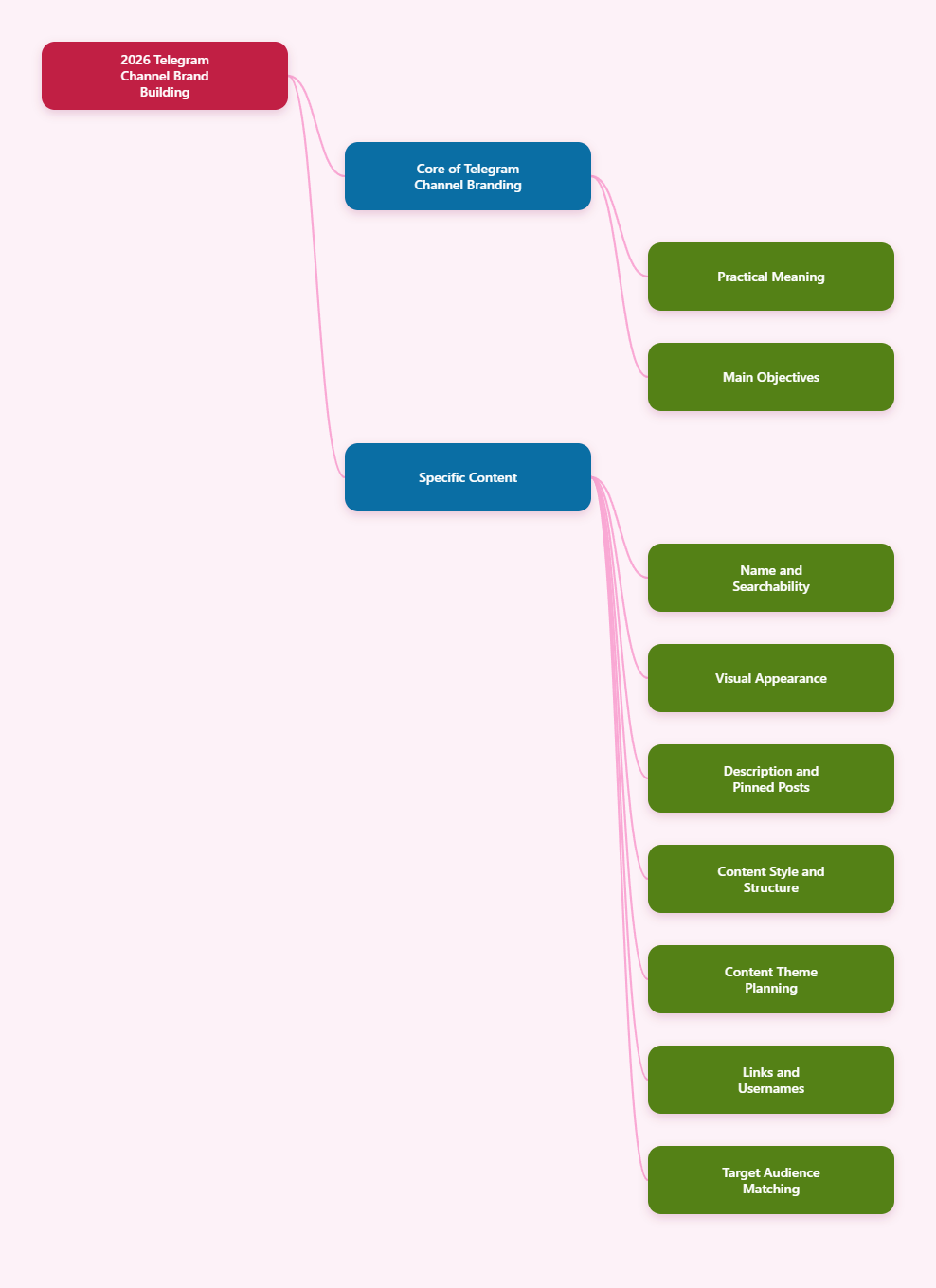
What Telegram channel branding actually means
Telegram channel branding is the way your channel presents itself to potential subscribers and existing followers. It includes the name, username, profile photo, description, post format, and the tone of your content.
For public channels, these elements are not just cosmetic. They help people understand what your channel is about before they read a single post.
Good branding should answer three questions immediately:
- What is this channel about?
- Who is it for?
- Why should I subscribe?
Choose a clear, searchable channel name
Your channel name should be easy to remember and easy to understand. A vague or overly clever name can hurt discoverability, especially if people search inside Telegram using topic-based terms.
A strong name usually combines a topic with a recognizable angle. For example, a marketing channel might use a format like “Marketing Cases & Trends” instead of something abstract.
Practical naming tips:
- Use words people would naturally search for.
- Keep it short enough to read quickly on mobile.
- Avoid unnecessary symbols or punctuation.
- Make sure the name matches your actual content.
If your channel covers a narrow niche, be specific. Specific names tend to attract better-fit subscribers than broad branding.
Use a profile image that is readable at small sizes
Telegram profile photos are often viewed at very small sizes, so simplicity matters. A detailed image may look good on a desktop, but become unreadable in chat lists and search results.
For most channels, the best options are:
- a clean logo
- a bold icon
- a strong headshot for personal brands
Keep contrast high and avoid tiny text. If your brand uses a logo, test whether it still looks clear at thumbnail size.
Visual consistency also matters. Use the same image style across your website, social profiles, and Telegram channel when possible.
Write a description that explains the benefit
Your channel description should quickly tell visitors what they will get. Avoid generic lines like “Welcome to my channel” or “Latest updates here.”
Instead, explain the value in one or two short sentences.
Good descriptions usually include:
- the topic
- the audience
- the type of content shared
Example structure:
- Daily updates for founders, creators, and marketers
- Short, practical tips on Telegram growth, content, and promotion
- New posts every week with examples and tactics you can use immediately
A clear description helps people decide whether your channel is relevant before they subscribe.
Use a pinned post as your welcome page
A pinned post can act like your channel’s introduction. It should help first-time visitors understand the channel quickly and guide them to the most useful content.
A strong pinned post often includes:
- what the channel covers
- who it is for
- what kind of posts to expect
- important links or navigation tips
If you publish different content series, you can also use the pinned post to explain them. That makes the channel feel organized instead of random.
Keep a consistent content style
Branding is not only about design. It is also about how your posts feel.
If every post has a different tone, length, and structure, the channel can feel unstable. A consistent style helps subscribers know what to expect.
Useful consistency rules:
- Use the same formatting pattern for similar post types.
- Keep paragraph length short for easy mobile reading.
- Repeat key terminology where appropriate.
- Maintain a stable tone, whether formal, friendly, or expert-led.
Many successful channels rely on repeatable formats, such as tips, checklists, short news summaries, or case studies.
Organize your content into clear themes
Channels perform better when the content is easy to classify. If subscribers cannot tell what they will get next, retention can drop.
A simple way to strengthen branding is to define a few content pillars. For example:
- tips and tutorials
- news and updates
- case studies
- tools and resources
This structure helps with planning and makes the channel feel more coherent. It also makes it easier for new subscribers to recognize the channel’s purpose.
Use links and usernames that match your brand
Public Telegram channels use a custom username and a t.me link. A short, readable username is easier to share in bios, websites, email signatures, and QR codes.
Whenever possible, choose a name that is close to your brand or topic. If your channel is public-facing, the link should look trustworthy and professional.
You can also use the link in:
- social media bios
- website headers or footers
- email newsletters
- printed materials with QR codes
Simple links are easier to remember and easier to recommend.
Match your channel appearance to your audience
Branding should fit the type of audience you want to attract. A channel for crypto traders, SaaS founders, or luxury shoppers will not look the same.
Think about:
- what level of formality your audience expects
- whether your brand should feel editorial, personal, or technical
- what kind of visuals best match the niche
Audience fit matters because people often judge trust by presentation before they judge the actual content.
Keep trust signals visible
Telegram users care about authenticity. If a channel looks inconsistent or unprofessional, people may hesitate to subscribe.
Useful trust signals include:
- a clear name and profile image
- a description that matches the content
- a pinned intro post
- consistent posting behavior
- links to official sites or profiles when relevant
Telegram also provides verification for certain public figures and organizations through its official process. Verification is not required for every channel, but official identity signals can help users recognize real sources.
Post with a recognizable rhythm
Branding is reinforced by rhythm. If subscribers know when and how you post, the channel feels more dependable.
That does not mean publishing constantly. In fact, too many low-value posts can overwhelm users and lead them to mute notifications or unsubscribe. A steady pace with useful content is usually better than posting for the sake of volume.
Focus on quality and predictability. The channel should feel alive, but not chaotic.
Use stories, media, and other formats carefully
Telegram supports a range of post formats, including text, images, video, and stories for channels with the right settings and boosts. These tools can strengthen branding when used consistently.
Examples:
- use images for announcements or summaries
- use short videos for product demos or quick updates
- use stories for timely reminders or highlights
The key is to make sure each format still feels like part of one brand system.
Review and refine your branding over time
Strong Telegram channel branding is not something you set once and forget. As your audience changes, your visuals, description, and content structure may need adjustments.
Review these questions regularly:
- Do new visitors understand the channel immediately?
- Does the profile image still fit the brand?
- Is the description accurate?
- Do posts still follow a consistent style?
If the answer to any of these is no, update the channel before it starts to feel outdated.
Final thoughts
Telegram channel branding is about clarity, consistency, and trust. A good name, readable profile image, useful description, and organized content style can make a real difference in how people respond to your channel.
In 2026, the channels that stand out are usually the ones that make their value obvious fast. If visitors instantly understand what your channel offers, they are far more likely to stay, subscribe, and return.