
Building a successful Telegram community in 2026 is less about rapid growth and more about structure, clarity, and consistency. Telegram remains one of the strongest platforms for direct communication because it supports large groups, unlimited channel subscribers, admin controls, bots, file sharing, polls, topics, and cross-device use. But those strengths only matter when they are used deliberately.
If you are starting a Telegram community for a brand, creator project, education hub, membership group, product users, or interest-based audience, the biggest decisions are usually simple at first glance:
- Should you create a channel or a group?
- How should you onboard new members?
- Which moderation settings matter most?
- How do you keep conversations useful as the community grows?
- What metrics should you actually watch?
This guide explains those questions in practical terms, using current Telegram capabilities and widely documented community-management practices.
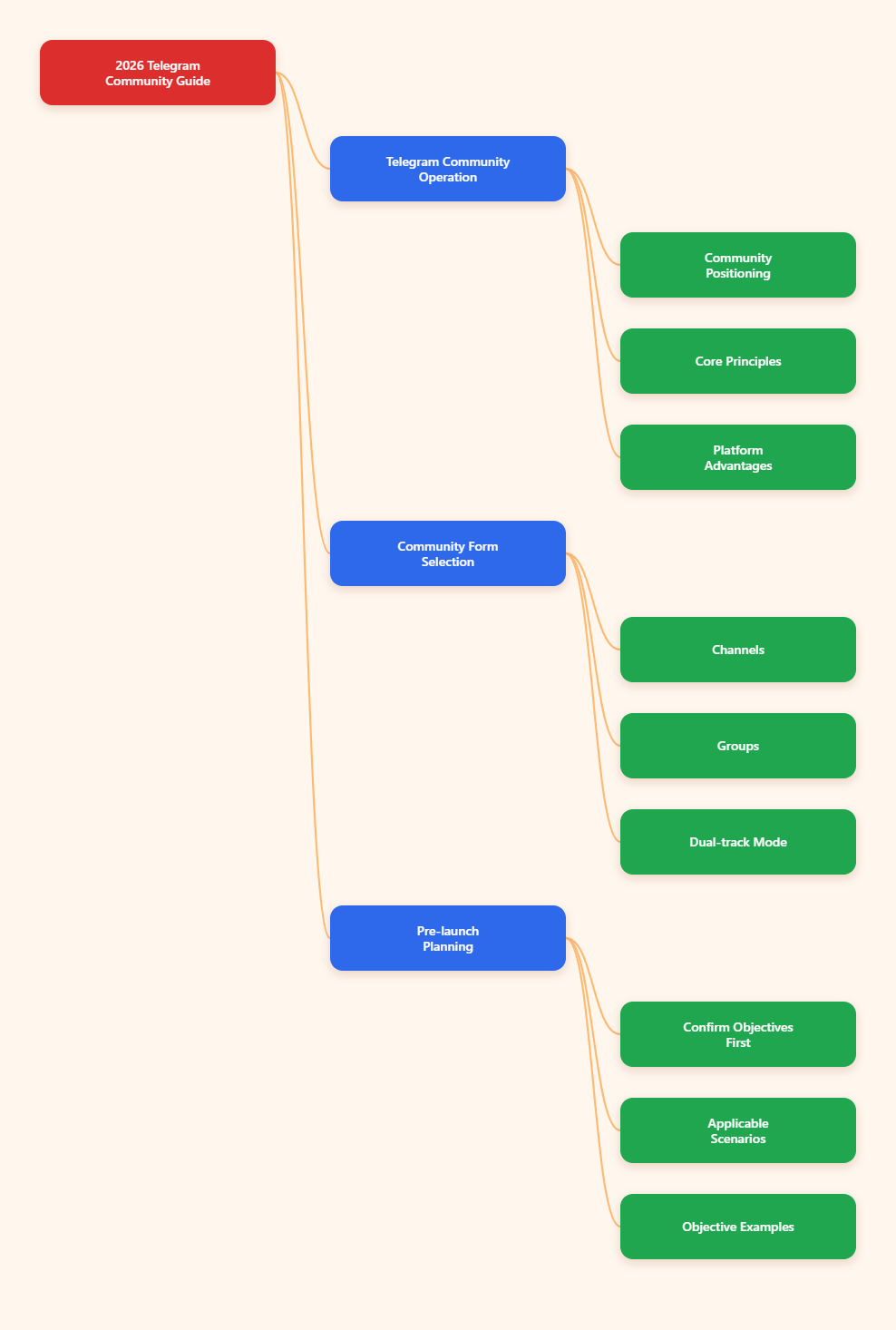
What a Telegram Community Really Means
A Telegram community is usually built around one of two formats:
- Channels for one-way broadcasting
- Groups for two-way discussion
According to Telegram’s official materials, channels can have an unlimited number of subscribers, while groups can support up to 200,000 members. That difference alone shapes how you should use each one.
A channel works best when you want control over messaging, a clean content feed, and clear delivery of updates. A group works best when member interaction is the goal. Many mature communities use both:
- A channel for announcements, updates, and important posts
- A linked group for discussion, support, feedback, and peer interaction
This combined model is often easier to manage than forcing everything into one place.
Choose the Right Structure First
One of the most common mistakes is creating a Telegram group before defining its purpose. Communities without a clear purpose tend to become noisy, repetitive, or inactive.
Before launching, define three basics:
- Who the community is for
- What members will get from it
- What type of participation is expected
A useful purpose statement can be very short. For example:
- A private Telegram community for paid subscribers who want weekly market commentary and Q&A
- A public Telegram group for SaaS users to share workflows, ask product questions, and get release updates
- A creator-led Telegram channel for announcements, with a separate discussion group for feedback
Once the purpose is clear, the platform setup becomes much easier.
Telegram Channel vs Group: When to Use Each
Use a channel when you need:
- Admin-only posting
- Cleaner message history
- Broadcast communication at scale
- Post view counters
- Better control over brand voice and publishing cadence
Channels are ideal for newsletters, media updates, product releases, education drops, and official announcements.
Use a group when you need:
- Member discussion
- Community support
- Feedback collection
- Peer-to-peer networking
- Live event chat or AMA participation
Groups are stronger for retention because members feel involved, but they are also much harder to moderate as volume increases.
Use both when you need:
- A clear public information stream
- A separate place for discussion
- Less clutter in official announcements
- A more scalable community model
For many organizations, this is the best long-term setup.
Set Up Your Telegram Community for Long-Term Use
Strong setup reduces future moderation workload. Small choices at launch often matter more than later fixes.
1. Create a clear name and description
Your title should immediately tell users what the space is about. Your description should explain:
- Who should join
- What content or discussions they can expect
- Where official resources are located
- How to contact admins if needed
2. Publish rules early
Well-written rules reduce conflict and save admin time. Keep them specific. Good examples include:
- No spam or unsolicited promotion
- Stay on topic
- No scams, impersonation, or misleading links
- Respect other members
- Use the correct topic for support questions
Vague rules create inconsistent enforcement. Specific rules make moderation easier and fairer.
3. Pin a start-here message
A pinned message should help new members get oriented quickly. It can include:
- Community purpose
- Rules
- Important links
- Posting guidelines
- Schedule for events or updates
This is one of the simplest ways to improve onboarding.
4. Decide on public vs private access
Telegram allows public and private communities. Public communities are easier to discover and join. Private communities offer more control and are often better for paid memberships, internal groups, or support communities.
If quality matters more than reach, private access with invite links or join requests is often the better choice.
Use Telegram Features That Improve Order
Telegram has several native features that are especially useful for community management.
Topics and forum-style organization
For large groups, Topics help separate conversations by subject. Instead of one fast-moving chat, you can create dedicated threads such as:
- Announcements
- Introductions
- Support
- Feedback
- Resources
- Off-topic chat
This is one of the best ways to prevent discussion chaos in active groups.
Slow Mode
Slow Mode limits how frequently members can send messages. Telegram has long offered this feature in group permissions, and it remains a practical anti-spam tool.
It is useful when:
- Chat volume spikes during events
- Repeated messages bury useful discussion
- Trolls or low-value replies start dominating the feed
Slow Mode does not replace moderation, but it can reduce noise and make conversation more readable.
Permissions and role control
Admins should not give broad permissions to everyone. Set permissions based on actual tasks. In larger groups, clear roles matter:
- Owner for final control
- Admins for settings and high-level management
- Moderators for day-to-day enforcement
Limiting permissions is also a security best practice.
Polls and quizzes
Telegram supports polls in groups and channels, including quiz mode. Polls are useful for:
- Choosing future topics
- Gathering member feedback
- Running lightweight engagement prompts
- Testing knowledge in educational communities
These interactive formats often work better than repeatedly asking for comments in open chat.
How to Onboard New Members Better
Many Telegram communities focus too much on acquisition and not enough on first-week experience. But onboarding strongly affects retention and engagement.
New members need quick answers to three questions:
- What is this community for?
- What should I do first?
- Where should I post?
A practical onboarding flow can include:
- A welcome message or pinned intro
- A rules summary
- Links to FAQs, guides, or resources
- A dedicated introduction topic
- A prompt asking members what they want help with
If your community has multiple discussion areas, tell people exactly where to go. The less guessing required, the faster members participate meaningfully.
Moderation Is the Core of Community Quality
As Telegram communities grow, moderation becomes the difference between a useful community and an unusable one. Several current guides emphasize that moderation load grows faster than member count because problems compound with scale. That matches real-world experience in most online communities.
Effective moderation usually depends on five things:
1. Clear rules
Rules reduce ambiguity and help members self-regulate.
2. Consistent enforcement
Inconsistent moderation creates confusion and resentment. Document how warnings, deletions, restrictions, and bans should work.
3. A visible moderation team
In active groups, a single admin usually burns out. If the group is growing, add moderators before problems become constant.
4. Escalation paths
Not every issue needs a ban. A practical system may include:
- Message deletion
- Warning
- Temporary restriction
- Permanent removal
5. Anti-spam support
Telegram supports admin tools and has native anti-spam functionality for some supergroups. Many communities also rely on moderation bots to automate repetitive tasks like deleting spam, filtering certain content types, or restricting suspicious users.
When adding bots, grant only the permissions they actually need.
Engagement Strategies That Work on Telegram
Telegram engagement works best when content matches the format of the platform. It is not just a place to repost social content from elsewhere.
What tends to work well:
- Short, high-value updates
- Clear calls to action
- Regular Q&A sessions
- Polls and quizzes
- Topic-based discussion prompts
- Useful resource drops
- Timely replies from admins or moderators
What often fails:
- Long streams of unstructured chat
- Overposting in channels
- No response to member questions
- Unclear topic boundaries
- Promotional content with no member value
A healthy Telegram community usually has a rhythm. That could mean:
- Monday resource post
- Midweek poll
- Friday open discussion
- Monthly AMA
Consistency matters more than constant activity.
Track the Metrics That Matter
Telegram community growth should not be judged by member count alone. More members do not automatically mean more value.
Useful metrics include:
- Member growth over time
- Join and leave patterns
- Post views in channels
- Reply rates
- Poll participation
- Message volume by topic
- Moderator workload signals
For channels, view counters and subscriber trends help identify what content performs best. For groups, engagement quality matters more than raw activity. A high message count can signal either strong community health or a moderation problem.
External analytics platforms such as TGStat and other Telegram analytics tools are commonly used for deeper tracking, especially for public channels and competitive research. Use them carefully and focus on decisions, not dashboard volume.
Security and Privacy Basics You Should Not Ignore
Telegram is widely used because of its speed, flexibility, and security features, but community owners should be precise about what Telegram does and does not provide.
- Telegram supports cloud chats across devices
- Secret Chats are the mode that uses end-to-end encryption
- Standard cloud chats are not the same as Secret Chats
For community operators, the most useful safety steps are usually operational rather than technical:
- Enable two-step verification on admin accounts
- Limit admin permissions
- Review bots and connected tools regularly
- Publish official links clearly to reduce phishing risk
- Warn members about impersonation and fake admin messages
If your community handles sensitive topics, these basics are essential.
Final Thoughts
A strong Telegram community in 2026 is built on clarity, not complexity. Telegram already provides the core ingredients: channels for reach, groups for discussion, admin controls for order, topics for organization, polls for engagement, and bots for automation.
The real challenge is operating them with discipline.
If you choose the right format, set expectations early, onboard members properly, and treat moderation as an ongoing system instead of an emergency response, Telegram can become one of the most effective community platforms available.
In most cases, the winning approach is straightforward:
- Use channels for clean broadcasting
- Use groups for focused discussion
- Keep rules visible
- Use Telegram’s native controls before problems scale
- Support admins with practical tools where needed
That is how a Telegram community becomes easier to manage, more useful to members, and more sustainable over time.