
If you search for how to Create unlimited members group in 2026, the first problem is expectation. Many overseas sellers, affiliate teams, crypto communities, SaaS founders, and social media operators want one Telegram group that grows forever, but Telegram groups do not work that way.
The real platform rule is clear: Telegram groups can support up to 200,000 members, while Telegram channels can have an unlimited number of subscribers. If you build the wrong structure, you may hit growth limits, attract spam, lose trust, or trigger moderation risks.
This guide explains how to build an “unlimited-style” Telegram community system for commercial growth without violating platform expectations, spamming users, or risking unnecessary account restrictions.
What “Create Unlimited Members Group” Really Means in 2026
The phrase Create unlimited members group is popular because businesses want scalable community ownership. In Telegram’s official structure, however, groups and channels serve different purposes. Groups are built for discussion and can support up to 200,000 members. Channels are built for broadcasting and can have unlimited subscribers.
For a brand, affiliate publisher, export business, or paid community operator, this distinction matters. A group is useful when members need to ask questions, share feedback, join discussions, or receive community support. A channel is better when you need controlled distribution, campaign announcements, product drops, education, or traffic redirection.
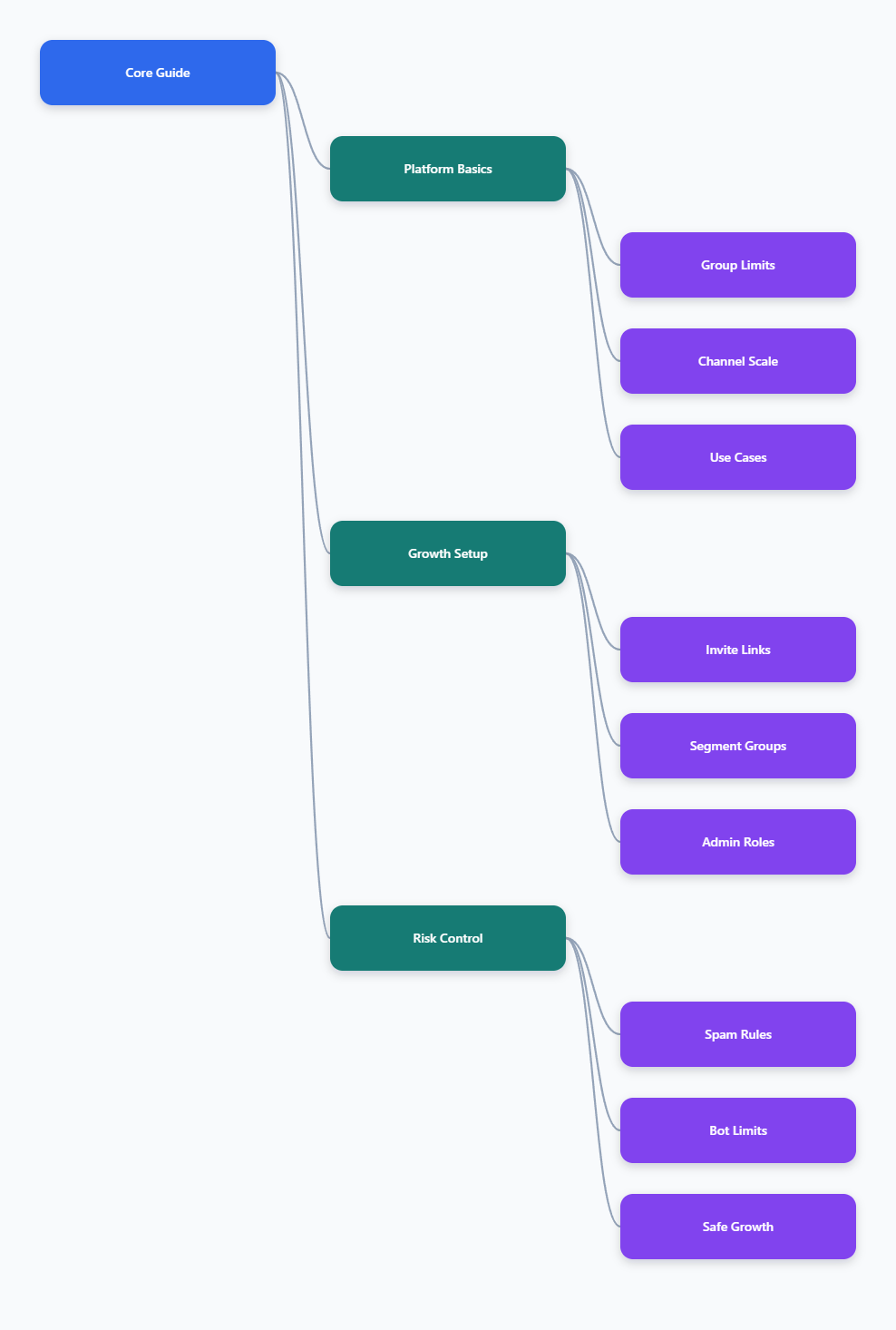
The smartest 2026 setup is usually not one massive public group. It is a layered Telegram growth system:
- Main channel: used for unlimited broadcast reach and official updates.
- Core group: used for interactive discussion, support, and trust building.
- Segment groups: used for language, region, product, VIP, or campaign audiences.
- Invite links: used to track traffic quality from ads, emails, influencers, and landing pages.
This structure gives you the business effect of scale while respecting Telegram’s group limit. It also makes moderation easier because every user does not need to be placed into one chaotic conversation.
Telegram Groups vs Channels for Unlimited Community Growth
Before you build, decide whether your business goal is conversation, broadcasting, or conversion. A group can become noisy as it grows, especially if you accept open joins from paid traffic. A channel gives you cleaner control, but it does not provide the same member-to-member interaction.
Telegram officially describes groups as large communities that can reach up to 200,000 members. Channels, by contrast, are designed for broadcasting public messages to large audiences and can have unlimited subscribers. This is why many mature operators use channels as the top layer and groups as the engagement layer.
| Format | Best Use | Member Scale | Business Risk |
|---|---|---|---|
| Telegram Group | Discussion, support, feedback | Up to 200,000 members | Spam, scams, moderation load |
| Telegram Channel | Broadcast, announcements, offers | Unlimited subscribers | Low interaction without linked group |
| Segment Group | Regional or niche community | Up to 200,000 each | Fragmented operations |
| Channel + Group Funnel | Scalable commercial growth | Unlimited broadcast plus group engagement | Requires clear governance |
If your search intent is to Create unlimited members group, your best option is to create an unlimited-subscriber channel and connect it with one or more moderated groups. This gives you scale, engagement, and operational safety at the same time.
Step-by-Step Setup for a Scalable Telegram Community
Start with architecture, not promotion. Many operators make the mistake of buying ads before setting rules, permissions, admin roles, and invite tracking. That usually creates low-quality members, support pressure, and spam exposure.
A safer setup begins with one official channel and one primary discussion group. The channel carries verified announcements, while the group handles questions and community interaction. If your market covers multiple countries or buyer types, create segment groups only after the core system is stable.
- Create the official channel. Use a clear brand name, logo, description, and public identity.
- Create the discussion group. Keep the group name aligned with the channel so users recognize the official community.
- Link the group from the channel. Use it as the place for replies, support, or community discussion.
- Set member permissions. Restrict risky actions such as link posting, media flooding, or mass invitations when the group is new.
- Add trusted admins. Give each admin only the permissions needed for their role.
- Create separate invite links. Use different links for ads, influencers, email campaigns, landing pages, and affiliate partners.
This step-by-step approach works well for overseas social media operations, affiliate marketing groups, independent store communities, and paid traffic teams. It keeps the community measurable instead of turning it into an untracked traffic bucket.
How to Grow Beyond One Group Without Breaking Rules
To grow beyond one group, do not try to bypass Telegram limits. Use segmentation. A single giant group may look impressive, but it often reduces conversion because members cannot find relevant information. In commercial communities, relevance is more valuable than raw size.
Segment groups can be based on geography, funnel stage, product line, language, or customer value. For example, an export team might run one official channel, a public inquiry group, a distributor-only group, and separate language groups for Spanish, Arabic, and English-speaking buyers. An affiliate team might use a public education channel, a free discussion group, and a private partner group.
Use these segmentation models carefully:
- Regional model: useful for cross-border sellers serving different time zones and languages.
- Product model: useful when different audiences care about different offers.
- Funnel model: separates prospects, customers, VIP users, and partners.
- Campaign model: creates temporary groups for launches, webinars, or seasonal promotions.
Each group should have a specific purpose, pinned rules, admin coverage, and a clear path back to the main channel. The channel remains your scalable broadcast asset, while groups create trust and conversion depth. This is the safest way to build a Telegram community growth strategy that feels unlimited without ignoring official group capacity.
Invite Links, Tracking, and Traffic Quality Control
Invite links are one of the most important tools for commercial Telegram growth. Public links are easy to share, but private invite links give you more control because they can be revoked, rotated, and assigned to specific campaigns. Telegram also supports invite links with join requests in applicable private community workflows, which helps admins review users before they enter.
Do not use one invite link everywhere. If all traffic enters through the same link, you cannot identify which campaign brings spam, fake users, or paying customers. A better setup is to create separate links for each source and review performance weekly.
For practical operations, track:
- Source: TikTok bio, YouTube description, Google Ads, email, partner page, or landing page.
- Join volume: how many users entered from each link.
- Engagement quality: replies, questions, clicks, or support requests.
- Risk signals: spam posts, scam attempts, repeated link drops, or irrelevant members.
- Conversion actions: demo bookings, coupon claims, affiliate clicks, or product purchases.
If a link attracts low-quality traffic, revoke it and create a new one. If a partner sends strong members, give that partner a dedicated funnel and better onboarding. This turns Telegram from a simple chat app into a measurable acquisition and retention system.
Anti-Spam, Admin Permissions, and Account Safety
Telegram has clear anti-spam expectations. Its spam guidance explains that when users report unwanted messages, moderators may review them, and accounts can be temporarily limited if messages are considered spam. For businesses, this means aggressive cold messaging and unwanted promotion are not a sustainable growth method.
Your community should grow through opt-in traffic, not harassment. Promote your channel or group from your website, social profiles, ads, newsletters, customer touchpoints, and partner pages. Avoid mass messaging strangers, dropping links into unrelated groups, or pushing repeated promotions that users did not request.
For admin safety, use the principle of least privilege. Not every moderator needs full control. A junior moderator may only need permission to delete messages. A senior admin may need permission to ban users. Only the owner or trusted senior managers should control admin appointments and core settings.
- Keep ownership tied to a secure account with strong login protection.
- Limit the number of people who can add new admins.
- Use clear internal rules for deleting messages and banning users.
- Pin community rules and commercial disclaimers where users can see them.
- Review admin activity when suspicious changes or user complaints appear.
For large groups, also consider slow mode, restricted new-member permissions, join approvals, and moderation bots where appropriate. Bots must be configured responsibly, especially if they send messages at scale, because Telegram Bot API rate limits and 429 errors can affect automation reliability.
Commercial Use Cases for Unlimited-Style Telegram Growth
The best Telegram structures are built around business outcomes, not vanity metrics. A huge audience is only useful if it improves trust, retention, conversion, or partner communication. That is why the channel-plus-group model is common in cross-border and affiliate operations.
For an independent e-commerce brand, the channel can publish product updates, discount windows, shipping notices, and buying guides. The group can answer sizing questions, collect reviews, handle pre-sale discussion, and reduce repetitive support tickets. For affiliate marketers, the channel can distribute compliant content and offer alerts, while groups can segment beginner affiliates, advanced media buyers, and private partner teams.
Common commercial workflows include:
- Launch funnel: run ads to a landing page, send users to a channel, then invite qualified buyers to a group.
- Support funnel: use the channel for official notices and the group for moderated help.
- Affiliate funnel: publish approved assets in the channel and discuss tactics in smaller groups.
- Private traffic funnel: move social followers into Telegram for repeat engagement and owned-audience communication.
This approach reduces dependence on one advertising platform. If a social account loses reach or an ad campaign becomes expensive, your Telegram channel and groups still provide a direct communication layer. That is the real business value behind the search for an unlimited members strategy.
Common Mistakes When Trying to Create Unlimited Members Group
The biggest mistake is treating “unlimited” as a technical trick. Telegram does not provide an unlimited-member group format. If someone promises a method to bypass group limits, mass-add users, or force growth through automation, treat it as a risk signal.
Another common mistake is opening a public group too early. Public discovery can bring real members, but it can also attract spam bots, impersonators, link sellers, and scam accounts. If your group represents a brand or paid offer, uncontrolled spam can damage credibility quickly.
Avoid these risky practices:
- Sending unsolicited promotional messages to random users.
- Using one invite link for every campaign and partner.
- Giving full admin rights to temporary staff or vendors.
- Letting all members post links in a new or fast-growing group.
- Relying only on a group when a channel would scale better.
- Ignoring local compliance needs for financial, health, gambling, or adult-related offers.
If your community is tied to ads, affiliate offers, investment discussions, or regulated products, keep claims conservative and transparent. Telegram provides infrastructure, but your business is still responsible for content quality, user trust, and legal compliance in the markets you target.
FAQ: Create Unlimited Members Group in 2026
Can I create a truly unlimited Telegram group?
No. Telegram groups can support up to 200,000 members. Telegram channels can have unlimited subscribers, so the practical solution is to combine a channel for scale with groups for discussion.
What is the best way to Create unlimited members group for business?
The best compliant method is to create an unlimited-subscriber channel, link it to a discussion group, and add segmented groups when your audience grows. This gives you scale without pretending the group limit does not exist.
Should I use a group or channel for affiliate marketing?
Use a channel for approved announcements, offer updates, and educational content. Use groups for Q&A, partner discussion, onboarding, and campaign troubleshooting.
Can I add members in bulk to a Telegram group?
You should avoid aggressive bulk adding or unsolicited outreach. Use opt-in invite links, landing pages, social profiles, email lists, and customer touchpoints so users choose to join.
How many admins should a large Telegram group have?
Telegram groups can have multiple admins with granular rights. The right number depends on group activity, language coverage, and risk level. Give each admin only the permissions needed for their role.
How do I reduce spam in a fast-growing group?
Use join approvals where appropriate, restrict new-member permissions, limit link posting, pin rules, appoint moderators, and revoke invite links that attract bad traffic.
Are Telegram bots safe for community operations?
Bots can help with moderation, onboarding, and notifications, but they must respect Telegram Bot API limits. Poorly configured bots may hit rate limits or create a spam-like user experience.
Conclusion
To Create unlimited members group in 2026, think in systems, not shortcuts. Telegram groups are powerful but limited to 200,000 members, while channels provide unlimited subscriber reach. Build one official channel, connect it to moderated groups, and segment traffic with separate invite links.