
If you are running affiliate traffic, an independent store, a paid community, or a support-heavy brand, a business Telegram group can turn scattered conversations into a controlled growth asset. The problem in 2026 is not whether Telegram works; the problem is that many teams create a group, invite people too aggressively, and then lose control to spam, low-value chatter, or unclear permissions.
This guide shows you how to create a business Telegram group the right way. You will learn the exact setup flow, when to choose public or private access, how to configure moderation, and how to use the group as part of a larger commercial funnel without violating Telegram’s anti-spam expectations.
Why a Business Telegram Group Matters in 2026
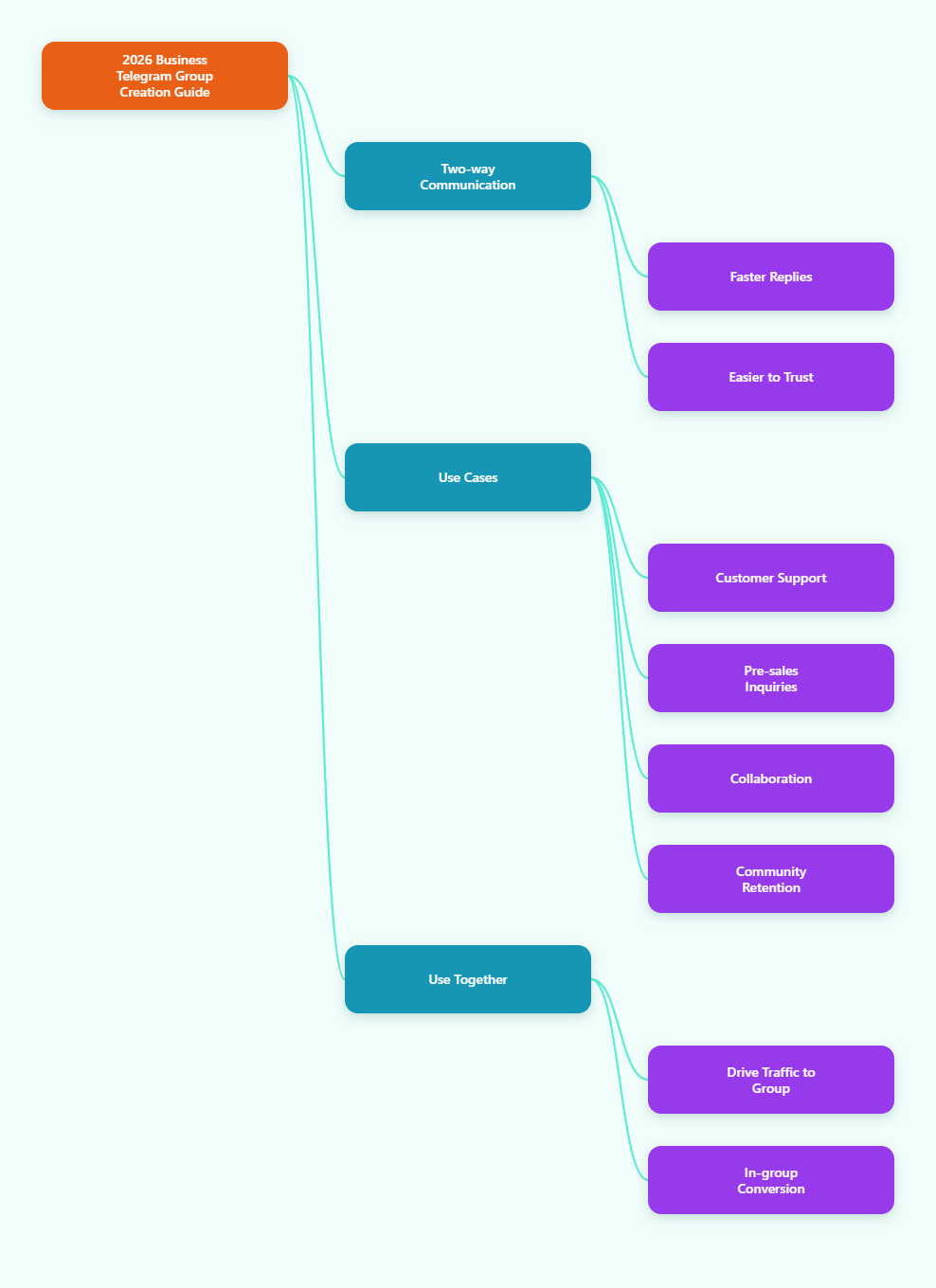
A Telegram group is not the same as a channel. Channels are built for one-way broadcasting, while groups are built for two-way conversation. For business use, that difference matters because questions, objections, onboarding, and trust-building all happen faster when people can reply directly.
In 2026, many teams use a business Telegram group for customer support, pre-sales Q&A, VIP client rooms, affiliate partner coordination, product launches, and community retention. If you only need announcements, a channel may be enough. If you need feedback, discussion, and fast response loops, a group gives you more leverage.
- Use a group when conversation creates value.
- Use a channel when distribution is the main goal.
- Use both together when you need reach and engagement.
- Keep the group focused on one business purpose.
Telegram also gives business accounts extra features such as quick replies, opening hours, location, and automated messages. Even if you do not use every business feature, the group itself can still become the live layer of your customer journey.
Step-by-Step: Create the Group First
The creation flow is simple on mobile, desktop, and web. Telegram’s interface changes slightly by device, but the core process stays the same: open Telegram, start a new group, add at least one contact, name the group, and create it.
Open the group creation menu
On mobile, tap the compose icon or pencil icon. On desktop or web, open the menu and choose New Group. Telegram will ask you to select at least one contact before it lets you continue. That first member is only needed to start the group, and you can adjust membership later.
Name the group for business clarity
Use a name that signals purpose, not hype. A clear name is easier to manage internally and easier for members to understand once they arrive. For example, a support room, partner room, or client onboarding room is more useful than a vague brand slogan.
Finish creation, then configure immediately
Do not stop after clicking Create. The most common mistake is leaving the default settings untouched. Right after the group is live, review the group type, permissions, invite method, and admin roles before you start sharing it with real users.
- Open Telegram and start a new group.
- Add at least one trusted contact.
- Set a business-relevant name.
- Create the group and open settings.
- Adjust permissions before any promotion.
If your team plans to scale, remember that a basic group can convert into a supergroup when it grows past 200 members. Telegram supergroups can support up to 200,000 members, which makes them the better long-term structure for active business communities.
Choose Public or Private Based on the Funnel
For a business Telegram group, the biggest strategic choice is whether people can discover it publicly or only join by invite. Public groups are searchable inside Telegram and use a public username link. Private groups are invite-only and are not searchable, which gives you more control over entry.
There is no universal best option. If you want organic discovery, public access helps. If you want tighter control, higher trust, or a client-only environment, private access is usually safer. Many teams start private, then move public only after the group has a clear purpose and moderation system.
| Setup | Best for | Benefit | Main risk |
|---|---|---|---|
| Public group | Brand discovery and open communities | Easier to find and share | More exposure to spam and low-intent joins |
| Private group | VIP clients, partners, internal teams | Invite-only control and better filtering | Slower growth without a strong invite system |
| Linked group | Channel plus discussion workflow | Broadcast and conversation in one funnel | Requires clearer moderation and routing |
When you create a public group, keep the username short and easy to remember. When you create a private group, use invite links carefully. Telegram lets admins revoke and regenerate invite links, which is useful when a link has been shared too widely or used in the wrong audience segment.
- Choose public if discoverability matters more than control.
- Choose private if trust and filtering matter more than reach.
- Use private links for clients, beta testers, or paid members.
- Use public access only when moderation is already ready.
Set Permissions and Moderation Before Growth
A business Telegram group fails when everyone can do everything. The safer model is to give members only the rights they need and reserve sensitive permissions for trusted admins. Telegram supports granular admin rights, so you can separate basic participation from management power.
Start by defining who may post, who may invite users, who may pin messages, and who may delete spam. If your group is customer-facing, keep the default member experience simple. If it is a partner or ops room, create a stricter policy so the conversation stays useful.
Build a moderation baseline
Use the strongest reasonable defaults on day one. In large groups, Telegram also provides anti-spam options for supergroups, and topics can help break a noisy room into focused threads. These tools are especially useful when you are handling leads, customers, or affiliate partners at scale.
- Limit admin rights to trusted operators.
- Set a clear rule for links and promotions.
- Use pinned messages for group rules.
- Turn on topics when the group becomes hard to follow.
- Review suspicious joins and repeated link drops quickly.
If you are sharing sensitive business information, consider restricting content saving where appropriate and keeping the group private. Also remember Telegram’s spam guidance: do not add people who did not ask to join, and do not send unsolicited commercial messages. In 2026, permission-based growth is not just better etiquette; it is the safer operating model.
Suggested admin roles
Instead of one overpowered admin, split work into roles. One person can handle moderation, another can manage announcements, and another can support onboarding. That reduces mistakes and makes handoffs easier when your team grows.
- Owner: final control and strategy.
- Moderator: deletes spam and keeps order.
- Support lead: answers customer questions.
- Content lead: pins updates and rules.
Use the Group as Part of a Business Funnel
The strongest business Telegram group is not isolated. It sits inside a simple funnel: traffic enters through a channel, landing page, ad, or partner source; the group handles discussion and trust; then the audience moves toward purchase, renewal, or referral. That flow keeps your group organized and commercially useful.
For many teams, the best structure is channel plus group. The channel publishes official updates, while the group handles replies, objections, and user-generated discussion. This keeps your announcements clean while still giving buyers a place to ask questions before they convert.
Practical use cases
Here are common business scenarios where a Telegram group works well. Affiliate managers use it to coordinate partners and share live offers. DTC brands use it for customer feedback and drop alerts. Media buyers use it to share launch updates. Service businesses use it for onboarding, support, and retention.
- Pre-sale Q&A room for warm leads.
- VIP room for paying customers.
- Affiliate partner room for offer updates.
- Support room for order and account issues.
- Beta tester room for fast feedback.
If you use Telegram Business features, quick replies can reduce response time, and connected bots can help route messages. Just keep automation aligned with the user experience. The goal is not to replace the human layer; the goal is to make the human layer faster and more reliable.
Common Mistakes That Hurt Business Groups
Most failed business Telegram groups do not fail because of Telegram itself. They fail because the setup is too open, the purpose is unclear, or the moderation system arrives too late. If you want the group to support revenue, treat it like an operating asset from the first day.
Do not copy a public chat style blindly
A group that exists for support should not feel like an open forum with no direction. A group that exists for affiliate operations should not be filled with off-topic noise. Match the structure to the business job you want the group to do.
- Avoid inviting people who never opted in.
- Avoid launching without pinned rules.
- Avoid giving admin access too broadly.
- Avoid mixing sales, support, and internal ops in one room.
- Avoid leaving spam cleanup to chance.
If the room becomes too large, convert the workflow into topics or split it into separate groups. That is usually better than trying to force one chat to handle every use case. Clarity beats size when the goal is conversion and trust.
FAQ: Business Telegram Group Setup in 2026
Can I create a business Telegram group without Premium?
Yes. Basic group creation is available to regular Telegram users. Telegram Business features add extra tools, but the core group setup still works for standard accounts.
What is the difference between a group and a channel?
A group is for two-way conversation. A channel is for one-way broadcasting. For business, many teams use both together: the channel publishes, and the group discusses.
Should my business group be public or private?
Use public if discovery matters. Use private if you need tighter access control, paid membership, partner-only discussion, or client confidentiality.
When does a group become a supergroup?
Telegram groups automatically convert to supergroups after they pass 200 members. Supergroups support larger communities and more management features.
Are Telegram invite links permanent?
They can be managed by admins. Private invite links can be revoked and regenerated, which is useful when a link needs tighter control.
Can I use topics in a business group?
Yes, if the group is a supergroup and topics are enabled. Topics help separate support, announcements, and discussion into cleaner threads.
How do I avoid spam issues?
Keep joins opt-in, limit invites to people who expect them, and use moderation settings early. Telegram’s spam guidance is clear: unwanted outreach creates risk.
Final Takeaway
If you want to create a business Telegram group in 2026, build it like a funnel, not like a casual chat. Start with the right group type, choose public or private based on intent, and lock in moderation before inviting traffic.
Your three best actions are simple: create the group cleanly, set permissions before scale, and connect the group to a broader content or support workflow. Done this way, Telegram becomes a reliable business asset instead of another noisy chat.