
OnlyTG Echo provides the function to Manage Channel via your bot. Firstly, you need to create a new bot via @botfather and send its token to the OnlyTG Echo. After that, you will get a chatbot that can relay messages between you and your contacts. Here is the link on how to build a new bot: https://onlytg.com/how-to-create-a-new-bot-on-telegram-without-code-skills/
Video Tutorial
step 1
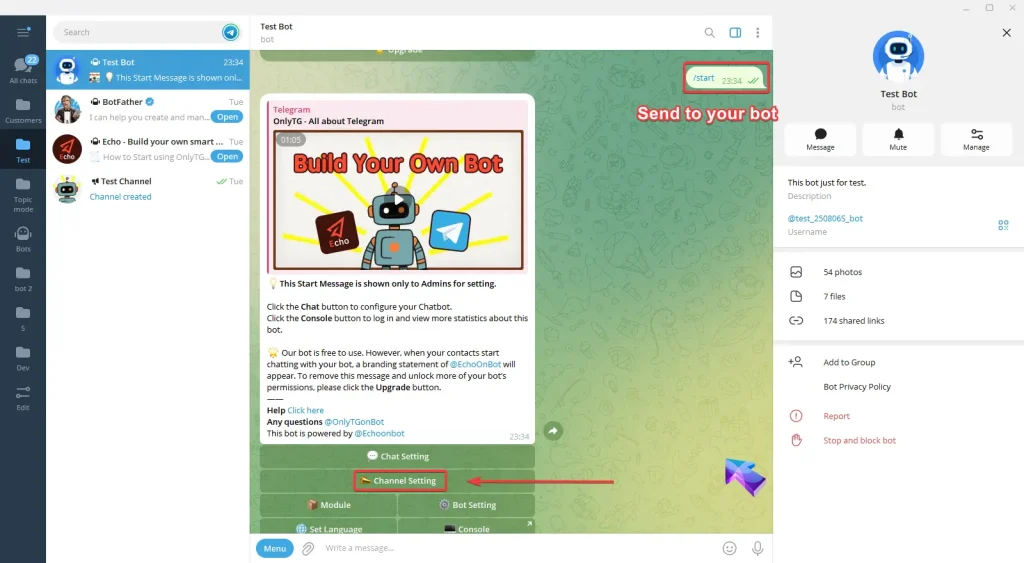
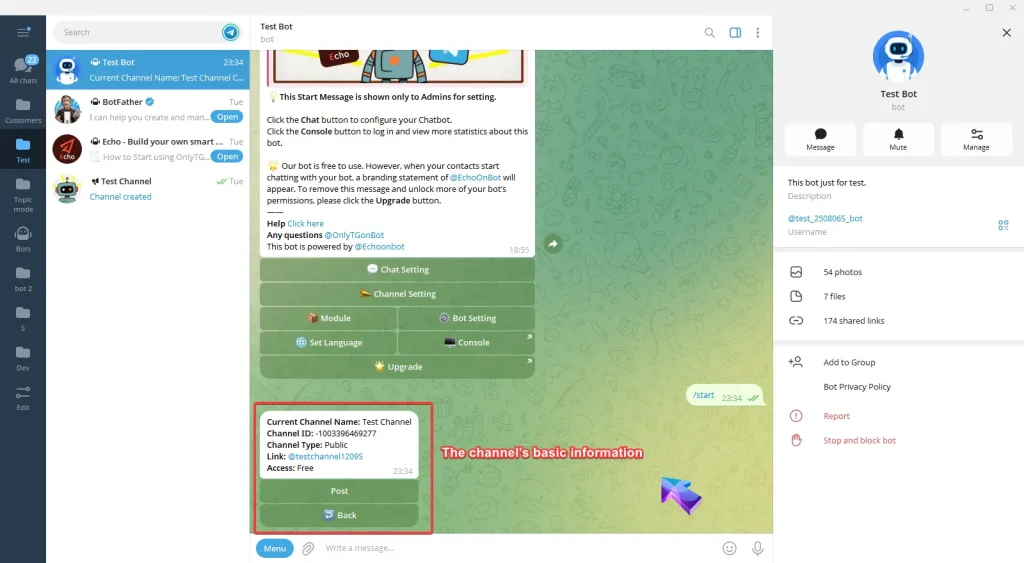
Send /start command to your bot and click Channel Setting button.
Then you will be prompted that only channels that meet all the following requirements will be displayed in this list.
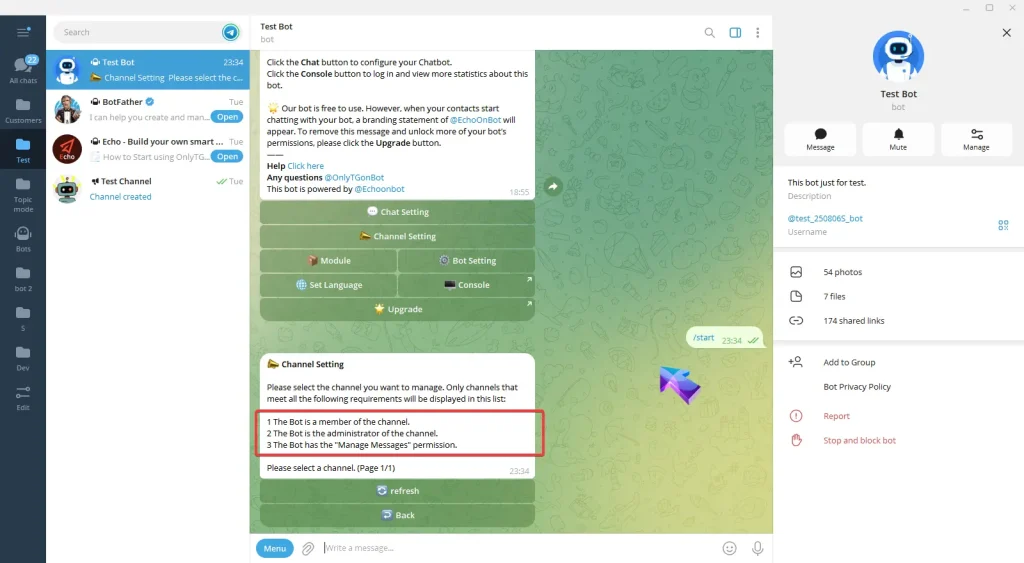
Therefore, you need to first perform the following 3 steps in your channel:
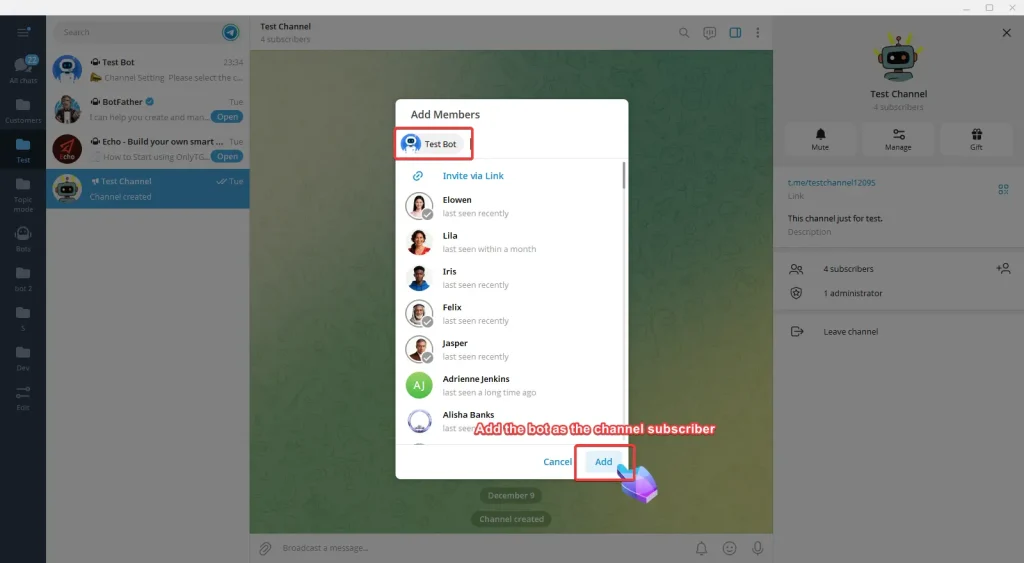
A. Add the bot as the channel subscriber.
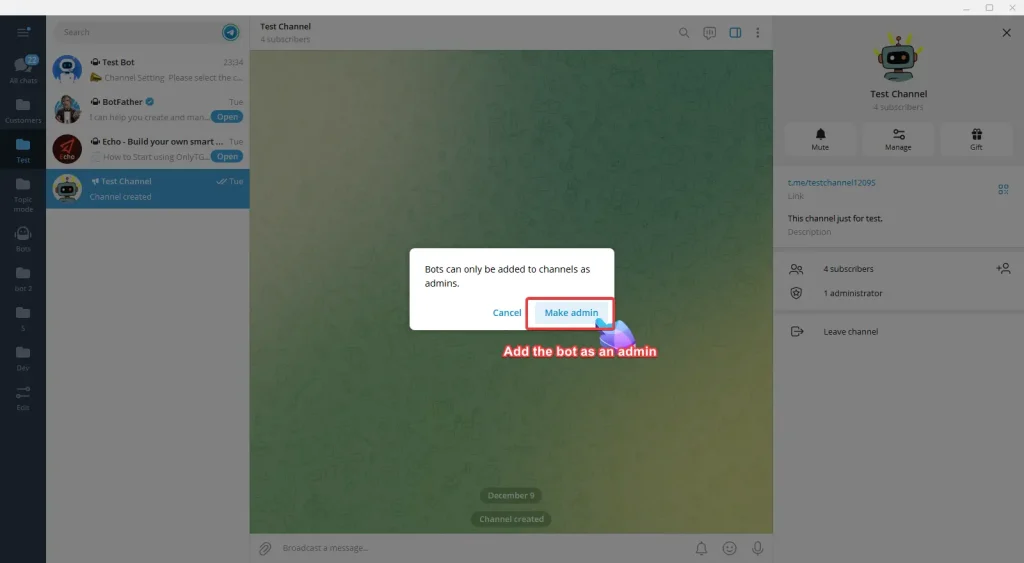
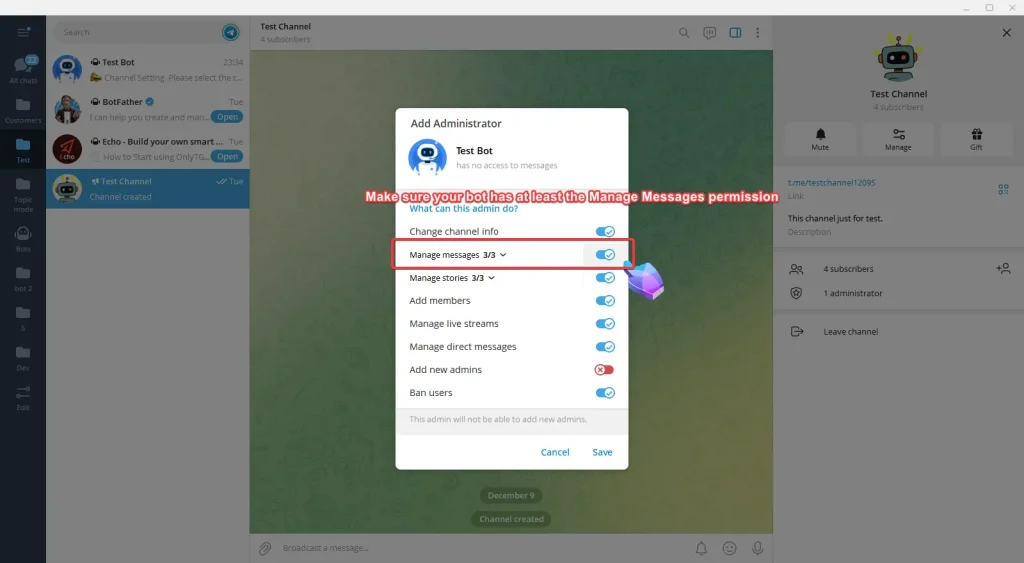
B. Add the bot as an admin.
C. Make sure your bot has at least the Manage Messages permission.
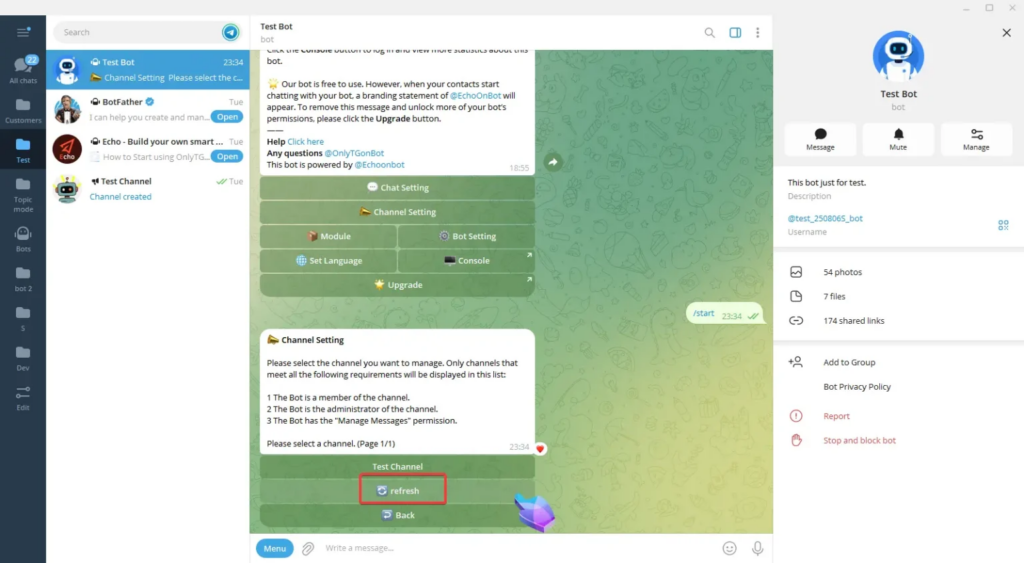
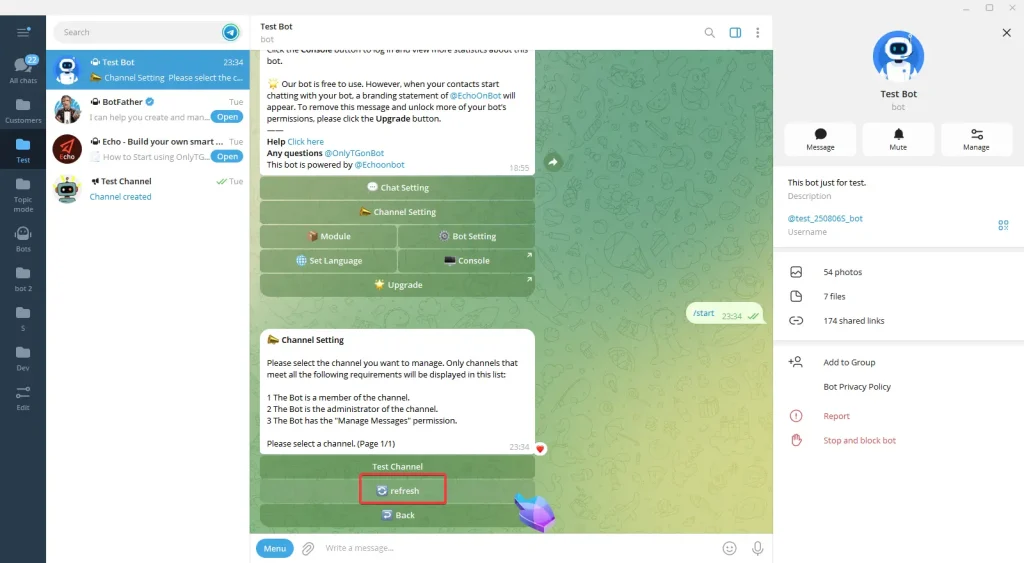
After completing the above steps, return to your Bot, click the Refresh button, and you will see your channel. (If the channel still doesn’t appear, please check whether your channel meets the 3 requirements above.)
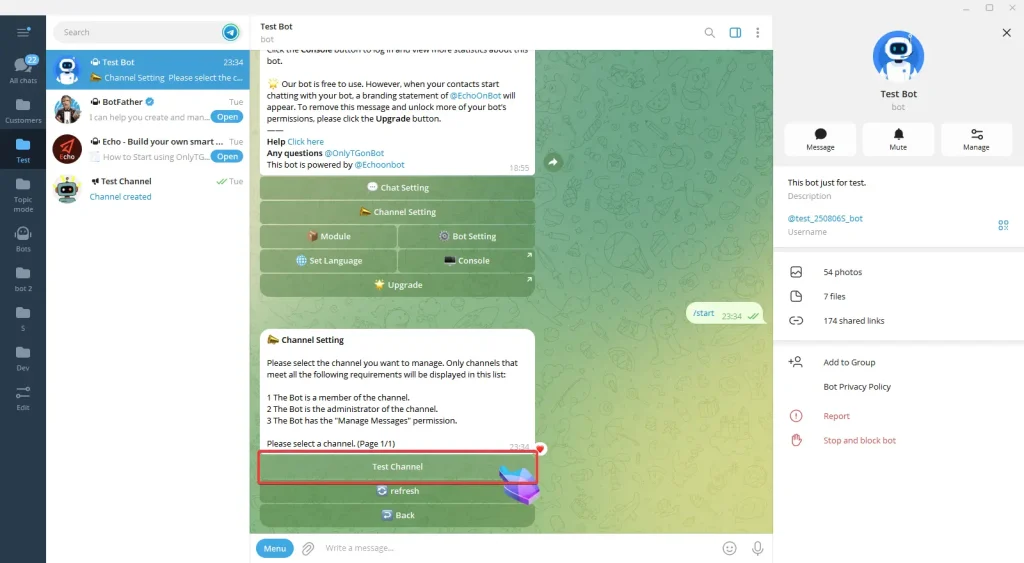
Now select your channel and you can view the channel’s basic information.
step 2
Channel Statistics
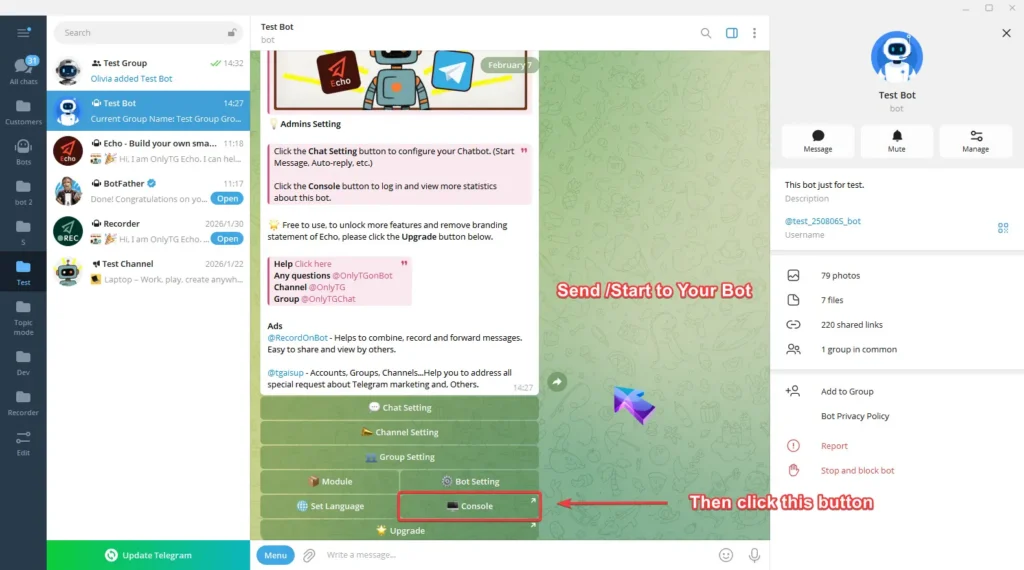
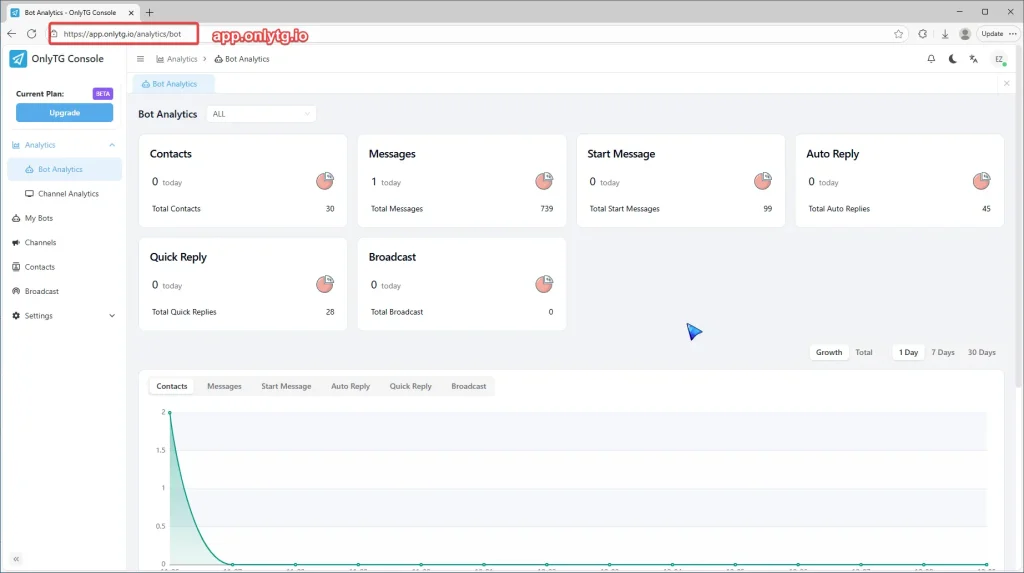
Access the console by clicking Console in the start menu of your bot, or directly enter app.onlytg.io in your browser.
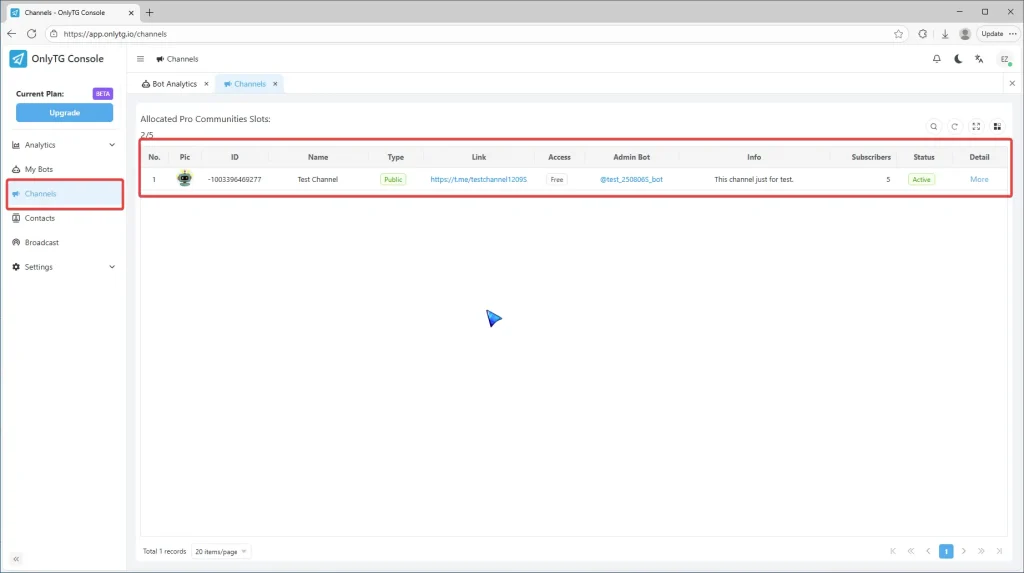
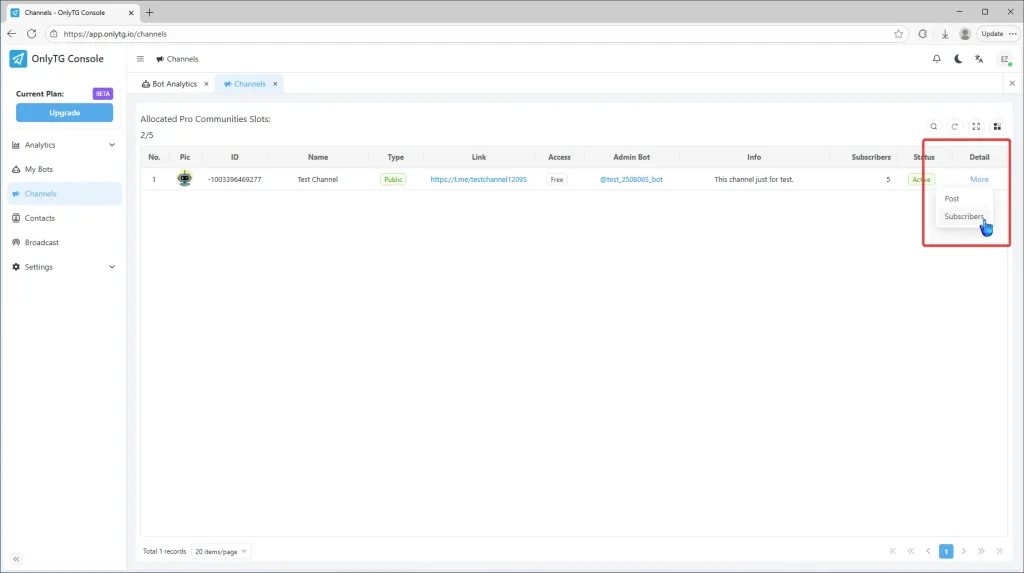
Click Channels to check the channel’s relevant data.
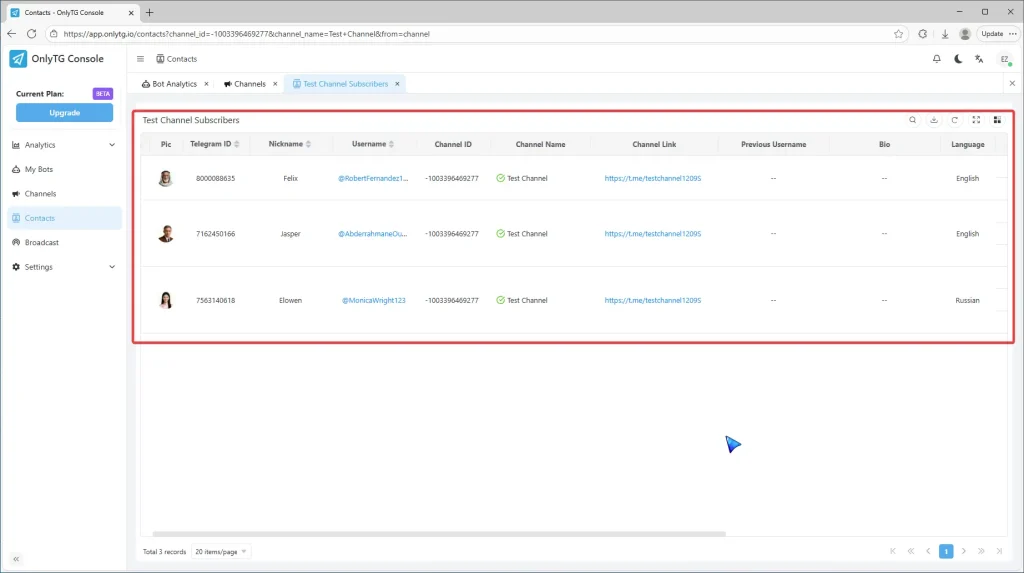
Under the More menu in the Detail column, click Subscribers to view subscriber information, including their username/language, etc.
Note that only the information of subscribers who join the channel after the bot starts managing it will be recorded.
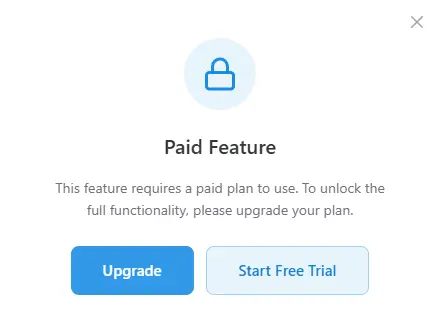
Channel Statistics are currently only available to users on the Starter Plan and above.
But don’t worry—all users can get a free 3-day Starter Plan trial right now!
Create Your Own Telegram Bot with OnlyTG Echo!
OnlyTG Echo helps you build your own Telegram bot. Power up your connection on Telegram with strong features!
OnlyTG Echo Bot: https://t.me/echoonbot
Official Telegram Channel: https://t.me/onlytg