
If you want to create a private Telegram group in 2026, the real challenge is not the button clicks. The challenge is building a space that supports sales, support, affiliate coordination, or campaign operations without leaking to the public, attracting spam, or becoming impossible to moderate.
That matters more now because Telegram is still a high-trust channel for cross-border business, but the same openness that helps growth can also expose your team to unwanted joins, forwarded links, and noisy members. A private setup gives you more control over access, onboarding, and internal communication, especially if you are running a customer community, an affiliate room, or a multi-account operations hub.
This guide shows how to set up the group, lock down visibility, manage invite links, assign admins, and launch it in a way that fits real business use. You will also see where Telegram’s published limits and privacy controls matter, so you can keep the group useful without overcomplicating it.
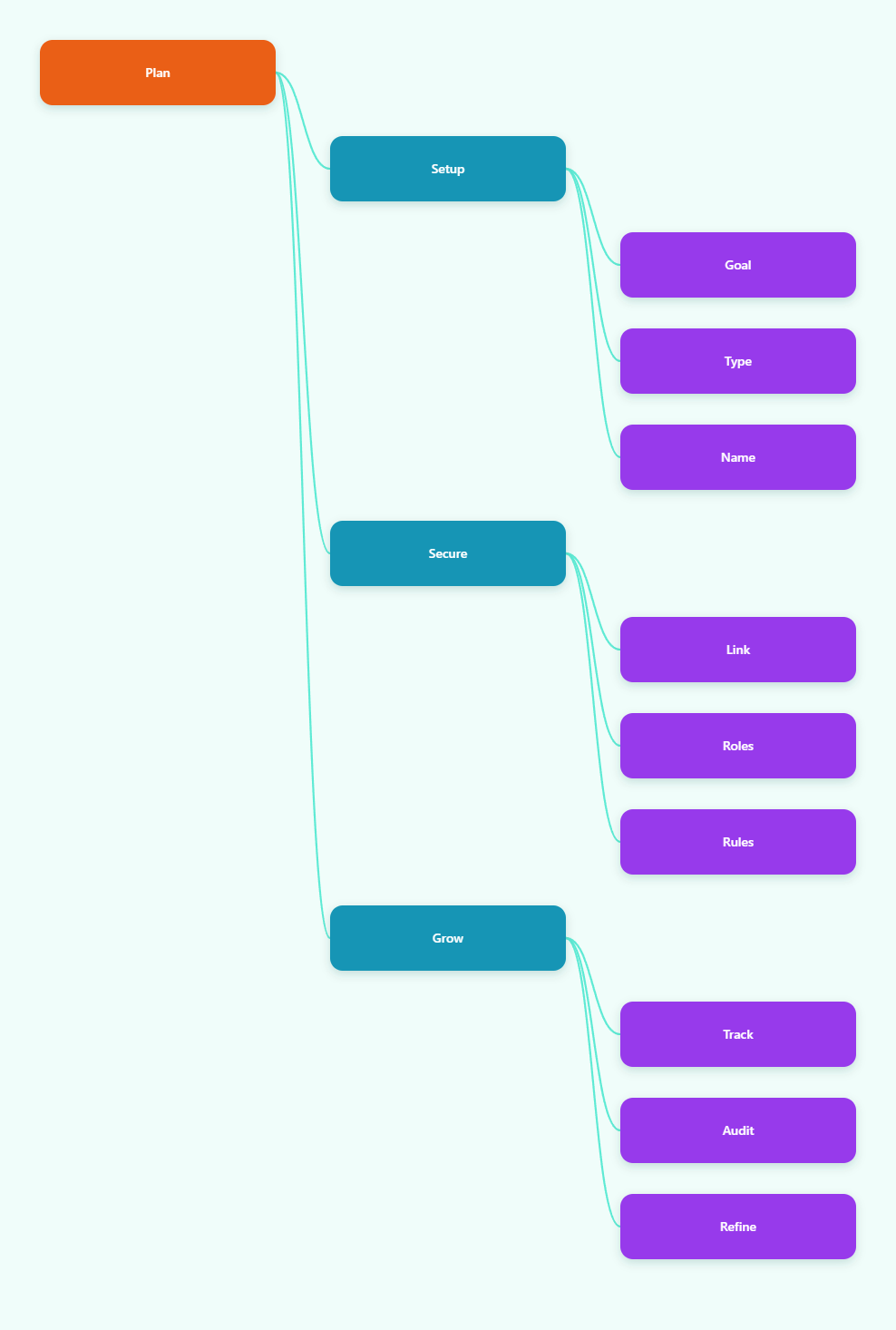
Why a private Telegram group works for business
A private group is usually the better choice when your goal is controlled communication, not open discovery. For brands and operators, that means fewer random joins, cleaner conversations, and a better path to turning members into buyers, subscribers, or qualified leads.
Private groups are especially useful for support teams, launch rooms, paid communities, affiliate partner chats, and internal coordination across time zones. You can share files, briefings, creative assets, customer updates, and links without exposing the conversation to search or public browsing.
Telegram’s public groups are searchable and easier to discover, which is useful for audience growth. But if your priority is privacy, approval, and controlled distribution, private access gives you a better operational baseline.
- Customer support: keep sensitive conversations out of public view.
- Affiliate teams: share offers, rules, and creatives with approved partners only.
- Launch operations: manage timelines, assets, and updates in one place.
- Internal work: separate campaigns, vendors, and account access by project.
There is also a moderation benefit. With a smaller, invitation-based room, you can spot low-quality members faster, reduce spam, and keep the group aligned with the business goal. That makes it easier to create a channel-to-group workflow where a channel broadcasts updates and the private group handles discussion, questions, and conversions.
Create the group on mobile, desktop, or web
Telegram keeps the creation flow simple across devices. In most cases, you open Telegram, start a new group, add at least one member, name the group, and then adjust the type and privacy settings.
On mobile, the menu placement changes slightly by operating system, but the logic is the same. On desktop, the larger screen is often easier when you want to configure settings, add admins, and review the group before launch.
Mobile setup
On iOS, start a new message from the top-right compose icon and choose New Group. On Android, tap the pencil or compose button and select New Group. Then add at least one contact, because Telegram expects a first member before the group is created.
Next, name the group in a way that matches its business purpose. Clear names like Partner Ops, Client Support Room, or Launch Briefing are easier to manage than vague names. If you want to keep the room private, leave the group as private and move to invite-link control after creation.
Desktop or web setup
In Telegram Desktop or Telegram Web, use the menu or compose flow to start a new group. Desktop is the safest choice when you want to check members, review permissions, and make sure the group is structured before you invite the full team.
After creation, confirm three basics: the group name, the initial member list, and the group type. If the group will support a business process, it is worth setting the name, avatar, and description before you invite external users.
- Open Telegram on your preferred device.
- Select New Group.
- Add at least one member.
- Set the group name and photo.
- Verify that the group remains private.
- Move to invite-link and admin settings before launch.
If your team works across multiple accounts or regions, create one group per function instead of putting everything into one large room. That separation makes moderation easier and helps you track which team or campaign needs attention.
Lock down access with invite links and approval
Private access is not only about hiding the group from search. It is also about controlling how people enter, how long access stays valid, and what happens if a link leaks.
Telegram supports private invite links that can be revoked, regenerated, and in many cases configured with limits or expiration settings. That makes them useful for campaign-based access, partner onboarding, and time-bound promotions. If you are running a paid community or a limited launch, these controls help reduce link sharing outside your intended audience.
| Setting | Private Group | Business Use |
|---|---|---|
| Search visibility | Not public | Keeps rooms out of global discovery |
| Join method | Invite link or direct add | Useful for customer, partner, and team onboarding |
| Link control | Can be revoked or refreshed | Helps if a link is shared too widely |
| Approval | Can be managed by admins | Good for screening leads or partners |
In practice, use one invite link per traffic source when you need visibility into where members came from. For example, separate links for email, partner referrals, paid ads, and website widgets make it easier to measure which source brings higher-quality joins.
- Use expiring links for launches, events, and short promotions.
- Revoke leaked links as soon as you see them posted publicly.
- Create source-specific links to track acquisition quality.
- Use approval workflows when you need to screen applicants.
For business operators, this is the difference between a controlled community and a random chat room. You keep the door narrow, you know who came in, and you can shut the door again when the campaign ends.
Set admins, permissions, and rules before members arrive
A private group becomes far easier to manage when you define roles early. Telegram supports granular admin permissions, which is useful if you want one person to moderate messages, another to manage invites, and another to handle group info or member approval.
Do not wait until the group is already active. If you add members first and discuss the rules later, you will spend more time cleaning up confusion. Set the structure before launch so new members enter a room that already feels organized.
Recommended admin setup
Start with a small admin team. One owner should retain full control, while moderators get only the permissions they actually need. In many business groups, that means limiting who can change info, add users, delete messages, or pin announcements.
If your workflow includes customer support or affiliate coordination, assign admin responsibilities by function. That keeps the group from becoming a shared inbox where everyone can edit everything.
- Assign the owner and one backup admin.
- Limit moderation rights to trusted people only.
- Pin the rules and main CTA message.
- Decide whether members can send all media types.
- Review invite permissions and approval settings.
Rules that reduce noise
A short rules message can prevent most of the common problems. State what the group is for, what members may post, and who to contact for issues. If the group supports a sales process, make the boundaries even clearer so support questions, purchase questions, and internal updates do not mix.
Also think about message discipline. If the group is for internal operations, reduce off-topic chatter. If it is for community support, define response windows and escalation paths. The simpler the rules, the easier it is for members to follow them.
Telegram groups can scale very large, but scale without structure leads to noise. A strong admin plan protects the group long after the setup is finished.
Use the group for launches, support, and affiliate operations
The best private groups are not just hidden spaces. They are working systems that help a business move faster. That can mean launch coordination, customer retention, partner communication, or simple internal alignment across regions.
For a launch, the group can hold the schedule, creative updates, deadlines, and last-minute changes. For support, it can centralize questions and keep the conversation away from public channels. For affiliate marketing, it can distribute offers, tracking reminders, compliance notes, and approved assets.
- Launch room: share milestones, links, and daily priorities.
- Support room: collect questions and route them to the right person.
- Affiliate room: publish creatives, links, and campaign rules.
- Ops room: align team members on tasks and follow-ups.
One practical advantage is segmentation. Instead of putting every audience into one public channel, you can separate broadcast, discussion, and private coordination. That improves clarity and lets you control who sees what.
If you want to track performance, use unique invite links or onboarding paths for each segment. Then compare retention, activity, and conversion quality. You do not need complex systems to get useful insights; even basic source separation can show which audience deserves more attention.
Just keep the business purpose clear. A group that tries to be a support desk, a sales room, and a social club at the same time usually loses momentum. Focus on one operational role first, then expand only if the workflow stays clean.
Avoid common mistakes and reduce risk
Most problems in private Telegram groups come from weak processes, not the platform itself. The biggest mistakes are leaking invite links, adding too many people too quickly, using unclear group names, and giving broad admin access to the wrong people.
Another common issue is expecting a private group to behave like a fully automated CRM. Telegram is excellent for communication, but you still need a human process for moderation, onboarding, and customer handling. If the room is business-critical, treat it like an operational asset.
Safer launch checklist
Before inviting the first wave of members, review the basics. That simple checklist often prevents the most expensive mistakes later.
- Confirm the group is private.
- Test the invite link before sharing it widely.
- Assign only the admins you trust.
- Pin the purpose and rules.
- Prepare a backup invite link if the main one leaks.
- Keep naming and branding consistent with the business use.
Be careful with aggressive member growth tactics. Any pattern that looks like mass adding, spammy outreach, or repeated unwanted invitations can create friction and may trigger platform safeguards. A slower, cleaner onboarding path is safer and usually produces better engagement anyway.
Finally, review your setup after the first week. Check which members are active, which admin permissions are actually used, and whether your invite sources are producing the right people. Private groups work best when they are maintained, not just created.
FAQ: private Telegram group setup in 2026
Is a Telegram group private by default?
Yes. A new Telegram group is private unless you change it to public settings later.
Can people find a private group in search?
No. Private groups are not designed for public discovery, so members usually join through an invite link or direct add.
Can I revoke a leaked invite link?
Yes. Telegram supports revoking invite links and creating new ones, which is useful if a link is shared outside your intended audience.
What is the difference between a private and public Telegram group?
A public group can be found through search and usually has a public username. A private group is closed and requires access control.
Can I use one group for customers and affiliates?
You can, but it is usually better to separate them. Different audiences need different rules, onboarding, and moderation.
Should I use admin approval for joins?
If you need tighter screening, yes. Approval is useful for paid communities, partner rooms, and lead qualification.
How many admins should a business group have?
Keep it lean. One owner and a small number of trusted admins is usually enough for most business cases.
Do private groups help with spam reduction?
They help, but they are not a full spam shield. You still need clear rules, link control, and active moderation.
Conclusion
If you want to create a private Telegram group in 2026 for business, focus on three things: access control, role management, and a clear operating purpose. That combination keeps the group useful for launches, support, affiliate coordination, and internal workflows.
Start with a private setup, use revocable invite links, and assign only the permissions each admin actually needs. Then pin your rules, separate traffic sources, and review performance after the first wave of members. A private Telegram group works best when it is designed as a controlled business asset, not just another chat room.