
Telegram remains a serious distribution channel in 2026. With more than 1 billion monthly active users, around 500 million daily active users, and channels that can reach unlimited subscribers, the platform rewards teams that publish consistently. The catch is simple: manual posting breaks down fast when you manage multiple time zones, launch windows, or approval steps.
If you want to auto post Telegram content without turning your channel into a spam machine, this guide walks through the real operational bottlenecks, the official scheduling options, and the workflows that keep posts on time.
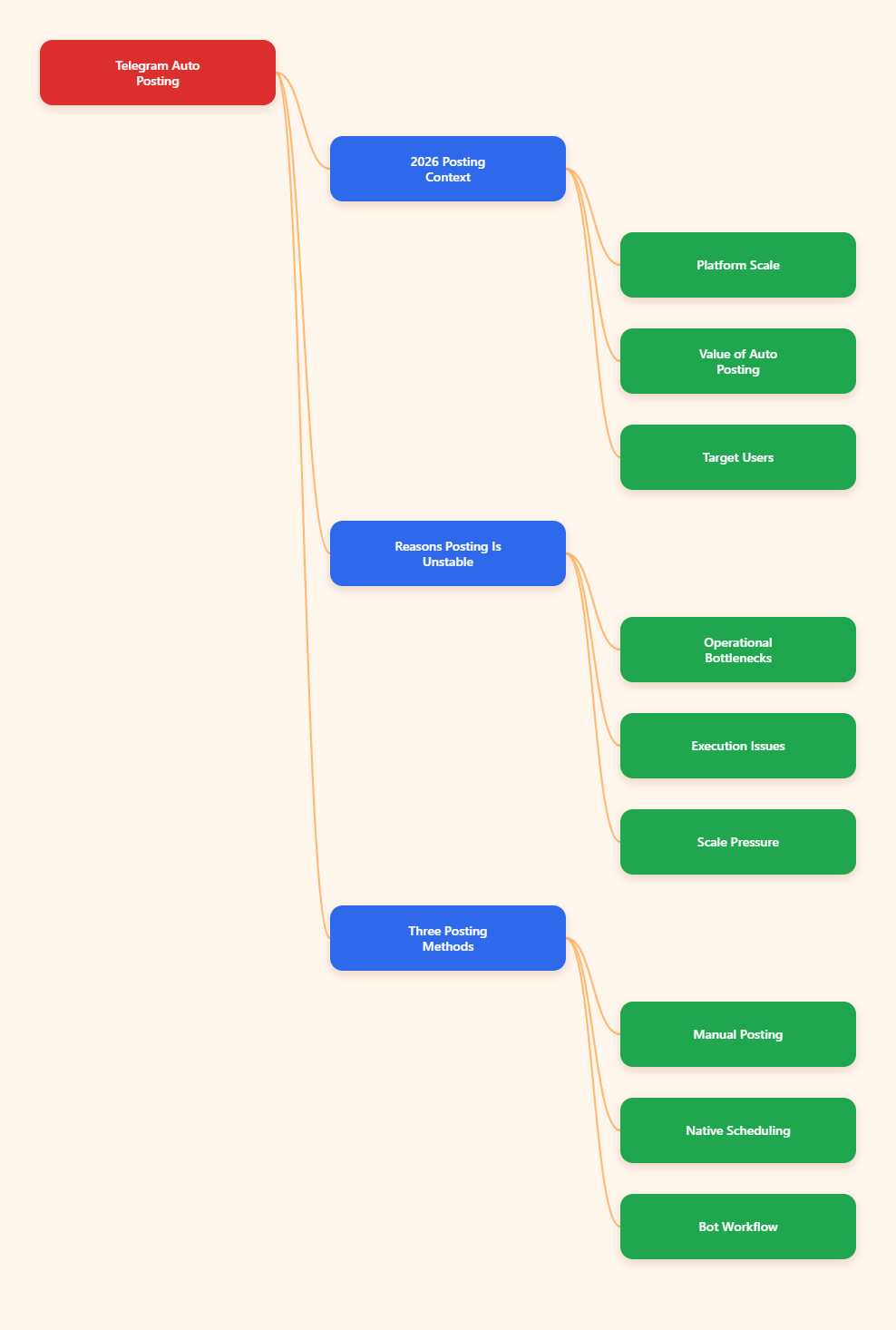
Why Auto Post Telegram Matters in 2026
Telegram is no longer a side channel. It is a daily habit for large audiences, with messages moving through channels, groups, and direct conversations at serious scale. That matters because publishing is not just about writing a post. It is about timing, consistency, and making sure every update lands when your audience is actually active.
For marketers, creators, and community managers, auto posting solves three common problems at once: missed deadlines, inconsistent cadence, and human error. Once those issues stack up, even good content can underperform.
- Time zones: A channel serving the US, Europe, and Southeast Asia rarely has one perfect posting hour.
- Volume: Daily updates, promos, and community reminders are hard to handle manually.
- Repeatability: Content calendars only work when publishing happens on schedule.
Telegram also gives teams room to scale. Basic groups support up to 200 members, supergroups can reach 200,000, and channels can broadcast to unlimited subscribers. That makes publishing discipline more important, not less.
The Real Problems Behind Inconsistent Telegram Publishing
Most Telegram growth problems are not content problems. They are operations problems. Teams often have enough ideas, but they lack a stable way to move drafts into live posts without last-minute scrambling.
When a channel depends on manual posting, the same mistakes appear again and again.
- Missed timing windows: Posts go out late because the person in charge is offline.
- Uneven pacing: Three posts arrive in one day, then silence follows for two days.
- Formatting drift: Titles, links, media, and CTA buttons are not handled the same way each time.
- Approval delays: Content waits in chat threads, email, or docs instead of a single queue.
- Cross-region confusion: A post scheduled for one audience arrives in the wrong timezone for another.
These issues are easy to ignore when a channel is small. They become expensive when you run multiple channels, a brand community, or a large content operation.
Manual Posting vs Native Scheduling vs Bot-Based Workflows
Before you decide how to auto post Telegram content, it helps to compare the main options side by side. Each approach has a clear use case.
| Method | What it does | Best for | Main trade-off |
|---|---|---|---|
| Manual posting | Send each post in real time | Small accounts and one-person operations | Easy to miss timing and consistency |
| Telegram scheduled messages | Uses a future timestamp and server-side queue | Channels with predictable calendars | Still needs careful planning and admin discipline |
| Bot-based workflow | Queues posts through a connected bot or tool | Teams handling multiple posts or approvals | Depends on setup, permissions, and the tool you choose |
Telegram’s own documentation confirms scheduled delivery through a future UNIX timestamp and a server-side schedule queue. In other words, you do not need to rely on a laptop staying open or a local script running all night.
What Telegram Officially Supports for Scheduling
Telegram already gives you building blocks for a serious publishing workflow. The official Bot API supports scheduled messages through the schedule_date parameter, and Telegram’s own product updates continue to expand business and channel workflows.
That matters because the platform is not only a chat app. It is also a publishing layer with tools for creators, brands, and support teams.
- Scheduled messages: Send text or media at a future time through Telegram’s supported scheduling flow.
- Business features: Telegram Business includes opening hours, location, quick replies, automated messages, custom start pages, chatbot support, and connected bots.
- Channel interactions: Telegram has also added features such as direct messages to channels and better post search, which can improve feedback and content discovery.
For operators, the key point is simple: Telegram already supports more automation than many teams use.
How to Build a Reliable Auto Post Telegram Workflow
If you want a workflow that lasts, do not start with software. Start with process. The best automation setup is boring in the right way: predictable, repeatable, and easy to hand off.
1. Pick one primary timezone
Choose the timezone your audience cares about most. If your channel serves multiple regions, use one home timezone for planning, then adapt only the most important posts for local peaks.
2. Batch content by type
Group your posts into buckets such as news, educational content, promotions, and community updates. This makes scheduling easier and helps you spot gaps in the calendar before they become problems.
3. Write before you schedule
Draft the copy, media, links, and CTA first. Then schedule. That simple order prevents half-finished posts from entering the queue.
4. Use a review step
Even small teams benefit from a final review. Check formatting, link targets, image quality, and message order before anything goes live.
5. Track what actually performs
Do not assume the first posting window is the best one. Compare open behavior, replies, reactions, and link clicks over a few weeks. The goal is to learn where your audience responds, not to follow a generic schedule forever.
When Does Auto Post Telegram Perform Best?
There is no universal best time, because audience behavior depends on region and content type. Still, many 2025-2026 publishing guides point to weekday activity and daytime windows as a strong starting point for testing.
A practical approach is to start with the audience’s local workday rhythm and then refine from there.
- News and alerts: Test early morning windows when users check updates quickly.
- Guides and analysis: Test lunch breaks and afternoon windows when readers have more time.
- Community prompts: Test evening windows when people are more likely to react or reply.
For B2B-style channels, weekdays often make more sense than weekends. For entertainment or community channels, evening activity can be stronger. The right answer is always audience-specific.
Where OnlyTG Echo@EchoOnBot Fits
When the main pain point is not writing content but keeping the queue orderly, OnlyTG Echo@EchoOnBot can be used as a simple bot-based helper in the workflow. The practical idea is to connect your destination, prepare the post, place it into a timed queue, and let the bot handle the handoff instead of relying on someone to be online.
If you already understand Telegram’s official scheduling logic, a helper like OnlyTG Echo@EchoOnBot is mainly useful for reducing manual switching between devices and chats. That can matter for lean teams that need a cleaner posting routine.
Scenario 1: SaaS release notes
A SaaS team serving US and EU users can draft release notes once, then queue them for two separate windows. That keeps the message aligned with regional work hours and avoids late-night manual posting.
Scenario 2: Daily channel digest
A content channel publishing a morning digest can prepare posts the evening before, then queue the next day’s update. This reduces the risk of missing a day when the editor is busy.
Scenario 3: Promotion calendar
An ecommerce team running a weekend promo can line up teaser posts, a launch post, and a final reminder in advance. That makes the promo easier to control and keeps the timing consistent across the campaign.
In practice, tools like OnlyTG Echo@EchoOnBot are most helpful when they stay close to one job: helping you move from draft to scheduled delivery with less friction.
Depending on your workflow, the added value is usually in the small things: fewer handoffs, fewer missed slots, and a single place to manage timed posts.
Best Practices to Avoid Spam, Fatigue, and Poor Reach
Automation only works when the channel still feels human. If every post looks identical or every hour becomes a broadcast window, subscribers tune out quickly.
- Keep the ratio healthy: Mix promotional posts with useful updates, tips, and context.
- Do not overpost: More scheduling does not mean more value.
- Respect Telegram policies: Telegram’s terms prohibit spam, unwanted advertising, and abusive behavior.
- Test before scaling: Start with one channel and one content stream before rolling out to everything.
- Document your process: Save posting rules so a teammate can step in without confusion.
The safest automation setup is the one your team can explain in one minute.
Practical Checklist for Auto Posting in Telegram
- Define one primary timezone for planning.
- Batch content into clear categories.
- Write the message before choosing the time.
- Use Telegram’s native scheduling or a bot-based queue.
- Check links, media, and formatting before publishing.
- Review performance weekly, not daily.
- Keep the channel useful, not just active.
FAQ: Auto Post Telegram in 2026
Can I auto post Telegram without coding?
Yes. Telegram’s built-in scheduling and bot-based tools let non-developers queue posts without writing code.
Does Telegram support scheduled messages natively?
Yes. Telegram supports scheduled delivery through its scheduling flow and Bot API options, including future timestamps.
What is the best time to auto post Telegram?
There is no universal best time. Start with your audience’s local weekdays and test morning, afternoon, and evening windows.
Can I auto post to channels and groups?
Yes, but the workflow differs. Channels are better for broadcasting, while groups are better for discussion and moderation.
How large can a Telegram channel or group be?
Basic groups support up to 200 members, supergroups can reach 200,000, and channels can have unlimited subscribers.
Is bot-based posting safe?
It can be safe when you use official permissions, keep the setup simple, and avoid spammy behavior. Always follow Telegram’s terms.
What should I do if scheduled posts fail?
Check permissions, timestamps, timezone settings, and whether the destination still accepts posts. Then test with one short message before resuming the full queue.
Final Thoughts
Auto posting in Telegram is not about removing people from the process. It is about removing friction. When you combine Telegram’s native scheduling, a clear content calendar, and a sensible bot-based workflow, you get fewer mistakes and a more consistent channel.
Start small, measure what lands, and keep the process simple. If you want a lightweight bot workflow to help with queueing and timing, OnlyTG Echo@EchoOnBot is worth testing as part of that setup.