
If you manage a busy Telegram community, the hardest work is rarely writing one announcement. It is making sure the right rule, reminder, onboarding note, or event post appears again at the right moment without exhausting your moderators.
That is why group recurring Telegram rule reminder posts have become a core workflow for channel operators, paid community owners, crypto projects, SaaS founders, course creators, and support teams in 2026.
This guide explains how to build recurring reminder systems that feel useful, not spammy. You will learn what to automate, what to keep manual, how to use Telegram’s native controls, and where lightweight bot workflows can reduce repetitive admin work.
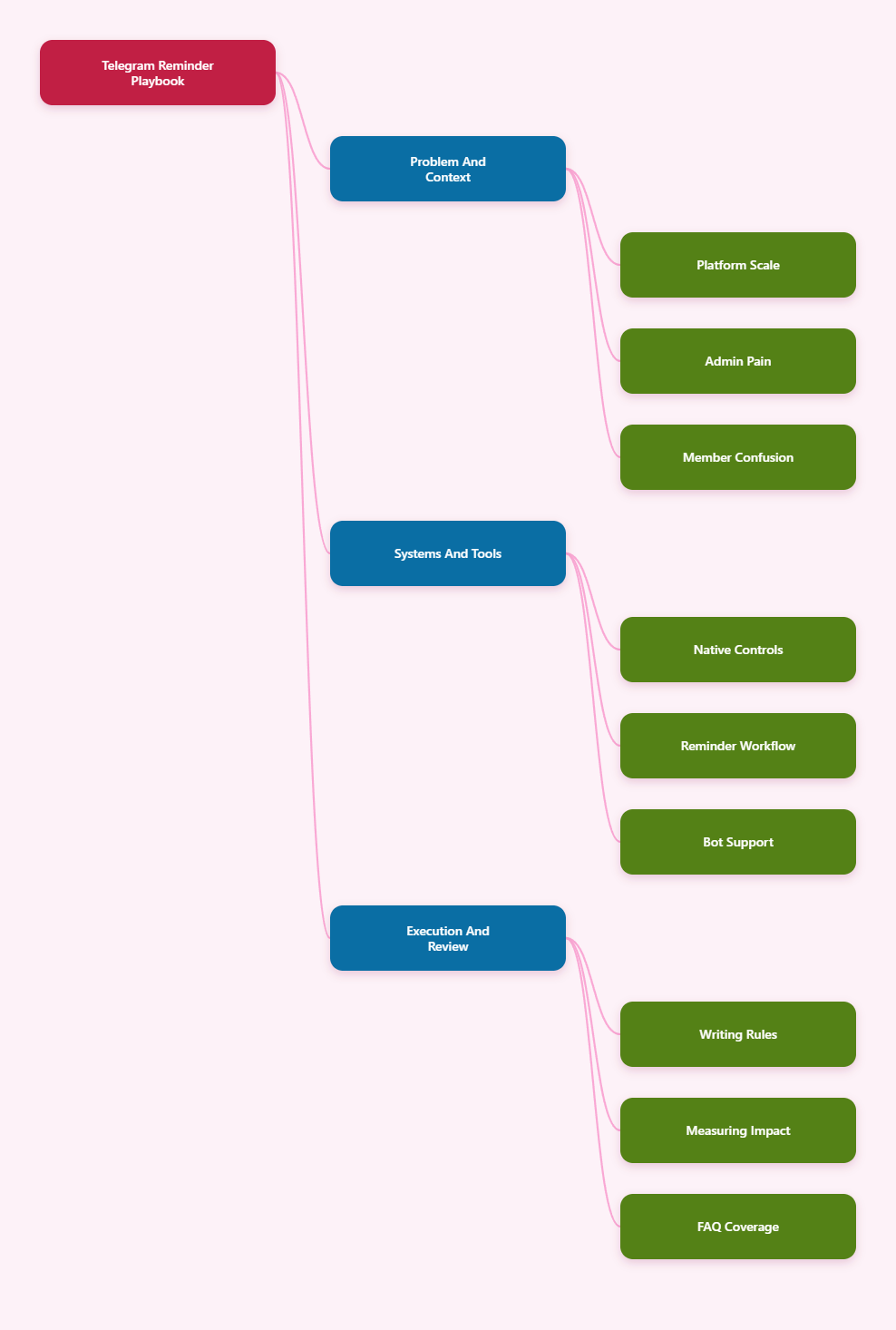
Why Group Recurring Telegram Rule Reminder Posts Matter in 2026
Telegram is no longer a side channel for niche communities. The platform crossed the 1 billion monthly active user mark in 2025, and many brands now treat Telegram as a direct retention, support, and community layer.
The scale creates a simple problem. New members join at different times, users mute chats, and important information disappears under normal conversation. A rule pinned on Monday may be invisible to someone who joins on Thursday.
Recurring reminders solve four practical issues:
- New members see rules after they join, not only before.
- Admins repeat fewer answers in public chat.
- Events, AMAs, drops, and deadlines get predictable visibility.
- Moderators can enforce rules more fairly because expectations are repeated.
The goal is not to flood your group. The goal is to create a reliable operating rhythm so members know where to find help, how to behave, and what happens next.
What Makes Telegram Group Operations Different?
Telegram groups can support up to 200,000 members, while basic groups are limited to smaller communities. Serious operators usually work with supergroups because they offer stronger moderation, admin permissions, topics, and large-scale community controls.
That scale changes how rule reminders should be written. A message that works in a 50-person beta group can feel noisy in a 20,000-member trading community.
Telegram also mixes several surfaces:
- Channels for one-way broadcast and official updates.
- Groups for discussion, feedback, and member interaction.
- Topics for structured threads inside large groups.
- Pinned messages for persistent high-priority information.
- Scheduled messages for planned one-time publishing.
Good Telegram marketing in 2026 is less about posting more. It is about matching each message type to the correct surface.
Telegram Native Features You Should Use Before Adding Automation
Before installing any tool, configure Telegram’s built-in features. They reduce noise, protect the group, and make recurring posts more effective.
Scheduled Messages
Telegram introduced scheduled messages in 2019. In the app, you can hold the send button and choose the schedule option. This works well for one-time posts, such as a launch reminder, weekly digest, or event announcement.
Scheduled messages are not the same as a complete recurring operations system for every team. They are excellent for planned publishing, but admins still need a process for rules that repeat daily, weekly, or around onboarding windows.
Pinned Messages
Pinned messages remain essential. Telegram’s group documentation explains that admins can use pins to keep important updates visible at the top of the chat, and group members may receive a notification depending on how the pin is set.
Use pins for stable information:
- Community rules and posting policy.
- Official links and support channels.
- Current campaign or event hub.
- Warning about scams or impersonators.
A recurring reminder should often point back to a pinned message instead of repeating a long policy every few hours.
Slow Mode and Permissions
Slow Mode can limit how frequently each member sends messages, with intervals commonly ranging from 30 seconds to one hour. It helps during hype cycles, spam waves, or live events when a group becomes unreadable.
Permissions also matter. Restrict who can add members, send media, post links, or pin messages. For groups with hundreds or thousands of members, open permissions are an invitation for spam.
Topics for Large Communities
Telegram Topics, also known as forum mode, let admins split discussion into focused spaces. This is especially useful when one group hosts product support, announcements, trading chat, regional discussion, and feedback.
Recurring reminders become more helpful when they are topic-specific. A daily support reminder belongs in Support. A weekly roadmap note belongs in Announcements. A trading-risk disclaimer belongs where trading discussion happens.
Native Controls vs Automation for Recurring Reminder Posts
Use the table below to decide what belongs inside Telegram’s native features and what may need a bot or external workflow.
| Need | Best Telegram Option | Useful Limit or Detail | When to Add Automation |
|---|---|---|---|
| One-time announcement | Scheduled message | Hold send button and select schedule | Usually unnecessary |
| Permanent rules | Pinned message | Visible at top of group or channel | When rules need repeated visibility |
| Spam control | Slow Mode and permissions | Slow Mode can range from 30 seconds to 1 hour | When spam patterns need filtering |
| Large discussion structure | Topics in supergroups | Topics organize conversations into separate spaces | When reminders differ by topic |
| Daily or weekly rule reminders | Bot or recurring workflow | Native scheduling is strongest for planned posts | Recommended for ongoing operations |
| Large group scale | Supergroup | Groups can support up to 200,000 members | Needed when human moderation cannot keep up |
How Often Should You Send Group Recurring Telegram Rule Reminder Posts?
Frequency is where many communities fail. Too few reminders create confusion. Too many reminders train members to ignore admins.
Start with member behavior, not a random schedule. Review the same repeated questions, moderation actions, and support tickets from the previous two weeks. Those patterns tell you what deserves a recurring reminder.
Use this practical rhythm:
- Rules summary: once daily in fast-moving public groups, two or three times weekly in slower groups.
- Scam warning: daily during token launches, contests, airdrops, or high-risk campaigns.
- Event reminder: 24 hours before, 3 hours before, and 15 minutes before.
- Support hours: once at the start of each support window.
- Weekly digest: once weekly, ideally at a consistent time.
Do not repeat the same full message every time. Rotate formats. One reminder can be a short rule summary. Another can be a link to the pinned FAQ. A third can highlight one rule that caused recent confusion.
How to Write Reminder Posts Members Will Actually Read
Recurring posts fail when they sound like legal notices. Members scan quickly, especially in high-volume groups. Your reminder should be short, clear, and action-oriented.
Use this structure:
- Lead with the immediate reason for the reminder.
- State the rule or action in one sentence.
- Explain the consequence without sounding hostile.
- Link to the pinned message or official channel.
- End with a helpful next step.
Example for a SaaS community:
Quick reminder: support questions are handled in the Support topic so the main chat stays readable. Please include your plan name, device, and screenshot if relevant. Posts without details may be moved by moderators. Full support guide is pinned.
Example for a Web3 group:
Safety reminder: admins will never DM first or ask for seed phrases. Use only links from the pinned announcement. Report impersonators to moderators before sharing screenshots publicly.
These messages work because they are specific. They tell members exactly what to do and why it matters.
What Should Be Automated and What Should Stay Human?
Automation is useful when the message is predictable. Human judgment is still required when context changes, conflict appears, or a member needs empathy.
Automate these:
- Daily rule summaries.
- Weekly event calendars.
- Support-hour reminders.
- Scam prevention warnings.
- New-member orientation prompts.
- Recurring content series, such as weekly tips.
Keep these human:
- Conflict moderation and sensitive disputes.
- Public apologies after incidents.
- Breaking news or policy changes.
- High-value member conversations.
- Partnership or sponsorship negotiations.
A good rule is simple. If a message must be emotionally aware, do not automate it fully. If a message is operational and repetitive, automation can help.
A Practical Workflow for Group Recurring Telegram Rule Reminder Posts
Build your reminder system like an editorial calendar, not like a random bot queue.
Step 1: Map Your Repeated Friction
Create a simple sheet with three columns: repeated question, current answer, and desired behavior. Fill it with real problems from your group history.
Examples include where to get support, how to report scams, which links are official, when moderators are online, and what content is not allowed.
Step 2: Convert Each Problem Into a Short Reminder
Do not paste your full rulebook. Write one reminder for one behavior. If the issue is link spam, the reminder should cover link policy only.
This keeps recurring posts readable and prevents members from mentally filtering them out.
Step 3: Assign Frequency and Placement
Each reminder needs a destination. Put general rules in the main group. Put product support notes inside the Support topic. Put official launch updates in the announcement channel and link discussion back to the group.
Step 4: Review Every Two Weeks
Recurring posts are not set-and-forget assets. Review replies, moderation logs, and member complaints. If people still break a rule, the reminder may be unclear, too infrequent, or posted in the wrong place.
Using OnlyTG Echo@EchoOnBot
When a team has more than a few recurring reminders, a Telegram-native bot workflow can reduce manual posting. OnlyTG Echo@EchoOnBot is one option admins can test when they need repeatable rule reminders inside Telegram rather than a separate dashboard-heavy process.
Use cases where this workflow fits:
- A paid education group posts a Monday onboarding reminder with the course index, office-hour rules, and support topic link.
- A crypto community repeats a daily anti-scam warning during a token campaign, pointing only to the pinned official links.
- A SaaS beta group sends a weekly feedback reminder asking members to post bugs in the correct topic with device, version, and screenshot.
Depending on the current bot menu, admins may also find related controls such as editing saved reminders, pausing a recurring post, checking active reminders, or removing outdated items. Keep the setup lean. The purpose is operational consistency, not more noise.
Common Mistakes That Make Reminder Posts Feel Like Spam
The biggest mistake is treating reminders as ads. Members joined a group for information, access, discussion, or support. If every recurring post pushes a promotion, trust drops quickly.
Avoid these patterns:
- Repeating the same long rulebook several times per day.
- Posting reminders during active member conversations.
- Using aggressive emojis, all caps, or vague warnings.
- Linking to unofficial pages or multiple competing destinations.
- Automating messages that should answer a live concern.
Also avoid timezone blindness. If your community spans Europe, India, Southeast Asia, and North America, one daily reminder may always miss part of the audience. Rotate timing or create region-specific schedules if the group is large enough.
Measurement: How to Know Your Reminder System Works
You do not need complex analytics to judge recurring reminders. Start with operational signals.
Track these weekly:
- Number of repeated questions in the main chat.
- Number of deleted spam or off-topic posts.
- Moderator time spent answering basic rules.
- Clicks or replies around pinned resources, if measurable.
- Member complaints about too many admin messages.
If repeated questions fall and complaints stay low, your system is working. If complaints rise, reduce frequency, shorten copy, or move reminders into the right topic.
For growth teams, compare campaign periods. A launch week needs heavier reminders than a normal week. A stable paid community may need fewer reminders but higher-quality onboarding posts.
2026 Telegram Operations Checklist
Use this checklist before launching or rebuilding group recurring Telegram rule reminder posts.
- Upgrade serious communities to supergroups when scale and features require it.
- Separate broadcasts in channels from discussion in groups.
- Pin the core rulebook, official links, and current campaign hub.
- Use Topics when multiple conversations compete for attention.
- Set permissions for links, media, member invites, and pin rights.
- Enable Slow Mode during high-traffic periods or spam waves.
- Write one reminder for one behavior.
- Schedule reminders around member activity, not admin convenience.
- Review performance every two weeks.
- Remove outdated reminders immediately after events end.
FAQ: Group Recurring Telegram Rule Reminder Posts
1. What are group recurring Telegram rule reminder posts?
They are repeated operational messages that remind group members about rules, support steps, event times, safety warnings, or official links. They are most useful in communities where new members arrive often or chat volume buries important information.
2. Can Telegram schedule recurring posts natively?
Telegram supports scheduled messages for planned sending, and its API documentation also discusses repeating scheduled messages for Premium users in certain contexts. For everyday admin workflows, many teams still use bots or automation tools for recurring reminders.
3. How often should a rule reminder be posted?
For active public groups, once daily can be reasonable if the message is short. For slower communities, two or three times per week may be enough. Increase frequency only during launches, events, or spam-risk periods.
4. Should I pin rules or repeat them?
Use both, but for different purposes. Pin the complete rulebook or official links. Use recurring posts to point members back to the pinned message and highlight the most important behavior at the right time.
5. Do recurring reminders reduce engagement?
They can reduce engagement if they are too frequent, promotional, or poorly timed. Well-written reminders usually improve discussion quality because members know where to ask questions and what behavior is expected.
6. Are bots safe for Telegram group reminders?
Bots can be useful, but admins should grant the minimum permissions needed, test in a private group first, and remove tools that are no longer maintained. Never give broad admin rights to a bot without a clear reason.
7. Where does OnlyTG Echo@EchoOnBot fit in this workflow?
OnlyTG Echo@EchoOnBot can fit when admins want a Telegram-based way to manage recurring reminders without manually reposting the same rules. It should support the broader operating system, not replace clear moderation policy.
Conclusion
Group recurring Telegram rule reminder posts are not about posting more. They are about reducing confusion, protecting members, and giving moderators a repeatable system for daily community operations.
Start with Telegram’s native features: pinned messages, scheduled posts, permissions, Slow Mode, and Topics. Then automate only the reminders that are genuinely repetitive. If your team needs a lightweight bot workflow, testing OnlyTG Echo@EchoOnBot can be a practical next step, as long as the reminders remain useful and member-first.