
I keep seeing the same support problem in Telegram stores: the same questions, asked all day, by different people. Shipping. Stock. Sizes. Returns. Payment methods. If your reply is slow, the buyer keeps scrolling. In 2026, that is a quiet way to lose sales.
That is why quick reply Telegram for store FAQ matters. It is not about sounding automated. It is about answering faster, keeping context clean, and giving customers one clear next step. In this guide, I will show what to automate, what to keep human, and how I set up a workflow that does not feel robotic.
Telegram is not a small niche anymore. It passed the 1 billion monthly active user mark, and that scale changed customer expectations. People now expect instant answers inside chat, not a slow email loop. For store teams, that means quick replies are no longer a nice extra. They are part of basic support hygiene.
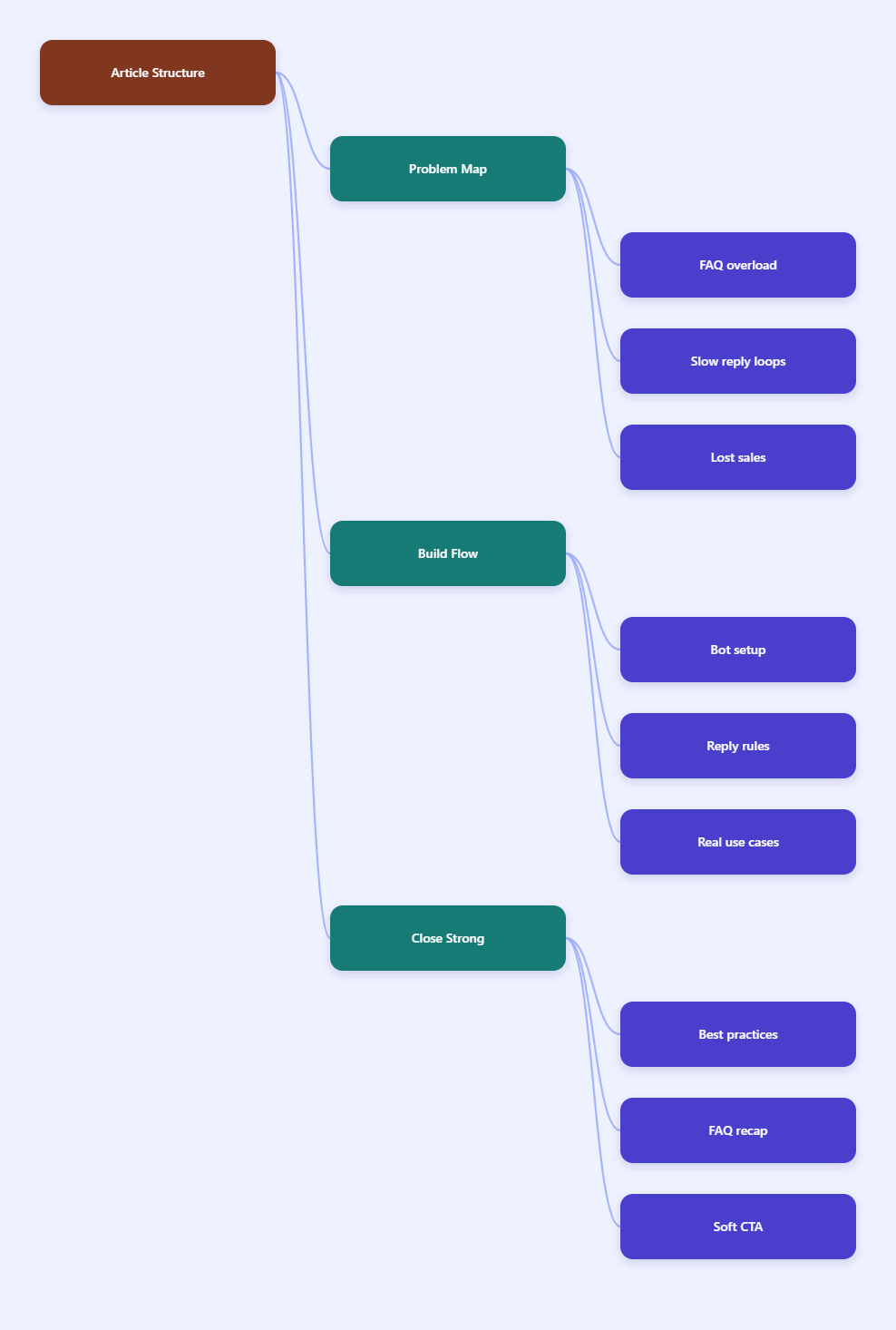
Why quick reply Telegram for store FAQ still works in 2026
The biggest reason is simple: most store questions are repetitive, not complex. A customer wants the delivery window. Another wants the return rule. Another asks if a size is in stock. If you type the same answer ten times a day, you are wasting attention that should go to real exceptions.
Telegram already supports business-style quick replies, and its official docs also expose quick reply shortcuts for structured message sending. That matters because stores do not need fancy language. They need fast, consistent answers that reduce friction.
What customers ask first
In most store chats, the first question usually falls into one of these buckets:
- Is this item in stock?
- How long is delivery?
- What sizes or variants are available?
- How do returns work?
- What payment methods do you accept?
Those questions are ideal for quick replies because they are short, predictable, and easy to structure. A good FAQ reply should answer fast, then move the user to the next step.
Where teams lose time
I see three common leaks in Telegram support.
- Agents rewrite the same answer again and again.
- Chats get buried when multiple customers ask the same thing.
- Handoffs happen without context, so users repeat themselves.
That last point hurts the most. A reply system should reduce repetition, not create new repetition. If the customer has to restate the issue after every handoff, the workflow is broken.
What should you automate, and what should stay human?
My rule is simple. Automate the questions that are common, low risk, and easy to verify. Keep humans on the cases that involve money disputes, trust, or policy exceptions. That split keeps the inbox fast without making the brand feel cold.
For stores, I usually automate the following:
- Delivery time and shipping zones
- Order status and tracking steps
- Size charts and product variants
- Payment methods and checkout basics
- Return windows and exchange rules
- Store hours and response times
And I leave these to a person:
- Refund disputes
- Damaged parcel claims
- Chargebacks or fraud concerns
- Custom quotes
- Legal or tax questions
My one-question, one-next-step rule
The best FAQ reply does two things. It answers the question, and it pushes the conversation forward. If someone asks about shipping, I do not stop at the shipping policy. I add the next action, like checking the checkout page, sharing a postal code, or tapping a talk-to-human button.
That tiny extra step keeps the chat moving. It also cuts down on back-and-forth messages, which is where support time disappears.
Which support model should you use?
Not every team needs the same setup. A solo seller does not need the same support stack as a growing store with multiple shifts. I like to compare the main options before I build anything.
| Support model | Best for | Strength | Main tradeoff |
|---|---|---|---|
| Telegram Business quick replies | Small teams with repeat questions | Fast to launch | Still manual |
| Bot-based quick replies | Store FAQs and lead capture | Scales better | Needs setup |
| Shared inbox with routing | Busy teams with handoff needs | Cleaner escalation | Heavier operations |
For many stores, the sweet spot is bot-based quick replies. It gives you speed without forcing every question into a manual routine. It also helps after hours, when customers still expect a response even if your team is offline.
How I set it up with OnlyTG Echo@EchoOnBot
When a store wants a no-code path, I look for a clean setup that does not require custom engineering. That is where OnlyTG Echo@EchoOnBot fits naturally. I do not treat it as the story itself. I treat it as the tool that makes the story work.
The official flow is straightforward. First, create your bot in @BotFather and copy the token. Then open OnlyTG Echo@EchoOnBot, add the bot, and paste the token. That connects your bot to the workflow.
From there, I build the first user path around the Start Message. The official tutorial lets you create start message packs, and each pack can hold up to five messages. I use that space for a short welcome, a common FAQ, and one clear action button.
After that, I set up menu buttons with short labels. My usual labels are simple words like Shipping, Returns, Size, and Talk to Human. Short labels reduce friction. They also make the bot feel less like a form and more like a guide.
If the store gets busy, I also pay attention to message organization. The official tutorials mention Single mode and Topic Mode. In practice, I see Topic Mode as a cleaner way to separate high-volume threads when multiple conversations pile up.
Three practical ways I use it
These are the real patterns I keep coming back to.
- A fashion store uses quick replies for size questions, shipping time, and return rules. The bot answers first, then hands off when stock is unclear.
- A digital product seller uses the start message to explain delivery steps. If a customer has not received access, the bot shows the next check, then routes to a human.
- A cross-border store uses quick replies for customs, delivery windows, and timezone issues. That prevents the same long explanation from being typed over and over.
In all three cases, the goal is the same. Cut repetition. Keep the chat clear. Escalate only when the issue actually needs a person.
Other helpful features
Beyond quick replies, I like the supporting pieces: start messages, menu buttons, and simple conversation organization. I do not overbuild these. I use them to create a better first response, not a complicated automation maze.
That keeps the setup readable for the team. It also makes future updates easier, because support logic changes fast in e-commerce.
My setup tips for better store FAQ performance
A good quick reply system is not just about speed. It is also about clarity. These small rules make the difference between a bot people tolerate and a bot people trust.
- Keep every FAQ answer short and direct.
- Lead with the answer, not the greeting.
- Use the same wording across all agents.
- Limit the user path to a few taps.
- Review failed questions every week.
- Keep a visible human escape route.
I also recommend writing answers in plain language. Store customers are not looking for brand poetry. They want the delivery date, the size chart, or the return rule. The faster they get that, the happier they feel.
Another small win is consistency. If one agent says seven days and another says one week, trust drops fast. A quick reply system is only as good as the wording behind it.
FAQ
Is quick reply Telegram for store FAQ enough for a small shop?
Yes, for a small shop it can be enough at the start. If your main questions are repetitive, quick replies can save a lot of time. Once the inbox grows, I would add a bot layer for more structure.
Do Telegram quick replies replace support staff?
No. They reduce repetitive work, but they do not replace judgment. Refund disputes, damaged goods, and fraud concerns still need a human. That mix is usually the safest and most practical setup.
What questions should I automate first?
Start with shipping, size, stock, payment methods, and return rules. Those questions are common, low risk, and easy to standardize. They also give you the fastest return on setup time.
Can I use quick replies without a technical team?
Yes. Telegram Business quick replies are simple to start. If you want more structure, a no-code tool can help. I like that because it keeps the workflow manageable for non-developers.
Why does quick reply Telegram for store FAQ help conversion?
Because speed reduces hesitation. If a buyer gets an instant answer, they are more likely to stay in the chat and finish the purchase. Slow replies often create drop-off before the sale is even discussed.
How often should I update my FAQ replies?
I check them weekly in active stores. Pricing, shipping rules, and inventory language change faster than people expect. A stale reply is almost as bad as no reply.
What makes a good FAQ reply?
It should answer the question in one breath, use simple language, and end with one clear next step. If the user still needs to guess, the reply is too vague.
Is a bot better than manual quick replies?
For scale, yes. Manual quick replies are fine for a small inbox. A bot is better when you want consistency, after-hours coverage, and cleaner handoff rules.
Final take
If you run a Telegram store in 2026, your support inbox should not feel like a copy-paste marathon. The best quick reply Telegram for store FAQ setup is the one that answers common questions fast and leaves complex issues to a human.
That is the balance I keep aiming for. Use quick replies for the repeat stuff. Use a bot when the flow gets messy. And if you want a no-code path that follows the official Telegram-style setup, OnlyTG Echo@EchoOnBot is worth a close look.