
If you want to create telegram account for business marketing in 2026, the goal is not just to sign up and start posting. The real goal is to build a stable, secure, searchable business presence that can support customer conversations, content distribution, automation, and community growth without triggering avoidable account restrictions.
That makes it useful for brands, creators, local businesses, SaaS teams, ecommerce stores, agencies, and communities. But it also means the setup process deserves more care than a casual personal account.
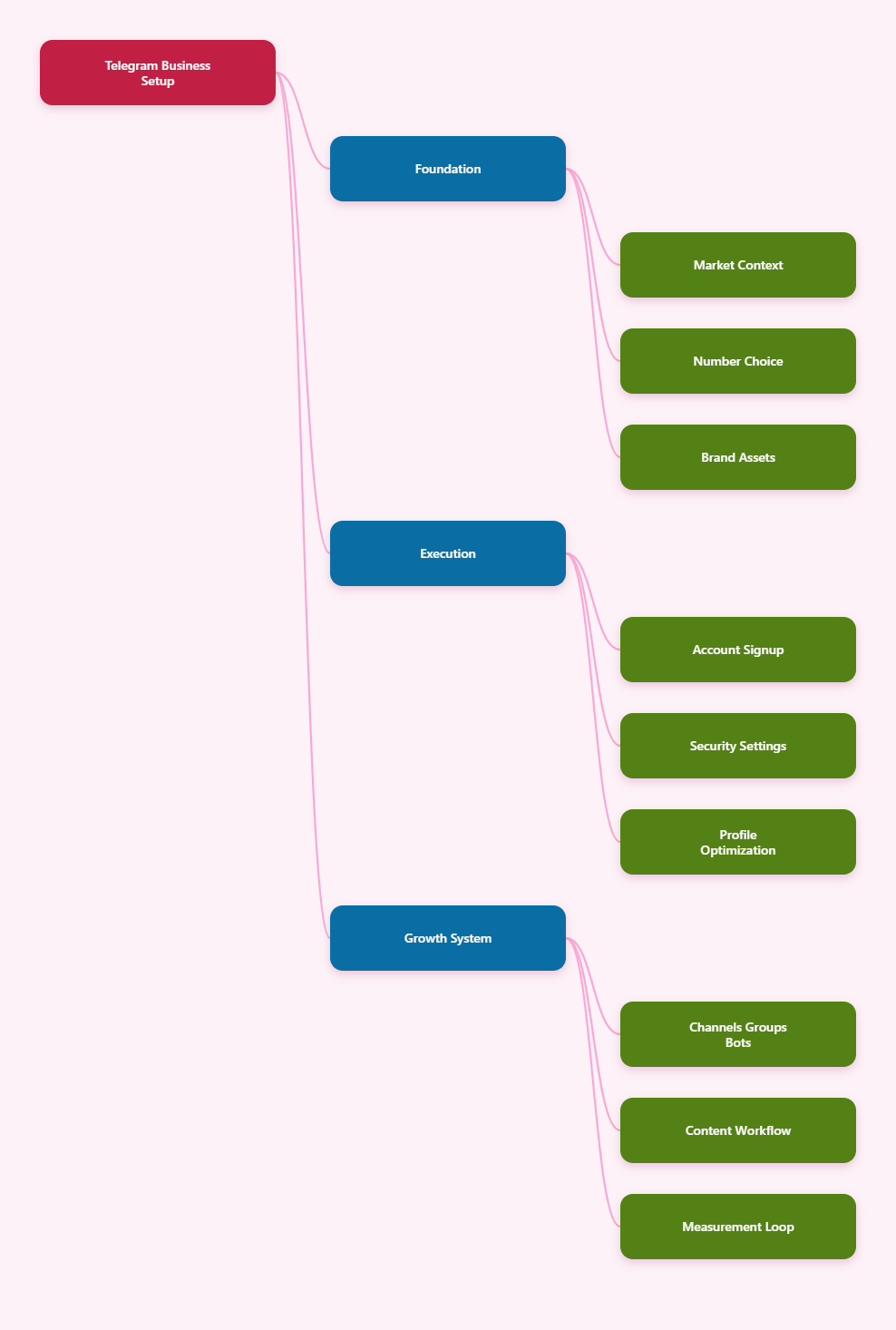
This guide walks through the practical 2026 setup process: phone number choice, registration, security, profile optimization, channels, groups, bots, posting workflows, anti-spam protection, and measurement.
Why Telegram Still Matters for Business Marketing in 2026
Telegram passed the 1 billion monthly active user milestone in 2025, according to public reporting from Telegram founder Pavel Durov. In 2026, the platform remains especially important for direct communication, niche communities, regional audiences, creators, crypto projects, education brands, and support-led businesses.
Unlike algorithm-heavy social feeds, Telegram is built around direct subscriptions and conversations. A user joins your channel, group, or bot because they actively want updates, not because an algorithm briefly recommended your content.
For marketers, that creates several advantages:
- Direct reach: Channels let admins broadcast updates to subscribers without a traditional social feed algorithm.
- Large communities: Telegram groups can support up to 200,000 members, according to Telegram’s own group documentation.
- Flexible automation: Bots can answer questions, route leads, deliver content, and connect with external tools.
- Business features: Telegram Business supports opening hours, location, greeting messages, quick replies, away messages, start pages, and connected chatbot support.
- Privacy controls: You can hide phone number visibility and manage who can find, call, forward, or add you.
The main risk is treating Telegram like a bulk-spam channel. Telegram’s spam guidance is clear: if users find private messages unwelcome and report them, the account can be limited.
Before You Create Telegram Account for Business Marketing
Good Telegram marketing starts before registration. The account identity, number source, device setup, and security habits you choose on day one affect deliverability, trust, and recovery later.
Choose a Reliable Phone Number
Telegram account registration still begins with a phone number. You may later hide that number from most people, but it remains part of account access and recovery.
For a business account, use a number your team can control long term. Avoid one-time SMS websites, disposable numbers, and sources you cannot recover.
Practical options include:
- A dedicated company SIM card.
- A long-term mobile line used only for business messaging.
- A reputable eSIM line if it works reliably in your region.
- A second personal number only if the business is small and ownership risk is acceptable.
The key question is simple: Can you receive future login or recovery codes one year from now? If the answer is no, do not use that number for a business asset.
Use the Official Telegram App First
Start with Telegram’s official Android, iOS, desktop, or web app. Third-party clients may be useful later for specialized workflows, but the first login should be clean and predictable.
Use a stable internet connection during registration. Repeated IP switching, unstable VPN routes, or aggressive device changes can make a new account look suspicious.
If Telegram is restricted in your location and you must use a proxy or VPN, choose a stable connection rather than rotating locations every few minutes.
Prepare Your Brand Assets
Before signup, collect the basic assets you will need for a professional profile. This prevents rushed naming decisions and inconsistent branding.
- Brand name exactly as customers know it.
- Square logo or founder photo.
- Short business description.
- Website or landing page URL.
- Support email or help center link.
- Preferred public username if available.
Telegram usernames are important because they create a clean public link, such as t.me/yourbrand. Pick a name that is short, readable, and consistent with your website and other social profiles.
Step-by-Step Setup: From Signup to Business Profile
The basic registration process is simple, but a business-ready setup has a few extra layers. Follow the steps in order instead of creating a blank account and fixing it later.
Step 1: Install and Verify
Download Telegram from the official app store or Telegram’s official website. Open the app, select your country code, enter the business phone number, and confirm the verification code sent by SMS, call, or existing Telegram session.
If the code does not arrive, avoid repeated rapid attempts. Check signal quality, roaming, SMS blocking, and whether the number can receive automated messages.
After verification, enter the business display name. If the account represents a person-led brand, use a real name plus business context, such as “Mia | Northline Studio.”
Step 2: Set Username and Profile
Go to Settings and create a public username. This makes the account easier to share and reduces the need to expose the phone number.
Then complete the profile with a clear photo, short bio, and link. Keep the bio specific rather than promotional.
A strong Telegram business bio usually answers three questions:
- Who is this account for?
- What help or updates will users receive?
- Where should users go next?
Example: “Practical ecommerce growth tips, product updates, and support for Northline Studio customers. Start here: example.com/start.”
Step 3: Enable Security Immediately
Do not wait until the account has subscribers to secure it. Turn on two-step verification before inviting customers, team members, or admins.
In Telegram, go to Settings, then Privacy and Security, then Two-Step Verification. Create a strong password and add a recovery email that your business can access securely.
Also review active sessions. Remove unknown devices and repeat this audit monthly for shared business operations.
Recommended privacy settings for business accounts:
- Phone number visibility: Set to Nobody or My Contacts.
- Who can find me by number: Use My Contacts for better control.
- Calls: Limit to contacts or disable for public-facing accounts.
- Groups and channels invites: Limit who can add the account.
- Forwarded messages link: Disable profile linking if privacy matters.
Channel, Group, Bot, or Business Account: What Should You Build?
A common mistake is creating only one Telegram space and expecting it to handle every marketing need. In reality, channels, groups, bots, and business profiles serve different jobs.
| Telegram Asset | Best Use | Main Strength | Main Risk |
|---|---|---|---|
| Business Profile | Official contact identity | Trust, quick replies, hours, location | Poor security exposes operations |
| Channel | Broadcast updates and content | Clear one-to-many publishing | Low feedback if used alone |
| Group | Community and discussion | Two-way engagement at scale | Spam and moderation workload |
| Bot | Automation and support flows | Repeatable workflows | Bad setup feels impersonal |
Use a Channel for Broadcast Marketing
A Telegram channel is best for announcements, product drops, newsletters, new content, limited offers, release notes, and market updates. Only admins post, so the feed stays clean.
If your audience wants to receive information without joining a busy chat, start with a channel. It is often the best first public asset after you create the main business account.
Make your first five posts useful before promotion. New visitors should instantly understand the channel’s value.
Use a Group for Community
Groups are designed for many-to-many conversation. Telegram says groups can support up to 200,000 members, but bigger is not always better.
For marketing, groups work best when there is a shared interest or recurring reason to participate. Examples include product support, course cohorts, investor communities, local events, beta testers, and paid member communities.
Before opening a group, write rules. Pin them. Then appoint moderators before growth begins, not after spam becomes painful.
Use Bots for Repeatable Work
Bots are useful when the same task happens repeatedly. They can deliver onboarding steps, answer FAQs, collect lead information, send reminders, route support requests, or connect users to external systems.
Telegram Business also allows connected chatbot support, and Telegram’s developer documentation notes that connected business bots can interact with business accounts under defined permissions.
Keep the first bot flow simple. A confusing bot with ten buttons is worse than a clear message that sends users to a human support link.
Build a Practical Telegram Marketing Workflow
After account setup, your next challenge is consistency. Telegram works best when users know what to expect and why they should stay subscribed.
Create a Posting System
Do not post only when you have a promotion. Mix helpful content, product education, customer proof, and timely announcements.
A practical weekly content mix might look like this:
- Monday: Short tip or industry update.
- Wednesday: Product use case, tutorial, or customer question.
- Friday: Offer, event reminder, or community discussion prompt.
- Monthly: Longer recap with links to your best resources.
Use short paragraphs and clear first lines. Telegram users scan quickly, especially on mobile.
Design a Conversion Path
Your Telegram channel should not be a dead end. Every important post should lead to one specific next action.
Good conversion actions include:
- Join the discussion group.
- Read a full guide on your website.
- Book a demo.
- Claim a limited offer.
- Reply with a keyword to start a bot flow.
- Contact support for a specific problem.
Avoid stacking five calls to action in one post. One message, one job, one next step.
Warm Up the Account Naturally
New accounts should behave like real accounts. Complete the profile, secure it, join relevant internal chats, publish useful posts, and grow through opt-in links rather than unsolicited direct messages.
Do not mass-add strangers, send identical sales pitches to private users, or join dozens of groups just to post links. Telegram’s spam FAQ makes clear that unwanted private messages can lead to temporary limits.
If you want to create telegram account for business marketing that lasts, permission-based growth is safer than aggressive outreach.
Security, Compliance, and Anti-Spam Rules
Telegram marketing success depends on trust. If users feel tricked, spammed, or exposed, they will leave or report you.
Protect Admin Access
Use the fewest admins needed. Assign roles carefully, especially permissions for adding admins, deleting messages, changing channel information, posting content, or managing voice chats.
For teams, document who owns the phone number, who controls recovery email, who has admin access, and what happens if an employee leaves.
Review these items monthly:
- Active sessions.
- Admin list.
- Bot permissions.
- Pinned rules.
- Public links and invite links.
Control Group Spam
Groups need moderation from day one. Telegram has native anti-spam capabilities for eligible supergroups, and third-party moderation bots can also help with CAPTCHA checks, link limits, keyword filters, and welcome rules.
Still, do not rely only on bots. Human admins are better at spotting context, scams, impersonation, and subtle abuse.
Set rules for links, promotions, direct messages, impersonation, hate speech, and support expectations. Then enforce them consistently.
Respect User Consent
Marketing on Telegram should be opt-in. People who join your channel or group expect useful updates. People who never asked to hear from you do not.
A safe operating rule is simple: broadcast to subscribers, discuss with members, automate only when users trigger the flow, and message privately only when the user expects it.
This protects your account reputation and usually improves conversion quality.
Measure What Actually Matters
Telegram metrics can be simple, but they should connect to business outcomes. Do not celebrate subscriber growth if nobody clicks, replies, buys, or stays.
Track Channel Performance
For channels, watch views per post, forwards, reactions, link clicks, subscriber growth, and unsubscribes after certain content types. Larger channels may access more built-in statistics.
Use tracking links when sending traffic to your website. Add UTM parameters so analytics tools can separate Telegram traffic from email, search, and paid campaigns.
Track Community Health
For groups, measure active members rather than total members. A 2,000-member group with helpful daily discussion may be more valuable than a 50,000-member silent group.
Watch response time, quality of questions, number of repeated issues, member reports, and moderator workload. These signals show whether the group is creating value or becoming support debt.
Track Conversion Quality
If Telegram supports sales, measure leads, demo bookings, purchases, renewals, support deflection, and repeat engagement. Tag Telegram leads in your CRM if possible.
Also compare content intent. Educational posts may produce fewer instant sales but more trust, while limited offers may generate faster action.
Common Setup Mistakes to Avoid in 2026
Most Telegram business problems come from rushed setup, unclear positioning, or spammy growth tactics. Avoid these mistakes early.
- Using a disposable number: You may lose access when recovery is needed.
- Skipping two-step verification: SMS alone is not enough protection for a business asset.
- Hiding the value proposition: Users should know why to subscribe within seconds.
- Opening a group too early: Empty or unmoderated groups reduce trust.
- Overusing automation: Bots should simplify, not replace every human interaction.
- Sending cold private messages: Unwanted DMs create report risk and damage brand trust.
- Ignoring moderation: Spam, scams, and impersonators can ruin a community quickly.
The better path is slower but more durable: secure the account, publish useful content, invite users through clear links, automate repetitive tasks, and measure real outcomes.
Final Checklist
To create telegram account for business marketing in 2026, treat the account as a long-term brand asset, not a quick campaign tool. Use a recoverable phone number, official apps, strong two-step verification, a clear username, and privacy settings that protect both your team and customers.
Then choose the right Telegram structure. Use a business profile for trust, a channel for broadcast reach, a group for community, and bots for repeatable workflows.
Finally, grow with consent. Telegram can be powerful because users choose to join and stay close to your brand. Respect that attention, and your account becomes a reliable marketing, support, and retention channel.