
Telegram is no longer a side channel for support teams. With Telegram reporting around 1 billion monthly active users and roughly 500 million daily active users, the platform has become a real customer-service surface, not just a chat app.
That growth creates a simple problem: customers now expect fast answers, but support teams still have limited time, overlapping time zones, and repetitive questions. If every message needs a manual reply, the queue grows fast and the experience gets messy.
This guide explains where an auto reply Telegram bot for business support helps most, what to automate first, where human agents should stay in the loop, and how to build a workflow that feels useful instead of robotic.
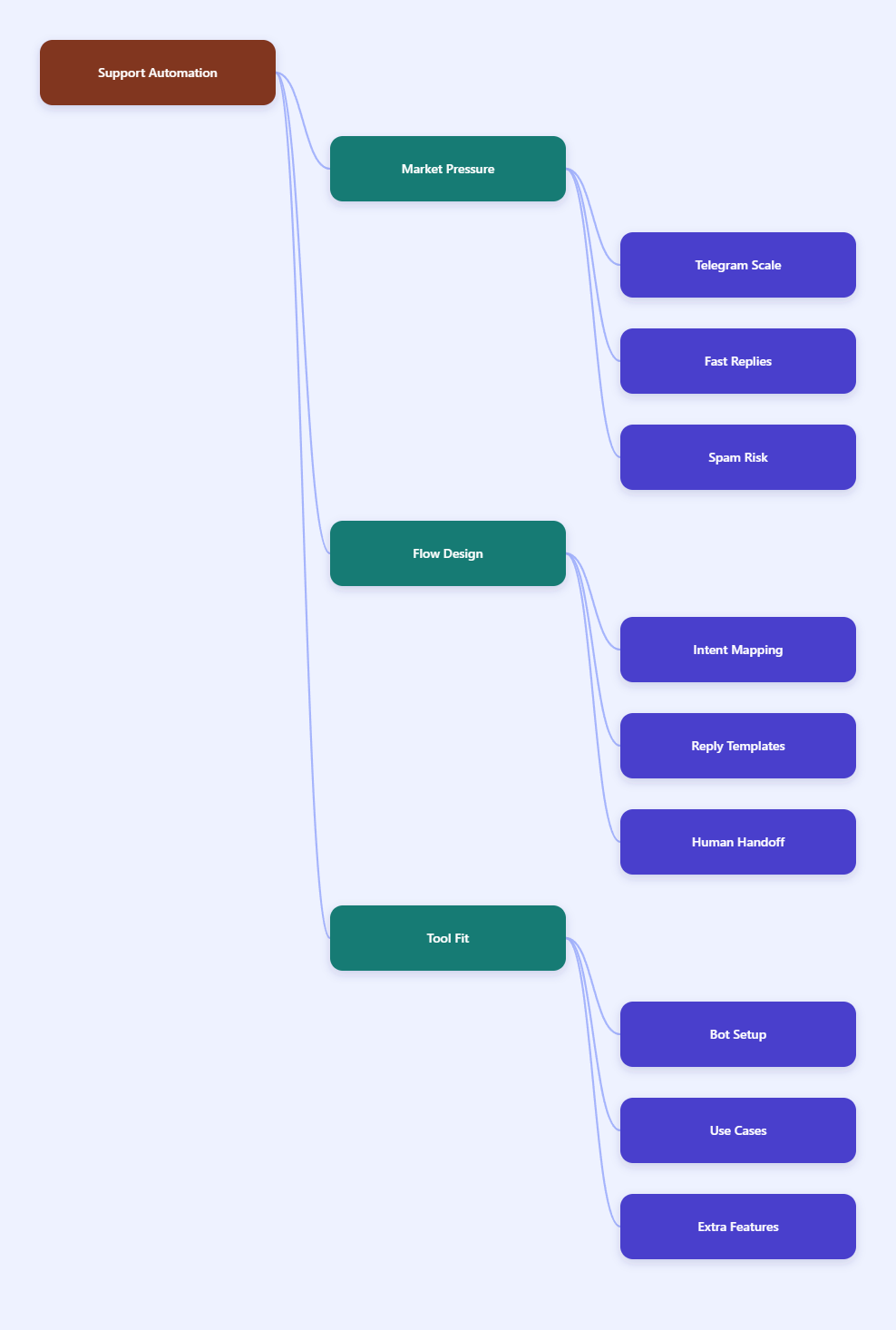
Why Telegram Support Breaks Down in 2026
Telegram Business already gives teams useful features such as opening hours, quick replies, automated messages, a custom start page, location, and chatbot support. That is helpful, but it does not remove the core problem: support load still arrives faster than people can answer it.
The hardest part is not sending one reply. It is sending the right reply every time, at scale, without slowing down the team or creating inconsistent answers across agents.
Most Telegram support queues fail in the same places:
- Repeated questions about pricing, shipping, login, or access.
- After-hours messages from different time zones.
- New leads who need a first response before they disappear.
- High-volume communities where one unanswered question triggers five more.
- Spam, low-intent messages, and unqualified requests that waste agent time.
The risk is not only slow service. Telegram also has a spam reporting and account-limiting system, so blasting out unwanted messages or handling conversations carelessly can create account problems. Good support automation should reduce friction, not increase it.
What an Auto Reply Telegram Bot Actually Solves
An auto reply bot is most useful when the first message is always the same kind of pressure point: a greeting, a FAQ, a status check, or an intake question. The bot does not need to solve everything. It just needs to keep the conversation moving.
In business support, that usually means four jobs: acknowledge instantly, classify intent, answer simple questions, and route complex cases to a human.
The jobs automation should handle first
- Instant acknowledgment: “We got your message” buys time and reduces uncertainty.
- FAQ triage: Common requests can be answered with a short, accurate template.
- Lead qualification: Basic questions can collect budget, use case, or priority.
- Handoff routing: Complex issues can go straight to a person with context attached.
This is where many teams overbuild. They try to automate the entire conversation and end up with awkward menus. A better approach is to automate only the first layer, then hand off smoothly.
| Support Model | Best For | Strength | Main Limitation |
|---|---|---|---|
| Telegram Business quick replies | Small teams with repeat questions | Fast to start and easy to manage | Still depends on manual sending |
| Auto reply Telegram bot | 24/7 support and lead intake | Instant response at scale | Needs clear rules and testing |
| Human-only support | Refunds, disputes, and sensitive issues | Best empathy and judgment | Slowest and most expensive |
The table looks simple, but it reflects the real decision most teams face in 2026: do you want maximum control, maximum speed, or a balanced workflow with both?
How to Build a Better Reply Flow
The best Telegram support flows are not complicated. They are clear, specific, and easy to update. Start with the top 10 to 20 messages your team receives most often.
Then group them into intents. For example, “Where is my order?” and “Has my shipment moved?” belong to the same workflow. “How do I reset my password?” is another. “I want to speak to a person” is a third.
A simple workflow that works
- Write a short first response that confirms receipt.
- Offer one or two clear next steps.
- Use a fallback reply when the message does not match a known intent.
- Escalate to a human when the topic is financial, legal, emotional, or account-sensitive.
That sequence keeps support moving without trapping users in a loop. It also gives your team a cleaner inbox, because the low-value messages are filtered before they become a bottleneck.
One practical rule helps a lot: every automated message should either answer a question, narrow the request, or move the user toward a person. If it does none of those, it is probably clutter.
Where OnlyTG Echo@EchoOnBot Fits Naturally
If you want a lightweight setup for Telegram support, OnlyTG Echo@EchoOnBot can be a practical middle layer between manual replies and a fully custom bot build. The safest way to use a tool like this is to start small and connect it to your most common support paths first.
- Step 1: Map the top customer intents before creating any replies.
- Step 2: Draft short answers that sound human and remove unnecessary jargon.
- Step 3: Add a clear human handoff path for questions the bot should not solve.
- Step 4: Test the flow with real queries from your inbox, not only with ideal examples.
That approach matters because support automation only works when the edge cases are safe. If the bot cannot answer, it should not pretend. It should direct the user to the next best step.
Real-world use cases
- E-commerce support: A store can auto-reply to order-status, shipping, and return-policy questions while sending refund disputes to an agent. This keeps the support inbox focused on exceptions instead of routine tracking.
- SaaS onboarding: A software team can answer activation, login, and billing-plan questions instantly, then route technical bugs to a specialist. That reduces friction during the first week after signup.
- Creator communities and Telegram channels: An operator can use automated replies for invite links, membership rules, event reminders, and common channel questions, while keeping moderation and sensitive requests human-led.
These scenarios work because the bot is not replacing support. It is removing repetitive friction so the team can spend more time on problems that actually need judgment.
Other Useful Bot Features to Look For
Beyond basic auto replies, many Telegram support workflows benefit from a few extra features. Keep them simple. The goal is to make support easier to run, not harder to maintain.
- Keyword triggers: Helpful for routing messages like “refund,” “pricing,” or “human.”
- Reply templates: Useful when your team repeats the same explanations every day.
- Message forwarding: Helpful when a support lead needs to pass a conversation to a teammate.
- Basic logging: Important for seeing which replies are used most often and where users still get stuck.
When teams ask for more automation, they usually need better organization first. Clean templates, good intent mapping, and a reliable handoff rule often deliver more value than trying to build a complex bot on day one.
Practical Takeaways for 2026
- Start with the most repetitive questions, not the most ambitious workflow.
- Keep first replies short, direct, and useful.
- Use automation to acknowledge and route, not to hide human help.
- Test every reply with real customer language, including typos and short messages.
- Review support logs weekly and retire replies that no longer match reality.
- Respect Telegram’s spam rules and keep outbound behavior opt-in and relevant.
The best auto reply Telegram bot for business support is the one that makes your inbox calmer without making your customers feel ignored. That balance is the real KPI.
FAQ
Is an auto reply bot enough for Telegram support?
Not by itself. It is enough for greetings, FAQ answers, and routing, but sensitive issues still need a human. The strongest setup is usually hybrid.
Can Telegram Business quick replies replace a bot?
Sometimes, yes, for very small teams. Quick replies are a strong starting point, but a bot is better when you need 24/7 coverage, intent handling, or scalable intake.
How do I keep automated replies from sounding robotic?
Use short sentences, plain language, and direct next steps. Avoid long menus and filler text. A good rule is to answer the question first, then offer the next action.
What should I automate first?
Automate greetings, common FAQs, order or account checks, and human handoff prompts. These are the highest-volume, lowest-risk interactions.
How do I avoid bad handoffs?
Always include the original intent, the user’s last message, and any collected context when routing to a person. That way the customer does not need to repeat themselves.
Can automation create spam risk on Telegram?
Yes, if you use it for unwanted outreach or repetitive broadcasts that users report. Telegram’s spam system can limit accounts that attract reports or send messages people did not ask for.
Where does OnlyTG Echo@EchoOnBot fit best?
It fits best when you want a lightweight Telegram support layer for repeat questions, simple routing, and quick handoff. It is most useful after you have already mapped your top support intents.