
Store owners are not losing Telegram customers because their products are bad. They are losing them because common questions sit unanswered for too long.
This guide explains how to plan, write, and maintain an auto reply telegram bot for store inquiries without turning your chat into a cold, spammy help desk. You will learn the key use cases, content rules, workflow design, and when a lightweight tool can save hours each week.
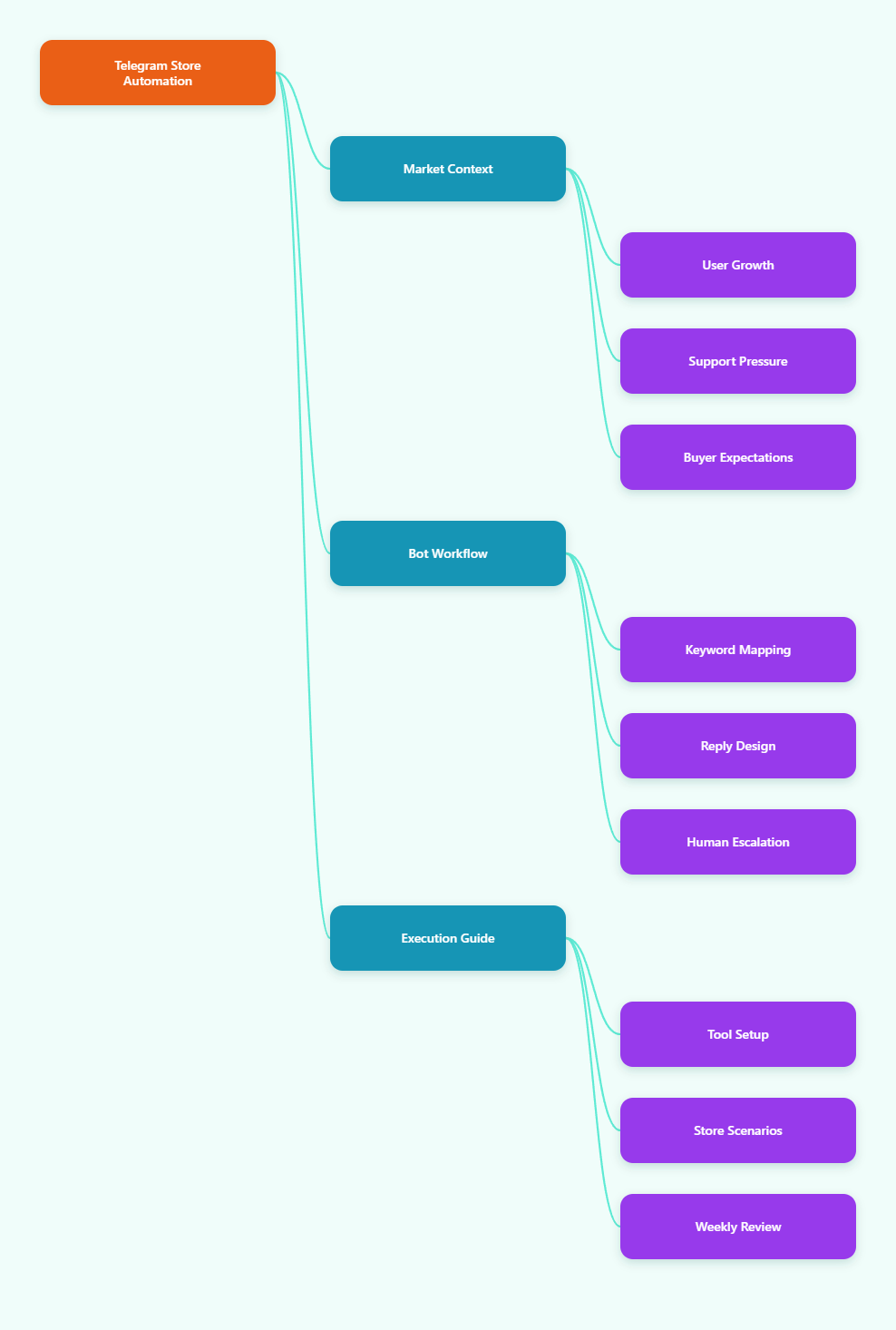
Why Telegram Store Support Looks Different in 2026
Telegram has become a serious business channel, not just a community app. Public sources tracking Telegram growth report that the platform reached around 1 billion monthly active users in 2025, making it one of the largest global messaging ecosystems.
For stores, Telegram is attractive because it combines channels, groups, bots, private chats, pinned posts, links, files, and community discussion in one place. A customer can discover a product, ask a question, receive support, and return for updates without leaving the app.
That convenience creates pressure. The more active your Telegram presence becomes, the more repeated questions you receive.
- “Is this item still available?”
- “How much is shipping to my country?”
- “Do you accept crypto, card, or bank transfer?”
- “Where is my order?”
- “Can I get the size chart?”
- “What is your refund policy?”
These questions are important, but they do not always require a live agent. A well-built auto reply telegram bot for store inquiries handles the first layer, while humans focus on payment issues, complaints, VIP customers, and complex orders.
What Problems Does an Auto Reply Telegram Bot for Store Inquiries Solve?
An auto reply system is not a magic sales machine. Its value comes from removing predictable friction from the customer journey.
1. Slow First Response
First response time matters because Telegram feels immediate. When a shopper asks a direct buying question, silence creates doubt. They may assume the store is inactive, disorganized, or unsafe.
An automated reply can confirm that the message was received, share the most relevant information, and explain when a human will respond if needed.
2. Repetitive Manual Work
Most store support teams answer the same 20 questions every day. Without automation, agents copy and paste replies from notes, old chats, or memory. That creates inconsistent answers and avoidable mistakes.
A bot gives the team one controlled answer library. When your shipping policy changes, you update one reply instead of retraining every admin.
3. Missed Leads Outside Working Hours
Telegram stores often serve international buyers. A customer in Europe may message while your operator in Asia is asleep. Telegram Business supports greeting and away messages for business accounts, but stores often need more detailed keyword-based responses for product questions.
A basic auto reply flow can cover after-hours questions, collect order details, and point users to catalog links until a person is online.
4. Confusing Group Chats
Many stores run Telegram groups for drops, deals, and customer discussion. Group messages move quickly. Product questions get buried. Admins may miss a buyer who asked about payment or delivery.
A keyword-based bot can reply in the group when someone mentions “shipping,” “price,” “size,” or “stock,” reducing repeated admin intervention.
Manual Replies vs Telegram Business vs Bot Automation
Before choosing a setup, understand the difference between native business features and bot-based workflows. Many stores need both.
| Support Method | Best For | Strengths | Limitations |
|---|---|---|---|
| Manual admin replies | Complex complaints, negotiations, high-value orders | Personal, flexible, context-aware | Slow during peak hours; hard to scale across time zones |
| Telegram Business greeting and away messages | Private chat greetings, offline notices, basic availability updates | Native Telegram feature; useful for business accounts | Not designed as a full FAQ or keyword reply engine for every store workflow |
| Keyword-based Telegram bot | Shipping, pricing, stock, policy, catalog, order guidance | Fast replies, consistent answers, works well for repeated inquiries | Needs careful keyword planning and regular updates |
| Custom coded bot | Advanced integrations, CRM sync, inventory databases, payments | Highly flexible; can connect to internal systems | Requires developers, hosting, monitoring, and API rate-limit handling |
| No-code bot builder | Small stores, community sellers, lean support teams | Quick setup; easier for non-technical operators | Feature depth depends on the tool and Telegram API constraints |
The right approach depends on your message volume, product complexity, team size, and technical resources. A small store may only need keyword replies. A larger store may combine Telegram Business, bot automation, and a help desk.
How to Plan an Auto Reply Telegram Bot for Store Inquiries
Start with the questions customers already ask. Do not build a bot from assumptions. Export your common Telegram messages, review admin notes, and list repeated phrases from the last 30 days.
Map Questions by Buying Stage
Every store inquiry belongs to a stage. Grouping replies this way keeps your bot helpful instead of random.
- Discovery: catalog, new arrivals, product categories, size guide.
- Consideration: price, material, color, warranty, compatibility.
- Checkout: payment methods, delivery fee, order form, discount code.
- Post-purchase: tracking, delivery time, returns, exchange process.
- Escalation: damaged item, wrong order, refund dispute, urgent support.
This structure helps you decide which replies can be automated and which must go to a human.
Choose Keywords Carefully
A keyword is not just a word. It is a customer signal. For example, “ship,” “shipping,” “delivery,” “deliver,” and “freight” may all point to the same reply.
Create keyword groups instead of one-off triggers. This avoids duplicate replies and makes maintenance easier.
- Shipping group: shipping, delivery, courier, freight, ship to.
- Price group: price, cost, how much, rate, quote.
- Payment group: pay, payment, card, bank, crypto, invoice.
- Stock group: available, in stock, restock, sold out.
- Returns group: return, refund, exchange, warranty.
A good auto reply telegram bot for store inquiries should understand the most common wording your customers actually use.
Write Replies That Move the Conversation Forward
Bad automation answers a question and stops. Good automation answers the question and tells the shopper what to do next.
For example, instead of writing “We ship worldwide,” write: “Yes, we ship to most countries. Send your country and product link, and our team will confirm the exact fee before payment.”
Every reply should include one next step, such as clicking a catalog link, sending an order number, choosing a size, or waiting for an admin.
What Should Your Store Bot Reply To First?
If you are building your first automation flow, do not automate everything. Start with high-volume, low-risk questions.
Priority 1: Shipping and Delivery
Shipping questions appear before and after purchase. Your reply should clarify coverage, estimated processing time, and the information needed for an exact quote.
A practical reply might include:
- Shipping regions or countries you support.
- Typical dispatch window if you can state it accurately.
- Whether tracking is provided.
- What the customer should send next.
Priority 2: Price and Catalog
Stores often post products in channels and receive private messages asking for price. If prices change frequently, avoid fixed automated prices unless you can update them reliably.
Use the bot to guide users to the latest catalog, pinned price list, or admin confirmation flow.
Priority 3: Payment and Order Steps
Payment replies must be precise. Do not automate sensitive payment details if they change often or if fraud risk is high.
A safer reply explains accepted payment categories and tells customers that final payment instructions come from an official admin account.
Priority 4: Tracking and Returns
Post-purchase customers usually want reassurance. A bot can ask for an order number, explain when tracking is normally available, and link to your return policy.
For disputes, the bot should route users to human support quickly. Automation should reduce frustration, not delay resolution.
How Can a No-Code Tool Help Store Teams?
Some stores prefer custom development, especially when they need inventory sync or CRM integration. Others need a faster path for keyword replies, quick replies, and start messages.
This is where a no-code Telegram bot tool can be useful. Based on OnlyTG public tutorials, OnlyTG Echo@EchoOnBot is designed to help users build Telegram bot replies without coding, including auto-reply, keyword-based replies, quick replies, and start messages.
Basic Setup Workflow
A typical setup follows Telegram’s standard bot creation process plus the tool’s configuration flow:
- Create a new bot through Telegram’s official @BotFather.
- Copy the bot token provided by @BotFather.
- Open OnlyTG Echo@EchoOnBot in Telegram and send or bind the token as instructed.
- Configure keyword replies for common store questions such as shipping, price, payment, and returns.
- Add quick replies for admin use when a human needs to respond faster.
- Set a start message so new users receive a clear welcome and navigation path.
- Test the bot in a private chat or group before using it with real customers.
For store inquiries, the most useful first feature is keyword reply. Public OnlyTG tutorial references show that keyword replies can be used in groups so a bot responds automatically when members mention configured keywords.
Practical Store Use Cases
Use case 1: Shipping questions in a product group. A store posts new items in a Telegram group. Members repeatedly ask “ship to Germany?” or “delivery fee?” The team creates a shipping keyword group. The bot replies with supported regions, asks for country and product link, and tells users when an admin will confirm the fee.
Use case 2: New buyer onboarding in private chat. A shopper opens the bot after seeing a channel post. A start message explains how to browse the catalog, how to place an order, and which admin account handles payment confirmation. This prevents the first chat from becoming a blank conversation.
Use case 3: Return policy triage. A customer types “refund” or “exchange.” The bot replies with the basic return window, asks for order number and photos if relevant, and routes the case to human support for final review.
Other available functions mentioned in public OnlyTG materials include quick reply and bot profile editing options. Treat these as support enhancements, not the main strategy. The real value still comes from clear policies, well-written replies, and regular maintenance.
Best Practices for Writing Bot Replies That Customers Trust
Automation can hurt trust if it sounds evasive. Customers know when a bot is wasting their time. Keep replies short, direct, and operational.
Use Human Language
A store bot should sound like a trained assistant, not a legal document. Avoid long paragraphs and vague phrases such as “Your request is very important to us.”
Use direct sentences:
- “Send your order number and we will check it.”
- “Payment instructions are confirmed by an admin before checkout.”
- “For size help, send your height, weight, and preferred fit.”
Avoid Over-Promising
Never promise instant delivery, guaranteed refunds, or fixed shipping times unless your store can consistently honor them. In Telegram commerce, screenshots travel quickly. One misleading automated reply can damage reputation.
When details vary, say so clearly. For example: “Shipping fees depend on country and item weight. Send your country and product link for confirmation.”
Escalate Sensitive Cases
Refunds, payment disputes, damaged goods, and fraud warnings should move to a human. Your bot can collect the order number and evidence, but it should not make final decisions.
Set trigger words such as “scam,” “wrong item,” “chargeback,” “damaged,” or “not received” to prompt human review.
SEO and Telegram Operations: Why Bot Replies Also Affect Growth
Telegram itself is not a traditional search engine, but customer support quality affects the signals that support digital marketing growth.
Fast replies improve the chance that a visitor becomes a buyer. Clear bot messages reduce repeated admin workload. Consistent answers make your brand easier to trust across social posts, landing pages, and Telegram channels.
If you drive traffic from Google, TikTok, X, Reddit, paid ads, or affiliate partners into Telegram, your chat experience becomes part of the funnel. A weak response system wastes traffic you already paid to acquire.
For SEO-led campaigns, align your Telegram bot replies with the claims on your website. If your landing page says “worldwide shipping,” your Telegram shipping reply should explain what that means in practice.
Common Mistakes When Building an Auto Reply Telegram Bot for Store Inquiries
Most failed bot setups are not caused by Telegram. They fail because the store automates unclear operations.
- Too many triggers: The bot replies to normal conversation and annoys group members.
- Outdated answers: Old shipping fees, expired discounts, or wrong admin names stay live.
- No human fallback: Customers get trapped in repeated bot replies.
- Overly long messages: Users ignore replies that look like policy pages.
- No testing: The team launches without checking group behavior, typos, or duplicate triggers.
- Unclear ownership: Nobody is responsible for updating bot content after policy changes.
Assign one person to review bot replies every week. For busy stores, review them after every product drop, shipping change, or promotion.
Implementation Checklist for Store Operators
Use this checklist before launching your first auto reply flow.
- Collect the top 20 repeated Telegram questions from real chats.
- Group questions by shipping, price, payment, stock, catalog, returns, and tracking.
- Write short replies with one clear next step per message.
- Add human escalation paths for refunds, disputes, and payment issues.
- Test keywords in private chat and group chat before public launch.
- Check whether bot replies trigger too often in normal conversation.
- Update replies whenever prices, policies, links, or admin accounts change.
- Review performance by tracking repeated questions, missed leads, and admin workload.
A useful auto reply telegram bot for store inquiries should make the buying journey clearer. If customers still ask the same question after receiving a reply, rewrite the reply.
FAQ: Auto Reply Telegram Bot for Store Inquiries
What is an auto reply Telegram bot for store inquiries?
It is a Telegram bot that automatically responds to common store questions, usually based on keywords or predefined commands. Stores use it for shipping, price, stock, payment, order tracking, and return questions.
Do I need coding skills to create one?
Not always. You can build a custom bot with Telegram Bot API if you have development resources. Non-technical teams can also use no-code tools for keyword replies and basic customer service flows.
Can Telegram Business replace a bot?
Telegram Business features such as greeting messages, away messages, and quick replies are useful for business communication. However, stores with many repeated product questions may still need keyword-based bot automation for more detailed inquiry handling.
What questions should I automate first?
Start with high-volume, low-risk questions: shipping, catalog, price guidance, payment categories, stock status, order number collection, and return policy links. Keep disputes and refund decisions for human agents.
Can a bot reply inside Telegram groups?
Yes, bots can operate in groups when configured correctly and added with the required permissions. Public OnlyTG tutorial material also describes keyword replies for Telegram groups, which is useful for store communities.
Will automated replies feel impersonal?
They can if written poorly. Keep messages brief, specific, and helpful. Add a clear human fallback for cases that need judgment. Customers usually accept automation when it gives them the answer faster.
How often should I update bot replies?
Review replies at least weekly for active stores. Update them immediately after changes to shipping fees, payment methods, product availability, return rules, promotions, or admin accounts.
Is OnlyTG Echo@EchoOnBot suitable for every store?
OnlyTG Echo@EchoOnBot may suit stores that need no-code keyword replies, quick replies, and start messages. Stores needing deep inventory sync, CRM logic, or custom checkout flows may require a custom Telegram Bot API implementation.
Final Thoughts
Telegram store support in 2026 is about speed, clarity, and trust. Customers do not expect every answer to come from a human, but they do expect accurate information and a smooth path to purchase.