
If your Telegram group keeps growing but new members stay silent, post spam, or ask the same first question etrafficproblem. You have an onboarding problem. This no code auto greeting Telegram bot tutorial explains how to welcome members, set rules, reduce admin work, and keep the group human.
Telegram is no longer a niche community app. Pavel Durov announced in March 2025 that Telegram had passed 1 billion monthly active users. He also said users opened the app 21 times daily on average and spent 41 minutes per day inside it. For marketers, creators, founders, and community operators, that attention is valuable.
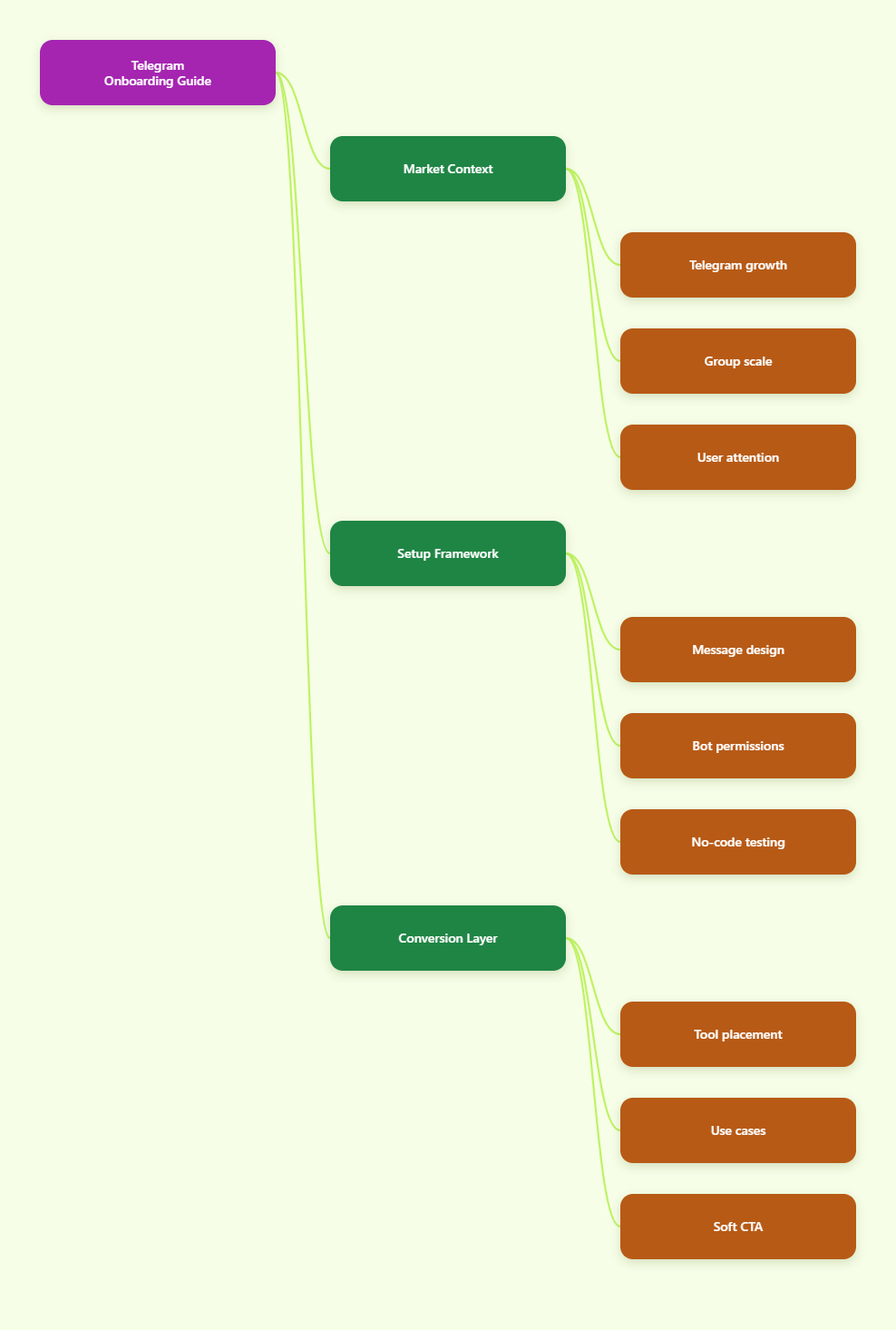
Why Telegram Onboarding Matters More in 2026
Telegram groups can support communities of up to 200,000 members, while channels are built for broadcasting to unlimited audiences. That scale is powerful, but it also means small setup mistakes become expensive.
A group with 300 members can survive manual welcomes. A group with 30,000 members cannot rely on admins noticing every join event. A channel with a linked discussion group needs even more discipline, because broadcast traffic often creates sudden bursts of new members.
Good onboarding solves four practical problems:
- It confirms that the member joined the right place.
- It explains what to do first without making them search.
- It sets posting rules before mistakes happen.
- It reduces repetitive admin replies and pinned-message confusion.
The best welcome message is not a long brand manifesto. It is a short bridge between a member’s intent and the group’s next useful action.
What Should a No Code Auto Greeting Telegram Bot Tutorial Cover?
A useful no code auto greeting Telegram bot tutorial should cover more than clicking a template. It should explain the operating logic behind Telegram groups, permissions, privacy mode, and message design.
Telegram bots are not magic assistants. They depend on what Telegram allows them to receive and do. The official Bot API documentation explains that bots receive different update types, including new chat members and chat member status changes. In groups, privacy mode limits what a bot can read unless configured differently.
For greeting automation, that distinction matters. A bot may greet new members through service events, but it may not read every normal message unless it has the right settings and permissions. Admins should grant only the rights needed for the job.
Channels vs Groups: Choose the Right Home
Many failed Telegram strategies start with the wrong format. Channels are best for one-way publishing. Groups are best for discussion, support, and peer interaction. Many mature communities use both: a channel for official updates and a linked group for conversation.
| Format | Best Use | Scale | Onboarding Need |
|---|---|---|---|
| Telegram Channel | Broadcast announcements, newsletters, alerts | Unlimited subscribers | Pinned start post, clear contact path |
| Telegram Group | Discussion, support, community exchange | Up to 200,000 members | Auto greeting, rules, verification, moderation |
| Channel + Linked Group | Content plus conversation | Large public audiences | Greeting flow plus topic routing |
If you sell research, signals, templates, courses, or software updates, a channel may carry the main content. If you need questions, feedback, user-generated proof, and member relationships, the group needs stronger onboarding.
The Real Problems Behind Weak Telegram Welcome Flows
Most admins think they need more automation. Usually, they need clearer decisions. A bot can deliver a message, but it cannot fix a confusing community promise.
The most common onboarding problems are simple:
- The welcome message is too generic: “Welcome to the group” says nothing useful.
- The first action is unclear: members do not know whether to introduce themselves, read rules, or ask questions.
- The rules are buried: admins expect newcomers to find old pinned posts.
- The bot is overpowered: it has admin rights that are not needed.
- The group has no spam plan: link drops and mass mentions are handled after damage is done.
In 2026, Telegram users are more experienced. They can tell when a community is organized. They can also tell when a group is running on hope, unpaid admin labor, and a pinned post nobody reads.
Keep the Welcome Message Under Control
A strong greeting usually fits under 150 to 200 words. It should not try to explain your entire product, roadmap, community culture, and archive in one block.
Use this structure:
- Greet the member by name if the bot supports it.
- Confirm the group’s purpose in one sentence.
- Give one primary action, such as reading a pinned guide.
- List two or three essential rules.
- Share one support path or admin contact method.
For example, a SaaS community might say: “Welcome. This group is for product updates, setup questions, and workflow ideas. Start with the pinned guide, then post your use case in one sentence. No cold DMs, referral spam, or unrelated promotions.”
How to Set Up a No-Code Greeting Flow
This no code auto greeting Telegram bot tutorial uses a tool-agnostic process first. The same logic applies whether you choose a bot builder, a moderation bot, or a custom Bot API setup later.
Step 1: Define the Join Moment
Write down what a new member likely knows before joining. Did they come from a paid ad, a YouTube video, a partner link, a token community, a newsletter, or a private invite?
Different entry sources need different first messages. Paid traffic needs reassurance. Existing customers need navigation. Public search traffic needs rules and context.
Step 2: Decide the First Action
Do not give five equal options. Choose one action that predicts future engagement.
- For a support group: “Post your issue using this format.”
- For a creator community: “Introduce yourself with your niche and goal.”
- For a trading or crypto group: “Read the risk rules before posting.”
- For a course group: “Start with Module 1 and ask questions in the topic thread.”
One clear action beats a long menu. Menus can come later after the member is oriented.
Step 3: Create Rules That Can Be Enforced
Rules should describe visible behavior, not vague values. “Be respectful” is fine, but “No unsolicited DMs, no referral links, no impersonation, no price spam” is easier to enforce.
If the group is public, add link controls for newcomers, slow mode during launches, and a clear appeal path for mistaken bans or mutes. Serious communities need both protection and fairness.
Step 4: Add the Bot and Check Permissions
Most no-code tools ask you to connect a Telegram bot created through BotFather or to add an existing bot to your group. After that, you usually promote the bot to admin and grant the minimum rights needed.
For greeting only, the bot may not need broad message-deletion rights. For moderation, it may need rights such as deleting messages or restricting members. Avoid giving permissions just because a setup screen suggests every toggle.
Step 5: Test With a Real Account
Do not test only from the admin account. Join with a normal account and check the exact experience. Confirm the greeting appears, the links work, the message is readable on mobile, and the rules are not buried behind three taps.
Then wait 24 hours and review actual behavior. Did new members introduce themselves? Did they still ask where to start? Did spam accounts pass through? Adjust the first message based on behavior, not taste.
Where OnlyTG Echo@EchoOnBot Fits in a No-Code Setup
When the pain is simple, such as creating a Telegram bot quickly without writing code, a no-code builder can be enough. OnlyTG Echo@EchoOnBot is positioned as an Echo bot maker for creating Telegram bots with templates and a BotFather token, without requiring developers
Use it for the narrow job it is good at: turning a basic onboarding idea into a working Telegram bot faster than a custom build. If your group also needs advanced anti-spam, complex payments, or custom analytics, evaluate those needs separately.
Practical Use Cases
Creator membership group: A newsletter creator can greet paid members with a short message that confirms the group purpose, links to the best archive post, and asks them to introduce their business niche.
SaaS user community: A product team can use OnlyTG Echo@EchoOnBot to route new users toward setup resources, a bug-report format, and a support thread instead of answering the same question manually.
Event or launch group: A webinar host can welcome attendees, share the schedule, remind them not to post promo links, and point them to the replay channel after the live session.
Beyond greetings, OnlyTG Echo@EchoOnBot may also be useful for simple bot templates, starter flows, and basic Telegram automation experiments. Keep the scope small, test carefully, and document what the bot is allowed to do.
2026 Telegram Operations: What Actually Improves Retention?
Automation helps, but retention comes from clarity, rhythm, and trust. A welcome bot cannot compensate for a dead content calendar or unclear moderation.
Focus on these operating habits:
- Pin one current orientation post, not five outdated announcements.
- Use topics when the group has repeated discussion categories.
- Separate official updates from member conversation when possible.
- Review join sources so the greeting matches user intent.
- Track common newcomer questions and update the welcome message monthly.
Large groups also need escalation rules. Decide what happens when someone posts spam, impersonates an admin, mass mentions members, or shares suspicious links. Write the rule before the incident.
Common Mistakes to Avoid
The biggest mistake is treating a bot as a replacement for community design. The second biggest mistake is making the greeting feel like a legal document.
- Do not send multiple welcome messages at once.
- Do not overload the first message with every resource.
- Do not hide rules in a separate channel nobody visits.
- Do not grant unnecessary admin permissions to any bot.
- Do not ignore Telegram privacy mode and group permission behavior.
- Do not assume public groups and private paid groups need the same flow.
If members still behave poorly after reading the greeting, the problem may be acquisition quality. A cleaner ad promise, invite page, or landing page can reduce bad-fit joins before they reach Telegram.
Quick Checklist for a Better Telegram Greeting Bot
- Write a welcome message under 200 words.
- State the group purpose in the first sentence.
- Give one primary next step.
- Include three enforceable rules.
- Link to one pinned guide or resource hub.
- Test the flow with a non-admin account.
- Review spam, silence, and repeated questions weekly.
- Update the message after launches, policy changes, or product updates.
FAQ: No Code Auto Greeting Telegram Bot Tutorial
What is a no code auto greeting Telegram bot tutorial?
It is a practical guide that shows admins how to create a Telegram bot or bot flow that automatically welcomes new members without writing code. A good tutorial also covers permissions, privacy mode, message structure, and testing.
Can Telegram bots welcome new group members automatically?
Yes. Telegram bots can react to new member events when configured correctly. The exact behavior depends on the bot, group settings, admin permissions, and whether the tool uses Telegram’s supported Bot API features.
Do I need to disable privacy mode for a welcome bot?
Not always. Privacy mode mainly affects whether bots receive normal group messages. Greeting new members may work through service events, while broader moderation or keyword responses may require different settings. Check your tool’s documentation before changing privacy settings.
How long should a Telegram welcome message be?
Keep it short, usually under 150 to 200 words. New members are still deciding whether the group is worth their attention. Give them purpose, rules, and one next action.
Should I use a group or a channel for my Telegram community?
Use a channel for one-way publishing and a group for discussion. Many marketing teams use both: the channel carries official content, while the linked group handles questions, feedback, and community conversation.
Is OnlyTG Echo@EchoOnBot suitable for beginners?
OnlyTG Echo@EchoOnBot can be suitable for beginners who want to create a basic Telegram bot through a no-code flow and templates. Beginners should still test permissions, greeting behavior, and mobile readability before inviting real users.
What is the biggest risk with Telegram automation?
The biggest risk is giving bots too much control without understanding permissions. Use the minimum admin rights needed, test with normal accounts, and keep a manual override process for mistakes.
Final Thoughts
A clean Telegram welcome flow is not about sounding automated. It is about helping real people understand where they are, what to do next, and how to avoid breaking group norms.
Start with the message, not the tool. Then choose the simplest setup that can deliver it reliably. If you want a beginner-friendly way to experiment, OnlyTG Echo@EchoOnBot can be part of that first no-code build, while your broader strategy should stay focused on retention, moderation, and trust.