
Telegram keeps growing as a business channel, but that growth comes with a familiar problem: more inbound messages, more repetitive questions, more spam, and less time to respond well. In 2026, the teams that win on Telegram are not the ones who reply the loudest. They are the ones who build a clean system.
That is why the idea of a paid service to manage chat via Telegram bot is getting more attention. The right setup can turn scattered DMs, channel comments, and support requests into a structured workflow. This guide breaks down what matters, what to avoid, and how to choose a tool that actually reduces work instead of creating more.
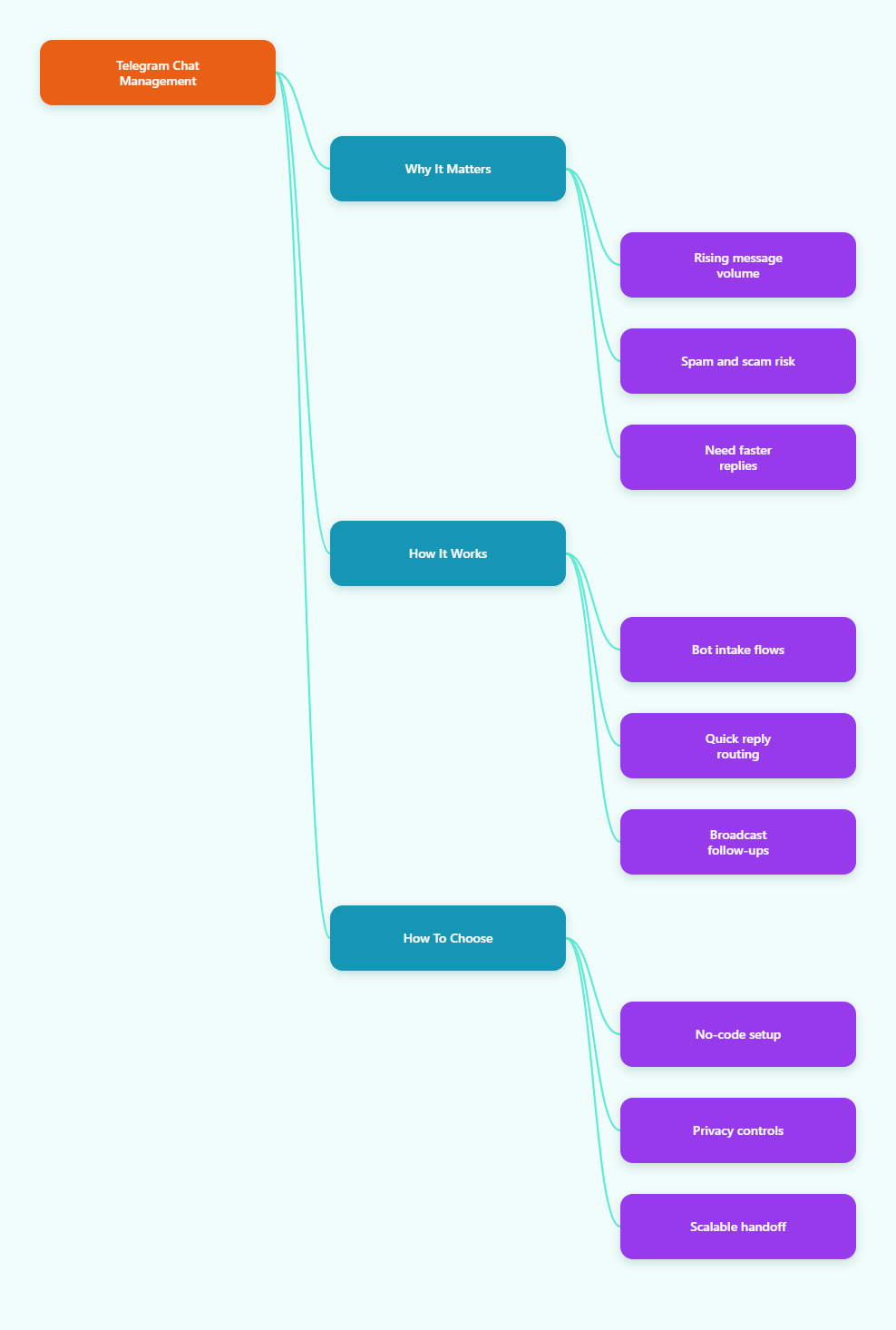
Why Is Telegram Chat Management Harder in 2026?
Telegram is no longer a niche messaging app. With its user base crossing the 1 billion monthly active user mark in 2026, the platform has become a real operating layer for communities, support desks, creators, and direct-response marketers. That scale is good for reach, but it also raises the cost of disorganization.
The biggest pain points are not abstract. They show up in daily operations:
- Inbox drift, where important leads get buried under routine questions.
- Slow replies, especially when one person is handling support, sales, and moderation at once.
- Spam and low-quality entries, which distract the team and damage trust.
- Inconsistent tone, because different admins answer the same question differently.
- Poor follow-up, where interested contacts never receive the next step.
Telegram’s own business and bot features help, but they do not solve everything by themselves. Native tools are useful for quick replies, automated messages, custom start pages, and chatbot support. Still, many teams need a more organized layer on top of that.
What Should a Paid Service to Manage Chat via Telegram Bot Actually Do?
A paid service should not just send messages. It should reduce decision fatigue. If it cannot help you triage, respond, route, and follow up with less manual work, it is probably not worth paying for.
In practice, the best tools usually cover five jobs:
- Capture new conversations with a clear start message.
- Automate repetitive replies without sounding robotic.
- Let admins use quick replies for common questions.
- Support broadcasts to opted-in contacts when timing matters.
- Keep the bot-based workflow simple enough for non-technical teams.
That last point matters more than people think. A powerful system that only one operator understands is not scalable. A paid service to manage chat via Telegram bot should feel like a workflow, not a coding project.
DIY Bot, Paid Tool, or Hybrid?
| Approach | Best For | Main Strength | Main Tradeoff |
|---|---|---|---|
| DIY bot stack | Technical teams with in-house builders | Maximum control | Slower setup and maintenance burden |
| Paid chat service | Marketing, support, and community teams | Faster launch and easier operations | Monthly cost and feature limits by plan |
| Hybrid approach | Teams that need flexibility | Balanced control and speed | Requires process discipline |
The hybrid model is often the safest choice. It lets you keep Telegram as the customer-facing channel while using a paid service for repeatable tasks, message routing, and follow-up logic.
When Does Paying for Telegram Chat Management Make Sense?
You do not need a paid tool just because Telegram is busy. You need one when manual handling starts creating business risk.
1. When leads are time-sensitive
If you run launches, consulting offers, SaaS demos, or paid communities, speed matters. A delay of a few hours can turn a warm lead into a silent contact. A structured bot flow can greet the user, set expectations, and move them to the right next step without waiting for a human.
2. When support questions repeat all day
Pricing, access issues, link requests, and onboarding questions usually make up a large share of Telegram support traffic. A tool that handles first-line replies can save your team from typing the same message over and over.
3. When one channel has many jobs
Telegram often becomes support inbox, marketing channel, and community hub at the same time. That is when confusion starts. A paid service helps separate the functions so the team can treat each message type differently.
How to Use OnlyTG Echo@EchoOnBot Without Overbuilding the Workflow
OnlyTG Echo@EchoOnBot fits best when you want a no-code way to organize Telegram conversations around a bot you already control. The documented setup is straightforward: create your own bot in BotFather, copy the token, bind it to the service, and then configure the conversation flow.
The core functions shown in the official docs are practical rather than flashy. You can set a Start Message for first contact, build Auto-Reply rules, create Quick Reply shortcuts, and use Broadcast for contact outreach. The docs also cover message receive and reply behavior, including Single Mode and Topic Mode.
That is enough to solve the most common operational pain points without forcing your team into a custom build.
Step-by-Step Setup Flow
- Create a new bot in BotFather and save the token securely.
- Bind the bot to OnlyTG Echo@EchoOnBot.
- Set the Start Message so first-time users know what to do next.
- Add Auto-Reply rules for repetitive questions.
- Create Quick Reply templates for your team.
- Use Broadcast only for contacts who should receive updates.
The important part is not the number of features. It is the order. Start with the first message, then response automation, then internal shortcuts, and only then mass outreach.
Realistic Use Case 1: Lead Capture for a Paid Community
A creator runs a paid Telegram community and gets daily DMs from people asking about access, pricing, and content format. Instead of answering manually, the team sets a Start Message that explains the offer, adds an Auto-Reply for membership questions, and uses Quick Reply to answer edge cases. The result is faster qualification and fewer missed buyers.
Realistic Use Case 2: Support for a SaaS or Digital Product
A small SaaS team receives Telegram messages from users who want login help, billing clarification, or onboarding support. The bot handles the first message, shares the right help article, and routes unusual cases to a human. This keeps the inbox clean while preserving a personal feel for complex issues.
Realistic Use Case 3: Channel Announcements and Follow-Ups
A marketing team uses Telegram to announce launches, webinars, and content drops. Instead of sending every update manually, they prepare a Broadcast message with text, media, and buttons. The team can then keep announcement timing consistent and reduce the risk of publishing errors during busy campaigns.
In those workflows, OnlyTG Echo@EchoOnBot acts as an operational layer rather than the whole strategy. That is the right mindset. The tool should support your process, not replace it.
What Extra Features Are Worth Knowing?
Beyond the core automation flow, the official materials also point to a few useful extras. The platform supports multi-form messages with text, media, and buttons, which is important when your message needs context, not just copy.
There are also bot menu options and channel or group management features in the documentation. For teams that already run Telegram as a core business channel, those add-ons can help centralize the workflow.
Just keep the focus on utility. Extra features are only valuable if they reduce switching, shorten response time, or improve message consistency.
Practical Takeaways for 2026
- Design your Telegram workflow around the first 30 seconds of contact.
- Automate repetitive replies before you automate marketing broadcasts.
- Keep human handoff visible so users do not feel trapped in a bot loop.
- Use short, specific reply templates instead of long generic scripts.
- Separate support, sales, and community tasks whenever possible.
- Review your bot flows monthly, because offers and FAQs change fast.
If you are choosing a paid service to manage chat via Telegram bot, buy for clarity first and automation second. The best setup is the one your team can actually maintain.
FAQ
Is a paid Telegram bot service better than a custom build?
Not always. A custom build gives more control, but a paid service is faster to launch and easier to maintain. For most marketing and community teams, speed and simplicity are the bigger wins.
Can Telegram Business features replace a bot tool?
They help, especially for quick replies and automated messages. But if you need more structured routing, broadcasts, or a defined inbox workflow, a bot service is usually easier to manage.
What is the biggest mistake teams make?
They automate the wrong thing first. A long broadcast system will not fix a messy inbox. Start with greetings, routing, and common questions before you think about scale messaging.
How do I avoid making the bot feel cold?
Keep messages short, specific, and useful. Add clear choices, use a friendly tone, and make sure a human handoff is available for anything the bot cannot solve.
Does a Telegram bot work for both support and marketing?
Yes, but only if you separate the flows. Support should solve problems. Marketing should move people toward the next action. Mixing the two in one script creates confusion.
Where does OnlyTG Echo@EchoOnBot fit best?
It fits teams that want a no-code way to manage bot-driven chats, automate first replies, and send structured follow-ups without building everything from scratch.
What should I test first after setup?
Test the Start Message, the most common Auto-Reply, and one Quick Reply used by your team every day. Those three checks tell you whether the workflow is truly usable.
Closing Thoughts
Telegram in 2026 is powerful enough to drive sales, support, and community growth at the same time, but that only works when the chat layer is disciplined. A paid service to manage chat via Telegram bot can be a smart investment if it helps you respond faster, stay organized, and reduce manual work.
If you want a no-code starting point, OnlyTG Echo@EchoOnBot is worth evaluating alongside Telegram’s native business features. The goal is not to add more tools. The goal is to make every Telegram conversation easier to handle.