
In 2026, chat via Telegram bot with multiple users is no longer just a support trick. It is how many teams handle lead intake, community moderation, customer care, and broadcast updates without living inside a chaotic inbox.
This guide breaks down the real bottlenecks, the best Telegram chat structures, and the workflow choices that help you scale without losing the human side of the conversation.
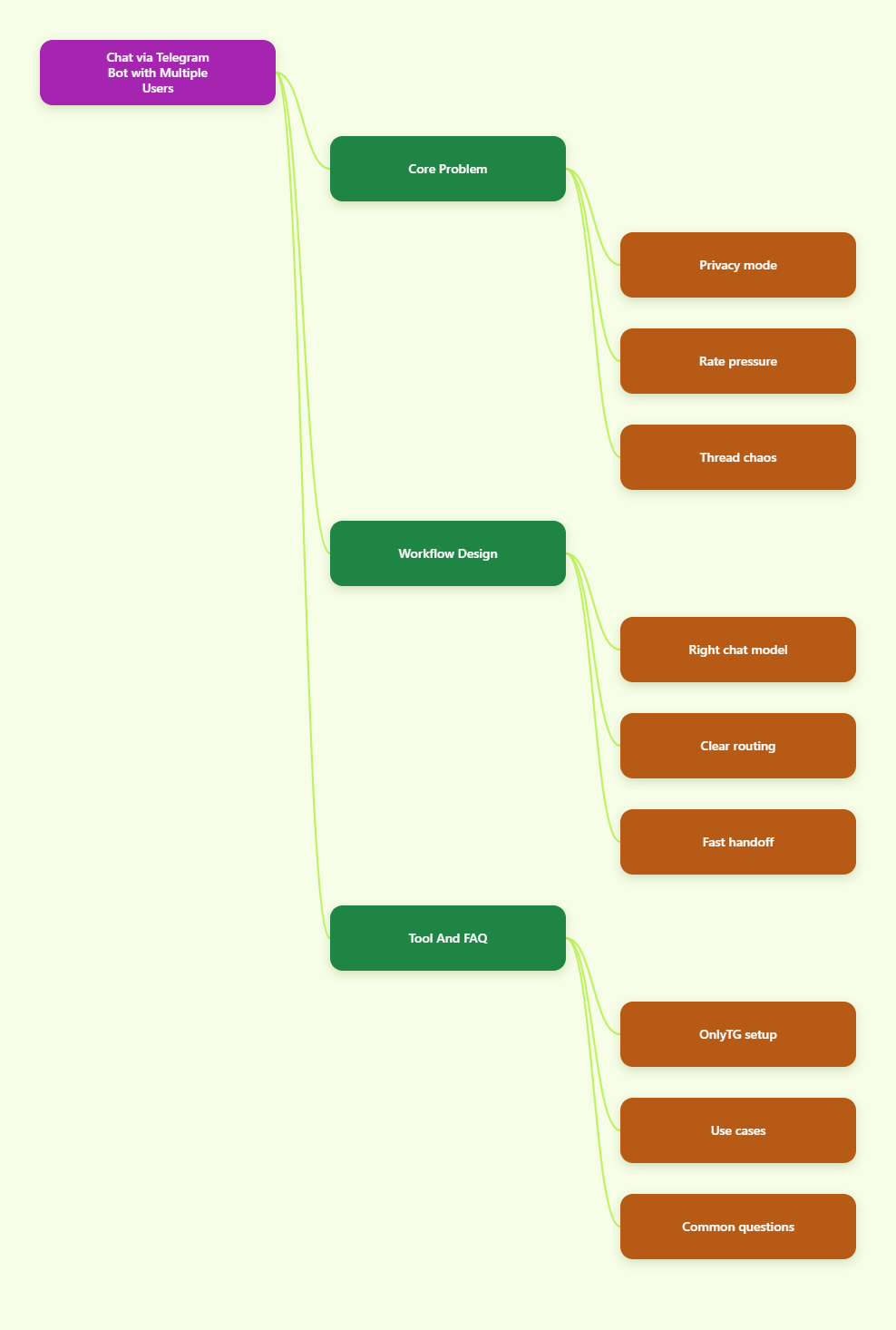
Why Multi-User Telegram Chats Get Messy
Telegram is huge in 2026, with more than 1 billion monthly active users. That reach is great for marketers and operators, but it also means more people, more replies, and more chances for a bot workflow to break down if the structure is weak.
Most teams hit the same three problems: message visibility, rate control, and thread organization. If you solve those early, the rest of the stack becomes much easier to manage.
What Privacy Mode Changes
Telegram bots do not automatically see everything in groups. According to Telegram’s Bot API docs, bots with privacy mode enabled only receive certain messages in groups, while bots with privacy mode disabled can receive all messages except those sent by other bots.
That matters because many teams assume a bot is listening to every post. In practice, a bot may only react to commands, mentions, or messages that match Telegram’s rules. If your workflow depends on full group visibility, you need to plan for that from day one.
Why Rate Limits Matter
Telegram also applies anti-spam controls to bot traffic. The exact limits depend on the method and chat type, but the practical lesson is simple: do not design a workflow that blasts the same action across many users at once without pacing.
When teams hit these limits, they usually see delays, failed sends, or 429-style errors. For operators, that means missed follow-ups and a poor user experience. For marketers, it means campaign timing becomes unreliable.
Why Topics Are Now Essential
Telegram forums and topics make multi-user chats easier to manage. A topic behaves like a focused sub-thread inside a larger supergroup, which is useful when one bot or one team handles many conversations at the same time.
That is especially helpful for support, lead qualification, and internal handoff. Instead of making everyone scroll through one endless chat, you can keep each request in its own lane.
Choose the Right Telegram Conversation Model
Before you try to chat via Telegram bot with multiple users, decide where each message should live. The best structure depends on whether you want one-to-one privacy, shared discussion, public announcements, or a hybrid flow.
The table below shows the most useful Telegram conversation models for 2026 workflows.
| Chat Model | What the Bot Sees | Best Use Case | Main Risk |
|---|---|---|---|
| Private chat | Messages inside the 1:1 conversation with the bot | Lead qualification, support intake, onboarding | Manual workload rises fast |
| Group | Commands, mentions, or full messages if privacy mode is disabled | Community support, lightweight moderation | Noise and accidental overload |
| Supergroup forum | Group messages organized into topics | Support desks, segmented community ops | Thread discipline is required |
| Channel with discussion | Channel posts plus replies in the linked discussion group | Announcements and feedback collection | Conversation splits across two places |
The table is not about theory. It reflects the way Telegram actually behaves in production settings. Choose private chat when the message is personal, group or forum when the message needs a team, and channels when the goal is reach rather than back-and-forth dialogue.
Private Chat Works Best For
Use a private bot conversation when the user expects a direct response, a form-like flow, or a sensitive exchange. This is the cleanest option for getting names, email addresses, budgets, or order details before a human joins the thread.
Group And Forum Work Best For
Use groups and forum topics when multiple teammates need visibility. This is the right model for community moderation, issue triage, and shared support queues. The key is to keep each topic narrow enough that the team can answer without cross-talk.
Channels Work Best For Broadcasts
Use channels when you want to publish updates to many subscribers at once. Channels are not ideal for discussion, but they are excellent for launches, reminders, and announcements that do not require a long back-and-forth.
How to Build a Workflow That Scales
The cleanest Telegram workflows do not start with automation. They start with decision rules. Once those rules exist, a bot can collect, route, and reply with much less friction.
- Capture intent early. Ask one clear question at the start so the user tells you what they need.
- Route by category. Split sales, support, moderation, and general questions into separate paths or topics.
- Reply with reusable answers. Save your most common replies so the team does not type the same thing all day.
- Escalate when needed. If the bot cannot finish the job, move the conversation to a human without losing the thread.
Keep Replies Short
Short replies work better in Telegram than long paragraphs. Users skim quickly, especially on mobile. If the answer needs multiple steps, break it into numbered actions instead of one dense block of text.
Store Reusable Answers
FAQ answers, pricing notes, onboarding reminders, and moderation warnings should be ready before traffic arrives. This is where teams save time. A good template is fast enough to send, but flexible enough to sound human.
Use Moderation Gates
For active groups, add a simple gate before new users can talk freely. Telegram operators often use CAPTCHAs, join checks, or permission rules to reduce spam and keep the first interaction clean.
Where OnlyTG Echo@EchoOnBot Fits
When the goal is to manage multi-user Telegram conversations without building everything from scratch, OnlyTG Echo@EchoOnBot is a practical no-code layer. Its official setup flow starts with creating a bot in BotFather, then connecting that token to OnlyTG Echo@EchoOnBot, and then configuring the message behavior you want.
From there, you can use the bot’s Start Message, Auto-Reply, Quick Reply, Broadcast, Group Management, Topic Mode, and Group CAPTCHA features to cover the most common operational needs.
How It Solves The Pain Points
- Create your own Telegram bot in BotFather and link it to OnlyTG Echo@EchoOnBot.
- Use the /start flow to set a welcome message that tells users what to do next.
- Set Auto-Reply for common questions so repetitive traffic does not slow the team down.
- Use Quick Reply for fast operator responses when a human needs to step in.
- Enable Broadcast when you need to send one update to many opted-in contacts.
That is enough to solve the core problem for many teams: a single bot entry point, a clear reply path, and less manual repetition.
Three Real-World Use Cases
Lead intake for a launch campaign: a visitor opens the bot, sees the Start Message, answers a few qualifying questions, and gets routed to the right follow-up path. The team can then answer inside a topic or a structured chat instead of digging through scattered DMs.
Community support in a forum-style group: moderators use Quick Reply for repeated requests, Auto-Reply for common questions, and Group CAPTCHA to cut down on spammy joiners. That keeps the group readable even when new users arrive in waves.
Product updates to an opted-in audience: when a webinar time changes or a release goes live, Broadcast lets the team send one clear message to the contacts who already started the bot. That is useful for reminders, but it should stay permission-based and relevant.
Other Features Worth Noting
OnlyTG Echo@EchoOnBot is not limited to one feature. The value comes from combining small tools into a workflow that is easier to run every day. For many operators, that means fewer manual replies, cleaner group management, and less friction when multiple users need attention at the same time.
FAQ
Can a Telegram bot chat with multiple users at once?
Yes. A bot can serve many users, but you still need a clear structure. Private chat works best for 1:1 intake, while groups, forums, and broadcasts work better when many people need updates or shared visibility.
Do Telegram bots read every group message?
Not by default. Telegram’s privacy rules control what a bot sees in groups. If privacy mode is enabled, the bot sees a limited set of messages. If it is disabled, the bot can receive all messages except those from other bots.
What is the best way to organize support in Telegram?
For support, a forum-style supergroup with topics is usually easier to manage than one giant group. Each issue can stay in its own topic, which makes it simpler for teammates to follow up without mixing unrelated requests.
How do I avoid Telegram rate-limit problems?
Keep sends paced, avoid unnecessary repetition, and do not design a workflow that fires every message at once. If you need to contact many users, use a staggered broadcast plan rather than trying to push everything instantly.
When should I use Broadcast?
Use Broadcast when one message should reach many contacts who already expect updates. It works well for reminders, launch notes, and schedule changes. It is not a replacement for personal support or real two-way conversations.
Is a no-code bot enough for serious operations?
For many teams, yes. A no-code layer can cover greeting flows, auto-replies, quick replies, and group control. If your workflow becomes highly custom later, you can still move deeper into API-based automation.
Conclusion
If you want to chat via Telegram bot with multiple users in 2026, the winning formula is simple: choose the right chat model, respect Telegram’s visibility rules, keep replies short, and design for scale before volume arrives.
For teams that want a lighter operational layer, OnlyTG Echo@EchoOnBot is a practical place to start. It fits best when you need a bot-driven workflow for messages, replies, broadcasts, and group handling without turning the setup into a development project.