
In 2026, more users care about privacy, account separation, and reducing the number of places where a real phone number is stored.
This guide explains what Telegram actually sees, why disposable numbers create problems, when a virtual number is a better fit, and how to lock down your settings if you already used a temporary line. If your goal is privacy without losing access later, the details matter.
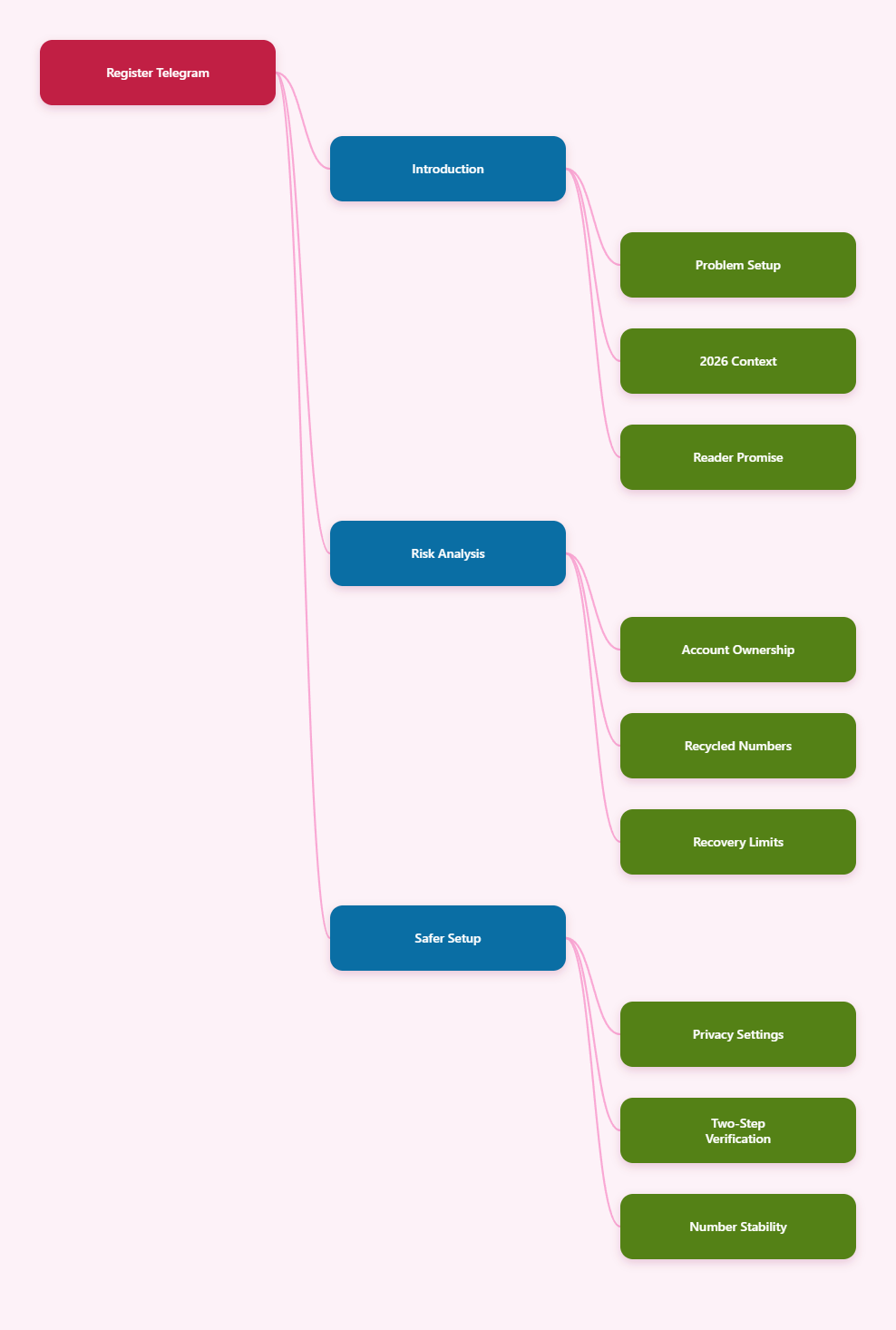
Is It Safe to Register Telegram with Disposable Numbers in 2026?
Short answer
For testing, one-off signups, or a throwaway account, a disposable number can be acceptable. For anything personal, sensitive, or business-related, it is usually a bad trade.
The problem is not only whether Telegram accepts the number during verification. The bigger issue is whether you can still control the account months later, when you need to log in again, reset a password, or change devices.
The real trade-off
Disposable numbers are designed for speed, not ownership. They often come from shared pools, recycled inventories, or public SMS services, which means you may not truly control the line after signup.
- Good for: testing, short experiments, temporary access.
- Bad for: long-term chats, creator accounts, client work, and 2FA-protected accounts.
- Main risk: losing the number and then losing the account.
So the real answer to is it safe to register telegram with disposable numbers is: only if you are comfortable with the account being temporary and potentially unrecoverable.
What Telegram Actually Sees and Shows
Your phone number is the login anchor
Telegram uses a phone number to create and verify the account. You can hide that number from other users with privacy settings, but the account still depends on the number behind the scenes.
That means hiding your number from strangers is not the same as owning a stable identity. The app can still rely on that number for verification, recovery, and account changes.
Who can see it by default?
Telegram lets you control who can see your phone number and who can find you by it. By default, visibility is limited, and you can narrow it further in Privacy and Security.
- Contacts may see more than strangers.
- Users can often message you by username instead of number.
- You can limit discoverability, but you cannot erase the number from account ownership.
Username and phone number are not the same thing
A username helps you stay searchable without handing out your number. That is useful, but it does not solve the core risk of using a disposable number at signup.
If the number disappears later, your username still points to an account that may be harder to protect or recover.
Why Disposable Numbers Are Risky
Recycled numbers are a real problem
Phone numbers are frequently reassigned after disconnects. Security research has shown that recycled numbers can still be linked to old accounts and old messages on other services, which creates takeover and privacy risks.
That matters for Telegram because a number you think is temporary may already have a history, or may be reassigned to someone else later.
Free public SMS sites are especially weak
Public disposable numbers are usually the least safe option. They are often shared, heavily reused, and visible to many users, which makes them poor choices for any account you want to keep private.
- Verification codes may be exposed to other people.
- The number may stop working without warning.
- You may not be able to reclaim the line later.
Recovery becomes the biggest issue
If you forget a password, lose a device, or need to recheck access, a disposable number can become a dead end. Telegram supports two-step verification, and the official guidance recommends setting a recovery email, because that gives you a second path back in.
Without a stable number and a recovery email, your account is much harder to protect over time.
Can a Virtual Number Be Better?
Dedicated beats disposable
If you want separation from your main SIM, a dedicated virtual number is usually a better fit than a public disposable number. The key difference is control: you keep access to the number instead of losing it after a short window.
That does not make every virtual number perfect, but it improves the odds that you can verify logins later and keep the account alive.
When a virtual number makes sense
A stable virtual number can be useful if you want a separate Telegram identity for a side project, a business workflow, or a privacy-focused personal account.
- You want to keep your main SIM private.
- You plan to use the account for months or longer.
- You need a second line that you can still access later.
When it still is not enough
Even a better number does not replace basic account hygiene. You still need a recovery email, a strong password, and careful session management.
If the account matters, treat the number as only one layer of protection, not the whole plan.
| Option | Ownership | Recovery | Best Use | Main Risk |
|---|---|---|---|---|
| Disposable number | Low | Poor | Short testing | Loss of access |
| Dedicated virtual number | Medium to high | Better | Separate identity | Provider quality |
| Personal SIM | High | Strong | Main account | Privacy exposure |
How Do You Set Up Telegram More Safely in 2026?
Lock down privacy settings first
Once your account is live, go straight to Privacy and Security. Review who can see your phone number, who can find you by number, and how much profile information is visible.
For most users, a username plus tighter visibility settings is the right baseline. It reduces casual exposure without pretending the number no longer matters.
Enable two-step verification
Telegram supports two-step verification, and the official documentation recommends adding a recovery email. That email is important because it gives you a path back if you lose the password.
- Use a unique password you do not reuse elsewhere.
- Add a recovery email you can actually access.
- Store the password in a secure password manager.
Keep the number stable
If the number is temporary, make sure you understand how long you control it. If the line expires, gets recycled, or gets shut down, you may lose an easy recovery path.
For long-term accounts, stability matters more than convenience.
Watch active sessions
Telegram supports multi-device use, which is helpful but also means you should review active sessions from time to time. Remove devices you no longer use, especially after changing numbers or passwords.
This is one of the simplest ways to reduce account drift over time.
What Should You Do If You Already Used a Disposable Number?
Decide how valuable the account is
If the account is only for short-term use, you may not need to do much. If it contains real contacts, group history, or business messages, you should treat it as an account worth protecting.
That decision changes your next move.
Change the number sooner rather than later
Telegram offers a built-in change-number flow, and the platform has long supported moving an account to a new number while keeping your chats and contacts. That is the cleanest fix if you still control the account.
Do it before the original number expires or is reassigned.
Document your recovery path
After the switch, confirm that your recovery email works and that your password is stored safely. If you keep using Telegram across devices, check which sessions are still active.
- Update the number.
- Verify the recovery email.
- Review active sessions.
- Remove unused devices.
If you already lost the number and do not have recovery access, your options may be limited. That is exactly why disposable numbers are a poor fit for important Telegram accounts.
So, Is It Worth the Risk?
If your goal is to stay private, a disposable number is not the only option, and it is usually not the best one. Telegram already gives you controls for number visibility, discovery, usernames, and two-step verification, so you can reduce exposure without building on a fragile phone line.
For most people, the safest approach in 2026 is simple: use a number you can keep access to, hide the number from other users, enable two-step verification, and add a recovery email right away. That combination gives you privacy without turning account recovery into a gamble.
So when people ask is it safe to register telegram with disposable numbers, the honest answer is that it depends on the account’s value. For a throwaway profile, maybe. For anything you care about, choose stability over convenience.
Conclusion
Disposable numbers can get you through Telegram signup, but they usually do not provide the control you need for a real account. In 2026, the main risks are still the same: recycled numbers, weak recovery, and the possibility that the line disappears before you are done with the account.