
In 2026, Telegram still starts with a phone number, but the profile you build right after signup decides how private, searchable, and professional that account feels.
That is why so many users get stuck. They sign up, skip the profile details, and only later realize their phone number is exposed, their username is weak, or their bio is too vague to be useful. This guide walks through the full flow in a practical way, from registration to profile photo, username, privacy, and security.
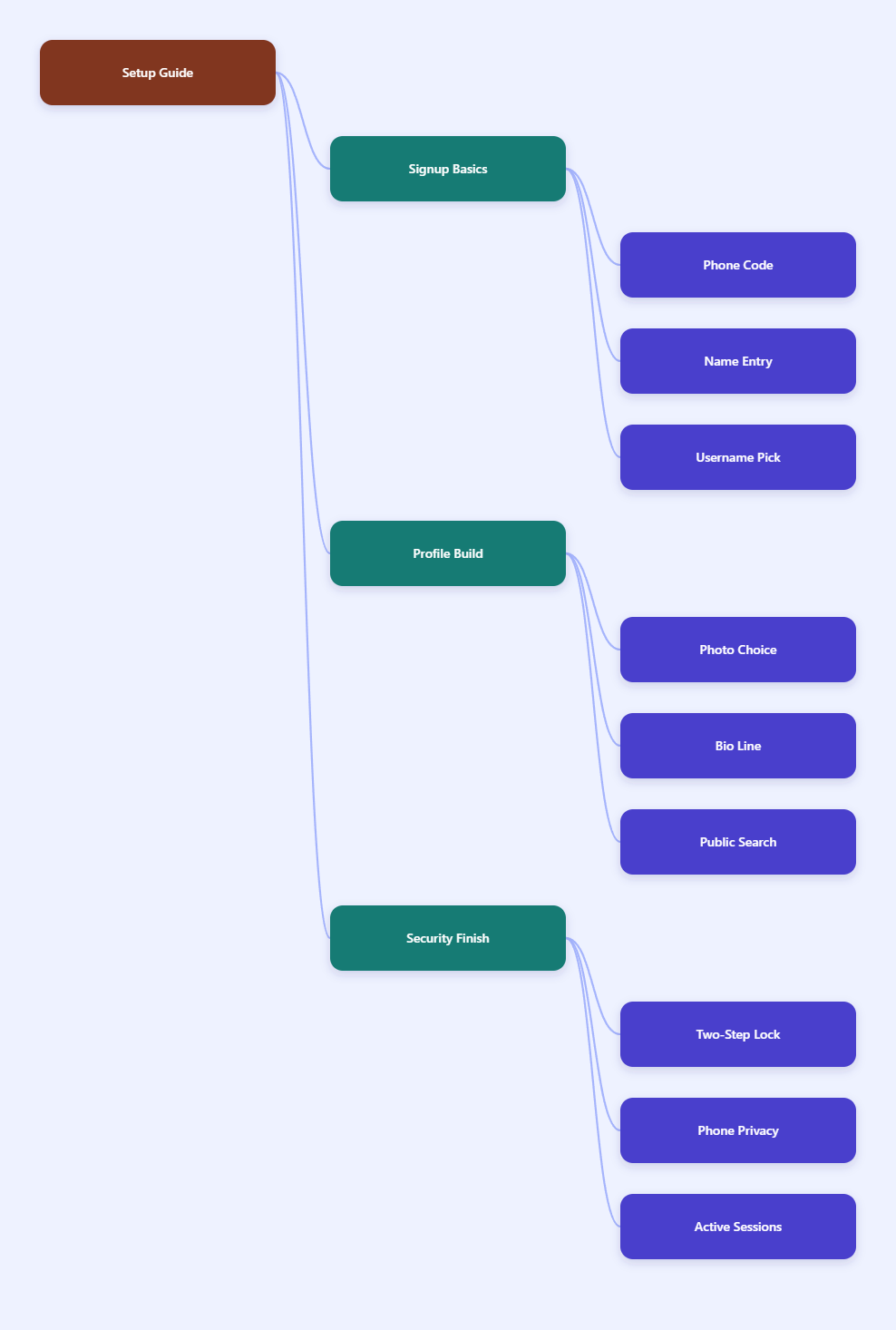
Why does Telegram still start with a phone number?
Telegram uses phone numbers as the core identity layer for accounts. That is why signup still begins with a verified number, even though you can later hide that number from most people.
This is not just a habit from older messaging apps. Telegram says it uses phone numbers as unique identifiers, and its FAQ and privacy pages make it clear that the number remains the base for account access and contact matching.
What the number is for
- Account creation and login verification.
- Finding existing contacts who already use Telegram.
- Recovering access when you sign in on a new device.
What the number is not for
- It does not have to be public.
- It does not have to define your display name.
- It does not stop you from using a username instead.
The important point is privacy control. Telegram lets you adjust phone number visibility in Settings > Privacy and Security > Phone Number, and you can set who can see it. In other words, the number is required for setup, but it does not have to become your public identity.
How to complete Telegram registration profile setup step by step?
The cleanest way to complete Telegram registration profile setup is to treat signup and profile building as one process. If you wait until later, you are more likely to skip the steps that make the account useful.
Step 1: Install and verify
Download the official app, enter your phone number in international format, and complete the verification code step. Telegram may deliver the code by SMS during signup, and existing logged-in sessions can sometimes receive codes inside Telegram instead.
Step 2: Enter your display name
Choose the name you want others to see. For personal accounts, that can be your real name or a consistent public name. For brands, use the brand name you want people to recognize immediately.
Step 3: Open Edit Profile right away
Do not stop at the default account screen. Go straight to Settings or Edit Profile and finish the visible identity fields while the setup is fresh in your mind.
Step 4: Add the public-facing pieces
Set your username, profile photo, and bio. These three fields affect discoverability and trust far more than most people expect.
| Setup step | What to enter | Why it matters |
|---|---|---|
| Name | Real name or brand name | Shows up in chats and profile views |
| Username | Unique handle | Makes you searchable without sharing your number |
| Photo | Clear face or logo | Improves recognition and trust |
| Bio | Short public description | Helps people understand who you are |
| Phone privacy | My Contacts or Nobody | Controls who can see your number |
| 2FA | Strong password plus email | Adds protection against takeover |
If you want the account to feel finished, this table is the order to follow. Telegram registration profile setup is much smoother when you build the basics first and security second, instead of the other way around.
What should you add to your Telegram profile first?
If you only have time to complete three profile fields, start with the username, photo, and bio. Those are the parts people notice first, and they are also the parts that affect how easy it is to contact you.
Choose a username that works
Telegram usernames can be used so people can find and message you without knowing your phone number. According to Telegram’s username rules, they must be at least 5 characters long and can use only letters, numbers, and underscores.
Keep it simple, readable, and close to your real name or brand. Avoid random numbers unless they are part of your brand identity.
Pick a photo that matches the account
A clear profile photo makes the account feel active and real. For personal accounts, use a recognizable face photo. For business or creator accounts, a clean logo or brand mark usually works better.
Write a bio that does one job
Your bio should explain who the account is for, not tell your whole life story. Telegram has historically limited the free bio length to 70 characters, while Premium accounts get a longer bio, so every word has to earn its place.
Good bio examples are short and specific. Try role, niche, or location, then stop.
- Independent consultant.
- Daily crypto market notes.
- Customer support for Brand X.
If you are building a public channel, bot, or company presence, keep the bio aligned with your site, social profiles, and channel description. Consistency is what makes a Telegram profile feel trustworthy.
How do you set privacy controls the right way?
Privacy is the part of Telegram registration profile setup that many people forget, but it is also the part that matters most in daily use. If you do nothing, you may expose more than you intended.
Start with phone number visibility
Go to Settings > Privacy and Security > Phone Number and choose who can see it. Telegram gives you options such as Everybody, My Contacts, and Nobody, plus exceptions for specific users or groups.
That gives you flexibility. You can keep the number hidden from the public while still allowing selected contacts to reach you easily.
Check who can find you
Telegram also lets you control how people find you by number. This matters if your phone number is already stored in many contact books, because those users may still connect your identity with your account.
Turn on Two-Step Verification
Telegram’s Two-Step Verification adds a password on top of the code sent during login. Telegram recommends setting a recovery email too, because losing that password can make account recovery harder.
- Use a password you do not reuse elsewhere.
- Add a recovery email you still control.
- Keep the hint useful to you, not obvious to others.
For most users, this is the single best upgrade after signup. If you care about account safety, do not leave it for later.
What mistakes should you avoid in 2026?
The biggest Telegram mistakes are usually small ones. They do not break the account immediately, but they create privacy problems, branding problems, or security gaps over time.
Do not use a weak username
A confusing username makes the account harder to find and harder to trust. If someone cannot read it or remember it, it is probably not a good public handle.
Do not treat the bio as private
The bio is visible on your profile, so write it as public-facing text. Do not put sensitive contact details there unless you truly want them exposed.
Do not skip security settings
Many users finish signup and never come back to review privacy or active sessions. That is risky if you log in on more than one device, use desktop often, or share a phone with other people.
Do not mix personal and brand identity
If you are creating a business or creator presence, keep the display name, username, photo, and bio aligned with your public brand. Inconsistent profiles create friction and make people pause before they trust you.
- Weak username.
- Overfilled bio.
- No 2FA.
- Visible phone number.
- Inconsistent branding.
Those five mistakes account for most bad first impressions. They are easy to avoid once you know what to check.
Which final checks make the setup complete?
Once the basic profile is done, run one final pass before you call the account finished. This is the fastest way to make sure your Telegram registration profile setup is actually ready for real use.
Review the profile as a stranger would
Open the profile from a second device or ask a friend what they see first. Look at the name, picture, username, and bio together. If the account does not make sense at a glance, refine it.
Test the public username
Make sure the username is easy to type and actually points to the right account. A good username should let people find you without needing your phone number.
Confirm your security layer
Double-check that Two-Step Verification is active and that your recovery email is correct. Then review your active sessions so you know where the account is signed in.
Optional: verify official presence
If you represent a public figure, organization, bot, channel, or group, Telegram has a separate verification process. Follow the official verification guidance and use the approved path instead of trying to fake authority with profile text.
When these checks are complete, you have more than a registered account. You have a profile that is usable, searchable, and easier to trust.
Conclusion
Telegram registration is quick, but a good setup is what turns a new account into a useful one. In 2026, the best approach is still simple: verify your phone number, choose a clear username, add a recognizable photo, write a short bio, and lock down privacy before you start chatting.