
If you are stuck on signup and the Telegram verification code never arrives, the problem is usually smaller than it feels. In many cases, Telegram tries to deliver the code to another logged-in device first, then offers SMS or a phone call only after that path fails.
This guide explains how to resend sms code during telegram registration without creating more delays. You will also see what to check before you tap resend again, when to use the call option, and how Telegram’s 2026 login flow affects the choices you see on screen.
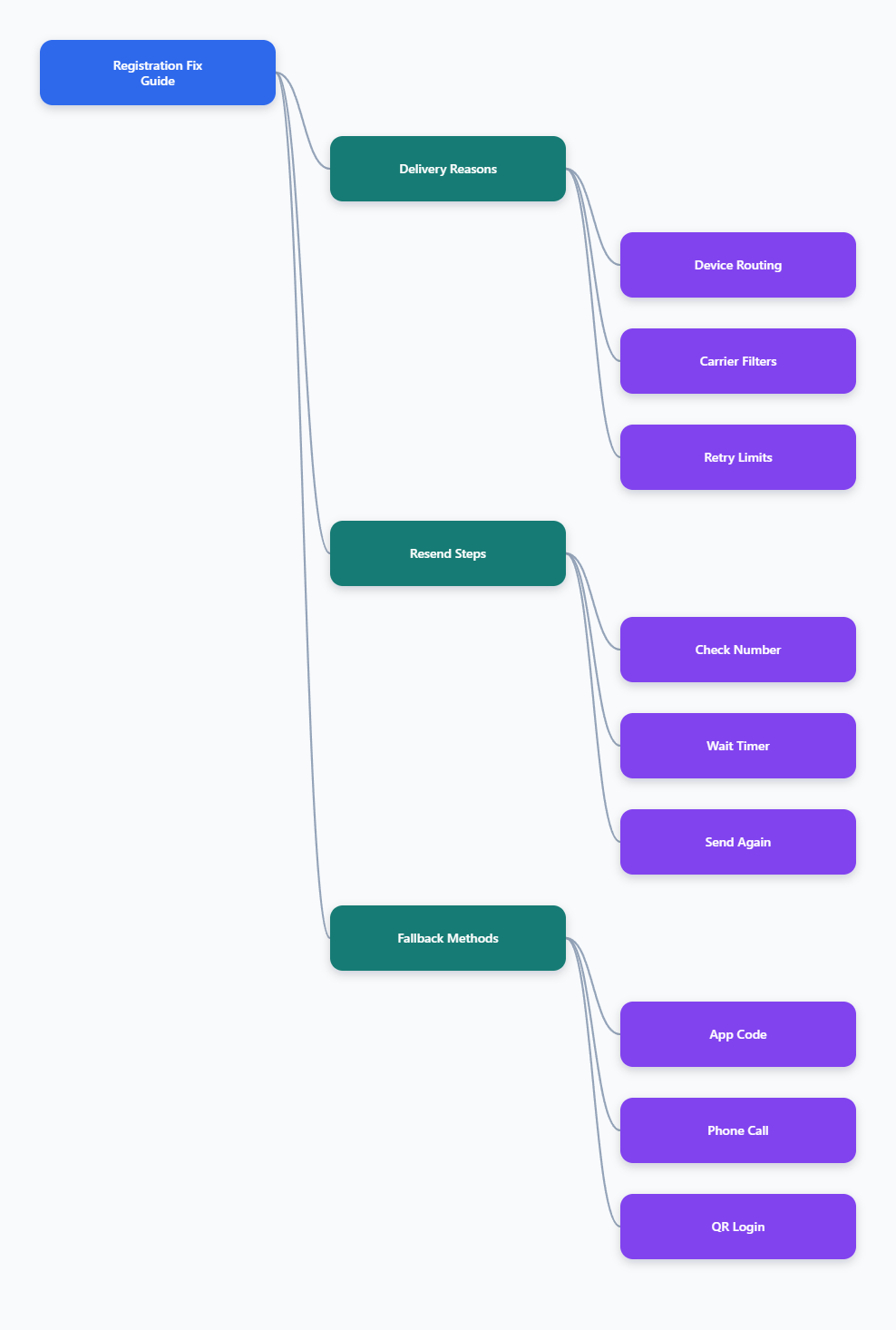
Why Telegram sometimes does not send the SMS code
Telegram does not always start with SMS. If your account is already active on another phone or tablet, the code may be delivered inside the Telegram app on that device instead of by text message.
That is why some users keep waiting for an SMS that never comes. The code is not always missing; it may be sitting in another signed-in session.
Device-first delivery happens first
When Telegram detects an existing session, it may route the code to that session first. This is one reason the login screen can say that a code was sent to your other device.
If you still have access to that device, open Telegram there and check for the code before you request another one.
Carrier filters can slow SMS
SMS delivery also depends on your mobile carrier. International SMS can be delayed, blocked, or filtered, especially when the number format is wrong or the line has strict anti-spam settings.
Telegram’s FAQ uses the international format style, such as +(country code)(city or carrier code)(your number). A missing country code is enough to stop the code from arriving.
Repeated requests can make things worse
Pressing resend again and again is a common mistake. Support guides and Telegram’s own error handling both point to rate limits and cooldowns when requests are repeated too quickly.
If the timer is still running, waiting is usually smarter than restarting the process. A calm retry often works better than a fast loop.
How to resend SMS code during Telegram registration
If the code does not arrive, the safest path is to follow Telegram’s own recovery options in order. That usually means checking the number, waiting for the resend window, and then requesting a fresh code only once the app allows it.
Here is the cleanest way to do it in 2026.
Step 1: Confirm the number
Make sure the phone number is entered in full international format. Double-check the country code, local digits, and any missing zeros that should not be there.
If Telegram shows the wrong country, fix that first. Resending the wrong number just wastes the next attempt.
Step 2: Wait for the resend window
Do not tap the button the second the screen loads. Telegram often shows a countdown or a link such as Didn’t get the code? only after the first delivery attempt has had time to work.
Wait until the option appears, then request one fresh code. This is the most reliable way to avoid unnecessary delays.
Step 3: Request a new code once
When the resend option becomes available, use it once and then pause. A single clean retry is better than multiple quick retries from different devices or networks.
If the app offers SMS and you still do not receive it, move to the next fallback instead of repeating the same action over and over.
Step 4: Use the call option if shown
Telegram’s login flow can offer a phone call after a few attempts. In that case, an automated voice reads the code, which can bypass SMS delivery issues completely.
Use this option when it appears on the screen. It is one of the most practical fixes when texts are delayed or filtered.
- Check the number first before any resend.
- Wait for the timer before trying again.
- Use one clean request instead of many.
- Switch to the call option if available.
What should you check before you tap resend again?
Before you keep retrying, look at the small things that often block delivery. In real-world signup failures, the fix is usually a bad number format, a blocked SMS route, or an active session on another device.
A few minutes of checking can save you from a long loop of failed requests.
Check the phone number format
Telegram’s FAQ shows the number in international format for a reason. If the country code is wrong, the system can try to deliver the code to a number that does not match your phone.
Re-enter the number carefully if you copied it from somewhere else. Copy errors are common on mobile keyboards and password managers.
Stay on one device and one connection
Switching devices too often can confuse the login flow. If possible, finish the registration attempt on one phone with one stable network.
Stable Wi-Fi or stable mobile data is better than bouncing between connections while the code is being sent.
Look for another active session
If Telegram is already open on another device, the code may go there first. This is especially important for people who reinstall the app, change phones, or keep multiple devices signed in.
Check your older phone, tablet, or desktop app before assuming SMS failed.
- Use the full country code.
- Keep one connection active.
- Check all logged-in devices.
- Avoid rapid repeat attempts.
Can Telegram send the code another way?
Yes. Telegram can use more than one delivery path, and that matters when SMS is weak or blocked. The best fallback depends on whether you still have an active session somewhere else.
In 2026, knowing the alternatives is often faster than waiting for the same SMS to arrive twice.
Code inside the Telegram app
If you are already logged in on another device, Telegram may send the code there. This is not an error; it is part of the normal login flow.
Open the active session and use the code there if it appears. That is usually the quickest recovery path.
Phone call delivery
When SMS fails, Telegram may offer an automated call. The voice message reads the code, so you can enter it manually on the registration screen.
This option is especially useful when the carrier blocks short texts or delays international SMS.
QR login for existing accounts
If your goal is to sign in to an account you already use, QR login can avoid the SMS path entirely. Telegram’s QR login flow is designed for existing accounts and short-lived login tokens.
It does not replace registration for a brand-new account, but it can help you avoid code delivery problems when you already have an active account somewhere else.
| Method | Best When | What It Solves | Key Note |
|---|---|---|---|
| SMS resend | First delivery failed | Fresh text retry | Wait for the timer |
| Phone call | Texts are delayed | Carrier or SMS issues | Use it if shown |
| Telegram app code | Active session exists | Login on another device | Check old devices first |
| QR login | Existing account access | Avoids SMS entirely | Best for signed-in users |
What changed in Telegram login rules in 2026?
Telegram’s current documentation still points users toward official apps and clean login flows. In some conditions, Telegram’s authorization docs note that SMS or call delivery is limited to official mobile apps, which means desktop and web users may not see the same options every time.
That matters because a setup that worked last year may not work the same way today. The safest expectation is not that every platform can force an SMS resend, but that the available method depends on your device state and Telegram’s current login rules.
Official apps matter more
If you are on a desktop or web client, Telegram may push you toward QR login or another existing session instead of SMS. That behavior is consistent with current support notes and bug reports.
For a new registration attempt, the official mobile app is usually the most reliable place to start.
Existing sessions are valuable
Keeping at least one active Telegram session can make recovery much easier. If you change phones often, signing out everywhere can leave you with fewer login options the next time you need a code.
This is one reason people who manage business accounts keep a second logged-in device as a backup.
Retry rules are tighter
Telegram and carriers both punish noisy retry behavior. Too many requests can trigger cooldowns, temporary blocks, or extra verification friction.
In practice, a slow and careful resend is usually better than trying to force the system.
- Official mobile apps are the safest starting point.
- Existing sessions can receive the code first.
- Too many retries can slow delivery further.
When should you stop resending and switch tactics?
If you have already checked the number, waited for the timer, and tried the offered fallback, stop hitting resend for a while. At that point, the issue is more likely to be session routing, carrier filtering, or a temporary delivery block than a simple delay.
Taking a short pause is often the fastest way to get a clean next attempt.
Pause after a failed cycle
If the code expires or never arrives, do not keep pressing the same button every few seconds. Wait, reopen the app if needed, and start again only when the option is available.
This keeps you from turning a small delivery issue into a longer lockout.
Use support only after basics
Support is most useful after you have confirmed the number, checked other devices, and tried the official fallback paths. When those steps fail, the problem is more likely to need manual review.
Keep your message short and clear, and explain exactly what screen you see.
Be ready for code expiry
Telegram codes do expire. If you finally get an old code after waiting too long, request a fresh one rather than trying to reuse the stale message.
A fresh request is usually safer than a delayed manual guess.
- Pause after one full failed cycle.
- Retry once when the app allows it.
- Escalate only after the basics are done.
Conclusion
In 2026, the best way to handle Telegram signup is still the simplest one: enter the number correctly, wait for the resend window, and use the fallback Telegram gives you instead of forcing extra attempts. If the code is going to another device, check that device first. If SMS is failing, use the call option when it appears.