
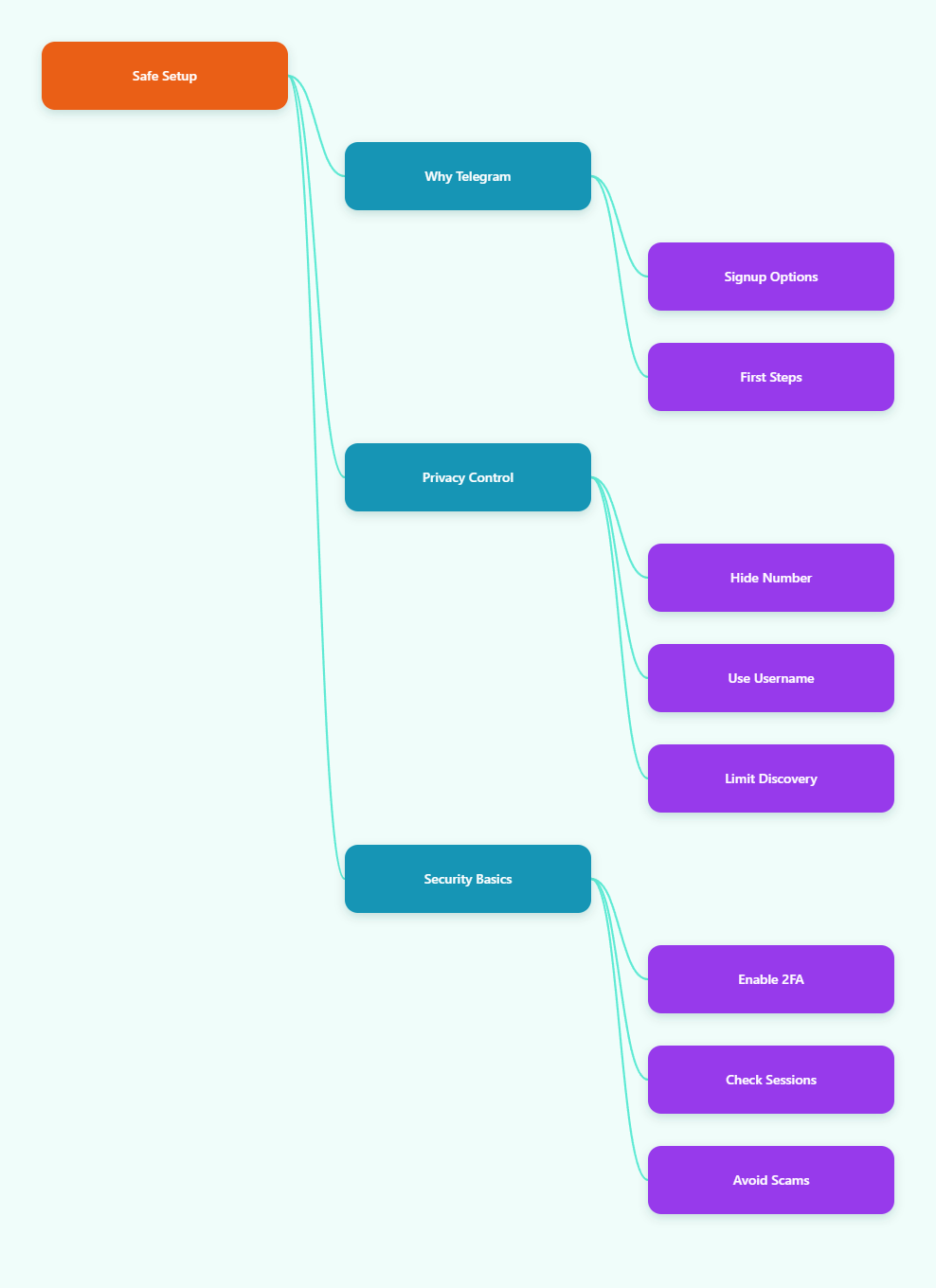
If you want access to Telegram communities, bots, and project updates, but you also want to avoid exposing your main phone number or walking into the first scam group you see, start with the official app, verify with a number you are comfortable using, tighten privacy before joining any crypto community, and turn on security features right away.
This guide walks through each step in a practical way so you can get started without giving scammers an easy opening.
Why Telegram Matters for Crypto Beginners in 2026
Telegram is popular in crypto because it is fast, flexible, and built around groups, channels, and bots. That makes it useful for exchange announcements, project updates, community support, and quick alerts that would be too slow for email.
It also means you should treat every message with care. Public channels can broadcast to huge audiences, while group chats can be noisy and full of fake accounts. A beginner who joins too fast can end up clicking the wrong link before learning the basic privacy controls.
For crypto beginners, the value of Telegram is not just access. It is also control. You can use a username, hide your phone number from most people, and keep your account separate from the number you use in daily life.
- Fast updates: Good for announcements, airdrops, and community notices.
- Direct access: Many teams use Telegram for support and moderation.
- Privacy tools: You can reduce how much personal data is visible.
- Scam risk: The same openness that helps communities also helps fraudsters.
There is one more detail beginners should know. Telegram bots are different from user accounts. Official bot documentation says bots do not need a phone number, but your own Telegram account still does. That distinction matters if you are using Telegram to follow trading bots, alerts, or community automation.
Can You Register Telegram Without Your Personal Number?
The short answer is no, not in the strict sense. Telegram still requires a valid phone number to create a user account, and recent Telegram guidance continues to reflect that basic rule. What you can do is keep your personal number off the account.
That is the practical difference most beginners care about. You do not need to hand over your everyday number if you would rather use a secondary SIM, a prepaid line, or another number you separate from your main contacts.
For most crypto beginners, the safest option is the one that balances convenience and control. A secondary number is usually easier to manage than a disposable one, and it is less likely to create trouble later if you need to recover the account.
| Option | Best For | What to Know |
|---|---|---|
| Personal number | Fastest setup | Simple, but it links Telegram to your main line. |
| Secondary SIM or prepaid line | Privacy-focused beginners | Separates Telegram from daily contacts and bills. |
| Virtual number | Short-term separation | Reliability depends on the provider and country. |
One more warning: Telegram Web is not the right place to create a brand-new account. Current guidance from third-party setup docs indicates that web access is mainly for logging in to an existing account, while first-time registration should be done through the official mobile or desktop app.
How to Register Telegram for Crypto Beginners Step by Step
The setup process is straightforward if you slow down and do it in the right order. Do not rush through it just to join the first crypto channel you find.
1. Install the official app
Download Telegram from the official app store on your phone, or from the official desktop site if you are setting up on a computer. Avoid cloned apps, random APK files, and pages that ask for extra permissions before you even reach the login screen.
2. Enter a reachable number
Use the number you plan to keep for the account. Telegram will send a code by SMS or call, so the number must be able to receive that verification.
3. Verify the code yourself
Enter the code only inside the official app. Never share it in a chat, even if someone claims to be support, a moderator, or a recovery agent. That code is the key to the account.
4. Add a clean profile
Choose a first name, and add a photo only if you are comfortable doing so. If you want a more private setup, keep the profile simple and avoid placing sensitive details in the bio.
5. Set a username early
A username lets people contact you without seeing your phone number. That is useful in crypto groups, where you may want to interact without making your number public.
If you are registering on desktop, keep the process simple and finish the first sign-up on the mobile app if possible. The web client is useful later, but a mobile-first setup is still the least confusing path for most beginners.
- Do: Use the official app and a reachable number.
- Do: Keep the code private and enter it yourself.
- Do: Add a username before you start joining groups.
- Do not: Sign up from a random mirror site or unofficial installer.
How Do You Hide Your Phone Number on Telegram?
After signup, the first privacy task is simple: check who can see your number. Telegram’s own FAQ says your phone number is not meant to be visible to everyone by default, and you can adjust the visibility in your settings.
Go to Settings > Privacy and Security > Phone Number. From there, review both the visibility option and the find-by-number option. For many crypto beginners, the best choice is the strictest setting that still fits how you plan to use the app.
Choose the right visibility
If you only want close contacts to see you, keep visibility limited. If you want maximum privacy, set the number visibility as tightly as possible and rely on your username for discovery instead.
Control discovery by number
It is not enough to hide the display setting alone. You should also control whether people can find you by searching your phone number. That reduces casual discovery in large crypto groups.
Use a username for contact
A username is the cleanest way to stay reachable without exposing your number. It is especially useful if you plan to ask questions in public channels or talk to project teams.
- Keep contacts tight: Only people you trust should have easy access to your account.
- Review your profile: Do not post personal details in your bio or name field.
- Recheck later: Privacy settings can drift if you change devices or reinstall the app.
This is one of the biggest differences between a casual account and a safer crypto account. If you take five minutes to set privacy correctly, you reduce a lot of unnecessary exposure later.
What Should Crypto Beginners Do Right After Signup?
Once the account is live, do not jump straight into airdrop groups or trading channels. The first ten minutes after signup are the best time to lock down security.
Turn on two-step verification
Enable Telegram’s two-step verification and add a strong password plus a recovery email. This matters because the SMS code alone is not enough protection if your SIM is ever compromised.
Telegram’s security guidance has long recommended extra login protection, and that advice is still relevant in 2026. If you use Telegram for crypto, this is not optional. It is basic account hygiene.
Check active sessions
Open the devices or sessions screen and review every logged-in device. Log out of anything you do not recognize. This is especially important if you sign in on more than one phone or computer.
Audit notifications and groups
Mute noisy channels until you know they are legitimate. Then verify the group name, admin list, and linked website before interacting. A real project does not need you to rush.
- Never share: Login codes, 2FA passwords, or wallet seed phrases.
- Verify links: Check the official website before opening a Telegram invite.
- Watch for urgency: Scammers love countdowns, fake support, and “last chance” messages.
- Use caution with bots: A bot can be useful, but it is not automatically trustworthy.
Crypto beginners often assume Telegram safety is about hiding the number only. In practice, it is a combination of privacy, verification, and session control. If one layer fails, the others should still protect you.
What Mistakes Should You Avoid in 2026?
Most Telegram problems for beginners come from rushed setup, not from advanced attacks. The wrong habits are easy to avoid once you know what to look for.
- Using your main number by default: Fine for convenience, but not ideal if you want separation.
- Trusting “support” DMs: Real projects rarely ask for codes or passwords in private chat.
- Skipping 2FA: This leaves your account too exposed if the number is ever reused or compromised.
- Joining every group: Quantity is not quality. A crowded channel is not a verified one.
- Clicking airdrop links blindly: Fake rewards are one of the oldest social-engineering tricks in crypto.
Another common mistake is thinking there is a fully anonymous Telegram signup with no phone number at all. That is not how user accounts work. If a site promises instant account creation with zero verification, treat it as a warning sign, not a shortcut.
For crypto beginners, the safest mindset is simple: separate your number, protect your login, and verify every community before you trust it. That approach saves more time than any “quick hack” ever will.
Conclusion
Learning how to register Telegram for crypto beginners is really about building a safer default. The account itself is easy to create, but the privacy and security choices you make right after signup determine how exposed you are later.