
Telegram bot automation has become far more capable in 2026 than it was just a few years ago. Businesses, developers, creators, and support teams can now use Telegram bots for chat handling, notifications, workflows, customer service, commerce flows, and Mini App experiences inside Telegram.
If you want to understand what is actually possible, how the platform works, and what to watch out for in production, this guide covers the essentials in concrete terms.
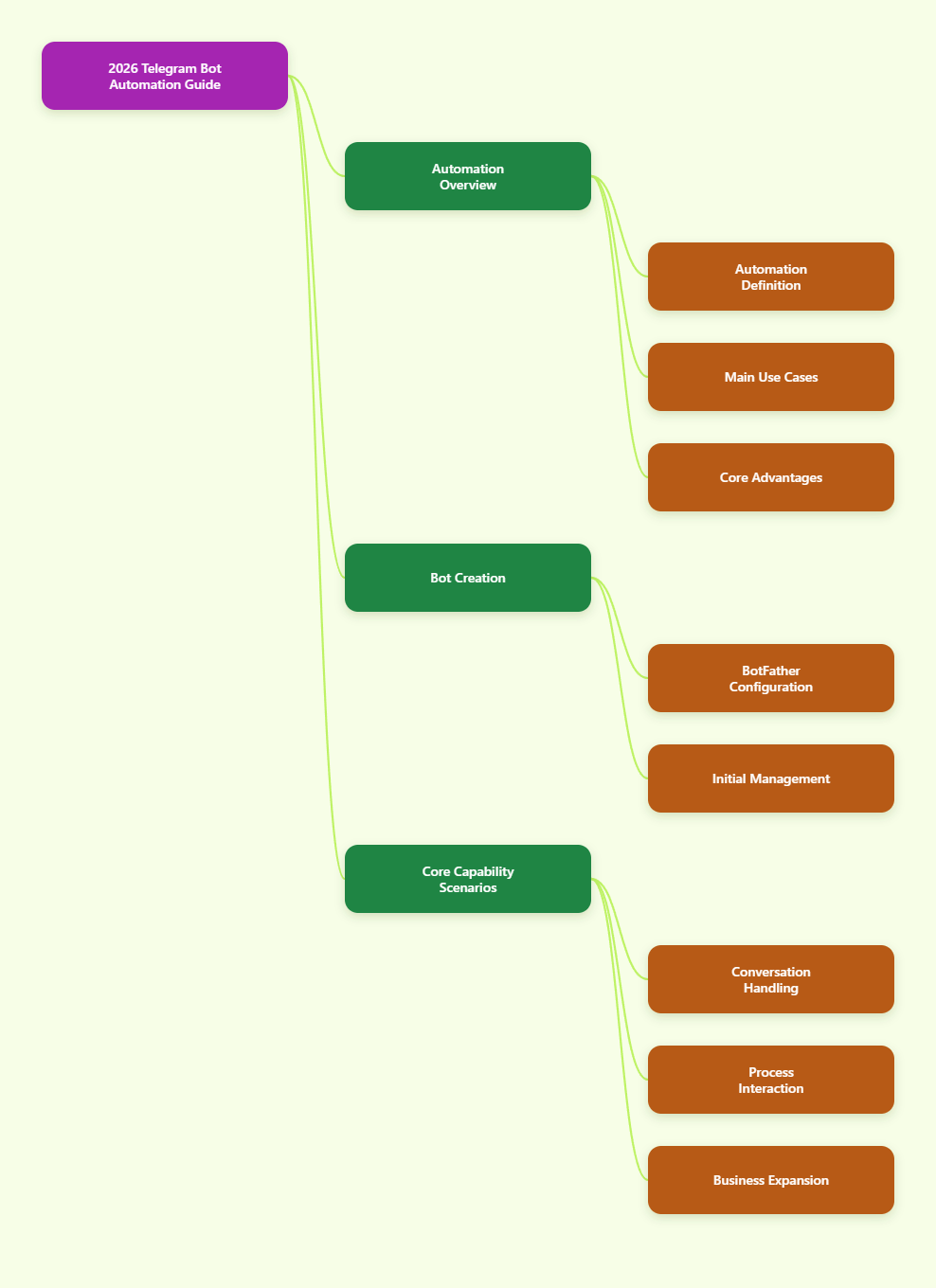
What Telegram bot automation means
Telegram bots are special accounts that do not require a phone number. According to Telegram’s developer documentation, bots are connected to the developer’s server, which processes incoming user actions and communicates with Telegram through an HTTP-based Bot API.
In practice, Telegram bot automation usually means using a bot to handle one or more of these tasks:
- Replying to user messages automatically
- Running command-based interactions such as
/startor/help - Sending alerts, reminders, or updates
- Collecting structured input through buttons and menus
- Supporting groups, channels, or private chats
- Launching Telegram Mini Apps for richer workflows
- Connecting business accounts to bots for message handling
The biggest advantage is that the interface is already familiar to users. They do not need to install a separate app just to interact with your service.
Why Telegram is attractive for automation
Telegram’s platform stands out because the Bot API is openly documented, widely used, and free to access. Telegram also separates its APIs clearly:
- Bot API: the easiest path for building bots through HTTPS requests
- Telegram API / TDLib: used for building custom clients and deeper integrations
- Mini Apps: web applications connected to bots inside Telegram
For most automation use cases, the Bot API is the correct starting point.
Telegram has also continued expanding bot-related features. Official references show recent Bot API updates in 2026, including versions 9.5, 9.6, and 10.0. Telegram’s May 2026 platform update also introduced AI-related bot features such as guest AI bots, bot-to-bot chats, streamed output, and chat automation options. Because Telegram continues to evolve quickly, it is important to design bots that are flexible rather than hardcoded around one narrow interaction pattern.
How Telegram bot automation works
The automation flow is simple at a high level:
- Create a bot through @BotFather
- Get the bot token
- Run your own application server
- Receive updates from Telegram
- Process the update in your code
- Call the Bot API to send a reply or trigger another action
Telegram’s official tutorial explains that obtaining a token is done by messaging BotFather and using the /newbot command. That token authenticates your bot when calling the API.
Once the bot is created, your server becomes the automation engine. Telegram does not host your business logic for you. It only passes updates and delivers your bot’s responses.
Step 1: Create your bot with BotFather
Every Telegram automation project starts with BotFather.
Typical setup steps:
- Open Telegram and search for @BotFather
- Send
/newbot - Choose a display name
- Choose a unique username that ends with
bot - Copy the API token securely
You can later use BotFather to configure other bot details, such as commands and profile information.
Keep the token private. Anyone who has it can control your bot through the API.
Step 2: Choose how your bot receives updates
Telegram supports two official ways for bots to receive updates:
- Long polling via
getUpdates - Webhooks via
setWebhook
This is one of the most important architectural decisions in Telegram bot automation.
Long polling
With long polling, your application repeatedly asks Telegram whether new updates are available.
Best for:
- Local development
- Small prototypes
- Simple bots with low traffic
Benefits:
- Easy to start
- No public HTTPS endpoint required
- Good for testing logic quickly
Limitations:
- Less efficient in production
- Your app keeps making requests even when idle
- Harder to scale cleanly at high volume
Telegram’s FAQ notes that getUpdates returns unconfirmed updates and uses an offset parameter to mark them as processed.
Webhooks
With webhooks, Telegram pushes updates to your server in real time via HTTPS POST requests.
Best for:
- Production deployments
- Faster response times
- Cleaner infrastructure for active bots
Benefits:
- Lower overhead than constant polling
- Real-time delivery
- Better fit for scalable services
Requirements:
- A public HTTPS URL
- A server that can accept POST requests
- Valid TLS setup
Telegram’s webhook guide specifies supported ports such as 443, 80, 88, and 8443. The official docs also make clear that you cannot use long polling while a webhook is set.
For most serious automation projects in 2026, the practical pattern is:
- Use long polling during development
- Switch to webhooks in staging or production
Core automation patterns that work well on Telegram
The best Telegram bots are not just “auto-reply bots.” They are designed around clear interaction flows. Here are the patterns most commonly used.
1. Command-driven automation
Commands are still one of Telegram’s most reliable bot interfaces. Telegram supports bot commands that users can invoke in private chats or in group contexts.
Common examples:
/startfor onboarding/helpfor support options/statusfor order or ticket tracking/subscribefor alerts
This works well when users need speed and predictable behavior.
2. Button and menu flows
For users who do not want to type commands, button-based flows reduce friction.
Good use cases:
- FAQ menus
- Support category selection
- Appointment booking steps
- Confirmation prompts
This makes bots easier to use on mobile and helps standardize input.
3. Notification automation
Telegram bots are widely used for outbound notifications:
- Order updates
- System alerts
- Community announcements
- Internal workflow notifications
- Payment or shipment confirmations
This is often the easiest high-value use case because the interaction model is simple and measurable.
4. Group and channel automation
Telegram bots can operate beyond one-to-one chat. Depending on permissions and design, they can support moderation, routing, and utility functions in groups or channels.
Examples:
- Welcome flows for new members
- Basic moderation actions
- Content forwarding or reposting
- Poll and engagement helpers
If your product lives in communities, this matters more than many teams initially expect.
Telegram Business and connected business bots
One of the most important developments for business automation is Telegram Business. Telegram announced in 2024 that users can turn their account into a business account and access features such as opening hours, location, quick replies, automated messages, custom start pages, and chatbot support.
Telegram’s documentation on connected business bots explains that business users can connect bots that process and answer messages on their behalf. This is especially useful for:
- Support teams that need automated first replies
- Businesses that want inbox routing
- Teams adding AI assistants into chats
- Hybrid human-plus-bot workflows
This model is stronger than a simple standalone bot because it can fit real business messaging operations, not just isolated bot chats.
It is also worth noting that Telegram’s 2026 Bot API changelog introduced support related to guest mode and expanded message handling in chats where bots are not standard participants. Because these features are evolving, teams should confirm exact permissions and scope in the latest official Bot API documentation before rollout.
Telegram Mini Apps and automation
Some automation tasks become clumsy in plain chat. That is where Telegram Mini Apps are useful.
Telegram’s Mini Apps documentation describes them as web applications connected to Telegram bots. They let you open an interactive interface inside Telegram instead of forcing users to leave the app.
Mini Apps are a strong fit for:
- Product catalogs
- Bookings and reservations
- Dashboards
- Onboarding forms
- Checkout and service flows
Recent Telegram Mini Apps references also mention platform capabilities such as persistent local storage and secure local storage for sensitive data on the user’s device. That makes Mini Apps more practical for multi-step experiences than before.
A useful rule is:
- Use chat automation for simple conversational steps
- Use a Mini App when users need forms, navigation, or more visual interaction
In many production systems, the bot is the entry point and the Mini App handles the heavy workflow.
When Telegram bot automation is the right choice
Telegram is a strong fit when your users already spend time in Telegram and when your workflow benefits from fast messaging-based interaction.
It is especially effective for:
- Customer support entry points
- Internal team alerts
- Community management tools
- Lead qualification
- Simple bookings or order tracking
- Mini App-based services inside chat
It is less ideal if your experience depends on very complex native mobile interactions that are better handled in a full standalone app.
Final thoughts
Telegram bot automation in 2026 is no longer limited to basic command bots. The platform now supports a much broader range of workflows through the Bot API, business account connections, webhooks, streaming-style interactions, and Mini Apps.