
Finding good Telegram channels is easy when you already have a direct link. The hard part is discovery: locating active, relevant, and trustworthy channels without wasting time on low-quality results.
This guide explains how Telegram channel discovery actually works, what Telegram’s built-in search can and cannot do, and the safest practical ways to find channels that match your interests.
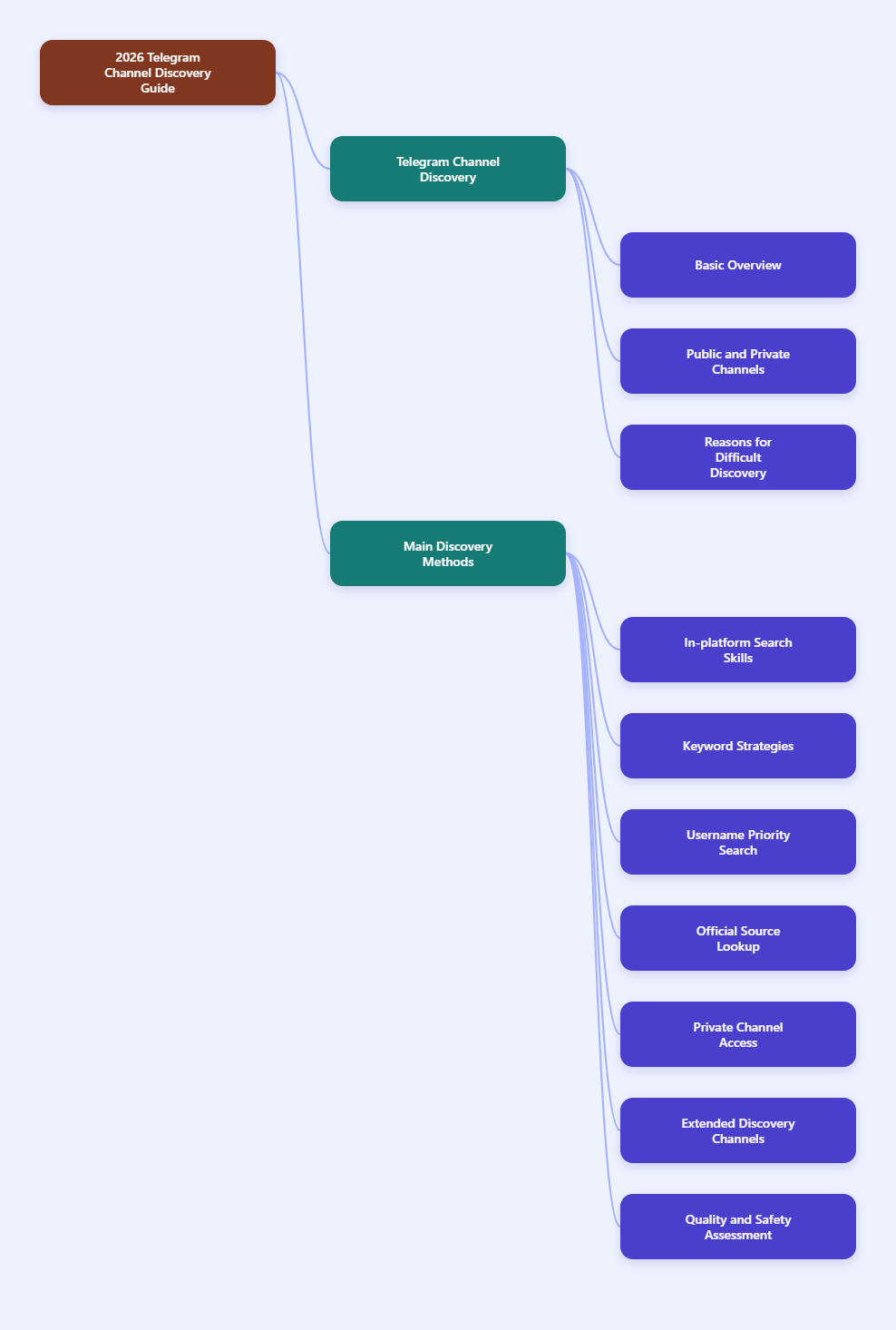
What Telegram channels are
Telegram channels are built for broadcasting messages to large audiences. Unlike groups, where many members can typically participate in the conversation, channels are mainly one-to-many: admins publish, subscribers read.
- Channels are best for announcements, news, updates, curated content, and media broadcasting.
- Groups are better for discussion and member interaction.
- Bots are automated accounts that provide functions such as search, alerts, or support.
Telegram’s official materials also distinguish between public and private channels:
- Public channels can have a public username and can be found via search.
- Private channels are not searchable and usually require an invite link.
That distinction is the starting point for discovery. If a channel is private, there is no general search method that will reveal it inside Telegram unless you receive access from the owner or from someone who already has the invite link.
Why Telegram channel discovery can feel difficult
Telegram has a search bar, but it is not a full web search engine. Several references in the background material point to the same basic limitation: Telegram search is mainly driven by public identifiers such as channel names, usernames, and descriptions, rather than a deep index of everything posted everywhere.
In practice, this means:
- If you know the exact channel name or
@username, discovery is much easier. - If you only know a broad topic, results may be incomplete.
- Many quality channels remain hard to find unless they are listed somewhere outside Telegram or shared by other users.
- Private channels will not appear in ordinary public search.
That is why effective Telegram channel discovery usually combines several methods instead of relying on one search box.
How Telegram’s built-in search works
The first place to look is still Telegram itself. Open the app on mobile, desktop, or web, and use the search bar at the top of the interface.
For public discovery, Telegram can surface:
- Public channels
- Public groups
- Bots
- Users with public usernames
When you search, Telegram generally matches against public details such as:
- Channel title
- Public username
- Sometimes visible descriptive text associated with the public entity
Best practice: start with exact and specific queries, not broad ones.
For example, instead of searching:
newscryptomovies
Try more precise searches such as:
python tutorialstartup funding newsAI research updateslanguage learning spanish
If you already know the public username, type it directly. A known @username is usually the fastest route because usernames are unique across Telegram’s public namespace.
Use exact names and usernames first
This is the simplest high-success method.
According to Telegram materials and multiple guides in the reference set, public channels use unique usernames and public links such as:
t.me/channelnamehttps://username.t.mein some cases
A public username is highly valuable for discovery because:
- It is unique across users, bots, groups, and channels.
- It avoids ambiguity between similar channel names.
- It works directly in Telegram search and as a shareable link.
Telegram’s interface and translation strings also indicate common username rules for public links: only letters, numbers, and underscores are used, with a minimum length of 5 characters.
If you are trying to find a specific publisher, creator, or brand, check whether they publish their Telegram link on:
- Their official website
- X or other social profiles
- YouTube descriptions
- Newsletter footers
- Link hub pages
This is often more reliable than a broad in-app search because it leads you to the official channel directly.
Understand the difference between public and private channels
Many users waste time trying to search for channels that cannot be discovered through public search at all.
Here is the practical difference:
- Public channel: has a searchable presence and a public username link.
- Private channel: does not appear in public search and is joined via invite link.
Private invite links often use formats like:
t.me/+hash
Admins can generate, revoke, or limit invite links depending on channel settings. If a channel is private, you generally need one of the following:
- A direct invite from the admin
- An invite link shared by a trusted source
- Access via a community, site, or profile that officially distributes the link
If no official or trusted invite exists, write conservatively: the channel is not discoverable by standard Telegram search.
Use Telegram directories for broader discovery
Because Telegram’s own search is limited, third-party directories have become one of the most practical discovery tools for public channels.
The references include several directory-style platforms, such as TGStat, TelegramRadar, TGDR, TelegramLists, Tgsaw, and similar catalogs. These sites generally organize listings by:
- Category
- Language
- Country
- Popularity
- Recent activity
TGStat is especially notable in the references for the scale of its catalog, listing millions of channels and groups worldwide.
Why directories help:
- You can browse by niche instead of guessing keywords.
- You can compare channels side by side.
- Many directories show subscriber counts, language, and category.
- Some make it easier to discover regional or topic-specific channels that never rank well in Telegram’s own search.
What to check before joining from a directory:
- Whether the listing links to an actual public Telegram page
- Whether the channel appears active
- Whether the topic matches the listing title
- Whether the directory looks maintained and not overloaded with spam
Directories are useful, but they are not official Telegram products. Treat them as discovery tools, not as proof of quality or safety.
Use web search to find Telegram channels
A regular web search engine is often one of the best ways to discover public Telegram channels, especially for specific topics.
This works because many public channels are indexed indirectly through:
- Public
t.mepages - Directory sites
- Blog posts and recommendation lists
- Community forums
- Official brand or creator websites
Useful search patterns include:
site:t.me your topicsite:t.me intitle:"your topic""telegram channel" "your niche""t.me" "your keyword"
Examples:
site:t.me AI research"telegram channel" cybersecurity newssite:t.me language learning spanish
This method is especially helpful when:
- The in-app search returns too many weak matches
- You want list-style recommendations
- You are trying to find official channels for publishers, organizations, or creators
For official sources, verify through the organization’s main website whenever possible.
Hashtags can help, but only in limited ways
Telegram supports hashtags, but they are not a complete discovery system for all content across the platform.
The references show an important nuance:
- Some hashtag behavior can surface public channel posts.
- Internal hashtags can also be used for navigation within a specific channel or group.
- Formats such as
#hashtag@usernamemay narrow search to a specific chat or source.
In plain terms, hashtags are most useful for:
- Navigating content inside a channel you already know
- Finding posts around a specific term in public contexts where Telegram supports it
- Exploring topic clusters when channels consistently tag their posts
Hashtags are less useful for discovering the full universe of channels in a niche. Think of them as a supplemental tool rather than your primary discovery method.
Search bots can expand your options
The reference set includes multiple guides to Telegram search bots. These bots are designed to help users find public channels, groups, bots, or sometimes old messages more efficiently.
Potential benefits of search bots:
- Faster topic-based suggestions
- Alternative indexing beyond Telegram’s default search
- Simple keyword prompts inside Telegram itself
But there are limits and risks:
- Bots are third-party tools, not always official.
- Coverage varies widely.
- Some bots may return outdated, spammy, or low-quality results.
- You should avoid bots that ask for unnecessary permissions or suspicious logins.
If you use a search bot, do not treat its results as automatically trustworthy. Use it to gather leads, then verify the channel before subscribing.
How to verify a channel before you join
Discovery is only half the job. The other half is deciding whether a channel is worth following.
Here are practical quality checks:
1. Check whether the source is official
Telegram offers verification for some public figures and organizations, but not every legitimate channel is verified. Even so, you should still look for signs of authenticity:
- Linked from the official website
- Linked from verified social profiles
- Consistent branding and naming
- Clear ownership in the bio or description
2. Look at posting activity
An active channel is easier to judge than a stale one.
- Are posts recent?
- Is the posting frequency consistent?
- Does the channel still appear maintained?
3. Review the content quality
- Are posts specific and useful?
- Are headlines misleading or exaggerated?
- Does the channel mostly recycle content without attribution?
4. Check whether the topic is focused
The best channels usually have a clear purpose:
- News in one sector
- Educational content on one skill
- Product updates from one company
- Deal alerts for one region or category
Broad channels are not always bad, but niche focus generally makes a channel easier to evaluate.
5. Be careful with invite links from random sources
For private channels especially, only use invite links from people or sites you trust. A private invite link itself is not proof that the destination is safe or legitimate.
Practical Telegram channel discovery workflow
If you want a repeatable method, use this order:
- Start with exact search
Search the channel name, brand name, or known@usernamein Telegram. - Try specific keyword combinations
Use niche phrases instead of one-word terms. - Check the official website or social profiles
Many reputable channels are linked there. - Use a trusted directory
Browse by category, language, or country. - Use web search operators
Especiallysite:t.meand exact-phrase searches. - Use hashtags or search bots as secondary tools
Helpful for expansion, not final verification. - Verify before subscribing
Review source quality, relevance, and activity.
This process is usually faster than relying on a single search method.
Final thoughts
Telegram channel discovery in 2026 is less about finding every channel and more about finding the right ones. Start with exact names and public usernames. Use Telegram search for quick checks. Expand with directories and web search when the built-in search falls short. And always remember that private channels require invites, not guesswork..