
Building a Telegram community in 2026 is less about opening a group and more about creating a space people actually want to return to. With Telegram’s mix of channels, groups, bots, and admin tools, you can design a community that feels organized, useful, and active.
The best communities usually do a few things well: they have a clear purpose, they set expectations early, and they make participation easy. Whether you are running a brand community, a creator hub, a support group, or a niche discussion space, the fundamentals are similar.
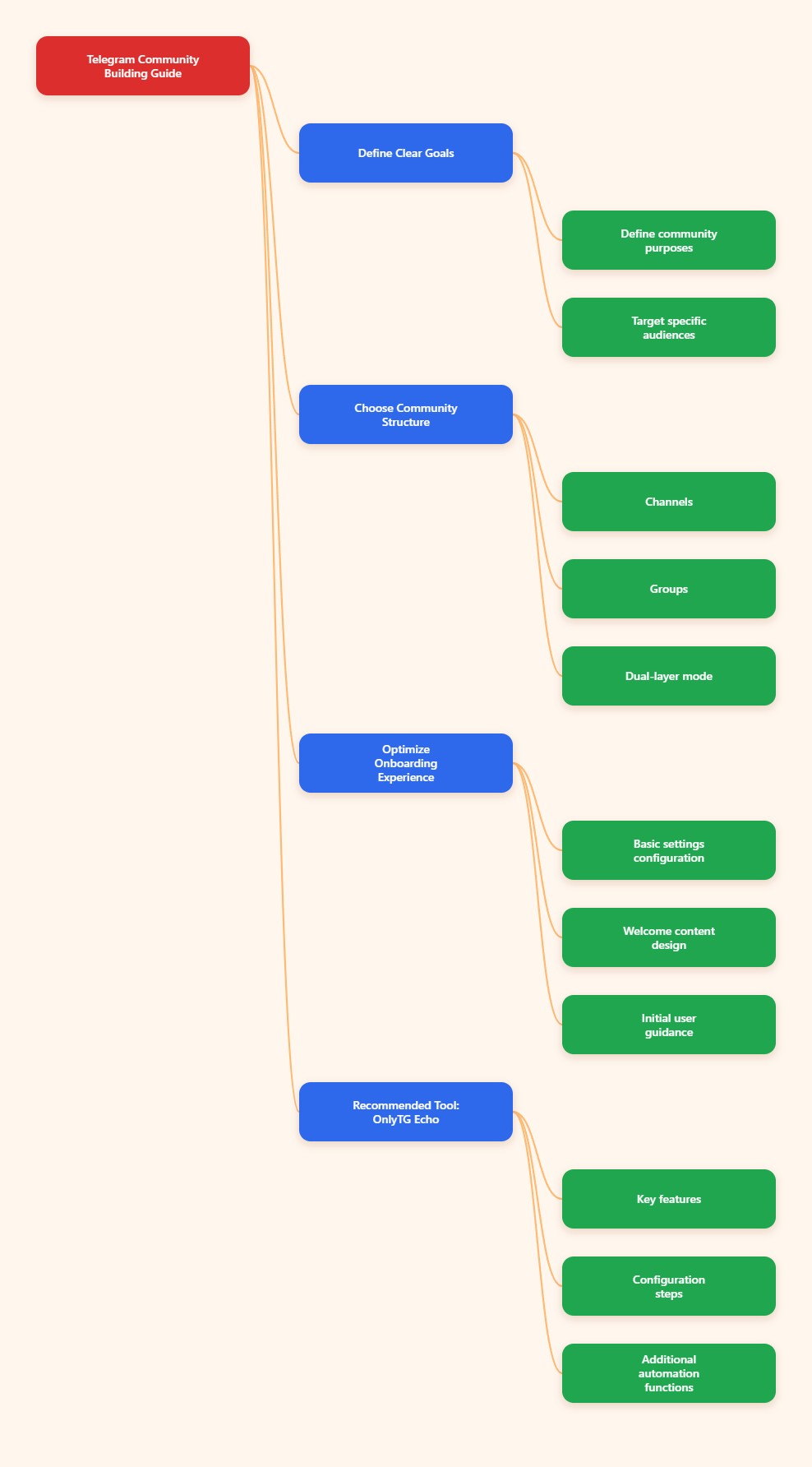
Why Telegram Communities Work So Well
Telegram is especially effective for community building because it supports both broadcast and discussion. Channels are ideal for one-way updates, while groups are built for interaction. That separation helps you keep content clean and conversations focused.
Telegram also supports very large communities. Official Telegram information notes that groups can support up to 200,000 members, while channels can have an unlimited number of subscribers. That scale makes Telegram useful for projects that expect to grow over time.
Another major advantage is control. Admins can manage permissions, add moderators, pin messages, and use bots for automation. For communities that need order, that flexibility is a major benefit.
In practice, the strongest Telegram communities use a layered structure:
- A channel for announcements and high-value updates
- A group for questions, discussion, and feedback
- Rules and pinned posts to keep everyone aligned
- Bots or tools to reduce repetitive manual work
Start With a Clear Purpose
Before you invite anyone, define the community’s purpose in one or two sentences. A vague community becomes hard to manage and even harder to grow. A specific one gives people a reason to join.
Good communities answer simple questions immediately:
- Who is this for?
- What value will members get?
- What kind of discussion belongs here?
- What should members avoid posting?
This does not need to be complicated. For example, a community for independent designers might focus on portfolio feedback, client advice, and resource sharing. A community for a software product might focus on user support, product updates, and feature requests.
The more specific your promise is, the easier it becomes to attract the right people and avoid confusion later.
Choose the Right Structure: Channel, Group, or Both
Many successful Telegram communities use both a channel and a group. This setup separates announcements from conversation.
Use a channel when you want:
- Broadcast-style updates
- Product launches
- News, summaries, or announcements
- A clean feed with only admin posts
Use a group when you want:
- Two-way discussion
- Member questions and answers
- Community interaction
- Peer support and feedback
If you try to force both behaviors into one chat, the experience can become messy. Members may miss announcements, while discussion can bury important updates. A simple structure solves that problem.
If your goal is community building, one effective model is:
- Channel for official content
- Group for replies, conversation, and support
This model is common because it keeps the community readable while still leaving room for interaction.
Make the First Impression Count
The first few minutes after joining matter a lot. New members should immediately know they are in the right place and what to do next.
To improve onboarding, prepare these basics before launch:
- A clear name and profile image
- A short description of the community’s purpose
- A pinned welcome message
- Simple rules in plain language
Your welcome message should do more than say hello. It should explain the purpose of the space, point members to useful resources, and tell them how to participate.
A strong welcome message often includes:
- What this community is about
- What members can post or ask
- Where to find rules or resources
- A prompt to introduce themselves or ask a first question
Small details help new members feel comfortable fast. Clear onboarding reduces confusion and improves early engagement.
Set Rules Early and Keep Them Visible
Good communities are not rule-heavy, but they are clear. Telegram’s admin and permission tools make it possible to shape the tone of the space before problems start.
Rules should be short, specific, and easy to understand. Avoid long policy documents if a simple list will do.
Useful rules often cover:
- No spam or self-promotion unless allowed
- Stay on topic
- Be respectful to other members
- Use the right thread or topic when applicable
Pin the rules so members can find them quickly. If the community uses topics, organize discussions by subject so people know where to post.
Telegram’s permissions also help you keep order. Depending on the group setup, admins can restrict certain types of messages, manage posting rights, and appoint moderators with specific responsibilities.
Consistency Matters More Than Volume
Many communities lose momentum because posting is irregular. One big launch week followed by silence will not build long-term engagement.
Instead, create a simple rhythm members can rely on. For example:
- Weekly updates or news roundups
- Monthly AMAs or Q&A sessions
- Regular prompts or discussion questions
- Resource drops, checklists, or short tips
Consistency does not mean posting constantly. It means members know when to expect value.
That rhythm also helps admins avoid burnout. A realistic content schedule is better than an ambitious one that collapses after two weeks.
Encourage Participation Without Forcing It
Healthy Telegram communities do not rely on announcements alone. They create opportunities for members to talk to each other.
Some simple engagement methods include:
- Polls to gather opinions
- Questions that invite short replies
- Weekly check-in threads
- Case studies or member wins
- Resource-sharing prompts
Good questions are specific. Instead of asking, “Any thoughts?” try something like, “What is the biggest challenge you are facing this week?” Specific prompts are easier to answer.
It also helps to recognize useful contributions. When members feel seen, they are more likely to stay active.
Use Moderation to Protect the Experience
Even a small community can become noisy if moderation is ignored. Spam, irrelevant promotion, and off-topic chatter can make people leave.
That is why moderation should be planned from the beginning, not added later.
Basic moderation habits include:
- Reviewing new members when needed
- Removing spam quickly
- Keeping discussions on topic
- Assigning moderators for larger groups
Telegram bots and admin tools can help reduce manual work, especially in communities with frequent activity. The goal is not to control every message, but to keep the space useful and respectful.
Measure What Members Actually Care About
Community building improves when you pay attention to behavior, not just member count. A large group with low participation is usually weaker than a smaller group with strong activity.
Useful signals include:
- How often members reply
- Which posts get the most interaction
- Whether new members stay after joining
- Which topics create the most value
If a certain type of post consistently gets ignored, adjust your approach. If one topic drives strong discussion, explore it more often.
Simple observation is often enough to improve. You do not need advanced analysis to see what people care about.
Keep the Community Useful Over Time
The best Telegram communities do not only entertain people. They help them solve a problem, stay informed, or feel connected to a relevant group.
To keep the community useful:
- Share content members can act on
- Keep old resources easy to find
- Update pinned messages when needed
- Remove confusion and clutter
Over time, a community becomes more valuable when it saves members time. That can mean curated updates, expert answers, shared tools, or a reliable space to ask questions.
If the community has a clear reason to exist, members will usually keep returning.
Practical Tool Recommendation
OnlyTG Echo (@EchoOnBot) is useful for Telegram channel and group management when you want to centralize operations and reduce repetitive manual work. It is designed to help you manage both channels and groups through a bot-based workflow, while also showing related statistics and member data in the console.
Here is a simple way to get started, based on the available tutorials and documentation:
- Create your bot via @botfather then send the bot token to OnlyTG Echo (@EchoOnBot).
- Send /start command to your bot and choose
Channel Settingif you want to manage a channel, orGroup Settingif you want to manage a group. - Add the bot as an admin in your target channel or group first, because only chats where the bot has the required permissions will appear.
- Return to the bot and use the refresh option so your chat list updates.
- Select the channel or group you want to manage and complete the setup steps shown in the bot.
- After setup, use the console to review available statistics and member data.
Beyond channel and group management, OnlyTG Echo also offers several practical functions that can help with daily operations. Based on the product references, these include keyword-based auto replies, quick reply tools, bot menus, message relay, broadcast-style messaging, tracking links, and data views that help you understand where contacts come from. For communities that need a more organized workflow, these features can make support, moderation, and engagement management easier to handle.
Common Mistakes to Avoid
Many Telegram communities struggle for the same reasons. The good news is that most of them are preventable.
Common mistakes include:
- Launching without a clear purpose
- Mixing announcements and discussions in a confusing way
- Ignoring onboarding
- Posting too rarely or too often
- Allowing spam to spread
- Failing to respond to member questions
A community does not need to be perfect, but it should be understandable and reliable. That alone makes a big difference.
Final Thoughts
Telegram community building in 2026 is about structure, clarity, and consistency. The strongest communities are not necessarily the largest ones. They are the ones that feel useful, organized, and active.
If you start with a clear purpose, choose the right mix of channel and group, welcome members properly, and keep the space moderated, you give your community a much better chance to grow naturally.