
Telegram groups can be simple chat rooms or highly organized communities with clear rules, active discussions, and strong moderation. In 2026, the difference between a busy group and a useful group often comes down to how well it is managed.
This guide explains how Telegram groups work, what to prioritize when managing them, and which practical habits can help you keep your community healthy in 2026.
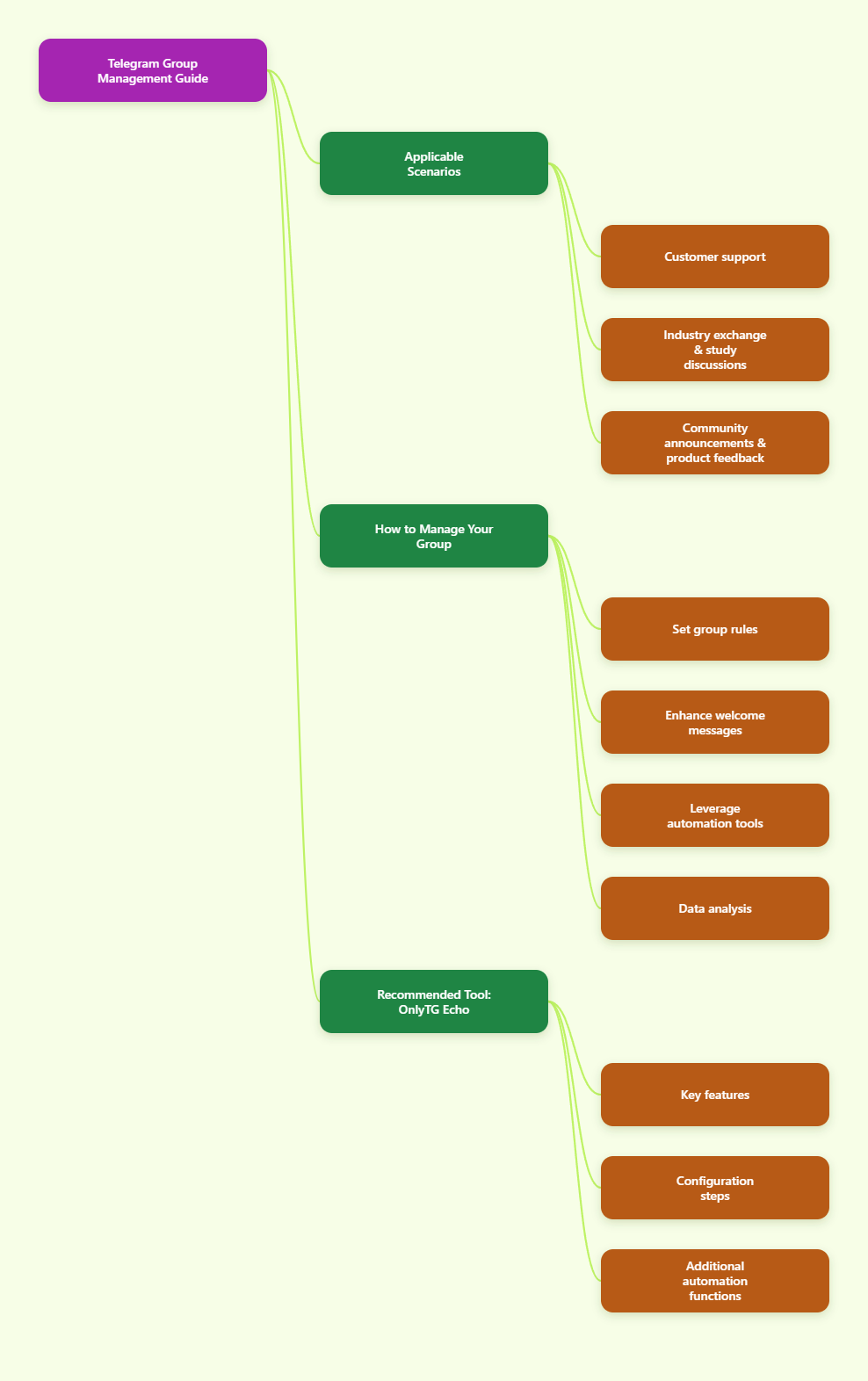
What Telegram Group Management Means
Telegram Group Management is the ongoing process of organizing, moderating, and improving a group so that it remains valuable to its members. It usually includes:
- Setting the group structure and permissions
- Writing and enforcing rules
- Welcoming new members
- Filtering spam and irrelevant content
- Managing admin responsibilities
- Tracking activity and engagement
Telegram supports both basic groups and supergroups. For larger or more active communities, supergroups are usually the better choice because they support up to 200,000 members and include more advanced management features. Telegram also allows granular permissions, which means admins can control who can send messages, add members, pin messages, or change group information.
For most communities, management is not about being strict all the time. It is about creating a space where useful conversation can happen without constant disruption.
Start With a Clear Purpose
A strong group begins with a clear purpose. Members should understand what the group is for within seconds of joining.
Examples of clear purposes include:
- Customer support and updates
- Industry networking
- Study or classroom discussion
- Community announcements and discussion
- Product feedback and beta testing
If the purpose is vague, the group usually becomes harder to moderate. People will post unrelated messages, ask repetitive questions, or assume the space is open for any kind of content. A focused group is easier to manage and more likely to stay active for the right reasons.
It also helps to define what success looks like. A support group may aim to reduce repeated questions. A community group may aim to increase thoughtful discussion. A business group may want to keep members informed while building trust.
Use a Strong Group Structure
Telegram gives admins several tools that help shape group behavior. The most important are permissions and admin roles.
Default permissions can limit what all members are allowed to do. For example, you can restrict new members from posting links, sending media, or adding others. This is especially useful when a group attracts spam or when you want a more controlled environment.
Admin permissions matter too. Telegram allows admins to have different rights, so you do not need to give everyone the same level of control. In practice, this helps prevent mistakes and reduces the risk of abuse. For a larger group, it is safer to assign specific responsibilities rather than making every moderator capable of changing everything.
Common admin tasks include:
- Removing spam or harmful content
- Approving join requests
- Managing pinned messages
- Adjusting permissions
- Handling member reports
Telegram also supports message history in supergroups, which helps new members catch up and understand the discussion before they post.
Write Rules That People Can Actually Follow
Good rules are short, specific, and easy to enforce. Vague rules such as “be nice” are hard to apply consistently. More useful rules explain exactly what is allowed and what is not.
For example:
- No spam or repeated promotions
- No personal attacks or harassment
- Stay on topic
- No unsolicited links
- Use English for group discussion, if required
It helps to pin the rules and also send them in the welcome message. In active groups, many people do not read pinned posts unless they are reminded directly.
Some admins also include a short “what to do if you need help” section. That can reduce repeated questions and make the group feel more organized.
Make the First Impression Count
New members are more likely to stay if the group feels organized from the beginning. A silent or confusing welcome experience often leads to low engagement.
A simple onboarding flow can include:
- A welcome message
- A short explanation of the group purpose
- A link to the rules
- One clear next step, such as introducing themselves or reading a resource
If your group grows quickly, onboarding becomes even more important. New members should not have to guess what the group is about or how to participate.
When join requests are enabled, you can also review new members before they enter the group. That can help reduce spam and keep the community more relevant.
Use Moderation to Protect the Conversation
Moderation is one of the core responsibilities in Telegram Group Management. The goal is not just to delete bad messages. It is to protect the quality of the conversation.
Common moderation actions include:
- Deleting spam or off-topic posts
- Restricting repeat offenders
- Removing suspicious accounts
- Blocking harmful links
- Handling floods of messages during busy periods
Telegram also includes features such as slow mode, which limits how often members can send messages. This can be useful in large or fast-moving groups where messages are being lost in the noise. Slow mode can make discussions easier to follow and reduce accidental flooding.
For communities that frequently deal with spam, a combination of default restrictions, join approval, and moderation bots is often more effective than manual cleanup alone.
Keep Engagement Healthy Without Creating Chaos
A well-managed group is not only clean; it is active in the right way. Engagement matters because empty groups feel dead, but uncontrolled activity can make discussions hard to follow.
Useful ways to encourage healthy participation include:
- Posting regular prompts or discussion topics
- Using polls for quick feedback
- Sharing summaries or weekly highlights
- Highlighting useful member contributions
- Creating topic-specific threads when appropriate
Telegram supports polls and multiple pinned messages, which can help you organize information and collect input from members. These tools are especially useful when you want feedback without turning every conversation into a long debate.
It is also important to match your posting rhythm to the size of the group. Small groups can usually handle more free-flowing conversation, while large groups often benefit from tighter structure.
Track What Is Happening in the Group
Numbers are useful when they help you make better decisions. In Telegram Group Management, tracking member growth, message activity, and peak participation times can help you understand what is working.
Some admins use analytics tools to monitor:
- Member growth trends
- Active member counts
- Message volume
- Peak activity hours
- Top contributors
These insights can help you decide when to post, when to slow things down, and what kind of content members actually respond to. If a group is active but not useful, analytics can help you identify whether the issue is timing, content, or moderation.
That said, not every group needs a complex reporting setup. For smaller communities, simple observation and regular admin check-ins may be enough.
Use Bots Carefully
Bots can make group management much easier, especially in large communities. They can help with welcome messages, spam filtering, rule enforcement, scheduled posts, and engagement prompts.
Telegram’s bot platform supports group-related workflows, and many bots are designed specifically for moderation and analytics. The right bot can reduce repetitive admin work and help your team stay consistent.
Still, bots should be chosen carefully. A bot that is too aggressive can remove valid messages or frustrate members. A bot that is too limited may not save enough time to justify using it. Before adding any tool, check whether it is reliable, transparent, and suitable for the size of your community.
Practical Habits for Better Group Management
Some of the most effective improvements are simple habits that admins repeat consistently.
These include:
- Reviewing rules regularly
- Monitoring spam patterns
- Adjusting permissions as the group grows
- Keeping pinned messages up to date
- Making sure at least one admin is active
It is also useful to have an escalation plan. For example, decide in advance what happens when a member repeatedly breaks rules, posts scams, or triggers a flood of off-topic messages. When moderators follow a shared process, decisions feel fairer and the group becomes easier to trust.
Recommended Practical Tools
If you want to make Telegram Group Management easier, you can try the group management features of OnlyTG Echo (@EchoOnBot). It is suitable for handling everyday tasks such as welcoming new members, sending basic rule reminders, maintaining group order, and automating common management actions. For admins who want to keep the community active without spending too much time on manual checking, this kind of tool can significantly reduce the workload.
If you want to get started, you can follow these steps:
- Create bot via @botfather and send the bot token to OnlyTG Echo (@EchoOnBot).
- Add your Telegram group to your Bot management list.
- Set the Group management feature such as greeting messages and group rules.
Beyond group management, tools like OnlyTG Echo (@EchoOnBot) can also help in other situations, such as organizing group interactions, reducing repetitive work, supporting rule enforcement, and helping admins spot unusual messages more quickly. For Telegram communities that are growing, the right tool is often not a replacement for human moderation, but a way to let humans focus on the decisions that matter most.
When to Upgrade to a Supergroup
If your group is growing quickly, it may be time to use a supergroup. Telegram supergroups are better suited for larger communities because they support more members and include stronger admin controls.
You should consider upgrading if:
- The group is becoming difficult to moderate
- Messages are moving too quickly to follow
- You need better admin permissions
- You want message history and stronger controls
- Spam is becoming harder to manage
For many communities, upgrading early is better than waiting until the group becomes unmanageable. It is easier to establish good habits before problems start.
Common Mistakes to Avoid
Even well-run groups can run into problems when admins make a few predictable mistakes.
Common mistakes include:
- Letting the group grow without rules
- Giving too many people admin access
- Ignoring spam until it spreads
- Posting too much promotional content
- Failing to update pinned information
Another common issue is inconsistency. If one moderator removes content while another ignores the same behavior, members get confused and may stop respecting the rules. A shared moderation approach keeps the group more stable.
Final Thoughts
Telegram Group Management in 2026 is about balance. You want a group that is welcoming but not chaotic, active but not noisy, and structured but still human. Telegram provides the tools needed to achieve that balance, including permissions, admin roles, slow mode, join requests, pinned messages, and bot support.