The first step in buying cryptocurrencies is usually to purchase USDT, then exchange USDT for other coins like BTC, ETH, etc.
There are generally two common ways to buy USDT: buying with fiat currency on an exchange or buying through C2C/OTC.
Exchange Fiat Purchase Process:
Best suited for beginners, with the fewest steps—typically register and then buy USDT directly with a bank card, credit card, or local transfer. The advantages are speed and simplicity; the disadvantages are that prices and fees are usually more transparent than C2C but not necessarily the lowest.
-
Choose a compliant, reputable trading platform. Here are some recommended platform: Binance/OKX/Bybit
-
Register an account and complete identity verification.
-
Bind a bank card, credit card, or use other payment methods supported by the platform.
-
Select USDT, enter the amount, and confirm the purchase.
-
The purchased USDT will enter your account.
C2C/OTC Purchase Process:
C2C involves buying USDT from merchants on the platform, where the platform typically holds the merchant’s coins first and releases them after you pay. The advantages are more payment options and common use for local fiat deposits; the disadvantages require careful merchant selection to avoid low-price traps and payment errors.
-
Register and complete real-name verification.
-
Go to the platform’s C2C/OTC page and filter for USDT.
-
Select a merchant, enter the amount or USDT quantity you want to buy.
-
Complete payment according to the seller’s receiving information and wait for the seller to confirm receipt.
-
After the seller releases the coins, USDT will enter your platform account.
Example: Buying USDT on Binance:
-
Open the Binance app, register a Binance account, and complete identity verification.
-
Bind a bank card or payment methods like Apple Pay/Google Pay.
-
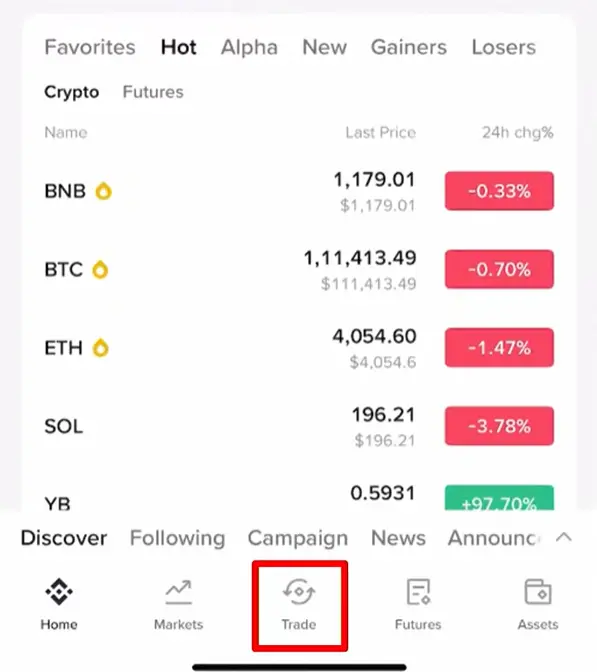
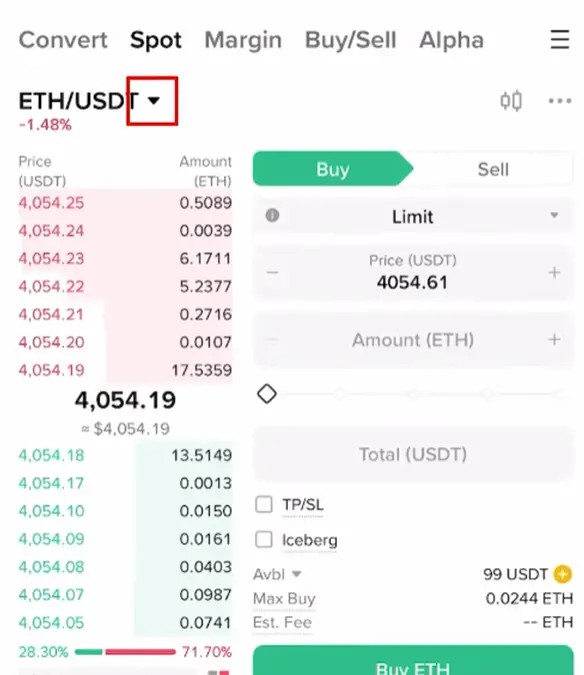
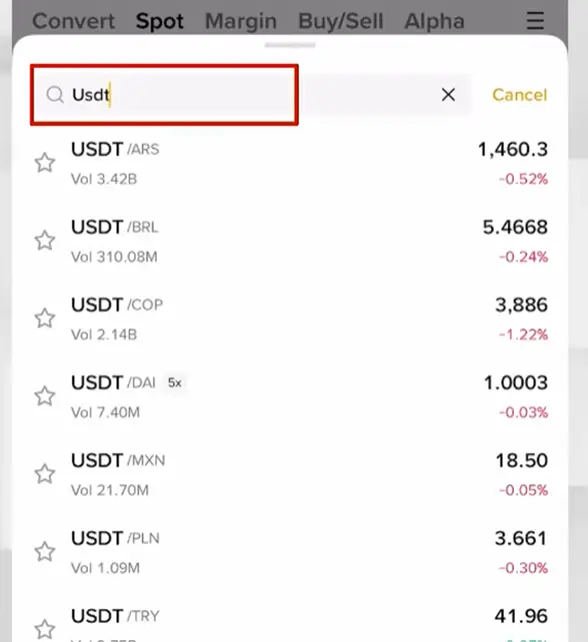
Tap “Trade” at the bottom, then tap the dropdown arrow in the upper left, search for USDT, and select a currency to buy USDT with.
-
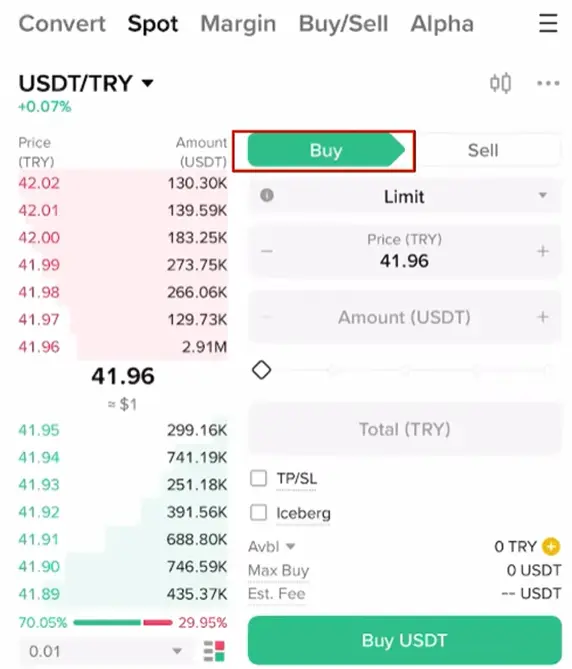
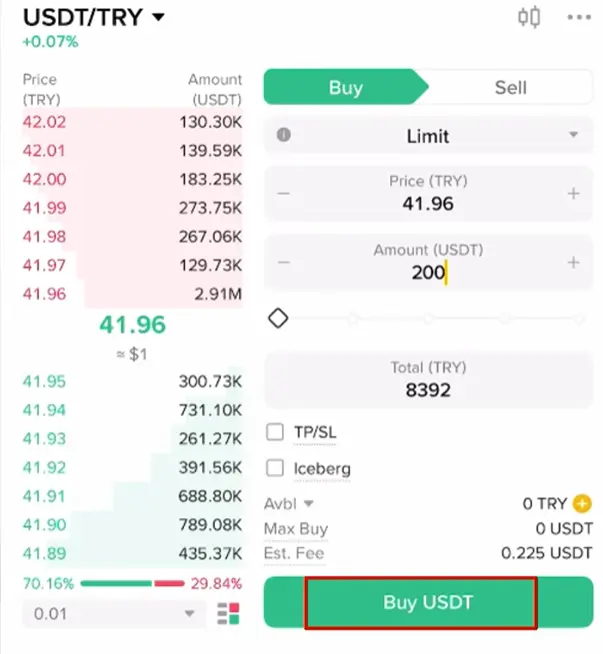
Tap “Buy” in the upper right, enter the USDT amount to purchase, then tap “Buy USDT” in the lower right to complete the purchase.