
Telegram ChatBot has become much more than a simple automated reply tool. In 2026, it is used for customer support, community management, task automation, notifications, content delivery, and lightweight business workflows.
Telegram’s bot ecosystem continues to evolve. The platform’s official Bot API and bot features support commands, buttons, inline mode, deep linking, mini apps, payments, privacy controls, and threaded conversations. For developers and non-developers alike, this makes Telegram a practical channel for automation.
If you are planning to build or improve a Telegram ChatBot, the best approach is to keep it useful, secure, and easy to understand. A good bot should solve one clear problem, respond quickly, and guide users with minimal friction.
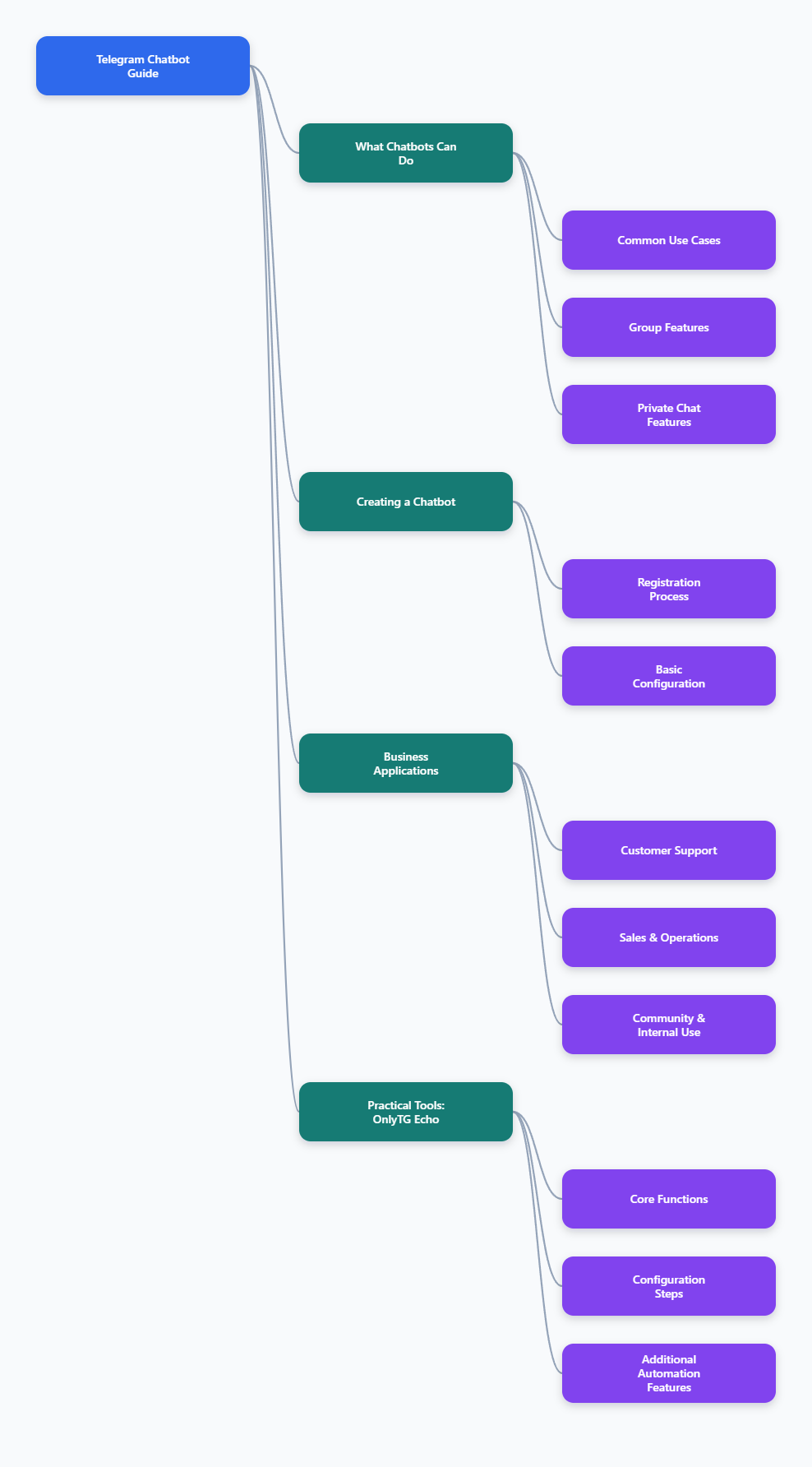
What a Telegram ChatBot Can Do in 2026
A Telegram ChatBot can handle many different tasks, depending on how it is configured. Telegram’s official documentation shows that bots can work with text, commands, buttons, user selection, inline queries, attachment menus, mini apps, payments, and more.
Common use cases include:
- Answering frequently asked questions
- Sending alerts and reminders
- Helping users navigate content or services
- Collecting leads or support requests
- Automating group moderation
- Delivering updates to subscribers or members
In group settings, Telegram bots can help manage discussions, enforce rules, or reduce repetitive manual work. In private chats, they can act like assistants that guide users step by step.
One reason Telegram ChatBot adoption is strong is that Telegram bots run inside the app people already use. Users do not need to install a separate product or learn a complex interface just to interact with a bot.
How to Create a Telegram ChatBot
Creating a bot starts with Telegram’s official bot management tool, @BotFather. This is the standard way to register a bot and receive its authentication token.
The basic process is straightforward:
- Open Telegram and search for @BotFather.
- Start a chat and send the /newbot command.
- Choose a display name for the bot.
- Choose a unique username that ends in bot.
- Save the token that BotFather generates.
After that, your bot needs to be connected to a backend service or bot platform. Telegram’s own documentation states that bots are applications that run through the Bot API and connect to code on your server.
If you are a developer, you can connect the token to your backend using the Bot API. If you want a no-code or low-code setup, you can use a chatbot platform that supports Telegram integration and lets you configure flows through a dashboard.
Core Features That Matter Most
Not every bot needs every feature. In fact, the best bots usually focus on a few features that match the user’s goal.
Here are the most useful Telegram bot features in real-world use:
- Commands: Great for clear actions such as /start, /help, or /status.
- Buttons: Useful for guided choices and reducing typing.
- Inline mode: Lets users call a bot from any chat by typing its username and a query.
- Deep linking: Useful when you want to send users to a specific bot flow from a link.
- Threaded conversations: Helpful for managing parallel topics in more advanced bots.
- Mini apps: Useful for richer web-based experiences inside Telegram.
For many teams, buttons and commands deliver the highest value with the least complexity. They make the bot easier to use and reduce user mistakes.
Inline bots are especially helpful when users need to search or share bot content across chats without leaving the conversation.
Why Telegram ChatBots Are Popular for Business
Businesses like Telegram ChatBot workflows because they can reduce response time and automate repetitive tasks. That matters in support, sales, operations, and community engagement.
Typical business uses include:
- Customer support: Answer common questions instantly, day or night.
- Lead capture: Collect basic details and route them to a team.
- Order updates: Send shipping or status notifications.
- Appointment booking: Guide users through scheduling steps.
- Internal alerts: Deliver system notices or team reminders.
- Community moderation: Handle rules, onboarding, and routine group actions.
For support teams, a bot can reduce the load of repeated questions like pricing, setup steps, documentation links, or basic troubleshooting. For creators and communities, it can automate onboarding and keep members informed.
In 2026, Telegram is also increasingly used as part of a broader automation stack, where bots connect to other tools, databases, and internal systems.
Recommended Practical Tool
OnlyTG Echo is a useful option when you want to solve Telegram ChatBot topic management and conversation organization problems more efficiently.
To get started with OnlyTG Echo, a practical setup usually looks like this:
- Create your bot in Telegram first. Open Telegram, search for @BotFather, and send /newbot to create a new bot. Follow the prompts to choose a name and a unique username, then copy the token BotFather gives you.
- Open OnlyTG Echo and bind the bot token. After you log in, add the BotFather token into the OnlyTG Echo setup so the platform can connect to your bot.
- Choose the function you want to build. Depending on your use case, you can focus on topic handling, message forwarding, group management, menu configuration, or other bot workflows.
- Set the bot to the right mode. If your workflow is built around topics or threaded conversations, configure the related topic settings before using the bot in a live group.
- Add the bot to the target Telegram group or workspace. For group-related workflows, make sure the bot is included in the group and has the permissions needed for the actions you want it to perform.
- Refresh and confirm the connection. After adding the bot where it needs to operate, refresh the OnlyTG Echo side so the platform can detect the group or conversation and show the available settings.
- Configure message routes and response rules. Set how the bot should relay messages, respond to users, or organize conversations so the workflow matches your process.
In practice, OnlyTG Echo can be especially helpful for workflows like bot-based message relay, group management, and topic-based organization. A careful setup makes the bot easier to maintain and easier for users to understand. If you are building a Telegram ChatBot strategy in 2026, starting with a clear configuration process can save a lot of time later.
Security and Privacy Best Practices
Security matters because bots often handle user messages, links, and sometimes sensitive business processes. A reliable Telegram ChatBot should be built with care.
Important best practices include:
- Protect the bot token: Never hardcode it in public code or share it casually.
- Use HTTPS: Secure webhook communication with encryption in transit.
- Limit permissions: Only give the bot access it truly needs.
- Validate inputs: Sanitize and check all user-supplied data.
- Rotate secrets: Refresh credentials if there is any risk of exposure.
- Keep data minimal: Store only what is necessary for the bot to work.
Telegram’s privacy controls are also important in groups. By default, bots operate with privacy mode enabled in many group settings, which limits what they receive. If a bot needs broader access, that setting should be reviewed carefully and only changed when necessary.
For business use, it is smart to publish a clear privacy notice and explain what the bot does with user data. That builds trust and reduces confusion.
How to Make a Telegram ChatBot Easier to Use
Good bots are simple. The user should understand what the bot does within the first few seconds.
Helpful design practices include:
- Use one clear purpose per bot whenever possible
- Keep messages short and readable on mobile screens
- Offer buttons for common actions
- Use step-by-step flows instead of long forms
- Provide a clear /help command
- Explain what happens after each action
If your bot has too many choices, users may abandon it. Progressive disclosure works well: show only the next necessary step, not the entire workflow at once.
A well-designed Telegram ChatBot should feel fast, predictable, and forgiving. If a user makes a mistake, the bot should help them recover without frustration.
Monitoring Performance and Improving Results
Once a bot is live, the real work begins. A Telegram ChatBot should be reviewed regularly to see whether it is actually helping users.
Useful things to track include:
- Number of conversations started
- Frequently asked questions
- Completion rate for common tasks
- Drop-off points in the flow
- How often a human needs to take over
- Which buttons or commands are used most
If users keep asking the same question, add a button, shortcut, or clearer explanation. If many people leave mid-flow, shorten the process. If the bot is too rigid, make the responses more flexible.
In groups and channels, engagement data can also show which bot actions are most useful. Over time, that helps you improve both the bot and the underlying workflow.
Common Mistakes to Avoid
Many bot projects fail for simple reasons. Avoiding these mistakes can save time and improve adoption.
- Building a bot without a clear use case
- Giving it too many features at launch
- Making users type too much
- Ignoring privacy and token security
- Not testing on mobile devices
- Failing to update content or workflows
The strongest Telegram ChatBot implementations are usually focused, secure, and well maintained. A small bot that solves one real problem is often more effective than a large bot that tries to do everything.
Final Thoughts
Telegram ChatBot is one of the most practical automation tools available in 2026. It works well for support, reminders, content delivery, community management, and lightweight business operations.
The best results come from keeping the bot simple, secure, and valuable. Start with a single use case, choose the right Telegram features, protect user data, and improve the bot based on real behavior.
If you build it with the user in mind, a Telegram ChatBot can become a dependable part of your communication and automation strategy.