
If you want to buy telegram stars gift to other accounts in 2026, the safest answer is simple: use Telegram’s built-in Stars features, official purchase flows, or Fragment where available. The confusing part is that Stars are not a normal transferable wallet balance like cash, and Telegram uses different flows for buying Stars, sending gifts, supporting creators, paying bots, and topping up other users.
This guide explains what you can actually do, what buttons to look for, which payment routes make sense, and which “cheap Stars” offers you should avoid. It is written for regular Telegram users, creators, community managers, and anyone buying Stars for friends, fans, clients, or other accounts.
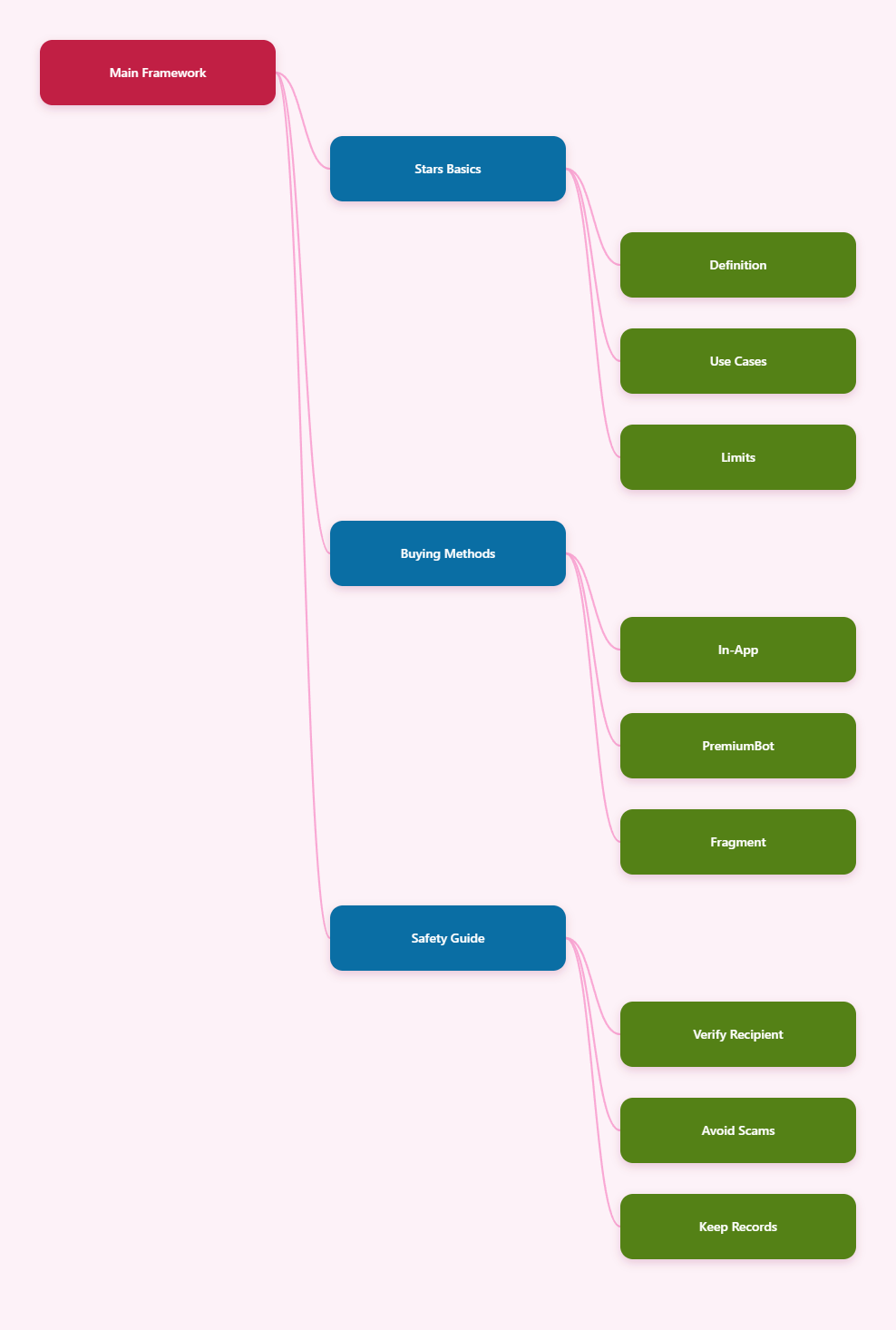
What Telegram Stars Are in 2026
Telegram Stars are Telegram’s in-app virtual items used for digital goods and services inside the Telegram ecosystem. Telegram introduced Stars in 2024 for bots and mini apps, then expanded them into creator tools such as paid reactions, paid media, subscriptions, gifts, giveaways, and other monetization features.
The important detail is that Stars are designed for digital purchases inside Telegram. They are not the same as Toncoin, not a bank balance, and not a general-purpose cryptocurrency wallet.
Where Stars are used
In 2026, Stars are commonly used for actions such as:
- Buying digital products from bots and mini apps.
- Unlocking paid media or paid posts in channels.
- Sending paid reactions to support creators.
- Paying for Star subscriptions where available.
- Sending Telegram gifts that may involve Stars.
- Running or joining Stars-based channel activities.
For digital goods sold through Telegram bots, Telegram’s developer documentation uses the currency code XTR for Stars payments. This matters for developers, but normal users only see a Stars payment screen.
Why gifting feels confusing
Many users search for a direct “send Stars” button, but Telegram’s Stars system is usually based on spending Stars through a supported action. Depending on the feature, you may gift a Star-related item, buy Stars for another account through an official top-up flow, or support a creator through reactions, paid content, or subscriptions.
That is why the exact steps depend on the target account and the reason you are sending value. A friend profile, a monetized channel, a bot invoice, and Fragment all work differently.
Can You Buy Telegram Stars Gift to Other Accounts Directly?
Yes, you can buy telegram stars gift to other accounts in supported ways, but you should understand the difference between gifting, topping up, and paying. Telegram and Fragment have supported flows for buying Stars for yourself or for other users, while Telegram gifts and creator tools let you spend Stars toward another account.
What you usually cannot do is treat Stars like an open peer-to-peer cash transfer where any balance can be freely moved from one personal account to another at any time. Telegram’s available buttons and regional availability decide what is possible.
The three practical meanings
When people say they want to send Stars to another account, they usually mean one of three things:
- Top up another user’s Stars balance through an official purchase route, such as Fragment where supported.
- Send a gift from a user profile or chat, using Telegram’s gift feature.
- Support a creator or channel by spending Stars on reactions, paid posts, subscriptions, or paid media.
Before paying, decide which result you want. This prevents you from buying the wrong Stars package or sending value through a feature the recipient does not actually use.
What the recipient receives
If you top up Stars for another account through an official flow, the recipient receives Stars balance. If you send a Telegram gift, the recipient receives the gift, and depending on Telegram’s current gift rules, some gifts may be displayed on a profile or converted into Stars.
If you support a creator with paid reactions or paid content, the value goes through that monetization feature. The recipient may receive Stars in their creator or channel balance rather than as a personal gift from a normal chat transfer.
Official Ways to Buy Stars for Yourself or Others
Telegram users can acquire Stars through in-app purchase systems, Telegram-supported purchase routes such as PremiumBot on compatible apps, and Fragment. Availability can vary by device, region, account settings, and Telegram version.
Use official routes whenever money is involved. The biggest risk in 2026 is not that Stars are hard to buy; it is that fake discount sellers copy Telegram branding and ask users to pay outside trusted flows.
Method 1: Buy inside Telegram
The easiest route is buying from inside the Telegram app. On many accounts, you can open Settings, look for My Stars, and choose a Stars package.
This route is convenient because payment is handled through familiar systems such as Apple App Store or Google Play on mobile. The tradeoff is price: mobile in-app purchases commonly include app store fees and local taxes, so they may cost more than web-based alternatives.
- Best for: beginners and quick purchases.
- Main advantage: simple and familiar checkout.
- Main drawback: often more expensive on mobile.
Method 2: Use @PremiumBot where available
Telegram’s Stars terms reference acquisition through @PremiumBot on supported Telegram versions, including direct versions of Telegram and desktop apps. This can be useful when you want to avoid some mobile app-store purchase friction.
Always verify that you are interacting with the official bot and not a lookalike. Telegram usernames and bot names can be imitated visually, so do not follow random links from comment sections, direct messages, or unknown groups.
Method 3: Use Fragment
Fragment is Telegram’s official marketplace for several Telegram-related assets and services, including Stars top-ups where available. The Fragment Stars page lets users top up Stars balance for themselves or for friends and colleagues.
Fragment typically uses TON-based payment flows, so it is less beginner-friendly than in-app checkout. However, many users choose it because web or TON-based routes may avoid the mobile app-store surcharge included in some in-app prices.
Buying Stars as a Gift: Step-by-Step
The exact interface may change as Telegram updates its apps, but the safe process is consistent. Start from Telegram or Fragment, confirm the recipient carefully, review the amount, and never complete payment from a suspicious third-party page.
Here is the practical checklist to follow before you buy telegram stars gift to other accounts.
Step 1: Confirm the recipient
Search for the exact Telegram account, username, channel, or bot you intend to support. If you are buying for another person, ask them to confirm their current username because Telegram usernames can change.
For high-value purchases, send a normal message first and ask the recipient to reply. This reduces the chance of sending value to an impersonator or an abandoned username.
Step 2: Choose the correct action
Use the route that matches your goal:
- Use My Stars if you are buying Stars for your own spending.
- Use Fragment Stars top-up if you want to top up another supported account.
- Use Send Gift from a profile or chat if you want to send a Telegram gift.
- Use paid reactions, paid posts, or subscriptions if you want to support a creator.
- Use a bot’s official Pay button if you are buying digital goods from that bot.
Do not assume these actions are identical. A gift, a balance top-up, and a channel subscription may all involve Stars, but they produce different results.
Step 3: Review fees and finality
Before confirming, review the package size, payment currency, recipient, and platform. Stars-related payments are often instant, and many digital purchases are final once completed.
If you are using Apple or Google billing and something does not arrive, you may need to check both Telegram and the relevant app-store purchase history. Payment support can depend on where the transaction was processed.
Price and Route Comparison
Telegram Stars pricing can vary by region, platform, tax treatment, exchange rate, and package size. For that reason, the smartest approach is to compare the final checkout total rather than rely on a single universal price.
The table below summarizes the practical differences between common routes in 2026.
| Route | Best Use | Typical Payment | Pros | Watch Out For |
|---|---|---|---|---|
| Telegram mobile app | Fast personal top-up | Apple or Google billing | Easy, familiar, low setup | May include app-store fees and taxes |
| Telegram desktop or direct app | Users avoiding mobile checkout | Supported Telegram payment route | Often simpler than crypto | Availability differs by app version |
| @PremiumBot | Supported Telegram purchases | Bot-based official flow | Telegram-native experience | Must verify official bot identity |
| Fragment | Top up self or others | TON wallet flow | Useful for gifting other accounts | Requires wallet literacy and careful address handling |
| Unknown third-party seller | Not recommended | External transfer | Usually none | High scam, refund, and account risk |
The safest rule is simple: if a seller asks you to send money first and promises manual Stars delivery later, treat it as high risk. Official Telegram and Fragment flows show the purchase action inside a controlled checkout experience.
How to Gift Stars Safely to Friends, Creators, and Clients
Different recipient types require different habits. Sending a small birthday gift to a friend is not the same as buying Stars for a client account or funding a creator campaign.
If you manage several accounts, create a repeatable process. Mistakes usually happen when people rush, copy the wrong username, or trust a discount link without checking the domain.
For friends and family
Use Telegram’s built-in profile or chat gift options when available. Open the person’s profile from an existing conversation, not from a random forwarded link.
Keep the amount modest for first-time gifting. If the gift arrives correctly, you can send more later with less risk.
For creators and channels
Creators may receive Stars through paid reactions, locked content, subscriptions, or other monetized features. Look for the official Stars button under a post, paid media prompt, or subscription screen.
Do not ask creators for private payment links unless they publicly confirm them from their official channel. Impersonators often target popular creator communities after monetized posts go live.
For client or agency accounts
If you buy Stars for client accounts, document each transaction. Record the recipient username, date, package size, payment route, and screenshot of the confirmation screen.
For larger purchases, use a company-controlled wallet or payment method rather than an employee’s personal card. This makes reconciliation, refunds, and access control easier.
Common Mistakes to Avoid
Most Stars problems are preventable. The product itself is straightforward, but users often mix up Telegram gifts, Stars balance, TON payments, and third-party marketplaces.
Mistake 1: Buying from fake discount sites
Some websites advertise unusually cheap Stars, instant delivery, or “no login needed” deals. A low price does not prove legitimacy.
Stick to Telegram’s own interfaces, official bots, and Fragment. If you are not sure whether a page is official, stop and check from Telegram’s public documentation or official channels instead of trusting a social media ad.
Mistake 2: Sending to the wrong account
Telegram usernames can look similar, especially when scammers use matching names, profile photos, or Unicode characters. Always verify the account from an existing chat or confirmed link.
For business purchases, ask the recipient to send a short confirmation message from the account that should receive the Stars or gift.
Mistake 3: Ignoring regional and platform differences
The same Stars package may show different final prices depending on country, tax, app store, device, or payment route. This is normal and does not automatically mean one screen is fake.
Compare the final total before payment. If you are using Fragment, also account for wallet setup, TON price movement, and any small blockchain-related costs.
Best Practices for 2026
Telegram’s Stars economy is becoming more useful for creators, mini apps, and communities. That also means users need better payment hygiene.
Use this short operating checklist whenever you buy telegram stars gift to other accounts.
- Update Telegram first so Stars and gift buttons appear correctly.
- Start from Telegram or Fragment, not from unknown ads.
- Verify the recipient twice before confirming payment.
- Compare the final checkout total across available routes.
- Keep receipts for business or client purchases.
- Avoid urgent DMs claiming limited-time manual discounts.
- Test with a small amount before sending a larger gift.
These habits are simple, but they prevent the most expensive errors: paying an impersonator, choosing the wrong feature, or losing access to transaction evidence.
FAQ About Buying Telegram Stars Gifts
Can I transfer my Stars balance to any user?
Not like a normal cash transfer. Telegram Stars are spent through supported Telegram actions such as gifts, paid content, reactions, subscriptions, bot invoices, or official top-up routes.
Can I buy Stars for someone else?
Yes, where official flows support it. Fragment’s Stars top-up page is designed to top up Stars balance for yourself or for friends and colleagues, while Telegram gift features let users send gifts through supported interfaces.
Are Telegram Stars refundable?
Many Stars purchases and digital actions are treated as final once completed. If the issue is an app-store billing problem, you may need to check the App Store or Google Play purchase record as well as Telegram’s support options.
Is Fragment official?
Fragment is an official Telegram-related marketplace used for Telegram assets and Stars top-ups. However, users must still be careful with wallet setup, TON payments, and fake websites pretending to be Fragment.
Why are Stars more expensive in the mobile app?
Mobile purchases may include Apple App Store or Google Play fees, plus regional taxes or currency conversion. Desktop, direct app, bot, or Fragment routes may show different totals depending on availability.
Final Checklist
The safest way to buy telegram stars gift to other accounts in 2026 is to use official Telegram or Fragment flows, choose the action that matches your goal, and verify the recipient before payment. Do not treat Stars like a free-transfer wallet, because Telegram’s system is built around supported in-app spending and official top-up mechanisms.
If you only need a quick personal purchase, Telegram’s in-app Stars section is the easiest route. If you are buying for another user, Fragment or Telegram’s gift features may be more relevant, depending on what you want the recipient to receive.