
Telegram is still one of the fastest places to build communities, qualify leads, and support customers. But the same speed that makes it useful also makes spam easy to create. One bad welcome flow, one noisy follow-up sequence, or one oversized broadcast can turn a helpful bot into a churn machine.
If your goal is to avoid spam when chat via Telegram bot, the answer is not to send less forever. It is to send with better timing, clearer intent, and tighter controls. In this guide, we will break down the real causes of bot spam complaints, the limits Telegram actually documents, and the workflow that keeps conversations useful in 2026.
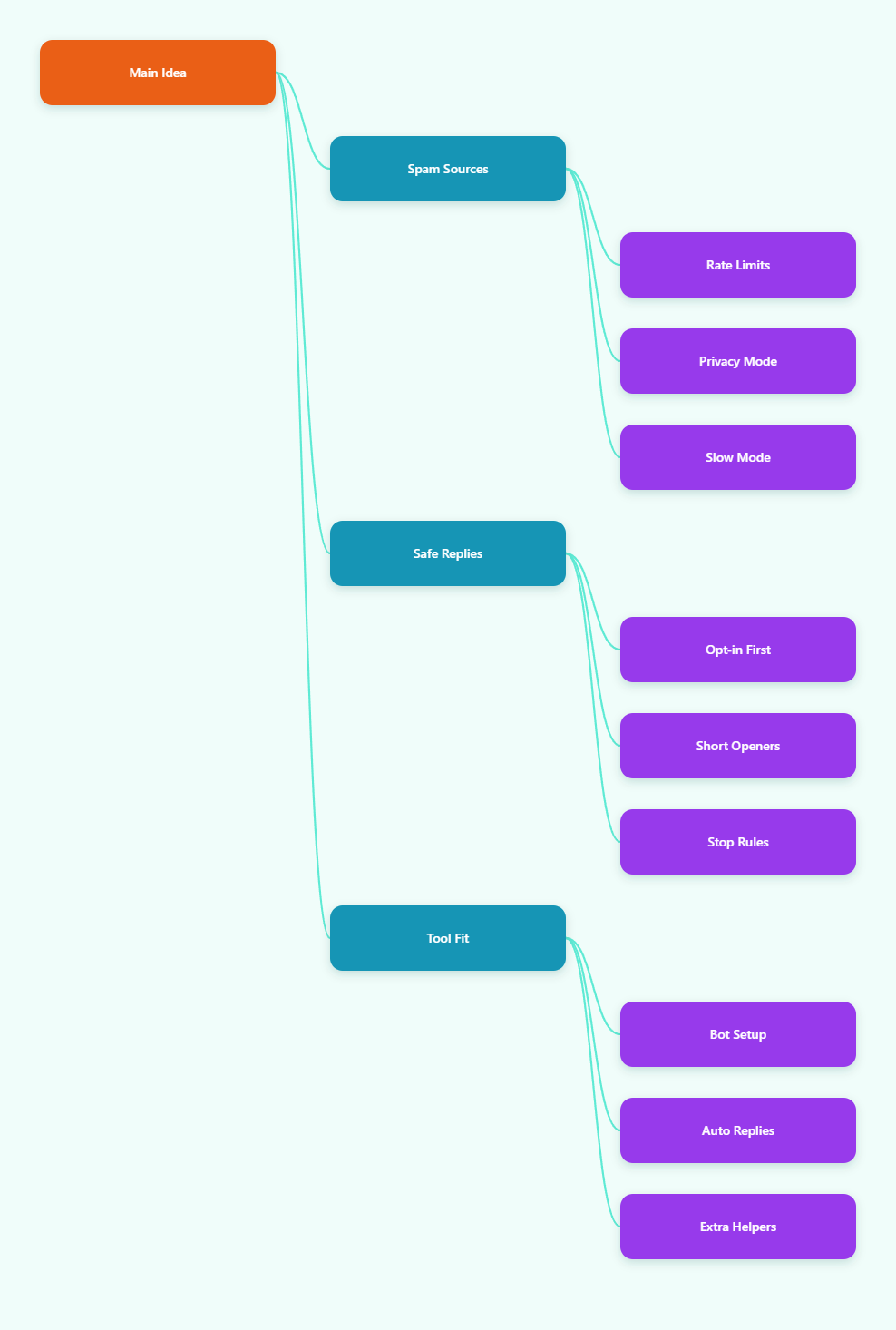
Why Telegram bot chats feel spammy so fast
Most spam problems do not begin with bad intent. They begin with weak structure. A bot that says too much, too soon, or too often feels impersonal even when the message is technically relevant.
In 2026, users expect fast answers, but they also expect relevance. They do not want a wall of onboarding text, five reminder pings, and a broadcast that lands before they have even replied once.
The biggest triggers are usually simple:
- Generic first messages that do not explain what the bot can do.
- Overlapping auto-replies that answer every input with the same block of text.
- Broadcasts sent to people who never opted in.
- Follow-ups that continue after silence.
- Groups that ignore Telegram’s privacy and slow mode settings.
That is why avoiding spam is less about copying and pasting safer text, and more about designing a cleaner conversation flow.
What actually triggers spam complaints or delivery problems?
Telegram does not publish every limit in exact detail, but the platform does document enough to shape good behavior. If you ignore those signals, your bot can hit rate limits, trigger 429 errors, or annoy users enough that they report it.
The difference between a healthy bot and a spammy one is often just pacing. A bot that sends the right message at the wrong speed still feels intrusive.
| Control | What Telegram says | Practical takeaway |
|---|---|---|
| Private chats | About 1 message per second per chat is the documented flood limit | Space out bursts and avoid rapid-fire sequences |
| Bulk notifications | The Bot FAQ warns that broadcasts over about 30 users per second can hit limits | Throttle campaigns and use longer send windows |
| Large broadcasts | Telegram suggests spreading them over 8 to 12 hours when you are not using paid broadcasts | Plan campaigns in batches, not in one push |
| Group visibility | Bots enter groups in Privacy Mode by default | Do not assume the bot sees everything unless you configured it that way |
| Group posting | Slow mode limits how often members can send messages in a supergroup | Use it to reduce noise, not to force engagement |
Another important point: Telegram may allow short bursts over the private-chat limit, but that does not mean the bot should rely on bursts. Eventually you will run into RetryAfter behavior or user frustration.
In practice, spam complaints usually come from one of three things: too much volume, too little relevance, or too much repetition.
How to avoid spam when chat via Telegram bot without losing response speed
The safest pattern is to make every message do one job. A first message should orient the user. A follow-up should move the conversation forward. A reminder should only fire if there was an actual next step.
1. Use permission-first entry points
Do not treat every contact as a broadcast subscriber. Separate opt-in traffic from cold traffic. If a user starts the bot, clicks a keyword, or joins through a clear request path, you have a much better basis for messaging than a scraped or recycled list.
2. Write one clear opening message
The first screen should answer three questions fast: What is this bot for? What can I do next? How do I stop or change settings?
Short openings reduce confusion. They also reduce the chance that users immediately dismiss the bot as noise.
3. Limit retries and reminders
If a user does not answer, that silence is a signal. One follow-up may be useful. Three follow-ups usually are not. Build a stop rule so the bot stops messaging after no response, a failed handoff, or a completed action.
4. Match message speed to conversation stage
Fast replies are good for support. They are less useful for promotions. A support flow can respond immediately because the user asked a direct question. A promotional sequence should move slower and stay more selective.
5. Keep broadcasts segmented
Send only what matters to the people who need it. A product update for active users should not go to dormant leads. A webinar reminder should not go to customers who already attended.
Segmentation is one of the easiest ways to avoid spam when chat via Telegram bot because it lowers both complaint risk and unsubscribe fatigue.
6. Respect group-specific rules
If your bot operates in groups, remember that Telegram’s default privacy mode limits what the bot can read. Also remember that slow mode changes the pace of the room. A bot that ignores either setting will feel clumsy, even if the copy is good.
A simple Telegram workflow that stays useful
When teams want automation without spam, the setup often needs three parts: bot identity, message rules, and a control layer. One option is to connect your own bot and manage the conversation logic from a cleaner interface.
A practical example is OnlyTG Echo@EchoOnBot. The official flow is straightforward: create a bot in @BotFather, copy the token, add it inside OnlyTG Echo@EchoOnBot, and then build the response logic around the bot you already own.
From the official docs, the key features include start messages, auto-reply, keyword-based replies, quick replies, broadcast, and two delivery modes: Single Mode and Topic Mode. That gives operators a way to keep replies structured instead of improvising every message by hand.
Here is how that helps with spam control in real work:
- Set a clean start message so new users know what the bot does before you send any extra content.
- Use keyword replies for intent-based questions, so people get what they asked for instead of a generic script.
- Keep broadcasts reserved for users who actually need the update, rather than sending the same message to every contact.
In a support flow, this matters because a user who types pricing, refund, or demo can receive a specific answer immediately. In a lead flow, it means the bot can route a warm prospect to the right next step without dumping a long sales pitch on everyone.
Three realistic scenarios stand out:
- A SaaS team uses keyword replies for pricing and onboarding questions, then sends a broadcast only to trial users who have not activated a core feature.
- A Telegram community uses start messages and quick replies to explain group rules, then keeps moderation flows lighter with CAPTCHA for new joins.
- An agency uses a single bot to collect inbound lead questions, route them by topic, and reply with consistent answers instead of repeating the same manual text all day.
OnlyTG Echo@EchoOnBot also includes extra helpers such as group CAPTCHA, bot menu options, tracking links, and an admin console for bot statistics. Those are useful, but the real value is still the same: tighter message control, fewer accidental pings, and a cleaner user experience.
Practical checklist to reduce spam risk
- Define one primary job for each bot before launch.
- Use opt-in paths instead of broad, cold messaging.
- Keep the first message short and action-focused.
- Stop follow-ups after silence or task completion.
- Segment broadcasts by intent, not by convenience.
- Respect Telegram’s documented limits and pacing signals.
- Test group privacy mode and slow mode before scaling.
- Review complaint patterns weekly, not monthly.
FAQ: avoid spam when chat via Telegram bot
Is Telegram bot spam always about message volume?
No. Volume matters, but relevance matters just as much. A small number of badly targeted messages can create more complaints than a larger but well-segmented flow.
What is the safest broadcast cadence?
There is no universal number, but Telegram’s Bot FAQ suggests spreading larger broadcasts over 8 to 12 hours if you are not using paid broadcasts. The safer pattern is to batch by audience and send only what each segment needs.
Does privacy mode reduce spam risk?
Yes, indirectly. Privacy mode limits what the bot can read in groups, which helps prevent overreaction and noisy automation. If you need broader group awareness, configure that intentionally instead of assuming default access.
Why do users report bots as spam even when the copy is polite?
Because timing and relevance can feel invasive even when wording is friendly. If the bot interrupts too early, repeats too often, or sends content the user did not ask for, reports can still happen.
Can slow mode help a Telegram bot?
It helps when the problem is group noise. Slow mode limits how often users can post in a supergroup, so it is useful for moderation and pacing. It is not a fix for poor outbound messaging design.
How do I know if my bot is hitting Telegram limits?
Watch for 429 errors, RetryAfter responses, delayed sends, or sudden drops in engagement. Those are usually signs that you need to slow down, re-segment, or simplify the flow.
What is the best first step to clean up a spammy bot?
Audit the opening sequence first. Most bots become spammy at the start because the welcome flow is too long, too generic, or too aggressive with follow-ups.
Final take
If you want to avoid spam when chat via Telegram bot in 2026, build for restraint first and scale second. Keep the bot useful, keep the message count low, and keep the user in control of the pace.
Start with the smallest possible flow, test it with real users, and only expand once the bot is earning replies instead of reports.