
If you want to buy Telegram Stars with TON token payment in 2026, the main challenge is not finding a way to pay. It is choosing a route that is official, easy to verify, and worth the final cost.
Telegram Stars are now a real part of Telegram’s digital economy. They are used for digital goods and services inside bots and mini apps, and they also support paid content, gifts, and creator monetization.
This guide keeps things practical. You will see the official ways to buy Stars, when TON makes sense, what creators need to know about withdrawal rules, and the safety checks that matter before you spend anything.
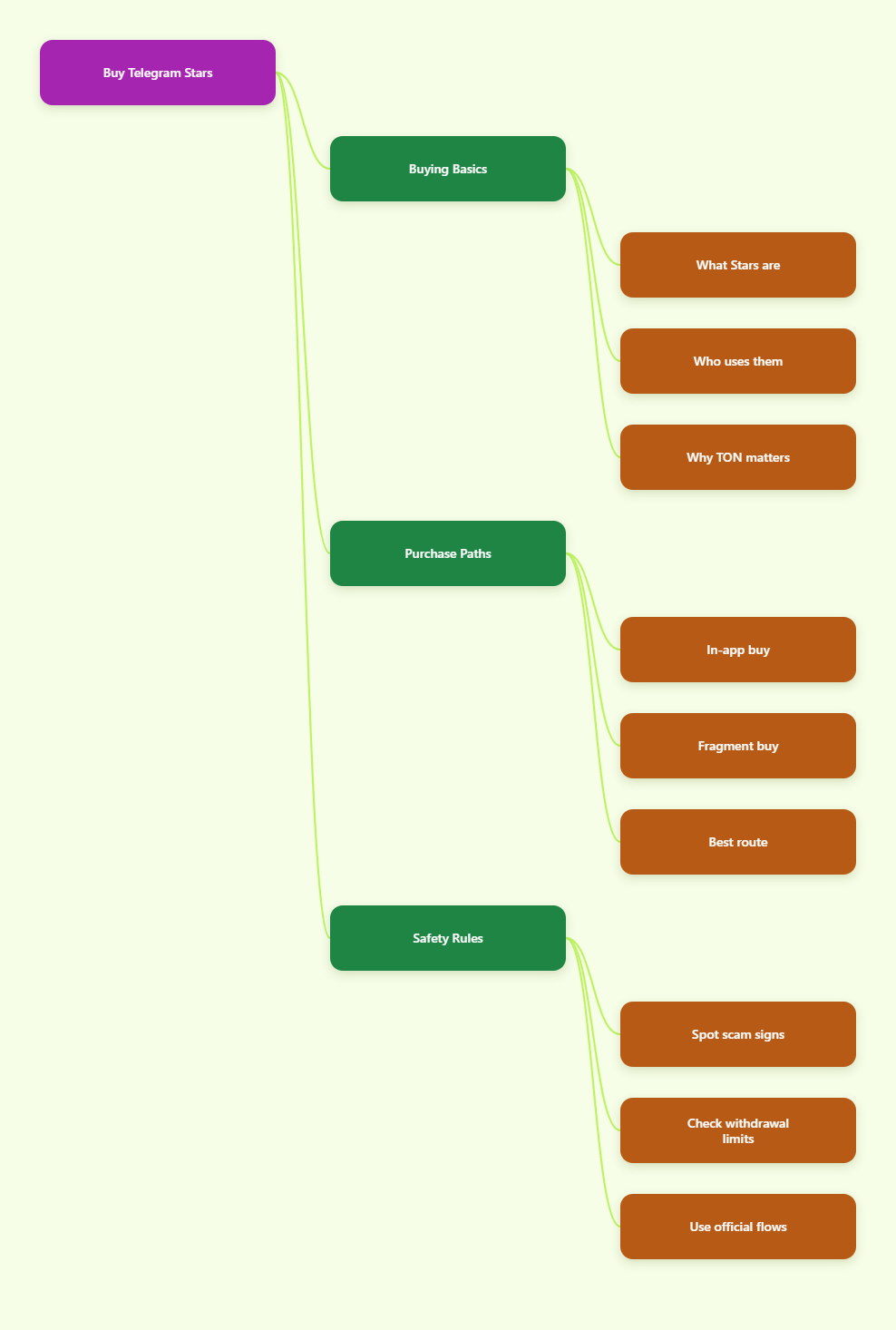
What Telegram Stars Mean in 2026
For everyday buyers
For regular users, Stars are a simple in-app spending tool. You may use them to unlock digital content, tip creators, buy services inside a mini app, or pay for items that are only available inside Telegram.
- Unlock paid posts or previews
- Support creators directly
- Pay inside mini apps
- Buy digital goods and services
The key point is that Stars are meant for digital items inside Telegram, not for general shopping outside the platform. That keeps the payment flow fast, but it also means you should check what the seller actually delivers before you pay.
For creators and bot owners
For creators, Stars are more than a tip jar. Telegram’s official ecosystem treats them as a way to monetize digital products, paid messages, subscriptions, and other gated experiences inside channels, bots, and mini apps.
- Sell locked content
- Charge for digital access
- Accept gifts from fans
- Monetize bot flows
This is why many creators care about the TON payment path. If you earn Stars, you may later want to withdraw them, and that usually leads you into Telegram’s official withdrawal flow through Fragment.
Why TON matters now
TON matters because it connects Stars to the wider Telegram ecosystem. In practice, it is the bridge for buying through Fragment and for withdrawing earned Stars into Toncoin.
That makes TON useful for two different groups. Buyers use it to get Stars outside the app store billing layer, while creators use it when they want to turn Stars into a withdrawable asset inside Telegram’s official flow.
- Official purchase path on Fragment
- Withdrawal route for creators
- Useful if you already hold TON
- Less dependence on app store billing
How to Buy Telegram Stars With TON Token Payment
There are two legitimate ways to think about buying Stars in 2026. The first is the standard in-app purchase flow inside Telegram. The second is the TON-based route through Fragment, which is the one most people mean when they talk about a Telegram Stars TON token payment.
Both can be valid. Which one is better depends on your device, how much friction you want, and whether you already have TON in a wallet.
Official in-app purchase
Telegram’s terms say Stars can be acquired through in-app purchases on iOS and Telegram for Android, and also through @PremiumBot on supported Android, web, and desktop flows. That makes this the easiest path for users who want the fewest extra steps.
- Open the Telegram product, bot, or mini app that asks for Stars.
- Select the Star package you want.
- Approve the device billing prompt.
- Wait for the balance or access to update.
This path is best when convenience matters more than optimization. If you only need a small amount of Stars, or you do not want to touch a crypto wallet, the in-app route is usually the cleanest option.
Fragment with TON
Fragment is the official Telegram-affiliated marketplace used for Telegram assets. It is also the route many users take when they want a TON-based Stars purchase.
- Set up a TON-compatible wallet.
- Fund that wallet with TON.
- Open the official Fragment flow.
- Connect the wallet and choose your Stars amount.
- Confirm the transaction.
This route is useful if you already hold TON or prefer to keep your Telegram payments outside Apple or Google billing. It is also the path that lines up with creator withdrawals, because earned Stars are converted through Telegram’s official ecosystem.
Which route fits you?
Use this simple comparison before you decide. It helps you avoid paying for extra friction you do not need.
| Route | Best for | Main advantage | Main tradeoff |
|---|---|---|---|
| In-app purchase | Casual buyers | Fastest checkout | Uses app billing |
| Fragment with TON | Wallet users | Official TON flow | Needs wallet setup |
If you want the easiest answer, pick in-app purchase. If you want the most direct TON token payment route, Fragment is the one to study first.
Step-by-Step TON Workflow
If you are using TON on purpose, keep the process simple. Most mistakes happen when people rush, use the wrong site, or connect a wallet without checking the domain.
Prepare your wallet
Before you buy Stars, make sure your wallet is ready. The wallet should support TON, and you should be able to access it without copying seed phrases into random websites.
- Use a TON-compatible wallet
- Confirm you control the wallet
- Keep your recovery phrase offline
- Double-check the official login flow
If you are not comfortable managing a wallet yet, stop here and use the in-app route instead. There is no prize for adding crypto complexity you do not need.
Move TON safely
Next, fund the wallet with enough TON for the purchase. Because TON is a live asset, the amount you need can change with market price and network conditions.
- Send only from trusted sources
- Test with a small transfer first
- Leave room for network costs
- Keep the wallet balance visible
This is also where a lot of scam offers show up. Any site promising free Stars, impossible discounts, or instant conversion with no wallet steps should be treated as suspicious.
Confirm the purchase
When you are ready, follow the official Fragment path and review the amount one more time before you confirm. Small interface mistakes can be expensive if you click too fast.
- Verify the site or bot name
- Check the Stars amount
- Review the wallet prompt
- Save proof of the transaction
Once the purchase completes, keep a record of the transaction details. That makes support requests and wallet reconciliation much easier later.
Costs, Rules, and Limits
Buying Stars is not only about the headline price. You also need to think about billing method, regional variation, and what Telegram allows once the Stars are in your account.
What affects the final cost
The final cost depends on the route you choose. App store billing can include platform fees and local taxes, while the Fragment route depends on the live TON price at the moment you buy.
- App store billing rules
- Local taxes or currency conversion
- Live TON market price
- Any wallet or transfer friction
- The amount you buy at once
That is why the cheapest-looking option is not always the best one. The real answer is the route with the best final cost, lowest risk, and least confusion for your setup.
Withdrawal rules for creators
If you earn Stars, Telegram’s current rules matter. The official guidance referenced in Telegram and TON ecosystem documentation says earned Stars can be withdrawn after a waiting period, with a minimum threshold and two-factor authentication required.
- Minimum withdrawal threshold: 1,000 Stars
- Withdrawal becomes available after 21 days
- Two-factor authentication is required
- Fragment is part of the withdrawal flow
That means creators should not plan around instant cash-out. Treat Stars as a platform balance first, then plan the withdrawal once the rules are met.
Refund and final-sale rules
Telegram’s terms also say Stars purchases are final. That is an important detail for anyone who wants to buy a large pack just because it looks cheap.
- Do not overbuy on impulse
- Confirm the seller delivers digital goods
- Assume the purchase is final
- Keep support proof in case of issues
For creators, refunds work differently. If a bot or mini app fails to deliver as promised, the developer side may be able to issue a refund through the official process, but buyers should still assume the original purchase is not reversible by default.
How to Avoid Scams
Scams around Stars usually follow the same pattern: a fake discount, a fake support account, or a fake site that wants your login or wallet access. In 2026, the safest mindset is to trust the official flow and distrust urgency.
Red flags to reject immediately
- Free Stars for sign-up
- Requests for your password
- Requests for login codes
- Promises of impossible discounts
- Unknown bots asking for wallet access
- Urgent messages that rush payment
If a seller says they can unlock Stars faster than the official route, that is usually a reason to stop, not a reason to hurry.
Safer buying habits
- Use official Telegram paths only
- Check the domain carefully
- Keep 2FA enabled
- Use small test amounts first
- Never share recovery phrases
These habits are boring, but they work. They are also the fastest way to avoid account theft, chargeback drama, and wallet loss.
A quick pre-buy checklist
- Do I need Stars now?
- Is this the official flow?
- Do I understand the final cost?
- Am I giving up any sensitive data?
- Would I still trust this seller tomorrow?
If any answer feels unclear, pause and re-check the purchase path. A two-minute delay is far cheaper than a stolen account.
FAQ
Can I withdraw Stars after buying them?
Not as a normal buyer. Withdrawal is mainly relevant for creators and bot owners who earn Stars through monetized Telegram experiences.
Is Fragment official?
Yes, Fragment is part of Telegram’s official ecosystem for assets and withdrawals. Still, you should always verify the exact domain before connecting a wallet.
Does TON price change the final amount?
Yes. When you pay with TON, the TON amount can change with market price, even if the Stars value is stable on Telegram’s side.
Should I buy Stars in-app or with TON?
Choose in-app if you want convenience. Choose TON if you already use a TON wallet or want the official crypto-based route for buying and later withdrawing through Telegram’s ecosystem.
Conclusion
The best way to buy Telegram Stars with TON token payment in 2026 is the one that matches your actual workflow. If you want simplicity, use the in-app path. If you want the direct TON route, use Fragment, verify every step, and keep your wallet security tight.
For creators, the same rules matter even more because Stars can become part of a real payout flow. Check the minimum withdrawal threshold, the waiting period, and the final-sale rules before you build a monetization plan around Stars.