
Telegram still rewards consistency, but consistency is hard when your audience spans time zones, your team is small, and your content calendar keeps moving. That is why a scheduled telegram message broadcast has become one of the most useful workflows for channel owners, community managers, and marketers in 2026.
The challenge is not just sending posts later. The real problem is building a process that keeps timing accurate, content relevant, and follow-up manageable without turning every post into a manual task.
In this guide, I will break down where broadcast scheduling works best, where it fails, and how to set up a cleaner system that supports growth instead of adding noise.
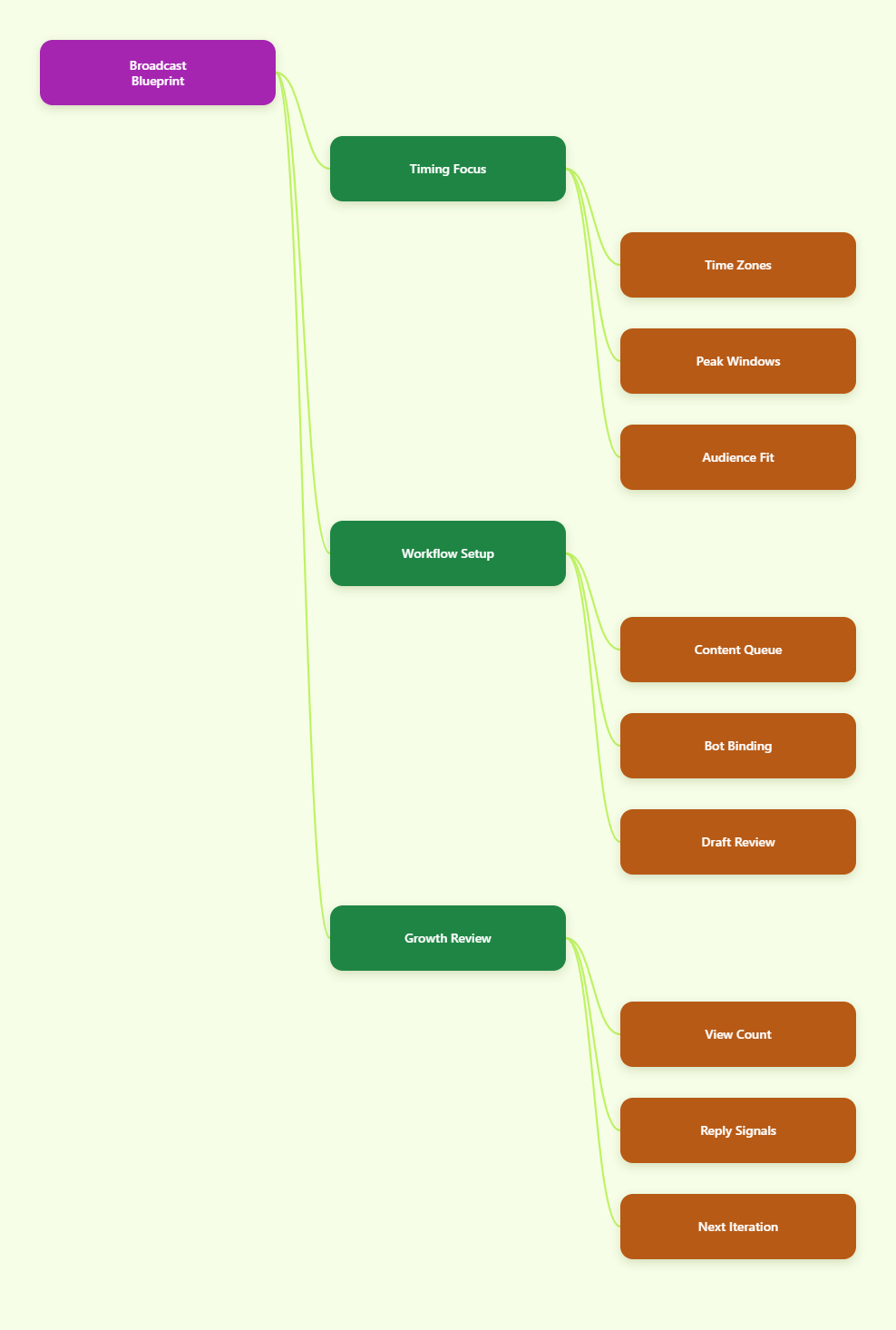
Why a scheduled telegram message broadcast matters in 2026
Telegram has always been strong for direct distribution. Channels can broadcast to a large audience, and groups can support very large communities. That makes Telegram useful for brands that want fewer algorithm surprises and more control over delivery.
But control only helps when the workflow is disciplined. A scheduled telegram message broadcast solves three common problems: missed posting windows, inconsistent cadence, and last-minute publishing pressure.
Telegram also gives you a practical advantage that many teams still underestimate: scheduled messages are handled server-side. In other words, the message goes out at the planned time even if your device is offline.
That simple detail matters when you are managing launches, daily updates, or audience segments across multiple regions.
What makes Telegram different from other channels?
Telegram channels are built for broadcasting. Subscribers receive updates, while only admins post. That structure is ideal when you want a clean editorial flow.
Groups serve a different purpose. They are better for discussion, feedback, and community interaction. Telegram groups can support up to 200,000 members, which is useful for support communities and large interest-based groups.
This distinction matters because a scheduled telegram message broadcast should not be treated like a generic social post. The format, tone, and call to action should match the destination.
Where most Telegram broadcasts go wrong
The most common mistake is assuming that scheduling alone equals strategy. It does not. If the message is weak, a perfect send time will not save it.
Most underperforming broadcasts fail in one of three ways: they are sent at the wrong local time, they are too broad for the audience, or they lack a follow-up path after the post is published.
That is why good operators think in systems, not single posts. They plan the message, the time, the audience, and the response flow together.
1. Timing without intent
Many teams schedule posts because they know they should, not because they know what the audience needs at that moment. A morning post, for example, may work for one market and fail in another.
If your subscribers are spread across Europe, North America, and Southeast Asia, one broadcast time will never be equally ideal for all of them. The answer is not random automation. It is segmentation.
Build separate timing windows for different regions or behavior patterns. A launch reminder, a weekly digest, and a support update should not share the same time slot by default.
2. Broad messages create weak responses
A broadcast that tries to speak to everyone usually speaks clearly to no one. That is especially true on Telegram, where audiences often join for a specific use case, niche, or promise.
If your channel covers multiple content types, define a purpose for each scheduled post. A product update should not read like a meme post. A lead-gen post should not feel like a community announcement.
Message clarity drives action. When your CTA is too general, response quality drops and the next broadcast becomes harder to optimize.
3. Manual workflows break under scale
The bigger your calendar gets, the more fragile manual scheduling becomes. Someone forgets the time. Someone pastes the wrong version. Someone posts the wrong file.
This is where Telegram teams start losing time. Not because the platform is complicated, but because the process is too dependent on memory.
A stronger workflow uses templates, repeatable approval steps, and a single source of truth for scheduled content.
Channel, group, or bot-led workflow?
Choosing the right Telegram surface is half the job. The table below compares the most common broadcast options for 2026 operations.
| Workflow | Best Use | Key Behavior | Operational Note |
|---|---|---|---|
| Channel post | Announcements and updates | Broadcast-only; subscribers receive posts | Best for clean one-way publishing |
| Group post | Community discussion | Supports conversation; up to 200,000 members | Use when replies matter as much as reach |
| Server-side scheduling | Reliable delayed sending | Message sends later even if your device is offline | Good for one-off planning and time-zone control |
| Native schedule queue | Light editorial calendars | Recent guides note a 100-scheduled-message-per-chat ceiling | Enough for simple queues, not complex operations |
The practical takeaway is simple. Channels are best for structured broadcasting, groups are best for interaction, and scheduling should support both instead of replacing strategy.
How to build a cleaner scheduling system
A good scheduling system reduces friction before it creates automation. Start with content planning, then move into timing, then close the loop with measurement.
This order matters. If you automate before the message is ready, you only scale mistakes.
Step 1: Define the broadcast goal
Every scheduled post should have one primary job. That job might be to drive traffic, announce a feature, recover inactive users, or remind subscribers about an event.
When you know the goal, the copy becomes easier to write. You can also choose whether the post belongs in a channel, a discussion group, or both.
Step 2: Match the time to the audience
Use subscriber geography, past engagement patterns, and campaign urgency to set the schedule. Do not copy-paste one global time for every post.
If your audience is international, separate your broadcasts by region or by intent. A reminder for a webinar in London should not go out at the same local time as a customer update aimed at Asia.
Step 3: Keep the content modular
Build reusable blocks for headlines, media, CTA buttons, and follow-up posts. Modular content is easier to test and easier to revise when something changes.
This also helps when your team needs approval. One person can review the hook, another can review the link, and another can confirm the send time.
How OnlyTG Echo@EchoOnBot fits into this workflow
When teams need a more structured way to manage a scheduled telegram message broadcast, a bot-led workflow can reduce the manual load. One practical option is OnlyTG Echo@EchoOnBot, which follows a straightforward setup path based on its official tutorials.
After that, create the broadcast task, set the start time, and confirm the target bot or audience flow. The value here is not flashy automation. It is a more repeatable publishing process for teams that need fewer mistakes and less switching between tools.
Real-world use case 1: Weekly product updates
A SaaS team can prepare a Monday morning channel post with release notes, screenshots, and a clear CTA. The post is created once, reviewed once, and scheduled in advance for the region that matters most.
That keeps the team from rushing on release day and helps the audience get updates at a predictable time.
Real-world use case 2: Content digest for a niche audience
A creator or agency can queue a weekly digest that links to a tutorial, a case study, and a short action item. This works well when the audience expects regular value and hates irregular posting.
A structured broadcast flow also makes it easier to keep a consistent voice across every issue.
Real-world use case 3: Time-zone aware launch reminders
An e-commerce or education brand can schedule launch reminders for different regions without staying online late at night. The message can be adapted for local urgency while keeping the core offer consistent.
That is especially useful when you want a broadcast to feel timely instead of forced.
Beyond scheduling, OnlyTG Echo@EchoOnBot also supports useful add-ons such as start messages, auto-replies, keyword-based replies, quick replies, and group management features. Those functions are worth using when your broadcast leads into conversation, support, or onboarding.
It can also help teams keep simple operational workflows in one place, instead of stitching together separate tools for basic Telegram tasks.
Practical rules that improve broadcast performance
- Write one message for one outcome.
- Use the audience’s local time when possible.
- Separate announcement posts from discussion posts.
- Keep the first line specific and useful.
- Check links, media, and buttons before scheduling.
- Review views, replies, and clicks after every send.
- Save winning formats as templates for reuse.
FAQ
What is a scheduled telegram message broadcast?
It is a planned message sent later to a Telegram channel, group, or bot-connected audience. The goal is to publish at a specific time without manually sending the post in real time.
Can Telegram schedule messages by itself?
Yes. Telegram supports scheduled messages natively, and those messages are sent by Telegram servers at the planned time. That makes them reliable even if your device is offline.
Are channels better than groups for broadcasts?
Usually yes. Channels are built for one-way publishing. Groups are better when you want discussion, feedback, or support after the broadcast goes live.
How do I avoid wrong-time broadcasts?
Segment by region, check local time zones, and write a content calendar that clearly labels each audience window. This is the easiest way to reduce publishing mistakes.
Why do teams use bots for scheduled broadcasts?
Bots help teams handle repetitive workflows, approval steps, and repeatable content modules. They are useful when the calendar is larger than a simple one-off schedule.
Does OnlyTG Echo@EchoOnBot replace Telegram’s native scheduler?
Not exactly. It is better viewed as a workflow layer that helps with content preparation, broadcast tasks, and related bot operations. Native scheduling still has value for simple one-off posts.
What should I measure after a broadcast?
Start with post views, replies, clicks, joins, and downstream actions. Those metrics tell you far more than the schedule time alone.
Final thoughts
A strong scheduled telegram message broadcast is less about pressing send later and more about designing a repeatable publishing system. In 2026, the teams that win on Telegram are the ones that combine good timing, clear intent, and a workflow that does not collapse under routine work.