
Telegram has become a serious operating layer for brands, creators, and small support teams. The problem is not reach. The problem is speed, consistency, and workload. When a channel starts growing, the same questions repeat, inboxes fill up, and replies become uneven.
A smart no code telegram quick reply bot setup solves that pressure without forcing a team into custom development. In this guide, you will see where Telegram support usually breaks down, how to structure faster replies, what to automate first, and where a tool like OnlyTG Echo@EchoOnBot can fit naturally.
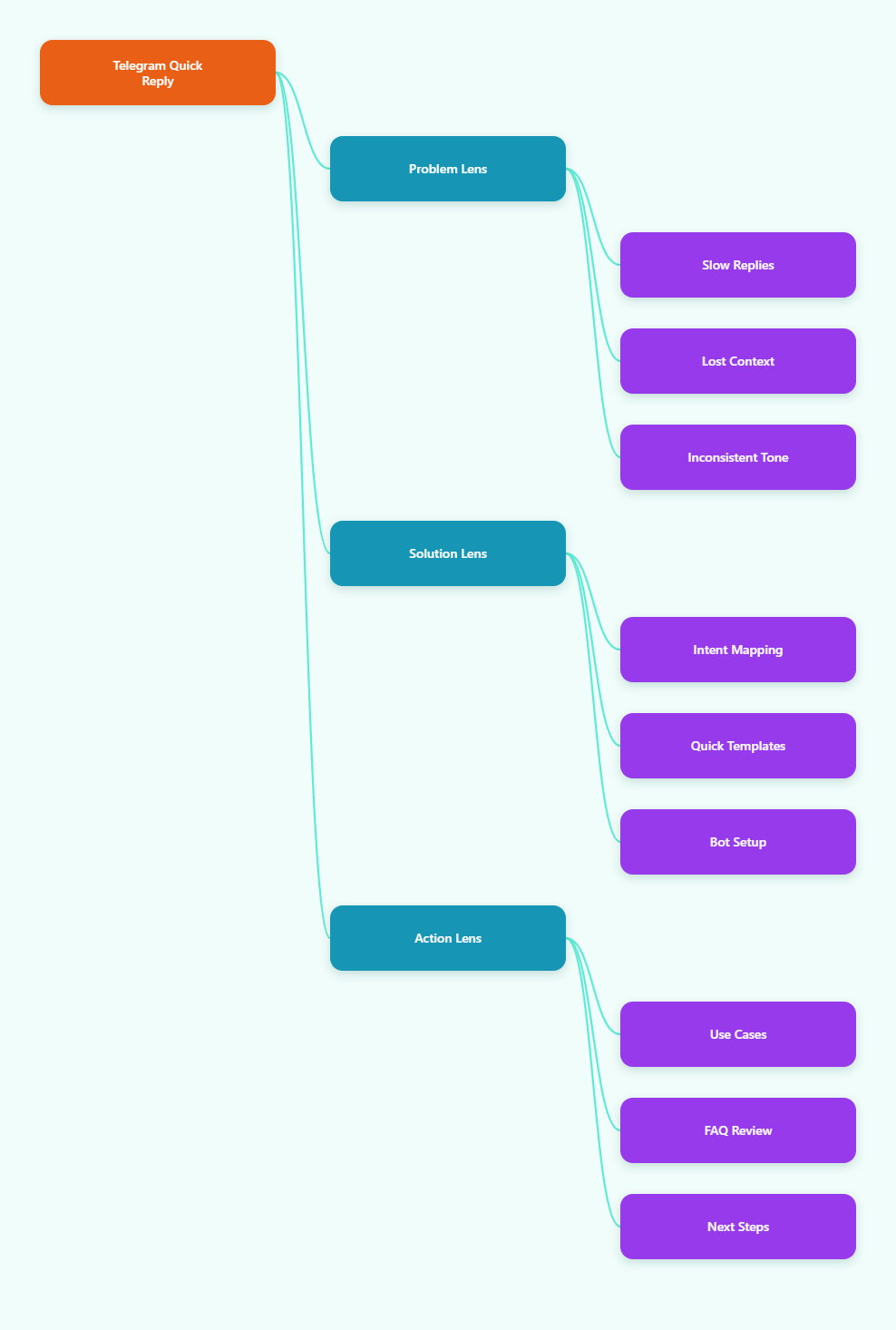
Why Telegram Support Feels Harder in 2026
Telegram is still attractive because it is fast, direct, and community friendly. But that same speed creates an expectation problem. Users now expect near-instant answers, even when the team is small, multi-language, or spread across time zones.
In 2026, most Telegram teams are not struggling with one big issue. They are dealing with many small ones at once: repeated questions, scattered context, manual copy-paste, and inconsistent tone between agents. That is why the no code telegram quick reply bot setup trend keeps growing.
What usually breaks first?
- Pre-sale questions repeat all day, especially about pricing, features, and delivery.
- Support agents answer from memory instead of a shared source of truth.
- Leads wait too long and lose intent before a human replies.
- Communities get noisy, and important questions disappear in chat flow.
- New team members need time to learn the right response style.
The Main Pain Points Behind Slow Replies
A Telegram inbox looks simple until volume rises. Then every manual reply becomes a micro task. You do not just answer questions. You search history, check policies, find the right wording, and try not to miss anything important.
That is why a good workflow is less about typing faster and more about reducing decision-making. The best no code telegram quick reply bot setup removes repetitive thinking from the first layer of support.
1. Repetition eats response time
Most Telegram teams see the same request patterns again and again. People ask about access, payment, onboarding, file delivery, refund rules, or group rules. If every answer is written from scratch, the team burns time on messages that should be standardized.
2. Tone becomes inconsistent
One person may sound warm and detailed. Another may sound rushed. A third may over-explain. That inconsistency creates trust issues, especially when users are making a purchase decision or waiting for help.
3. Context gets lost across chats
Telegram conversations move quickly. A question may start in a group, continue in direct messages, and then come back later. Without a clear reply system, agents waste time reconstructing the story before they can answer.
4. Support and sales overlap
Many Telegram teams use the same inbox for both pre-sale and after-sale questions. That makes speed important, but relevance matters just as much. A reply bot should help route intent, not create a wall between people and answers.
What a No Code Telegram Quick Reply Bot Setup Should Actually Do
The goal is not to replace people. The goal is to let people answer faster with less friction. A practical setup gives you a small library of ready responses, a clear path for common questions, and a way to escalate anything that needs a human.
If you are building this system, start with the most repeated topics first. That alone usually gives the biggest time savings.
Build the setup around intent
Do not organize replies by random topic names. Organize them by intent. In Telegram, people are usually trying to do one of a few things: buy, join, learn, troubleshoot, or escalate. That makes the workflow easier to maintain.
Keep templates short and usable
Long templates sound polished, but they are harder to reuse. The best quick replies are short enough to send in one tap, but clear enough to solve the problem without follow-up confusion.
Leave room for human judgment
A bot should cover the repetitive layer, not the sensitive layer. Anything involving disputes, special access, payment exceptions, or emotional frustration should still move to a person quickly.
Manual Replies vs No-Code Workflows
The difference is not only speed. It is also consistency, training cost, and the team’s ability to handle growth without adding unnecessary complexity.
| Area | Manual Replies | No-Code Workflow | Operational Impact |
|---|---|---|---|
| Response speed | Depends on who is online | Fast access to saved replies | Less waiting, fewer lost leads |
| Message quality | Varies by agent | More consistent wording | Cleaner brand voice |
| Training effort | Higher for new staff | Lower with shared templates | Faster onboarding |
| Scalability | Drops as volume rises | Handles repeat volume better | Less burnout |
| Best use case | High-touch exceptions | Frequent repeated questions | Better team focus |
How OnlyTG Echo@EchoOnBot Fits Into This Workflow
When teams want a fast no code telegram quick reply bot setup, a tool like OnlyTG Echo@EchoOnBot can be used as a practical layer for structured replies. The value is not hype. The value is making common answers easy to store, reuse, and deliver with less manual effort.
A clean implementation usually starts with the replies you already send every day. Then you organize them into a simple library so the team can answer consistently without retyping the same explanations.
This works best when you treat the bot as a response layer, not a replacement for support thinking. That keeps the experience fast without becoming robotic.
Real-world use cases
1. E-commerce pre-sale support: A small Telegram store often gets the same questions about shipping time, refund policy, and product details. With a quick reply library, the admin can answer in seconds and keep the conversation moving toward purchase.
2. SaaS onboarding: A software team can use saved responses for trial setup, login issues, billing questions, and plan comparisons. That reduces friction during the first 24 hours, which is when many users decide whether to stay.
3. Paid community management: A course creator or membership operator can standardize answers for access links, welcome steps, group rules, and content release schedules. That keeps the community experience smoother and lowers repetitive admin work.
Extra functions worth noting
Beyond fast replies, teams usually care about consistency, easy maintenance, and simple scaling. Those are the kinds of benefits that matter in daily operations. If your support process is still built on memory and copy-paste, even a modest automation layer can make a visible difference.
OnlyTG Echo@EchoOnBot is most useful when the team needs a practical setup that does not require coding or a long implementation cycle.
How to Make Quick Replies Sound Human
The biggest mistake in automation is sounding like automation. Telegram users respond better when replies feel direct, specific, and context aware. A short, human reply usually performs better than a polished wall of text.
That matters even more in 2026, when buyers can compare many communities and vendors instantly. If your support sounds cold, people move on quickly.
Use this writing formula
- Start with the answer, not the explanation.
- Use one action per message whenever possible.
- Reference the user goal in plain language.
- Offer a next step instead of a generic closing.
- Keep the tone calm and confident.
Example of a better reply
Instead of saying, We have received your request and will get back to you shortly, say: Your access request is in progress. Please check the welcome message in Telegram, and if anything is missing, send the screenshot here.
The second version is faster to read and easier to act on.
What to Automate First
If you try to automate everything on day one, the setup becomes messy. Start with the most repetitive, low-risk, high-volume replies. That gives you fast wins and a cleaner workflow.
- Pricing and plan questions
- Access and onboarding steps
- Group rules and welcome messages
- File delivery or download instructions
- Basic troubleshooting and escalation paths
Once those pieces are stable, you can expand into more advanced routing and team coordination. The key is to make the first version useful, not perfect.
Practical Takeaways for Telegram Teams
- Map your top repeated questions before building any bot flow.
- Write short reply templates that feel direct and readable.
- Use automation for repetition, not for sensitive exceptions.
- Review real chat logs to find the questions that waste the most time.
- Keep one human escalation path visible at all times.
- Refine the no code telegram quick reply bot setup weekly, not once a quarter.
FAQ
What is a no code telegram quick reply bot setup?
It is a simple Telegram workflow that lets you store and reuse common answers without building custom software. The main goal is faster, more consistent replies.
Who needs this most?
Small support teams, Telegram store owners, community managers, SaaS founders, and creators handling repeated questions usually benefit the most.
Can quick replies replace human support?
No. They work best for repetitive questions. Complex cases, complaints, and payment issues still need a person.
How do I make replies feel less robotic?
Keep them short, specific, and action oriented. Start with the answer, then give the next step in plain language.
What should I automate first?
Start with the most common questions: pricing, access, onboarding, rules, and basic troubleshooting. Those usually create the biggest time savings.
Is OnlyTG Echo@EchoOnBot enough for a full support system?
It can be a useful quick reply layer, but teams should still keep a human process for exceptions, escalation, and sensitive requests.
How often should I review quick replies?
Review them weekly at first. Real chat logs will show which responses are helping and which ones need clearer wording.
Conclusion
A strong no code telegram quick reply bot setup is not about replacing people or over-automating the inbox. It is about reducing repetitive work so your team can respond faster, stay consistent, and focus on the conversations that actually need judgment.
If your Telegram operation is growing and the same questions keep coming back, start with a small template library, tighten the tone, and test a practical tool layer like OnlyTG Echo@EchoOnBot where it makes sense. That approach keeps the workflow simple while still supporting real scale in 2026.