
Telegram marketing is no longer just about posting updates to a channel and waiting for subscribers to react. In 2026, many teams are managing public channels, discussion groups, support chats, paid communities, and bot-driven funnels at the same time.
The problem is simple: users expect fast replies, but most operators cannot stay online 24/7. A well-planned custom message auto reply Telegram bot can reduce repetitive work, protect response speed, and keep conversations organized without making your community feel robotic.
This guide explains where auto replies actually help, where they can damage trust, how to design reply flows, what Telegram limitations matter, and how to combine automation with human moderation.
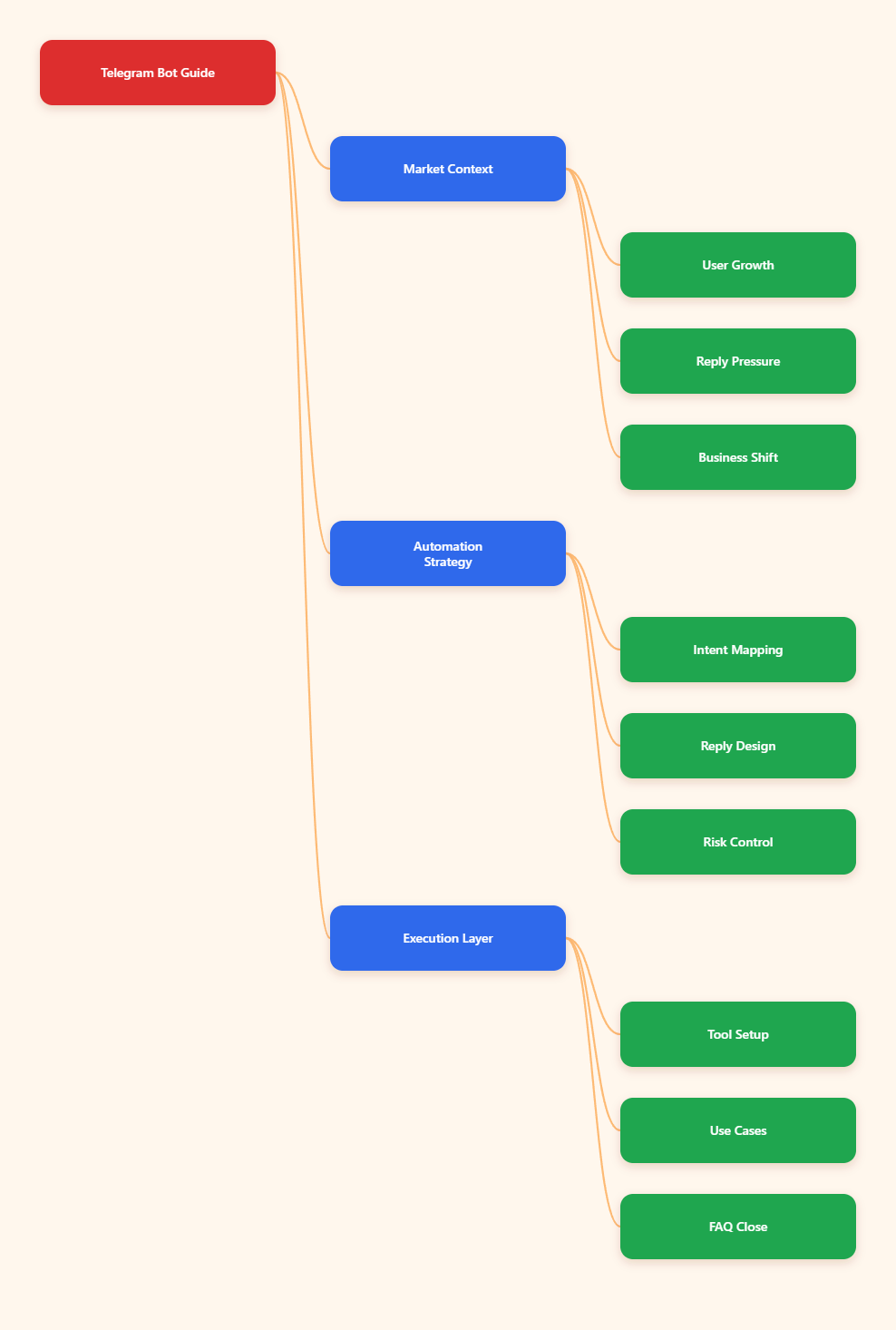
Why Telegram Automation Matters in 2026
Telegram has become a serious communication layer for communities, creators, SaaS teams, crypto projects, e-commerce sellers, and international marketers. Telegram passed 1 billion monthly active users in 2025, according to public statements from Pavel Durov reported by major technology and business outlets.
That scale changes user expectations. When people join a Telegram group or message a business account, they often expect the same speed they get from direct messaging. Slow replies can feel like neglect, especially when competitors answer instantly.
Telegram also supports channels, groups, bots, business accounts, quick replies, away messages, and chatbot connections. This creates a flexible stack, but flexibility can quickly become operational chaos.
Common pain points include:
- New members asking the same onboarding questions every day.
- Support teams missing messages outside office hours.
- Admins repeatedly sharing rules, links, pricing, or product instructions.
- Spam and low-quality replies burying useful conversations.
- Campaign leads dropping off before a human can respond.
A custom message auto reply Telegram bot is useful when it solves a specific communication gap. It is not a replacement for community strategy, product clarity, or human judgment.
What Is a Custom Message Auto Reply Telegram Bot?
A custom message auto reply Telegram bot is a bot configured to send predefined or conditional replies when it detects certain commands, keywords, questions, or message patterns. It can answer common questions, guide users to links, collect basic intent, and route conversations to humans.
The key word is “custom.” Generic replies such as “Thank you for your message” rarely improve user experience. Strong auto replies reflect your audience, offer clear next steps, and avoid pretending to be a human when they are not.
Typical use cases include:
- Welcome flows: greeting new users with rules, links, and next steps.
- FAQ replies: answering pricing, schedule, refund, or access questions.
- Lead qualification: asking users to choose a service, region, or budget.
- Support triage: separating urgent issues from general questions.
- Campaign routing: sending users to landing pages, forms, or sales chats.
For teams using Telegram for business, auto reply tools should support the larger customer journey. A reply should help users move forward, not trap them in an endless loop.
Where Auto Replies Help Most: Channel, Group, or Private Chat?
Telegram has different spaces, and each space needs a different automation style. A reply that works in a private chat may feel intrusive in a busy group. A group moderation bot may be irrelevant inside a broadcast channel.
| Telegram Space | Best Auto Reply Use | Risk to Avoid | Practical Setup Tip |
|---|---|---|---|
| Private Chat | Support triage, lead capture, order status guidance | Over-automation that blocks human help | Add a “talk to human” path after 1-2 replies |
| Public Group | Rules, spam warnings, FAQ redirects | Reply flooding during active discussions | Trigger replies only on commands or high-intent keywords |
| Discussion Group Linked to Channel | Post-specific FAQs and content navigation | Generic replies under every post | Use pinned comments and limited keyword replies |
| Broadcast Channel | Button flows, bot links, subscription prompts | Treating a channel like a chatroom | Move conversations to a bot or support group |
| Paid Community | Access help, renewal reminders, onboarding | Exposing private instructions publicly | Keep sensitive replies in private chat |
The safest approach is to start with one high-friction workflow. Do not automate every message. Automate the question that wastes the most admin time and has the clearest answer.
How Should You Design Replies That Do Not Feel Spammy?
The best custom message auto reply Telegram bot behaves like a helpful signpost. It gives direction, sets expectations, and stops talking when the user needs a person.
Start with intent mapping
Before writing replies, collect the top 20 repeated messages from your Telegram chats. Group them into intent categories such as pricing, access, rules, partnership, support, refund, bug report, or media kit.
Then choose only the categories where automation is safe. For example, “What is the webinar time?” is safe. “Why was my payment rejected?” may need human review.
Write replies in layers
Each reply should have three parts:
- Recognition: confirm what the user is asking.
- Answer: provide the shortest useful response.
- Next step: link, command, form, or human escalation.
Example: “Looking for pricing? Our current plans are listed here: [link]. If you need a team quote, reply with /sales and include your company size.”
Control frequency
Telegram communities move fast. If a bot responds to every partial keyword, it can pollute the conversation. Use exact commands where possible, such as /pricing, /rules, /support, or /start.
For groups, avoid broad triggers like “price,” “help,” or “admin” unless you also add cooldowns, admin-only settings, or context rules.
Telegram Bot Rules and Limitations You Must Respect
Telegram bots are powerful, but they operate inside platform rules. Ignoring those rules can create broken workflows or trigger rate-limit errors.
Telegram’s Bot API documentation explains that bots can send messages, reply to users, use inline keyboards, receive updates, and work in groups when configured correctly. However, group privacy mode matters.
By default, many Telegram bots in groups run with privacy mode enabled. In that mode, bots usually receive commands, replies to their messages, and certain service messages, but not every group message. If your bot must detect ordinary group messages, you may need to adjust privacy settings through BotFather and re-add the bot where required.
Rate limits also matter. Telegram does not document every exact operational threshold for every scenario, and limits can vary. Developer communities commonly plan around conservative limits, such as avoiding more than about 30 messages per second across different chats and about one message per second to the same chat. Telegram’s own bot FAQ also describes paid broadcasts for high-volume sending.
Practical safeguards:
- Use queues for bulk notifications.
- Respect retry_after responses when rate limited.
- Avoid duplicate replies in active groups.
- Keep logs of triggered replies and failed sends.
- Test privacy mode before launching group automation.
Building a Custom Message Auto Reply Telegram Bot Workflow
A useful workflow does not begin with software. It begins with a communication map. The goal is to understand what users ask, what they need next, and when the bot should stop.
Step 1: Audit conversations
Review recent Telegram messages from your channel comments, groups, and support chats. Look for repeated questions and unresolved threads. Mark questions that have a stable answer.
Step 2: Choose trigger types
Use commands for predictable actions and keywords for common natural-language questions. Commands are cleaner in groups. Keywords are more useful in private chats, but they need stricter testing.
Step 3: Create reply templates
Keep replies short. Telegram users scan quickly. Put the answer first, then the link or command. If a reply needs more than three short paragraphs, send users to a page, pinned post, or document.
Step 4: Add escalation
Every support-related flow should include a human path. Use “reply with /agent,” “open a ticket here,” or “message @supportusername during business hours.”
Step 5: Measure performance
Track whether auto replies reduce repeated questions. If users keep asking the same question after the bot replies, the response is unclear or the trigger is wrong.
Using OnlyTG Echo@EchoOnBot for Practical Auto Replies
When teams want a lightweight custom message auto reply Telegram bot without building from the Telegram Bot API directly, a dedicated bot tool can be easier to manage. OnlyTG Echo@EchoOnBot fits naturally in this part of the workflow when the problem is repetitive Telegram replies.
Practical scenarios include:
- Course community onboarding: A creator sets a /start or /rules reply that sends class links, schedule notes, and support hours to new students.
- E-commerce FAQ handling: A seller creates replies for shipping time, return policy, and order support so admins do not paste the same answer all day.
- Campaign lead routing: A media buyer uses keyword replies for “pricing,” “demo,” and “case study,” sending prospects to the correct form or sales contact.
Depending on the current options shown inside OnlyTG Echo@EchoOnBot, you may also find additional settings for managing reply text, testing responses, or organizing multiple reply rules. Treat these as support features, not the center of your Telegram strategy.
What Telegram Business Features Change for Auto Replies?
Telegram Business introduced features such as business hours, location, start pages, quick replies, greeting messages, away messages, chat tags, and chatbot support. These tools make Telegram more suitable for customer communication.
For small teams, built-in quick replies may be enough. They work well when a human is present but wants to answer faster. A custom message auto reply Telegram bot becomes more valuable when replies must happen automatically, outside office hours, or across multiple structured flows.
Use this simple decision rule:
- Use quick replies when a human chooses the response.
- Use greeting or away messages for basic expectation-setting.
- Use a custom bot for conditional flows, commands, routing, or repeatable automation.
Do not duplicate the same message across every layer. If users receive a greeting, an away message, and a bot reply all at once, the experience feels messy.
Common Mistakes That Hurt Telegram Communities
Automation mistakes usually come from trying to replace judgment. Telegram communities are relationship-driven. Members can quickly sense when a bot is interrupting instead of helping.
Avoid these mistakes:
- Triggering too often: Broad keyword replies can flood a group.
- No human fallback: Users get frustrated when the bot cannot understand edge cases.
- Outdated links: Old pricing pages and expired campaign links damage trust.
- Unclear disclosure: Do not pretend an automated reply is a human answer.
- Ignoring time zones: Global communities need clear support-hour expectations.
- Automating sensitive disputes: Refunds, bans, and payment failures often need human review.
The goal is not to make your Telegram operation fully automatic. The goal is to make human attention available for the conversations that deserve it.
Best Practices Checklist for 2026
Use this checklist before launching or updating a custom message auto reply Telegram bot:
- Identify the top repeated questions from real Telegram messages.
- Use commands for group replies whenever possible.
- Keep each reply under 3 short paragraphs.
- Add one clear next step to every reply.
- Include a human escalation option for support topics.
- Test bot privacy mode in groups before launch.
- Set cooldowns or narrow triggers for busy communities.
- Review reply logs weekly during the first month.
- Update links, prices, and schedules after every campaign change.
- Separate public group replies from private support replies.
FAQ: Custom Message Auto Reply Telegram Bot Questions
1. What is the best use of a custom message auto reply Telegram bot?
The best use is answering high-volume, low-risk questions with stable answers. Examples include rules, pricing links, event times, onboarding steps, support hours, and campaign resources.
2. Can a Telegram bot reply to every message in a group?
Not always by default. Telegram bots in groups are affected by privacy mode. With privacy mode enabled, bots usually see commands and relevant messages, not every normal message. Check BotFather settings and Telegram’s bot documentation before relying on group-wide detection.
3. Are auto replies better than Telegram Business quick replies?
They solve different problems. Quick replies help humans respond faster. Auto replies help when no human is available or when the workflow needs conditional routing, commands, or automated triggers.
4. How many auto reply rules should I start with?
Start with 5 to 10 rules based on your most repeated questions. Too many rules make testing harder and increase the risk of wrong replies.
5. Can auto replies improve Telegram marketing conversion?
Yes, if they reduce delay and guide users to the next action. For example, a fast reply with pricing, a demo form, or a support path can prevent leads from dropping off.
6. What should I avoid automating?
Avoid fully automating refunds, account bans, payment disputes, legal complaints, and emotionally sensitive support issues. Use the bot to collect context, then route to a human.
7. Where does OnlyTG Echo@EchoOnBot fit in this workflow?
OnlyTG Echo@EchoOnBot can be considered when you need a Telegram-based way to configure repeated message replies without building a custom API integration. Always follow its current official in-bot guide for setup details.
Conclusion
A custom message auto reply Telegram bot is most valuable when it protects response speed without weakening trust. In 2026, Telegram operators need systems that answer routine questions, route serious issues, and keep communities readable across time zones.
Start small. Automate the questions your team answers every day. Keep replies clear, test triggers carefully, and give users a human path when automation is not enough. If you prefer a ready Telegram-based setup, tools like OnlyTG Echo@EchoOnBot can support that workflow, but the strategy should always come first.