
Telegram growth is no longer the hard part for many marketers. The harder problem in 2026 is handling repeated questions, spam, buyer intent, support requests, and off-hour messages without turning every admin into a 24/7 help desk. That is where an auto reply Telegram bot client chat filter becomes useful.
This guide explains how Telegram teams can use automated replies, keyword logic, chat filters, and human handoff rules without damaging trust. You will learn what to automate, what to avoid, how to structure replies, and where a lightweight tool such as OnlyTG Echo@EchoOnBot can fit into a practical workflow.
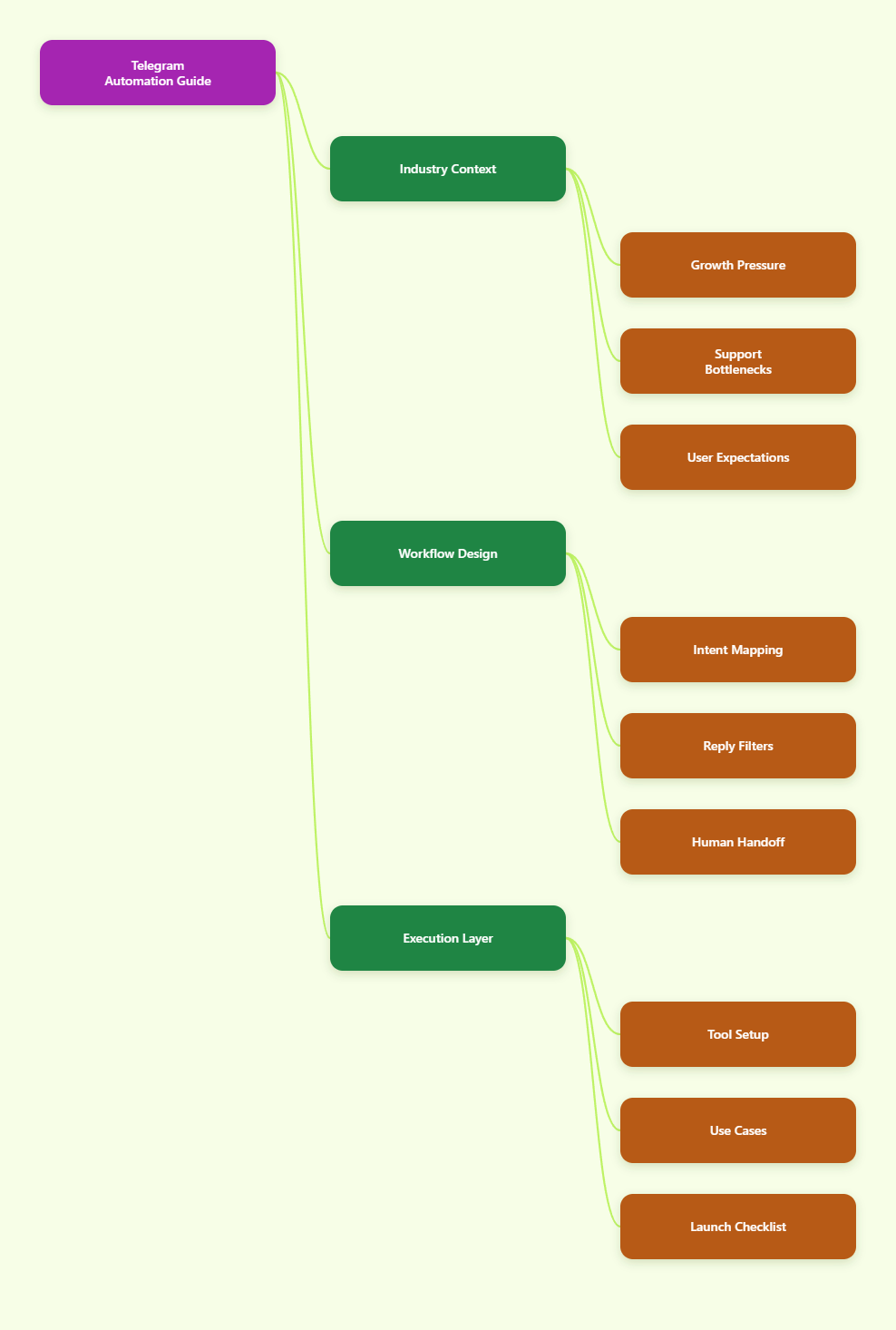
Why Telegram Automation Matters More in 2026
Telegram has become a mainstream communication channel for communities, creators, crypto projects, SaaS companies, education groups, and cross-border sellers. Publicly reported figures show Telegram passed 1 billion monthly active users in 2025, making it one of the largest global messaging platforms.
That scale changes user expectations. People join a Telegram group or message a bot because they expect speed. If a product question waits eight hours, the user may move to Discord, WhatsApp, email, or a competitor.
For operators, the challenge is not simply replying faster. It is replying consistently while filtering low-value noise from high-intent conversations.
Common Telegram operations problems include:
- Repeated questions about pricing, links, rules, and onboarding.
- Spam accounts posting phishing links or fake promotions.
- Support messages arriving across multiple time zones.
- New members missing pinned posts and asking the same questions.
- Admins losing context when conversations move quickly.
An auto reply Telegram bot client chat filter helps by turning predictable message patterns into structured responses. It does not replace community managers. It protects their time so they can focus on complex conversations.
What Is an Auto Reply Telegram Bot Client Chat Filter?
An auto reply Telegram bot client chat filter is a workflow that detects incoming Telegram messages, checks them against rules or keywords, and sends a relevant response. The filter may look for words, commands, phrases, user type, chat location, or message context.
In simple terms, it answers the easy questions first and routes the harder ones to people.
Core components
- Trigger: A keyword, command, private message, group mention, or new member action.
- Filter: A rule that decides whether the bot should respond.
- Reply: A prepared message, link, instruction, or next step.
- Escalation: A path to a human admin when automation is not enough.
Telegram’s Bot API supports bots that can send messages, use commands, handle buttons, and interact with users. Telegram Business also introduced tools such as quick replies, greeting messages, away messages, and business hours for private customer chats.
However, teams still need planning. A bot that replies to everything can feel noisy. A bot that ignores context can confuse users. Good automation starts with clean rules.
Where Should Telegram Teams Use Auto Replies?
The best use cases are repetitive, low-risk, and easy to explain. If the user asks a question that has one correct answer, automation is often appropriate. If the user needs judgment, negotiation, or sensitive account help, use human handoff.
Strong auto reply use cases include:
- Welcome messages for new private chats.
- FAQ replies for pricing, documentation, rules, and support hours.
- Lead routing for demos, partnerships, and affiliate inquiries.
- Group guidance when users ask about pinned resources.
- Off-hour replies that set expectations and collect details.
Weak use cases include refund disputes, personal account problems, legal complaints, complex technical diagnosis, and moderation decisions that require context.
A practical rule is simple: automate information delivery, not empathy.
How Do Chat Filters Improve Telegram Support Quality?
Without filters, an auto reply system can become a broadcast machine. With filters, it becomes a routing layer. A client chat filter decides which messages deserve a bot reply, which messages should be ignored, and which messages should alert an admin.
For example, a software community may use different rules:
- Messages containing “pricing” receive the pricing page.
- Messages containing “bug,” “error,” or “crash” receive a bug report format.
- Messages containing “refund” are sent to a human support queue.
- Messages with suspicious links are hidden or flagged for moderation.
This is why the phrase auto reply Telegram bot client chat filter is not just a technical label. It describes a real operating model: reply automatically where safe, filter aggressively where needed, and preserve human attention for high-value cases.
Telegram Automation Options Compared
There is no single best automation method. The right setup depends on team size, technical skill, risk tolerance, and how much customization you need.
| Option | Best For | Strengths | Limits |
|---|---|---|---|
| Telegram Business replies | Small businesses using private chats | Native quick replies, greetings, away messages | Less suitable for complex group automation |
| No-code bot tools | Marketers and community admins | Fast setup, keyword replies, simple workflows | Depends on tool features and permissions |
| Custom Bot API development | SaaS, fintech, and advanced support teams | Full control over logic, data, and integrations | Requires developers, hosting, and security work |
| Anti-spam moderation bots | Large public groups | CAPTCHA, link controls, spam removal | Not designed for full customer support |
For most marketing teams, the safest path is hybrid. Use Telegram’s native business tools for simple private-chat expectations. Add bot-based keyword replies for structured FAQs. Keep admins responsible for exceptions.
How to Build a Reliable Auto Reply Flow
A useful auto reply flow begins with message data, not with a tool. Review your last 100 to 300 Telegram questions and group them by intent. You will usually find that a small number of topics create most repetitive work.
Step 1: Map recurring intents
Create a spreadsheet with four columns: user message, intent, ideal answer, and escalation rule. Keep the labels simple, such as pricing, onboarding, refund, technical issue, partnership, spam, or rules.
Step 2: Write replies that sound human
A good automated reply should be short, direct, and transparent. Do not pretend the bot is a person. Say what the user can do next.
Example:
“Thanks for asking. Our pricing page is here: [link]. If you need a team plan, reply with ‘sales’ and an admin will follow up.”
Step 3: Add filters before replies
Do not trigger replies on single broad words if they create false positives. A keyword like “price” may work. A word like “help” is too broad unless it opens a menu.
Better filters combine phrases:
- “How much” + product name
- “pricing” or “plans”
- “trial” + “expired”
- “bug” + “version”
Step 4: Define quiet hours and human handoff
If your team serves users in Europe, Asia, and North America, reply timing matters. An away message should state when a person will respond and what details the user should leave.
Ask for screenshots, order IDs, wallet addresses only when safe and necessary. Never ask for passwords, seed phrases, or sensitive credentials in Telegram.
Using OnlyTG Echo@EchoOnBot for Keyword Replies
When a team needs a lightweight way to answer repeated Telegram questions, OnlyTG Echo@EchoOnBot can be used as a keyword-based auto reply helper. Public OnlyTG tutorial material shows it being used to set auto-replies or keyword replies for a Telegram bot.
A conservative setup process looks like this:
- Create or prepare your Telegram bot through BotFather.
- Open OnlyTG Echo@EchoOnBot in Telegram.
- Follow the bot prompts to connect your Telegram bot.
- Add keyword triggers such as “pricing,” “docs,” “support,” or “rules.”
- Write the reply text and include only necessary links.
- Test the trigger in a private chat or controlled group before using it publicly.
Use it for stable answers, not sensitive account decisions. Keep every reply reviewed by an admin, and update keywords when your offers, links, or community rules change.
Practical scenario 1: SaaS onboarding
A SaaS founder runs a Telegram group for beta users. New members repeatedly ask for setup documentation. The team can set “setup,” “docs,” and “install” as triggers. The bot replies with the latest documentation link and asks users to include device, operating system, and error screenshot if they still need help.
Practical scenario 2: Paid community rules
A trading education group receives repeated questions about group rules and session schedules. The admin can set keyword replies for “rules,” “schedule,” and “recording.” The reply can point members to pinned resources and explain when live sessions happen.
Practical scenario 3: Event lead routing
A conference organizer uses Telegram for partner inquiries. Keywords such as “sponsor,” “booth,” and “media” can return the correct form link. Messages containing “invoice” or “contract” should be routed to a human because they may involve commercial details.
OnlyTG Echo@EchoOnBot may also be useful for simple bot response management around repeated prompts. Treat these extra capabilities as operational support, not a replacement for a full CRM or ticketing system.
Common Mistakes That Make Auto Replies Annoying
Automation fails when it prioritizes speed over relevance. Telegram users are highly sensitive to spam-like behavior, especially in groups where too many bot messages interrupt discussion.
Avoid these mistakes:
- Replying to every mention: Use narrower filters to prevent noise.
- Using long canned messages: Keep replies short and link to details.
- Ignoring group privacy rules: Telegram bots may have privacy mode enabled by default, limiting what they receive in groups.
- No testing environment: Test in a private group before going live.
- No update routine: Review keywords monthly or after every product change.
For group use, understand Telegram bot privacy mode. New bots may not receive every group message unless settings and permissions are adjusted. If your bot seems silent in groups, check BotFather settings, remove and re-add the bot if needed, and confirm admin permissions.
Security and Trust Rules for Telegram Bot Operators
Telegram automation often touches customer conversations, links, and community permissions. Poor security can create serious risk.
Follow these baseline practices:
- Keep bot tokens private and never paste them in public channels.
- Give bots only the permissions they need.
- Use official Telegram clients and trusted tools.
- Do not collect passwords, private keys, seed phrases, or full payment details.
- Use clear language when a reply is automated.
- Maintain a manual override process for admins.
If your Telegram bot connects to external systems, protect API keys, limit access, and log changes. For larger teams, document who can edit replies and who can approve public-facing automation.
Measuring Whether Your Auto Reply System Works
An auto reply system should reduce admin load and improve user experience. If it only increases message volume, it is not working.
Track practical metrics:
- Percentage of repeated questions reduced after launch.
- Average time to first response in private chats.
- Number of false-triggered replies per week.
- Admin escalations by topic.
- User complaints about bot noise.
- Click-throughs on documentation or support links.
Review the data weekly during the first month. Remove triggers that fire too often. Add phrases that users actually type. The best auto reply Telegram bot client chat filter evolves from real conversations, not assumptions.
Implementation Checklist
Before launching your Telegram automation, confirm the basics:
- List your top 10 repeated questions.
- Write short replies for each question.
- Separate private-chat replies from group replies.
- Use specific keywords, not vague words.
- Add clear human handoff instructions.
- Test every trigger before public release.
- Check bot permissions and privacy mode.
- Review links and replies monthly.
- Train admins on when to override automation.
This checklist is intentionally simple. Most Telegram teams do not need complicated automation at the start. They need accurate answers, fewer repeated interruptions, and fewer missed high-intent messages.
FAQ: Auto Reply Telegram Bot Client Chat Filter
1. What is the best use of an auto reply Telegram bot client chat filter?
The best use is answering predictable questions, routing leads, and guiding users to the correct resource. It works well for pricing links, support hours, onboarding guides, event forms, and community rules.
2. Can Telegram bots reply automatically in groups?
Yes, but group behavior depends on bot settings, permissions, and Telegram privacy mode. Many new bots have privacy mode enabled by default, which limits the messages they can see in groups.
3. Is Telegram Business enough for auto replies?
Telegram Business is useful for quick replies, greeting messages, away messages, and business-hour communication in private chats. For more advanced keyword logic or group workflows, teams often use bot-based tools or custom development.
4. How many keyword triggers should I start with?
Start with 5 to 10 high-frequency triggers. Common examples include pricing, support, docs, rules, schedule, demo, refund, and partnership. Expand only after reviewing real user messages.
5. Should a bot answer customer complaints?
It can acknowledge the message and collect basic details, but complaints should usually move to a human. Avoid automated decisions for refunds, account problems, legal issues, or sensitive topics.
6. How often should I update Telegram auto replies?
Review them at least monthly. Also update them immediately after pricing changes, product launches, policy changes, event updates, or support process changes.
7. Can OnlyTG Echo@EchoOnBot replace a support team?
No. OnlyTG Echo@EchoOnBot is better viewed as a lightweight helper for repeated keyword replies. A support team or admin should still handle complex, sensitive, or high-value conversations.
Final Thoughts
Telegram automation in 2026 is not about making communities feel robotic. It is about protecting response quality as message volume grows. A well-planned auto reply Telegram bot client chat filter gives users faster answers while giving admins more time for real conversations.