
If you run a Telegram channel or group, you already know the awkward moment: someone joins, nobody welcomes them, they cannot find the rules, and they leave quietly. That is why an auto greeting Telegram setup matters more in 2026 than most marketers admit.
In this guide, I will walk through how I plan auto greeting Telegram workflows for groups, channels, and business inboxes. I will cover message structure, anti-spam checks, timing, analytics, and a light tool workflow without turning this into a sales pitch.
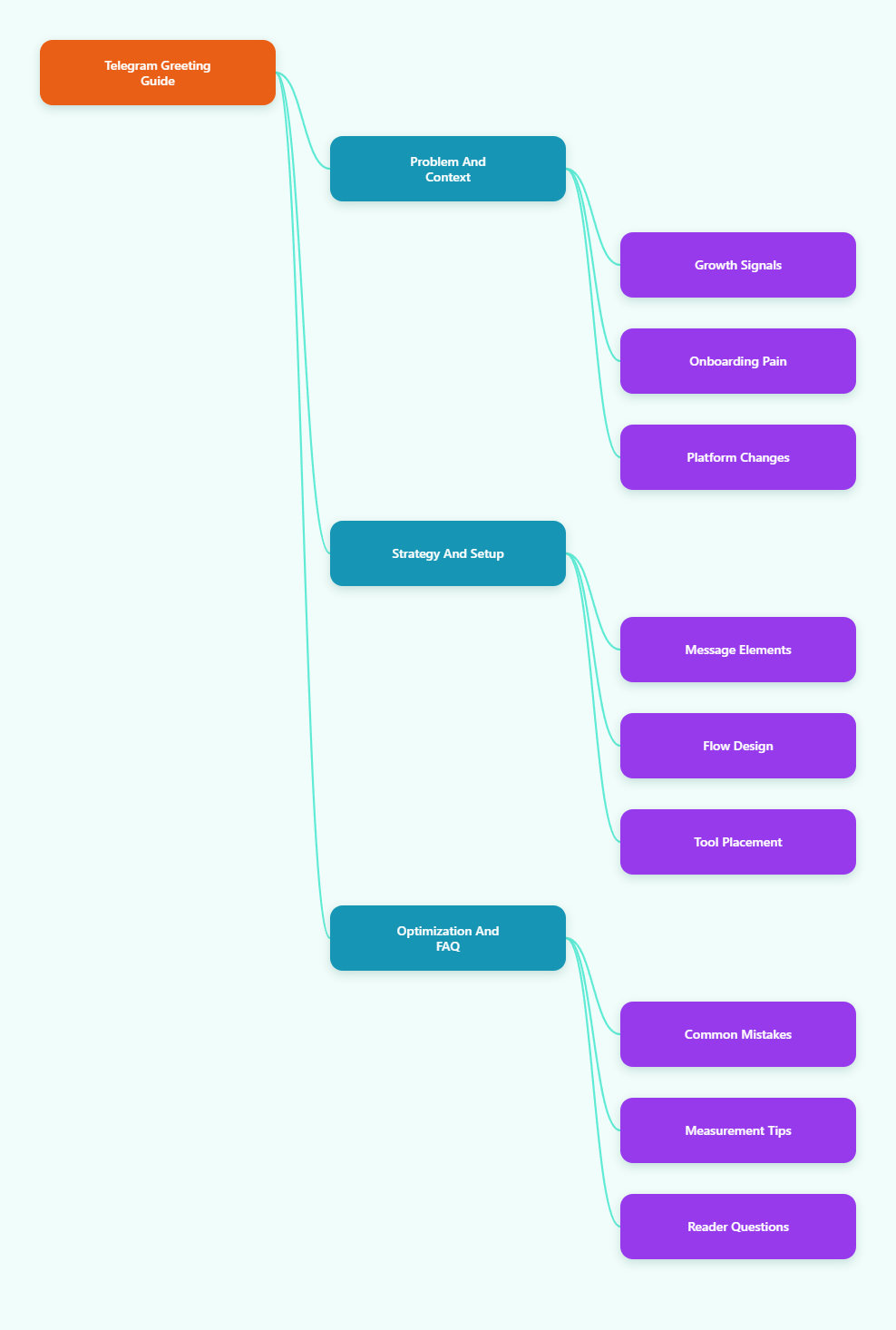
Why Auto Greeting Telegram Workflows Matter in 2026
Telegram is no longer a niche messenger for crypto chats and tech communities. Pavel Durov said Telegram passed 1 billion monthly active users in March 2025. That scale changed how brands treat the platform.
For marketers, the big attraction is simple. Telegram does not depend on a feed algorithm in the same way as TikTok, Instagram, or LinkedIn. A channel post reaches subscribers in chronological order, as long as they keep notifications and attention open.
That makes the first touch critical. When someone joins, your greeting becomes the front desk, help center, rulebook, and conversion filter at the same time.
A good auto greeting Telegram message usually does four jobs:
- Confirms what the group or channel is about.
- Shows the next useful action.
- Sets rules before spam starts.
- Routes serious users toward support, resources, or offers.
The mistake I see most often is writing a welcome message like a corporate brochure. New members do not need your brand history. They need orientation.
What Changed for Telegram Operators by 2026?
Telegram Business features made automated communication more mainstream. Telegram introduced business accounts in 2024 with opening hours, location, start pages, quick replies, greeting messages, away messages, and chatbot support.
In 2025, Telegram also expanded automation options for Business accounts, including support for third-party chatbots in business messaging. That matters because admins can now build more structured inbox flows without forcing every user into a public group.
Telegram groups also face heavier spam pressure. Public communities attract phishing links, fake support accounts, low-quality promotions, and bot waves. A welcome flow now needs both warmth and filtering.
Here is the practical shift I use when auditing Telegram communities:
- Old model: welcome people after they start talking.
- New model: guide people before they get lost.
- Old model: pin one long rules post.
- New model: send short, contextual prompts.
- Old model: admins manually answer repeat questions.
- New model: automate the first response, then humanize deeper support.
Auto Greeting Telegram Benchmarks and Platform Context
I avoid fake engagement benchmarks because every niche behaves differently. A trading signals group, a SaaS user community, and a paid creator channel will never share the same reply rate.
Still, platform context helps us plan. The table below uses public figures and widely reported Telegram updates to frame why onboarding deserves attention.
| Telegram signal | Latest public context | Operational meaning |
|---|---|---|
| Monthly active users | Over 1 billion reported in March 2025 | Telegram is large enough for global community funnels. |
| User habit | Durov stated users open Telegram 21 times daily and spend 41 minutes per day on average | Fast response expectations are normal. |
| 2024 downloads | Backlinko reported 271.8 million App Store and Google Play downloads in 2024 | New audiences keep entering the platform. |
| Business features | Telegram Business added greetings, away messages, quick replies, start pages, and chatbot support | Welcome automation is now a native business habit. |
| Bot API rate limits | Community experience often cites about 30 messages per second globally and about 1 message per second per chat | Bulk greeting and notification flows need pacing. |
The takeaway is not “send more messages.” The takeaway is “make the first message useful enough that fewer follow-up messages are needed.”
What Should an Auto Greeting Telegram Message Include?
I keep welcome messages short. Under 200 words is usually enough for groups. For business chats, I prefer under 80 words with one question.
Every strong auto greeting Telegram message has five parts:
- Name or warm opener: Use a friendly tone, not a robotic announcement.
- Purpose: Explain the community in one sentence.
- Rules: Mention the top two or three rules only.
- Resource link: Point to a pinned post, FAQ, docs, or start page.
- Single call to action: Ask them to introduce themselves, choose a topic, or read one resource.
Here is a simple template I often adapt:
“Welcome to [Community Name]. This group is for [specific audience] who want [specific outcome]. Please avoid spam, fake support DMs, and off-topic promotions. Start here: [resource link]. Quick question: what are you working on this week?”
That last question matters. It creates an easy first reply. A silent group feels risky. A group where people introduce themselves feels alive.
For Channels
Channels are broadcast-first. New subscribers often cannot speak unless comments or linked discussion groups are enabled. Your greeting should push them toward orientation, not conversation.
- Link the “best posts” collection.
- Explain posting frequency.
- Tell them where discussion happens.
- Add a clear unsubscribe-safe expectation.
For Groups
Groups need boundaries. The welcome message should prevent confusion and reduce admin work.
- State the main topic.
- Share the short rules.
- Warn about impersonators.
- Ask for a low-friction introduction.
For Business Chats
Business chats need routing. Telegram Business greeting messages can trigger when users contact the business for the first time or after inactivity, depending on configuration.
- Ask one qualifying question.
- Offer two paths, such as “pricing” or “support.”
- Set response time expectations.
- Use quick replies for repeat answers.
How Do You Build an Auto Greeting Telegram Flow Without Annoying Users?
The biggest onboarding mistake is stacking too many messages. I call this “welcome spam.” It happens when admins try to explain everything in the first minute.
A better flow uses layers:
- Instant welcome: One short message after joining or starting a chat.
- Pinned resource: A deeper guide that stays available.
- Human follow-up: Admins reply only when the user shows intent.
- Periodic reminders: Rules or resources appear only when relevant.
If your group uses join requests, you can add a verification step before approval. Telegram Bot API objects such as ChatJoinRequest support workflows where bots handle join requests, if configured with the right admin permissions.
For public groups, I prefer a simple gate:
- Ask one question related to the group topic.
- Use CAPTCHA only when spam volume justifies it.
- Keep the answer step short.
- Never ask for seed phrases, wallet keys, or sensitive personal data.
In crypto, trading, and SaaS communities, I also add a warning line: “Admins will never DM first asking for funds, passwords, or recovery phrases.” That line has saved many communities from fake-support scams.
Auto Greeting Telegram Copywriting: My Field Checklist
I use this quick checklist before publishing any greeting. It keeps the message useful and avoids brand fluff.
- Can a newcomer understand the group in five seconds?
- Is there only one primary CTA?
- Are the rules specific enough to enforce?
- Does the message link to one stable resource?
- Would I feel welcomed if I read it on mobile?
- Does it avoid hype, caps lock, and fake urgency?
I also test the message on a phone. Desktop formatting lies. Mobile exposes long lines, ugly links, and buttons that feel cramped.
Where OnlyTG Echo@EchoOnBot Fits in a Welcome Workflow
When admins ask me for a lightweight way to reduce repetitive onboarding work, I look for tools that support simple Telegram-native habits. One option worth testing is OnlyTG Echo@EchoOnBot, especially when the pain point is repeating the same welcome, FAQ, or routing text manually.
Based on the usual Telegram bot setup pattern, the safe way to start is simple: open OnlyTG Echo@EchoOnBot inside Telegram, tap Start, read the in-bot instructions, and connect it only where you have admin rights. Then configure the greeting or echo-style response according to the bot’s official prompts.
I recommend testing in a private staging group first. Add the bot, grant only the permissions needed for the workflow, trigger a join or message event, and check the output on mobile. Do not roll it into a large public group before you confirm timing, formatting, and permissions.
Practical Use Cases for OnlyTG Echo@EchoOnBot
- Creator community onboarding: A paid newsletter creator can greet new discussion members with the topic, posting schedule, and a link to the pinned archive. The admin avoids copy-pasting the same intro after every join.
- SaaS support triage: A small SaaS team can guide users toward “billing,” “bug report,” or “feature question” instructions before a human support agent joins the conversation.
- Event group orientation: A webinar host can welcome attendees with the agenda, time zone note, replay policy, and one support contact, reducing repeated logistical questions.
OnlyTG Echo@EchoOnBot may also be useful alongside pinned posts, quick replies, and routine FAQ responses. I would still keep the bot as a helper, not the whole community strategy.
Common Auto Greeting Telegram Mistakes I Still See
Most weak welcome flows fail for boring reasons. They are too long, too vague, or too self-centered.
Here are the mistakes I flag during audits:
- Too many links: New members do not know what matters first.
- No rule priority: “Be respectful” is fine, but not enough.
- No scam warning: Public groups need impersonation reminders.
- No next action: A greeting without a CTA creates silence.
- No localization: Global communities need language routing.
- No rate-limit awareness: Bulk bot actions can hit 429 errors.
Telegram Bot API limits can change and may behave dynamically. Community developers often plan around approximate ceilings, then handle 429 responses with retry logic. If your bot sends many messages, spread notifications and avoid blasting one chat repeatedly.
How I Measure Whether a Welcome Flow Works
I do not judge a greeting by how clever it sounds. I judge it by behavior.
These are the practical signals I track:
- Intro replies: How many new members answer the welcome prompt?
- Rule violations: Do spam links drop after the greeting changes?
- Repeated questions: Do admins answer the same FAQ less often?
- Resource clicks: Do people open the pinned guide or docs?
- Early exits: Do members leave soon after joining?
- Support routing: Do business chats reach the right person faster?
You do not need a huge analytics stack at first. A weekly admin review works. Pick one metric, change one message, and compare the next week.
Advanced Tips for 2026 Telegram Community Operators
Once the basics work, improve the flow in small steps. Telegram communities reward clarity more than complexity.
- Segment by source: Use different invite links for campaigns when possible.
- Match promise to landing: If an ad promises alpha, the greeting should mention alpha.
- Use pinned posts as a knowledge base: Keep one clean “Start Here” post.
- Refresh greetings monthly: Old event links make communities look abandoned.
- Train moderators: A bot can greet, but humans set culture.
- Protect trust: Remind users about fake admins and payment scams.
For multilingual groups, do not cram five languages into one giant greeting. Use a short language selector or separate groups when the community is large enough.
Quick Implementation Summary
If I had to set up an auto greeting Telegram flow today, I would follow this order:
- Define the group promise in one sentence.
- Write a welcome message under 200 words.
- Add two or three enforceable rules.
- Link one pinned “Start Here” resource.
- Add one simple CTA for introductions or routing.
- Test the flow with a new account or staging group.
- Add anti-spam checks only where needed.
- Review replies and repeated questions every week.
FAQ: Auto Greeting Telegram in 2026
What is an auto greeting Telegram message?
It is an automated welcome message sent when someone joins a group, starts a business chat, or enters an onboarding flow. It usually explains the community purpose, rules, resources, and next step.
Can Telegram Business send greeting messages?
Yes. Telegram Business supports greeting messages for users who contact a business for the first time or after a configured inactivity period. It also supports quick replies, away messages, and other business profile tools.
Should my Telegram group greeting be long or short?
Keep it short. I usually aim for under 200 words in groups and under 80 words in business chats. Link to a pinned resource for deeper details.
Can bots message users before they interact?
Telegram limits unsolicited bot messaging. In normal bot chats, users usually need to start the bot first. Join request workflows can allow specific contact patterns when the bot has proper admin rights and Telegram permits it.
How do I stop spam in a Telegram welcome flow?
Use join requests, topic-related questions, CAPTCHA when needed, clear rules, and fast moderation. Also warn users about fake admins and phishing links.
Is OnlyTG Echo@EchoOnBot required for auto greeting Telegram workflows?
No. It is one possible helper. You can also use Telegram Business greetings, custom bots, moderation bots, or manual pinned posts. Choose the lightest setup that solves your actual problem.
How often should I update my Telegram greeting?
I review greetings monthly, or after any campaign, product launch, event, or rule change. Broken links and outdated promises hurt trust fast.
Final Thoughts
An auto greeting Telegram workflow is not about sounding automated. It is about making the first moment feel clear, safe, and useful.
Start with the basics: one purpose, one resource, one next action. Then add tools only when manual work becomes repetitive.