
If your sales team uses Telegram every day, the hard part is not starting conversations. The hard part is knowing which new contact is a real lead, where that person came from, who should follow up, and what happened after the first message.
This guide shows you how to track new leads after add Telegram contacts in 2026 without messy spreadsheets, spammy outreach, or privacy mistakes. It is written for founders, agencies, sales teams, community managers, and support teams that already use Telegram as a serious business channel.
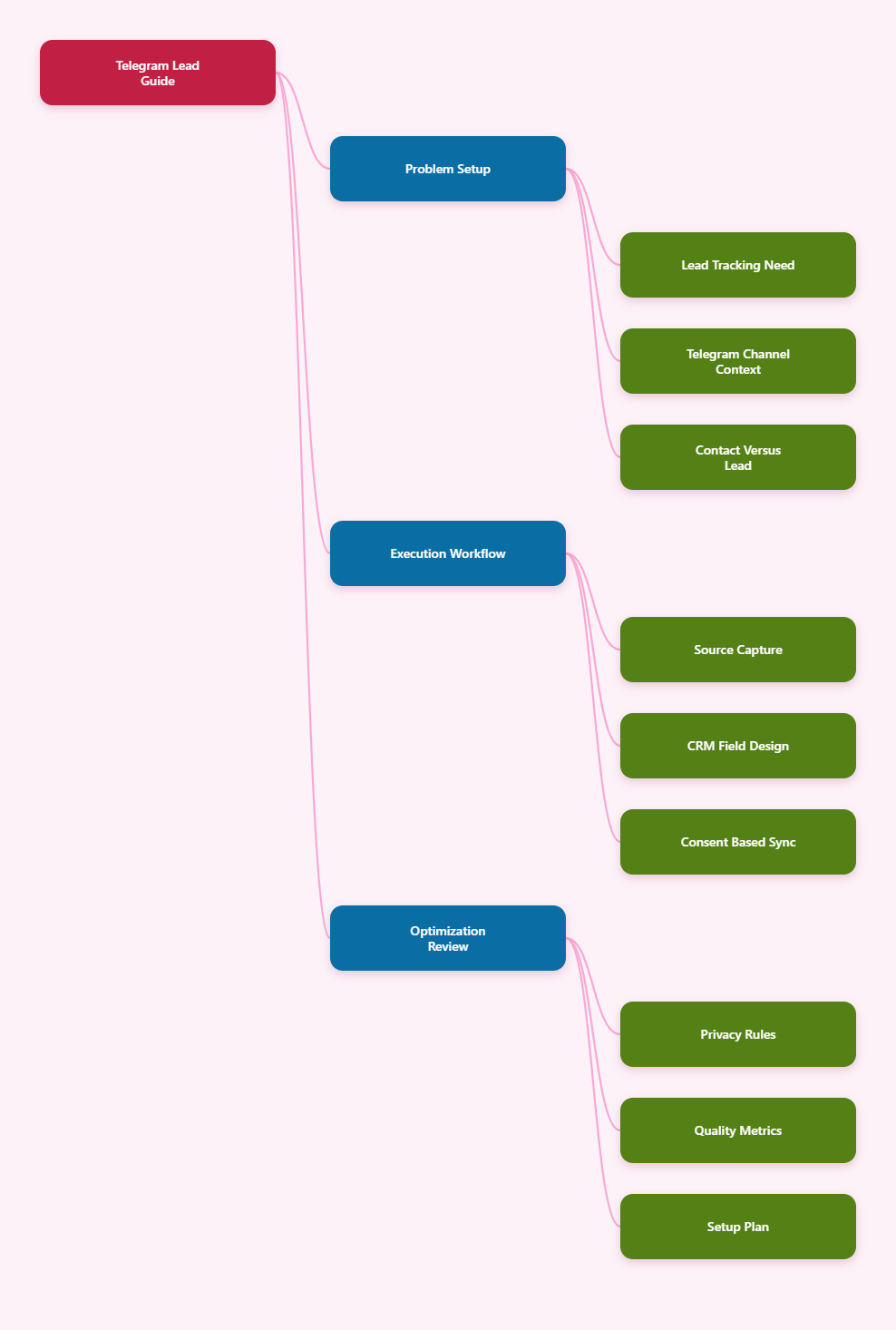
Why Telegram Lead Tracking Matters in 2026
Telegram has moved far beyond casual messaging. Businesses now use channels, groups, bots, Mini Apps, business profiles, and direct messages to answer questions, qualify prospects, send resources, and move people toward a purchase.
Telegram Business features, introduced by Telegram in 2024, added practical tools such as business hours, location, quick replies, greeting messages, away messages, custom start pages, and chatbot support. Telegram later expanded automation options for business accounts, making it more realistic for teams to manage high-volume conversations.
That creates a real opportunity, but also a tracking problem. A person may join from a channel post, click a bot deep link, ask a question in a group, send a direct message, or share a phone number manually.
Without a tracking system, these leads become invisible. Common symptoms include:
- Sales reps forget where a contact came from.
- Hot inquiries stay inside private chats.
- Managers cannot compare Telegram with email, ads, or WhatsApp.
- Follow-ups depend on memory instead of workflow.
- UTM data disappears before it reaches the CRM.
The fix is not to collect more data than necessary. The fix is to collect the right data at the right moment, with clear consent and a repeatable process.
What Counts as a New Telegram Lead?
A Telegram contact is not automatically a lead. A lead is someone who has shown a business-relevant intent that your team can act on.
In practice, a new Telegram lead may be someone who:
- Messages your bot after clicking a campaign link.
- Shares contact details through a Telegram bot button.
- Asks for pricing, availability, support, or a demo.
- Joins a private group created for prospects.
- Replies to a channel post and requests more information.
- Is manually added by a sales rep after a qualified conversation.
The key distinction is intent. A random imported phone contact is not the same as a person who asked for a quote.
Telegram Contacts vs CRM Contacts
Telegram uses phone numbers as unique identifiers for accounts, according to its privacy policy. It can also store synced contacts if a user gives permission, mainly to help users find people they know on Telegram.
Your CRM should not copy everything from a phone book just because it is technically possible. A CRM contact should have a legitimate business reason, a source, an owner, and a next action.
Direct Messages vs Bot Conversations
Direct messages are easy for humans, but harder to measure. Bot conversations are easier to structure because they can capture commands, button clicks, deep link parameters, and form-like answers.
For serious lead tracking, use bots or connected business workflows when possible. Keep human DMs for relationship building, negotiation, and support that needs judgment.
Groups, Channels, and Mini Apps
Telegram channels are broadcast-first. Groups are conversation-first. Mini Apps can create app-like experiences inside Telegram, including onboarding, forms, events, and analytics.
Each entry point needs a different tracking method. A channel post may need a UTM link, a group may need manual qualification tags, and a bot or Mini App can pass structured data into your CRM.
How to Track New Leads After Add Telegram Contacts
To track new leads after add Telegram contacts, build a workflow around four events: source capture, identity confirmation, qualification, and CRM sync. Do not wait until the end of the conversation to organize the lead.
The best time to track a lead is the moment the user starts the conversation. If you lose the first source, you may never recover it accurately.
Step 1: Define Your Minimum Lead Record
Start with a small set of fields. If reps must fill out 20 fields after every chat, the system will fail.
A practical Telegram lead record should include:
- Telegram username or chat ID, when available through the workflow.
- Display name, used only as an identifier, not as proof of identity.
- Lead source, such as channel, group, bot, ad, referral, or manual DM.
- Campaign tag, such as webinar, launch, partner, or product line.
- Intent label, such as pricing, demo, support, partnership, or purchase.
- Owner, meaning the person responsible for follow-up.
- Next action date, so the conversation does not go cold.
Phone number should be optional unless the user intentionally provides it. Telegram privacy settings allow users to control who can see their phone number and who can find them by number, so your workflow should not assume phone visibility.
Step 2: Capture Source Before the Chat Starts
Use different links for different campaigns. A single generic Telegram link makes reporting almost impossible.
For external landing pages, add standard UTM parameters such as utm_source, utm_medium, utm_campaign, and utm_content. For Telegram bots, use deep links with a start parameter where appropriate.
Telegram bot deep links can pass a start parameter to the bot when a user opens the bot. Telegram documentation describes bot links using formats such as t.me/BotUsername?start=parameter, with the parameter used to start a conversation with context.
Use compact source codes, not long messy strings. For example:
- ch_launch_post_01
- ad_pricing_q1
- ref_partner_a
- grp_founders_demo
When the user starts the bot, store that code in your lead record. If the user later buys, you can connect revenue back to the original entry point.
Step 3: Ask for Consent at the Right Moment
Telegram bots can request contact details through a keyboard button that asks the user to share their contact. This is different from scraping phone numbers or assuming you can use synced contacts for sales.
Use a clear, low-pressure message. For example: “Share your contact details if you want our team to follow up about pricing.”
A good consent moment has three parts:
- Why you need the information.
- What the user will receive.
- How they can continue without sharing sensitive data.
This approach protects trust. It also improves data quality because people who voluntarily share details are usually more qualified than people added silently.
Lead Tracking Methods Compared
There is no single best setup for every business. A small founder-led service business may only need labels and a lightweight CRM, while a high-volume SaaS team may need bots, automation, event tracking, and lead scoring.
| Method | Best For | What It Tracks | Main Risk |
|---|---|---|---|
| Manual CRM entry | Low-volume sales | Name, source, notes, owner | Reps forget to update records |
| Bot deep links | Campaign attribution | Start source, campaign, first action | Poor parameter naming |
| UTM landing pages | Ads and content | Click source and conversion path | UTM data not passed to CRM |
| Telegram Business automation | Support and sales teams | Replies, routing, status changes | Over-automation hurts trust |
| Mini App analytics | Interactive funnels | App opens, form steps, events | Tracking too many vanity events |
If you are starting from zero, choose one primary method first. Most teams should begin with bot deep links plus CRM fields, then add UTM and Mini App tracking later.
Build a CRM Workflow for Telegram Leads
A Telegram CRM workflow should answer five questions fast: who is the person, where did they come from, what do they want, who owns the follow-up, and what is the next step?
You can use a dedicated Telegram CRM, a general CRM such as HubSpot or Pipedrive through integrations, or a custom internal database. The tool matters less than the discipline of consistent fields and updates.
Create a Dedicated Telegram Pipeline
Do not mix all Telegram chats into one general inbox without stages. Create stages that match how Telegram conversations actually move.
A simple pipeline can look like this:
- New Telegram contact: conversation started, not yet qualified.
- Qualified interest: user has a clear need or question.
- Info sent: pricing, link, proposal, or resource delivered.
- Follow-up due: waiting for response or scheduled check-in.
- Converted: purchase, booking, subscription, or agreed next step.
- Not a fit: no intent, wrong market, duplicate, or support-only case.
Keep the names plain. If a new rep cannot understand the pipeline in one minute, it is too complex.
Use Tags That Support Decisions
Tags should help the team act, not decorate the record. Avoid creating dozens of overlapping labels.
Useful Telegram lead tags include:
- hot-pricing
- demo-request
- partner-lead
- support-to-sales
- community-member
- needs-human-reply
For reporting, separate source tags from intent tags. “telegram_group” tells you where the lead came from, while “pricing_request” tells you why the person matters.
Sync Notes, Not Entire Private Lives
Telegram conversations can contain sensitive personal context. Your CRM does not need every message unless there is a clear operational reason and your policies allow it.
In many teams, a short structured summary is safer and more useful than a full chat copy. For example: “Asked about enterprise pricing for 25 seats; wants onboarding help; follow up Friday.”
This keeps the CRM readable and reduces unnecessary data exposure.
Use Bots and Deep Links Without Breaking Trust
Bots are powerful because they can standardize the first interaction. They can ask qualification questions, deliver lead magnets, route support requests, and send structured data to your CRM.
But bots should not pretend to be humans. A transparent bot builds more trust than a fake personal message.
Design a Short Qualification Flow
Your first bot flow should take less than one minute. Ask only what you need to route the lead.
A strong first flow might ask:
- What are you looking for?
- Are you an individual, team, or company?
- What is your timeline?
- Do you want a human follow-up?
Use buttons where possible. Free-text answers are useful later, but buttons produce cleaner data for segmentation.
Map Deep Link Codes to Campaigns
Do not store only the raw parameter. Create a source mapping table inside your CRM or automation tool.
For example, “ad_pricing_q1” should map to channel “Telegram Ads,” campaign “Q1 Pricing,” content “Pricing CTA,” and funnel “Demo.” This makes reporting readable for non-technical teammates.
Handle Returning Users Carefully
A person may click several Telegram links over time. Decide your attribution model before reports matter.
Common options include:
- First-touch: credit the first source that brought the user.
- Last-touch: credit the most recent source before conversion.
- Multi-touch: store multiple sources and review the journey.
For small teams, first-touch plus last-touch is usually enough. Store the first known source and update the latest source when a user re-enters through a new campaign.
Privacy and Compliance Rules You Should Not Ignore
Telegram gives users privacy controls over phone number visibility, discoverability, profile information, calls, groups, and other settings. Privacy International and Telegram’s own materials both emphasize reviewing account privacy and security settings.
For businesses, the practical rule is clear: do not treat Telegram contact access as permission to market to everyone.
Do Not Scrape or Spam Contacts
Adding a person as a Telegram contact does not mean they agreed to receive promotional messages. Cold, generic blasts are likely to be ignored, reported, or blocked.
Use relevance as the minimum standard. If you cannot explain why a message is useful to that person, do not send it.
Respect Phone Number Visibility
Some users hide their phone numbers. Others allow only contacts to see them. Some may be findable by number only under certain settings.
Build your process around Telegram username, chat ID within permitted bot interactions, and voluntary form submission. Treat phone number as sensitive data, not as a default lead field.
Keep Human Review in the Loop
Automation can route and remind, but humans should review edge cases. This is especially important for high-value deals, complaints, legal questions, and sensitive support requests.
A practical 2026 setup combines quick automation with human judgment. Bots capture structure; people build trust.
Metrics to Measure Telegram Lead Quality
Tracking is only useful if it changes decisions. Do not judge Telegram only by the number of new contacts added.
Measure the quality of the pipeline. A smaller source that produces serious buyers may be worth more than a large group that produces weak conversations.
Core Metrics
Start with these numbers:
- New Telegram leads: contacts with a qualified business reason.
- Source-to-lead rate: clicks or starts that become usable leads.
- Lead-to-conversation rate: leads that receive a meaningful reply.
- Response time: how fast your team replies after intent appears.
- Lead-to-opportunity rate: leads that become sales opportunities.
- Conversion rate: leads that buy, book, subscribe, or complete your target action.
Track these weekly at first. Monthly reports are useful, but weekly reviews catch broken workflows faster.
Quality Signals
Numbers alone can mislead. Add qualitative signals that show whether Telegram is bringing the right people.
Useful quality signals include budget clarity, urgency, problem fit, company size, role, and willingness to continue the conversation. These can be captured as simple CRM dropdowns.
Follow-Up Performance
Many Telegram leads go cold because no one follows up. Use reminders and ownership fields to prevent that.
A good rule is to set the next action before closing the chat. If there is no next action, mark the lead as not qualified or nurture-only.
Common Mistakes When Tracking Telegram Contacts
Most Telegram lead tracking problems are process problems, not technology problems. The wrong setup creates bad data even with expensive tools.
Mistake 1: Treating Every Contact as a Lead
This inflates reports and wastes sales time. A lead needs intent, context, or a clear business reason.
Fix it by creating a “new contact” stage before “qualified lead.” Let reps or bots qualify the person before counting them in sales reports.
Mistake 2: Losing the Original Source
If you add contacts manually after a chat, the original source often disappears. Later, nobody knows whether the lead came from a channel post, ad, referral, or group.
Fix it by making source a required CRM field. If the source is unknown, mark it as unknown instead of guessing.
Mistake 3: Over-Automating First Messages
Telegram feels personal. Robotic outreach can damage your brand quickly.
Use automation for routing, reminders, and simple answers. Use humans for nuanced replies, negotiation, and relationship-heavy sales.
A Practical 7-Day Setup Plan
You do not need a perfect system to start. You need a working system that your team will actually use.
Day 1-2: Audit Entry Points
List every place a Telegram lead can come from. Include channels, groups, ads, website buttons, referral links, bot links, QR codes, and manual outreach.
Remove duplicate or outdated links. Replace generic links with campaign-specific links where tracking matters.
Day 3-4: Build the CRM Fields
Create required fields for source, campaign, intent, owner, status, and next action. Add optional fields for phone, company, budget, and notes.
Keep the field list short. The first version should make reps faster, not slower.
Day 5-7: Test and Review
Run test leads through each main path. Check whether source data appears in the CRM, whether the owner is assigned, and whether the follow-up reminder works.
After one week, review ten real conversations. Ask what data was missing and remove any field nobody used.
Conclusion: Make Telegram Contacts Measurable, Not Messy
Telegram can be a strong lead channel in 2026, but only if your team treats conversations as trackable business events. The winning approach is not aggressive scraping or endless automation. It is clean source capture, consent-based data collection, CRM discipline, and fast human follow-up.
If you want to track new leads after add Telegram contacts, start small: define what counts as a lead, capture the first source, tag intent, assign an owner, and schedule the next action. Once that works, add bot deep links, UTM reporting, Mini App events, and deeper CRM automation.