
Many Telegram teams hit the same wall in 2026: they want faster engagement, but they are not sure whether a simple bot or a full Mini App is the better move. The wrong choice can slow onboarding, create support friction, and make every workflow feel heavier than it should.
This guide breaks down the difference between chat via Telegram bot and mini app in plain English. You will see where each format wins, where teams waste time, and how to choose a setup that fits support, automation, content, or sales without overbuilding.
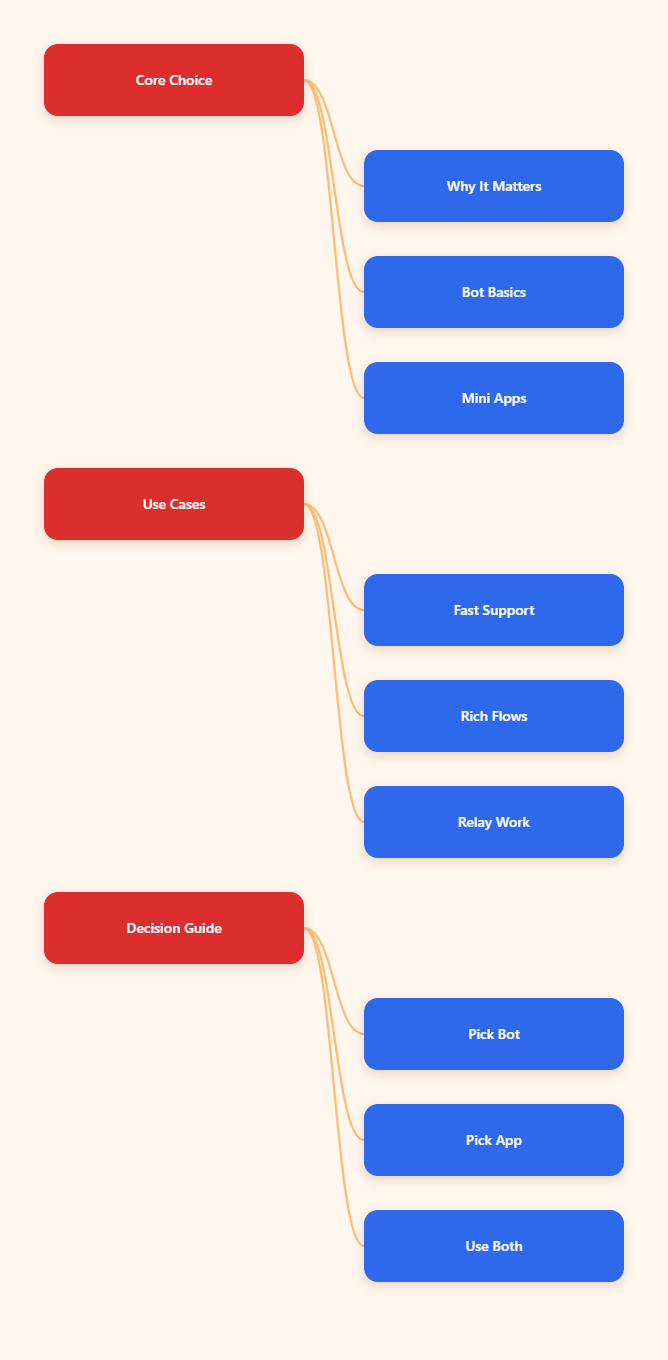
Why This Choice Matters in 2026
Telegram is no longer just a chat tool. The platform now supports bot-driven automation, web app experiences, payments, and richer in-app workflows. That means the decision is less about “which feature is newer” and more about “which interface matches the job.”
A bot is still the fastest way to create a chat-first workflow. It runs through the Telegram Bot API, which is an HTTP-based interface, and it is designed around messages, commands, buttons, and replies. A Mini App, by contrast, is a web application that opens inside Telegram and uses HTML, CSS, and JavaScript for a more screen-based experience.
In practice, the difference between chat via Telegram bot and mini app shows up in conversion speed, user effort, and maintenance. If the task is simple, a bot usually wins. If the workflow needs forms, cards, catalogs, or richer UI, the Mini App usually pulls ahead.
What Is the Difference Between Chat via Telegram Bot and Mini App?
The easiest way to think about it is this: a bot is conversation-first, while a Mini App is interface-first. Both live inside Telegram, but they solve different problems.
Bot-First Chat
A Telegram bot is a special account connected to your server. It can reply to users, process commands, trigger automation, and guide people through short flows. Because it is lightweight, it works well when the next action is obvious and fast.
For example, a bot can confirm an order, forward a message, collect a yes-or-no response, or route a user to the right resource. It keeps the interaction close to chat, which lowers friction.
Mini App Experience
A Mini App is closer to a small website running inside Telegram. It is better when you need structured screens, scrollable content, multiple fields, visual product cards, or a more polished branded journey. Telegram Mini Apps also support built-in auth and can work with Telegram storage features, which makes them useful for more advanced flows.
The tradeoff is setup complexity. Mini Apps require a hosted web app with HTTPS, and Telegram does not host the app for you. That extra layer is worth it when the user experience needs more than chat bubbles and buttons.
Bot vs Mini App: A Practical Comparison
| Dimension | Telegram Bot | Mini App | Best Fit |
|---|---|---|---|
| Launch style | Opens in chat | Opens as in-app web view | Fast action vs richer flow |
| Build stack | Bot logic and API calls | Web tech plus bot integration | Simple automation vs custom UI |
| User effort | Low | Medium | Low-friction support or conversion |
| Visual depth | Limited | High | Forms, catalogs, dashboards |
| Hosting | Your bot server | Your hosted web app | Lean automation vs full product UI |
| Typical use | Alerts, support, moderation | Booking, checkout, catalog flows | Short task vs multi-step task |
When Does a Telegram Bot Win?
If users only need to do one or two things, the bot route is usually the smartest. It keeps the conversation short and reduces the chances of drop-off.
Bot-first flows are especially useful for:
- support triage and FAQ replies
- channel alerts and content forwarding
- group moderation and permissions checks
- lead capture with simple command paths
Telegram bots also fit teams that want to move quickly without building a web front end. If your team already thinks in messages, commands, and notifications, a bot can be shipped and maintained with less overhead.
That is why the difference between chat via Telegram bot and mini app often comes down to depth. If the interaction is short, a bot is easier to launch and easier to explain to users.
When Does a Mini App Win?
If the job needs layout, browsing, or structured input, a Mini App usually creates a better result. It gives users a more familiar interface for tasks that would feel awkward in chat.
Mini Apps are a stronger fit for:
- product catalogs and browsing flows
- booking and appointment selection
- multi-field forms and checkouts
- dashboards, records, and reports
They are also useful when brand presentation matters. If a user must compare options, review details, or complete several steps, a Mini App can reduce confusion and improve completion rates.
The downside is that the team must handle hosting, front-end maintenance, and testing across devices. So the best Mini App is the one that truly needs a screen, not the one that simply looks more modern.
Common Mistakes Teams Make
One of the biggest mistakes is turning a bot into a tiny website. Once users need scrolling menus, multiple form fields, or visual comparison, the chat flow starts to feel cramped.
The opposite mistake is building a Mini App for a task that only needs a single answer. That adds setup cost, creates more QA work, and often slows the user down instead of helping them.
Teams also forget about handoff. Even a strong bot or Mini App should make it easy to escalate to a human when the question becomes complex. In Telegram, fast routing matters as much as automation.
How to Choose the Right Format
A good rule of thumb is simple: choose a bot when the action is short, choose a Mini App when the task is visual, and combine both when you need speed plus depth.
- Choose a bot if the user should finish in one chat thread.
- Choose a Mini App if the user needs screens or structured input.
- Choose both if the bot is the entry point and the app is the workspace.
- Choose the bot if you want the fastest rollout and easiest maintenance.
- Choose the Mini App if user experience can change the outcome.
This is the most practical way to understand the difference between chat via Telegram bot and mini app. It is not about which one is better overall. It is about which one removes more friction for the exact task you are trying to solve.
FAQ
Is a Telegram bot the same as a Mini App?
No. A bot is chat-first and works through messages, commands, and buttons. A Mini App is a web app inside Telegram, built for richer screens and more complex workflows.
Which is faster to launch?
A bot is usually faster to launch because it needs less front-end work. If the use case is simple, that speed advantage often matters more than visual polish.
Which is better for sales?
It depends on the sales flow. A bot is better for quick qualification and reminders, while a Mini App is better for product browsing, checkout steps, and comparing options.
Can a Mini App replace a website?
For some workflows, yes. But it is still best to treat it as a focused in-Telegram experience, not a universal replacement for every site use case.
Do bots support automation well?
Yes. Bots are one of the best ways to automate support, alerts, moderation, and routing inside Telegram because they are lightweight and conversation-native.
When should I combine both?
Combine both when you want a bot to start the journey and a Mini App to handle the heavy lifting. That is common for booking, commerce, and dashboard-style flows.
Where does OnlyTG Echo@EchoOnBot fit best?
It fits best in narrow relay or echo workflows where message movement matters more than a rich interface. If your main job is to keep chats synchronized or route updates, a bot-first setup can be enough.
Final Takeaway
The real difference between chat via Telegram bot and mini app is not technical complexity alone. It is the amount of friction your users can tolerate before they drop off.
If the job is short, stay in chat. If the job needs a screen, move to a Mini App. For teams planning Telegram growth in 2026, the smartest path is usually the simplest one that still solves the task cleanly.