
If you are asking is it possible to register Telegram without sim card, the short answer in 2026 is: yes, but not without a phone number of some kind. Telegram’s own FAQ still treats a phone number as the account identifier, while its no-SIM signup option lets you avoid a physical SIM card by using an anonymous number from Fragment.
This guide breaks the process down in plain English. You will see what Telegram officially supports, when a virtual or secondary number makes sense, how to keep your profile private after signup, and which mistakes can lock you out later.
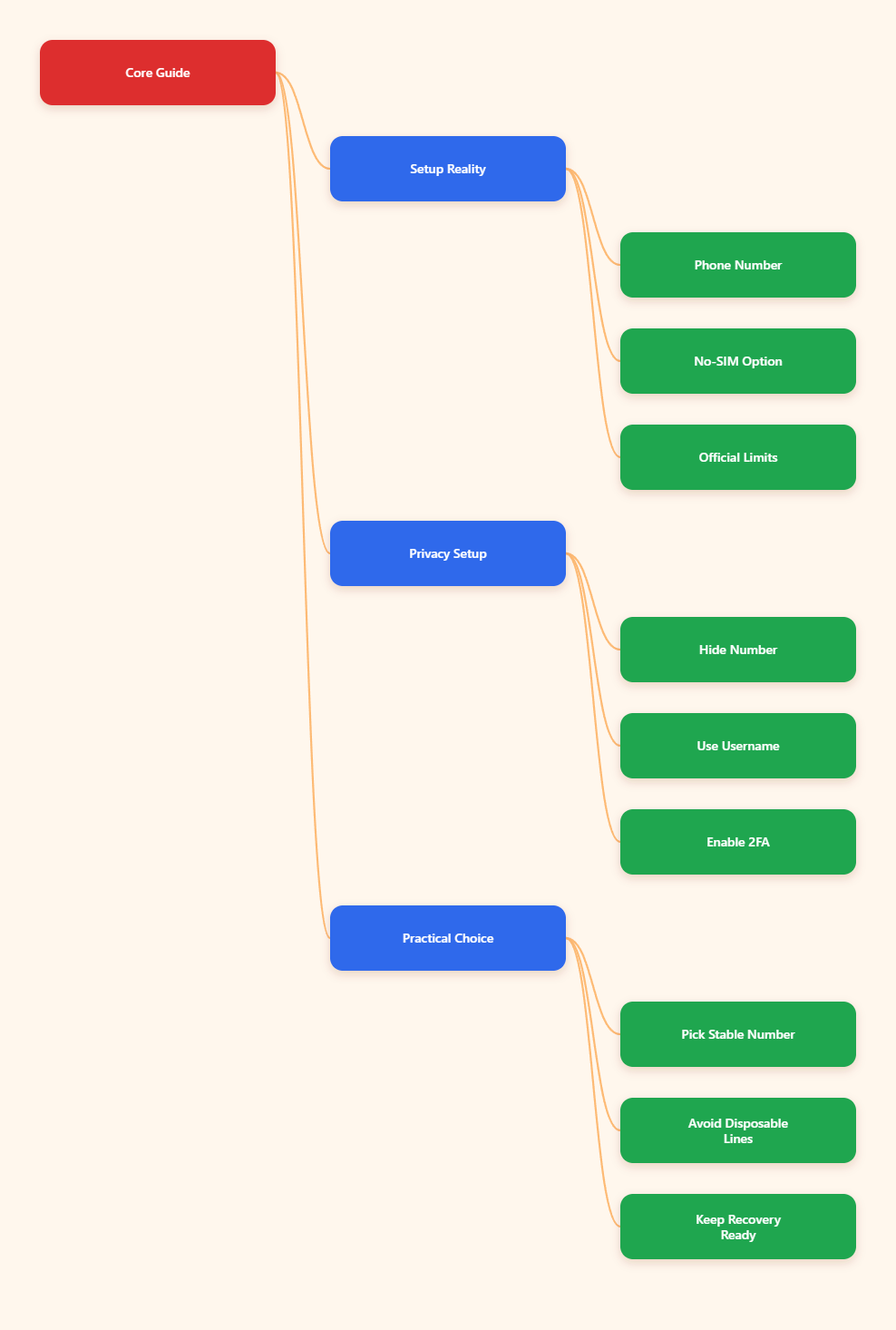
What Telegram actually requires in 2026
Telegram still requires a phone number during account creation. The company’s FAQ and support materials continue to describe the phone number as the way Telegram identifies a user.
What changed is the path to that number. Telegram announced a no-SIM signup flow that allows users to register with anonymous numbers on Fragment, so you do not need a physical SIM card in the device.
No SIM is not no number
This is the most important nuance in the whole topic. No SIM card does not mean Telegram accepts a blank signup with only an email address.
It means the account can be created without a carrier SIM in your phone. You still need a number-based identifier, whether that is your own mobile number, a secondary line, or a Telegram-supported anonymous number.
- Physical SIM: traditional mobile number tied to a carrier.
- Anonymous number: a Telegram-supported option from Fragment.
- Virtual or secondary number: may work in some cases, but reliability varies.
Why Telegram uses numbers
Telegram uses numbers for account verification and recovery. That design helps reduce abuse and makes it easier to send login codes across devices.
It also means you should think about number ownership before you sign up. If you lose access to the number later, recovery can become difficult.
Is it possible to register Telegram without SIM card using official methods?
Yes, Telegram offers an official no-SIM route. The safest interpretation is that you can register without a physical SIM card, but you cannot skip the verification step entirely.
Telegram’s blog post about no-SIM signup makes this clear. The account can be created using anonymous numbers available on Fragment, which are designed to work without a normal mobile SIM in your phone.
Who should use this route
This path is most useful if you want privacy and do not want your personal SIM tied to the account. It also makes sense if you are setting up a dedicated Telegram identity for work, a project, or a public channel.
It is less useful if you want a fast throwaway account. Telegram accounts are still tied to number-based identity, so treat the setup as something you may keep for a while.
What the official route does well
- Removes the need for a physical SIM in the device.
- Helps keep your personal number off the account.
- Fits Telegram’s own account model better than temporary workarounds.
In practice, the official route is the cleanest answer to is it possible to register Telegram without sim card. It does not remove verification, but it does remove the need to use your everyday phone number.
Which setup method should you choose?
The best method depends on your goal. Some users mainly want privacy, while others want a second account or a setup that survives device changes.
Below is a simple comparison of the main approaches people use in 2026.
| Method | Needs physical SIM? | Uses personal number? | Best for |
|---|---|---|---|
| Personal mobile number | Yes | Often yes | Fastest signup |
| Telegram anonymous number | No | No | Privacy-first accounts |
| Secondary or virtual number | No | No | Separate business use |
| Temporary SMS service | No | No | Short-term testing |
The table is intentionally simple because the real decision is about trust and longevity. If the account matters, choose a number you can keep access to.
Recommended order of preference
- Telegram’s official no-SIM option if you want the closest thing to a native privacy-friendly signup.
- A dedicated secondary number if you need separate personal and business identities.
- A temporary number only for low-stakes testing, because long-term access can be unreliable.
Avoid treating temporary numbers as a permanent solution. If the number disappears, your Telegram account may become harder to verify later.
How do you keep your real number private after signup?
Registering is only part of the job. After you create the account, Telegram privacy settings determine how visible your number is to other users.
Telegram’s FAQ says your number is not automatically visible to everyone. By default, it is shown to contacts, and you can further restrict visibility in Settings > Privacy and Security > Phone Number.
Privacy settings to change first
- Who can see my phone number: set this to the most restrictive option you are comfortable with.
- Who can find me by my number: narrow this if you do not want discovery by phone number.
- Username: create one so people can contact you without needing your number.
- Profile photo: limit visibility if you want a cleaner privacy boundary.
These settings do not erase the number-based signup model, but they do reduce exposure. For most users, a username plus restricted phone visibility is enough.
Two-step verification matters
Telegram’s own security materials recommend enabling two-step verification. That adds a password on top of login codes, which helps if someone gains access to your number or code stream.
Set a recovery email right away. If you forget the password later, recovery is much easier when you have a verified email linked to the account.
What are the most common mistakes to avoid?
Most Telegram signup problems come from misunderstanding what the platform allows. If you avoid a few common errors, the setup is usually smooth.
The biggest mistake is assuming that any disposable SMS number will work forever. Many services are unreliable, and some numbers are blocked or recycled quickly.
Common mistakes
- Using a number you cannot access again.
- Skipping two-step verification after signup.
- Leaving phone visibility open to everyone.
- Assuming Telegram supports email-only registration.
When verification fails
If a code does not arrive, do not keep requesting it repeatedly. Telegram and other services can rate-limit repeated attempts, and the issue may be the number itself rather than the app.
For a long-term account, the safest fix is usually to switch to a more stable number rather than forcing the same failing route.
What is the best practical setup in 2026?
For most users, the best answer to is it possible to register Telegram without sim card is this: use an official no-SIM or dedicated secondary number, then lock down privacy settings immediately.
If you only care about hiding your personal number, do not overcomplicate it. A clean signup plus a username, restricted phone number visibility, and two-step verification solves most real-world privacy concerns.
Simple setup checklist
- Choose a stable number path: official anonymous number or dedicated secondary line.
- Create a username: use it as your public contact point.
- Restrict phone visibility: limit who can see or find you by number.
- Enable two-step verification: add password protection early.
- Save recovery access: keep your email and recovery options updated.
If you are creating a business or creator account, this setup is usually better than tying the account to a personal SIM. It keeps your identity cleaner and makes the account easier to manage long term.
Conclusion
So, is it possible to register Telegram without SIM card in 2026? Yes, if you mean without a physical SIM card. Telegram still requires a phone number for account identity, but its no-SIM signup path lets you use anonymous numbers instead of your personal carrier SIM.