
Skip to content
OnlyTG Icon
  • ProductsExpand
    • Echo
    • Recorder
  • ResourcesExpand
    • Help
    • Blog
    • Channel & Bot Finder
    • SMM Panel
  • PricingExpand
    • Echo Pricing
  • EnglishExpand
    • 中文 (中国)
    • Русский
    • English
Contact us
Telegram Tips

Why Can’t I Create My Telegram Bot Successfully in 2026? Practical Fixes, BotFather Rules, and a Cleaner Workflow

Home » Blog » Telegram Tips » Why Can’t I Create My Telegram Bot Successfully in 2026? Practical Fixes, BotFather Rules, and a Cleaner Workflow

If you are asking, Why can’t I create my Telegram Bot successfully, you are in good company. I see this problem a lot in 2026.

In this post, I will break down the real causes, the fastest checks, and the workflow I use when I want a bot live without drama.

Telegram is still massive in 2026, and bots remain a core part of how communities, channels, and marketers operate. That is exactly why getting the setup right matters.
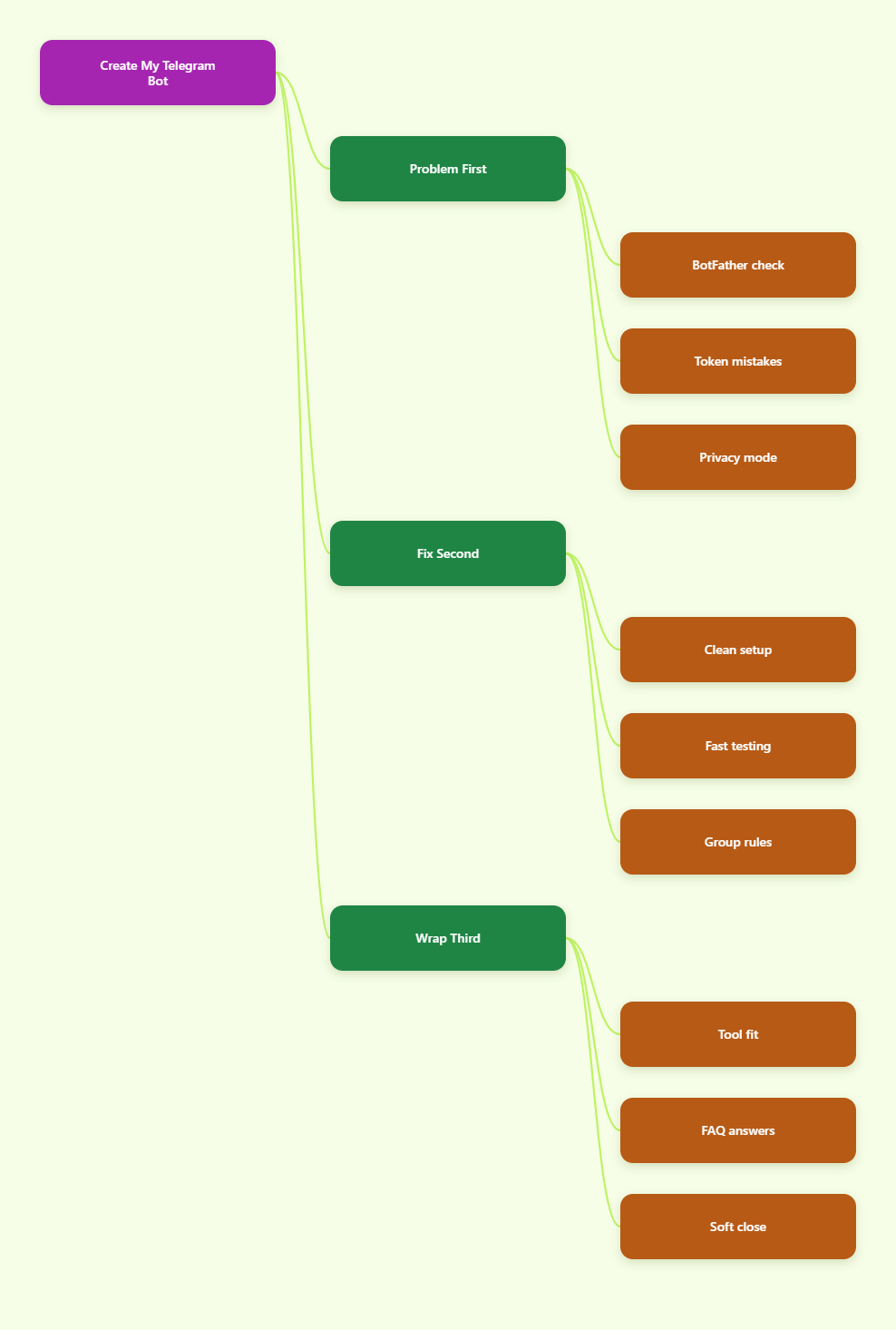
BotFat Map

Why can’t I create my Telegram Bot successfully?

When someone tells me their bot creation failed, I usually start with the same question: did you use the real @BotFather?

Telegram’s official bot creation flow still starts there. BotFather is the place where you register a bot, get the token, and manage basic settings.

I also check the bot username right away. Telegram usernames must be 5 to 32 characters long, use letters, numbers, or underscores, and end with bot.

That one rule breaks a surprising number of setups. People pick names that look fine to them, but Telegram rejects them instantly.

Then I look at the token. If the token was copied with an extra space, pasted into the wrong field, or revoked later, the bot will fail downstream.

Finally, I ask where the bot is supposed to work. Group bots and private bots behave differently. Telegram also enables privacy mode by default for new bots in groups.

The mistakes I see most often

I keep a simple mental checklist when troubleshooting Telegram bot creation. It saves time and avoids guesswork.

  • Fake BotFather: users open a lookalike bot instead of the verified one.
  • Bad username: the handle does not end in bot, or it breaks the length rule.
  • Token errors: the token is copied badly, rotated, or pasted into the wrong app.
  • Privacy confusion: the bot exists, but it cannot see group messages.
  • Wrong expectations: people expect a bot to behave like a full app before it is configured.

Most failures are boring. That is actually good news. Boring problems are easier to fix than platform bugs.

When I see a setup fail, I do not jump to advanced tooling. I start with identity, permissions, and the token.

That sequence catches a lot of issues before they become a bigger debugging session.

Quick comparison table: what is broken and how I fix it

Problem What I check first Fast fix Why it matters
Bot does not create Verified @BotFather Open the official bot and retry Lookalikes cannot create valid bots
Username rejected Ends with bot Rename with allowed characters Telegram enforces naming rules
Token fails Whitespace or old token Copy again from BotFather One bad character breaks auth
Group messages missing Privacy mode state Use /setprivacy if needed New bots cannot read every group message by default
Bot stopped working Token revocation Fetch a new token via /mybots Revoked tokens stop immediately

My clean setup flow for a new Telegram bot

When I start fresh, I keep the process simple. Less friction means fewer mistakes.

  1. Open Telegram and message @BotFather.
  2. Use /newbot to create the bot.
  3. Choose a clean name and a valid username.
  4. Save the token in a plain text note.
  5. Test the bot in a private chat first.
  6. Only then connect it to a group or channel.

I like this order because it makes debugging obvious. If the private chat works, I know the core bot identity is valid.

If the group still fails after that, the issue is usually privacy mode, permissions, or the way the bot is expected to react in chat.

For group use, I also keep an eye on whether the bot should read all messages or only commands. That one choice changes the entire setup.

Telegram’s default privacy behavior is often the hidden reason a bot seems dead even though it is online.

Why privacy mode matters more than people think

Privacy mode is one of the most misunderstood parts of Telegram bot setup.

In plain English, a new bot in a group usually does not see every message. It is limited unless you change that setting.

That is not a bug. It is a design choice that prevents unnecessary message access.

I usually leave privacy mode on if the bot only needs commands. That keeps the bot quieter and safer.

If the bot must moderate a community, parse replies, or react to normal chat messages, I review the privacy setting with care.

This is where many creators think their bot failed, when the bot is actually working exactly as configured.

Once you understand that distinction, troubleshooting gets much easier.

2026 trends I am watching

Telegram is still expanding as a marketing and community platform, and bots remain a big part of that story.

In 2026, I expect more teams to prefer small, focused bots over complex all-in-one builds. That usually means faster setup, lower maintenance, and fewer broken flows.

I also expect more attention on trust. Users are more cautious now, especially when a bot asks for permissions too early.

So my rule is simple: keep the first version of the bot narrow, useful, and easy to explain.

If a bot is supposed to help with support, announcements, or workflow automation, it should do that cleanly before it does anything clever.

Practical tips that save me time

  • Use the verified @BotFather only.
  • Keep bot usernames short and readable.
  • Paste tokens into a plain text editor first.
  • Test in private chat before group rollout.
  • Document every bot token change.
  • Use /mybots when you need to manage or revoke access.
  • Do not confuse privacy mode with failure.

I also recommend naming your bots by task, not by hype. Clear names make maintenance easier months later.

That matters more than most teams expect, especially when multiple people touch the same Telegram stack.

FAQ

Why can’t I create my Telegram Bot successfully?

Usually because of a username rule, a fake BotFather, or a setup mistake with the token. I always start by checking the verified official bot.

Does Telegram require the bot username to end in bot?

Yes. The username must end in bot, and it also needs to stay within Telegram’s length and character rules.

Where do I get the real bot token?

From @BotFather only. That is the official source for Telegram bot tokens.

Why does my bot not see group messages?

Because privacy mode is on by default for new bots in groups. If your use case needs broader visibility, review that setting in BotFather.

Can I change my bot username later?

You should not count on easy changes. I treat the username as a decision I need to get right the first time.

What should I do if my token stops working?

Check whether it was revoked, rotated, or copied with extra spaces. Then fetch the current token from /mybots and update your setup.

Is privacy mode bad for bots?

No. It depends on the job. If the bot only needs commands, privacy mode can be a good default.

Final thoughts

If you have been stuck asking, Why can’t I create my Telegram Bot successfully, I hope the pattern is clearer now.

In most cases, the fix is not complicated. Use the official BotFather, respect the username rules, handle the token carefully, and check privacy mode before you blame the platform.

Post Tags: #bot#Telegram

Post navigation

Previous Previous
How to Edit Settings After You Create a Telegram Bot in 2026
NextContinue
How to Get User Data After Create Telegram Bot in 2026: What Telegram Actually Exposes and How I Collect It Safely
Table of Contents
  • Why can't I create my Telegram Bot successfully?
  • The mistakes I see most often
  • Quick comparison table: what is broken and how I fix it
  • My clean setup flow for a new Telegram bot
  • Why privacy mode matters more than people think
  • 2026 trends I am watching
  • Practical tips that save me time
  • FAQ
    • Why can't I create my Telegram Bot successfully?
    • Does Telegram require the bot username to end in bot?
    • Where do I get the real bot token?
    • Why does my bot not see group messages?
    • Can I change my bot username later?
    • What should I do if my token stops working?
    • Is privacy mode bad for bots?
  • Final thoughts
Echo Sidebar
  • Latest Post
  • Echo
  • Recorder
  • Tips
Telegram Tips

Multi Account Telegram: How to Avoid Ban Risk in 2026

Learn how to manage multi account Telegram avoid ban risk in 2026 with safe setup, session controls, and outreach workflows for business teams in practice.

Telegram Tips

Multi Account Telegram in 2026: How to Manage Multiple Accounts Safely Without Losing Control

A practical 2026 guide to multi account Telegram management, covering official limits, desktop and web options, privacy settings, team workflows, ban risks, and safe operating practices.

Telegram Tips

Multi Account Telegram for Business Management in 2026: Safe Setup, Workflow, and Compliance Guide

A practical 2026 guide to using multiple Telegram accounts for business management safely, including official limits, setup methods, team workflows, automation, security, and compliance tips.

Telegram Tips

Official Multi Account Telegram Limit Guide in 2026

Learn the official multi account Telegram limit 2026, safe workflows, risk controls, and setup tips for teams managing Telegram business accounts.

Telegram Tips

How to Switch Multi Account Telegram on Desktop in 2026

Learn how to switch multi account Telegram on desktop in 2026 with safer setup steps, profile separation, team workflows, and anti-spam practices.

Telegram Tips

Complete Guide to Telegram Multi-Account Operations in 2026

Learn multi account Telegram group channel operation in 2026 with compliant setup, risk controls, workflows, and growth tactics for global teams.

Telegram Tips

How to Manage Telegram Store Admins in 2026

Learn multi account Telegram e-commerce store admin workflows for 2026: roles, bots, permissions, risk controls, and safer team operations.

Telegram Tips

How to Manage Multi Account Telegram Teams in 2026

Learn multi account telegram team shared access workflows in 2026 to protect accounts, assign roles, reduce bans, and scale operations safely.

How to Get Unbanned from Telegram in 2026: A Practical Step-by-Step Guide

If your Telegram account or phone number has been restricted, this guide explains how to confirm the ban, appeal to Telegram support, reduce spam flags, and avoid getting blocked again in 2026.

How to create telegram bot in 2026?

Learn how to create a Telegram bot in 2026 using BotFather, with step-by-step coding and no-code methods, plus tips for security, deployment, and choosing the best setup.

How to Loop Post in Channel via Telegram Bot

OnlyTG Echo provides the function to automatically loop posts in your channel. Firstly, you need to create a new bot via @botfather and…

How to Configure Multiple Media when Setting OnlyTG Echo Features

OnlyTG Echo provides the function to configure multiple media to a single message when setting Start Message/Auto Reply/Quick Reply/Broadcast and other features. Firstly, you need…

How to Upgrade Channel to Pro Channel in Telegram

OnlyTG Echo provides the function to upgrade your channel to Pro Channel. This will consume your Pro Communities slots and unlock more advanced features….

How to Edit a Published Post via Telegram Bot

OnlyTG Echo provides the function to Edit Channel Post via your bot. Firstly, you need to create a new bot via @botfather and…

How to Publish Channel Post via Telegram Bot

OnlyTG Echo provides the function to Publish Channel Post via your bot. Firstly, you need to create a new bot via @botfather and…

How to Manage Channel via Telegram Bot

OnlyTG Echo provides the function to Manage Channel via your bot. Firstly, you need to create a new bot via @botfather and send its…

How to Use OnlyTG Recorder?

Welcome to OnlyTG Recorder! Developed by our dedicated bot development team, OnlyTG Recorder is designed to serve as an assistant…

Multi Account Telegram: How to Avoid Ban Risk in 2026

Learn how to manage multi account Telegram avoid ban risk in 2026 with safe setup, session controls, and outreach workflows for business teams in practice.

Multi Account Telegram in 2026: How to Manage Multiple Accounts Safely Without Losing Control

A practical 2026 guide to multi account Telegram management, covering official limits, desktop and web options, privacy settings, team workflows, ban risks, and safe operating practices.

Multi Account Telegram for Business Management in 2026: Safe Setup, Workflow, and Compliance Guide

A practical 2026 guide to using multiple Telegram accounts for business management safely, including official limits, setup methods, team workflows, automation, security, and compliance tips.

Official Multi Account Telegram Limit Guide in 2026

Learn the official multi account Telegram limit 2026, safe workflows, risk controls, and setup tips for teams managing Telegram business accounts.

How to Switch Multi Account Telegram on Desktop in 2026

Learn how to switch multi account Telegram on desktop in 2026 with safer setup steps, profile separation, team workflows, and anti-spam practices.

Complete Guide to Telegram Multi-Account Operations in 2026

Learn multi account Telegram group channel operation in 2026 with compliant setup, risk controls, workflows, and growth tactics for global teams.

How to Manage Telegram Store Admins in 2026

Learn multi account Telegram e-commerce store admin workflows for 2026: roles, bots, permissions, risk controls, and safer team operations.

How to Manage Multi Account Telegram Teams in 2026

Learn multi account telegram team shared access workflows in 2026 to protect accounts, assign roles, reduce bans, and scale operations safely.

  • OnlyTG
  • Echo
  • Recorder
  • Help
  • Blog
  • Echo Pricing
  • Channel & Bot Finder
  • SMM Panel
OnlyTG EchoTelegram VK YouTube Facebook X Email

© 2026 OnlyTG

Scroll to top
  • Products
    • Echo
    • Recorder
  • Resources
    • Help
    • Blog
    • Channel & Bot Finder
    • SMM Panel
  • Pricing
    • Echo Pricing
Contact us