
Skip to content
OnlyTG Icon
  • ProductsExpand
    • Echo
    • Recorder
  • ResourcesExpand
    • Help
    • Blog
    • Telegram Channel&Bot Finder
  • PricingExpand
    • Echo Pricing
  • EnglishExpand
    • 中文 (中国)
    • Русский
    • English
Contact us
Telegram Tips

How to Manage a Single Telegram Bot With Multiple Admins Simultaneously in 2026

Home » Blog » Telegram Tips » How to Manage a Single Telegram Bot With Multiple Admins Simultaneously in 2026

If you are trying to run one Telegram bot as a team, the main challenge is simple: Telegram bot ownership is centered on a single bot token, but day-to-day operations often need multiple admins, moderators, support agents, or operators. 

In this guide, you will learn how to share access safely across devices, how developers can build multi-admin workflows with the Bot API, and how no-code tools can help teams collaborate without heavy engineering.
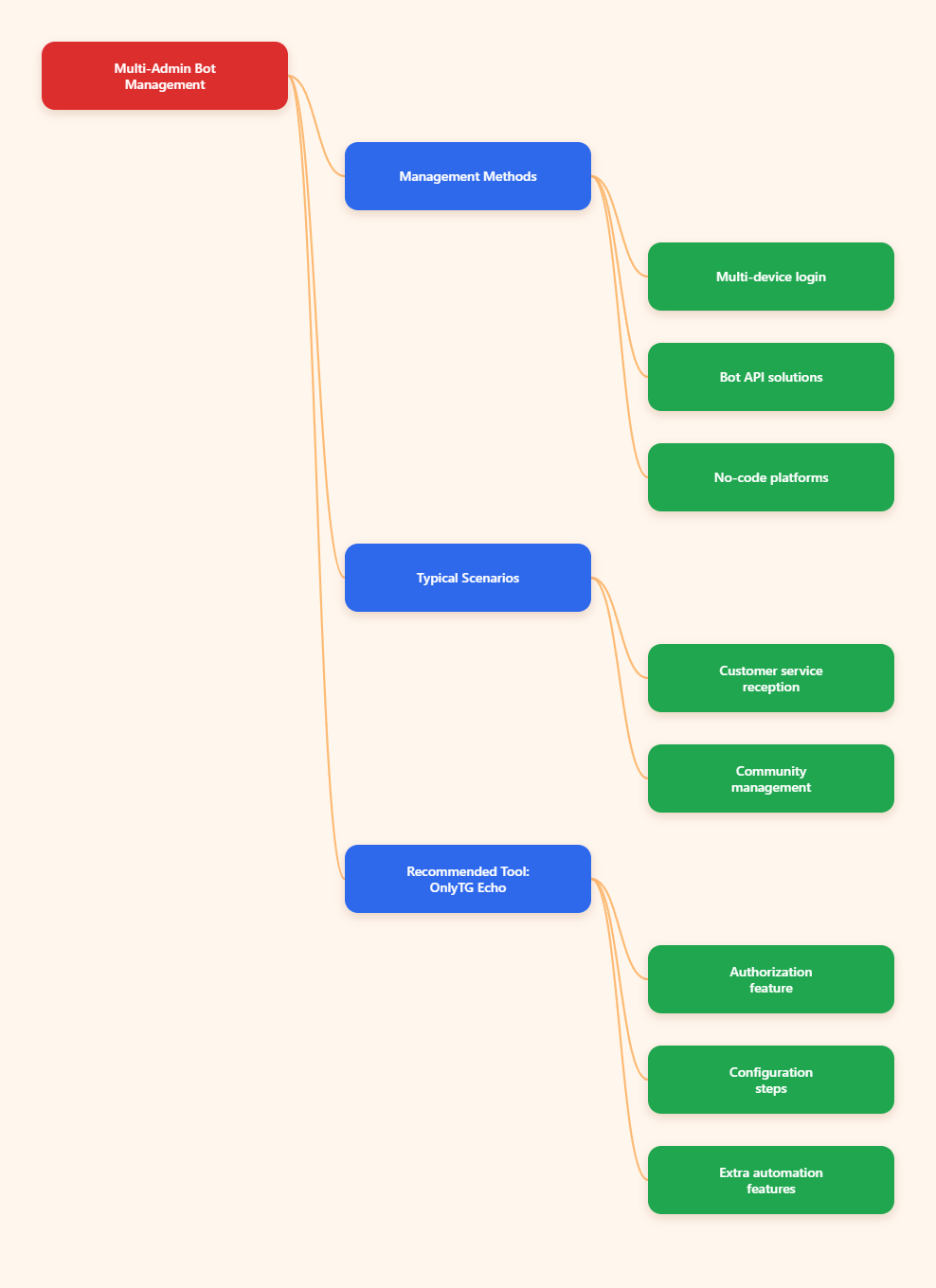
How to Manage a Single Telegram Bot With Multiple Admins Simultaneously in 2026 Mind Map

Step-by-Step Guide to Multi-Admin Telegram Bot Management

  • Method 1: Log in the bot-owner’s Telegram account on multiple devices so different people can monitor and respond from the same account session. Common steps:
    – Open Telegram on each trusted device and sign in with the bot-owner’s account.
    – Confirm that each device is authorized only for the people who actually need access.
  • Method 2: Build a team-control layer with the Telegram Bot API so multiple admins can act through your own app, dashboard, or backend permissions system. Common steps:
    – Keep the bot token on the server and never expose it to the full team.
    – Define roles or permissions for each admin based on what they need to do.
    – Route bot actions through your backend instead of letting users call the bot directly.
    – Add logging so you can review who performed each action and when.
    – Use approval steps for sensitive operations such as deletion, publishing, or access changes.
  • Method 3: Use an existing no-code platform to route bot events, approvals, and notifications to several operators without custom code. Common steps:
    – Connect the bot to the platform using the required credentials.
    – Set up team access so only approved users can manage workflows.
    – Configure routing for messages, alerts, or approvals based on role or task type.

Real-World Use Cases

Multi-admin Telegram bot management is most useful when a bot becomes part of a real business workflow. The most common scenarios are customer support, moderation, lead handling, and internal notifications. In 2026, many teams use Telegram not just as a chat app, but as a lightweight operations hub.

  • Customer support handoff: A startup uses one Telegram bot to collect support requests. The founder, a support agent, and a technical lead all monitor the same bot. First-level questions are answered quickly, while technical issues are escalated to the right person.
  • Community moderation: A community team uses one bot in a large group. One admin handles spam, another manages welcome messages, and a third reviews escalations. The team keeps the group active without giving every person the same level of control.

Practical Tool Recommendation: OnlyTG Echo

If you want a more structured way to manage access, OnlyTG Echo can help through its Authorization feature. The core idea is to centralize access control so multiple team members can work with the bot in an organized way instead of sharing credentials loosely. This is especially useful when a team wants a cleaner authorization flow for collaboration, testing, or operational handoff.

Here is a practical way to use it:

  • Step 1: Open OnlyTG Echo and go to the Authorization section.
  • Step 2: Connect your Telegram bot using the required bot credentials.
  • Step 3: Define which team members or workflows should have access.
  • Step 4: Test the authorization flow before giving it to the full team.
  • Step 5: Review access regularly and remove permissions when roles change.

Beyond authorization, OnlyTG Echo is also useful for broader Telegram operations. Teams typically look for tools that combine bot access control, workflow automation, message handling, and operational visibility. If your Telegram bot is part of a larger support or marketing system, a tool like this can reduce friction and keep multi-admin collaboration more manageable.

Common Questions About Managing One Telegram Bot With Multiple Admins

Can multiple people use the same Telegram bot at the same time?
Yes, but not by “logging into” the bot itself. A bot is controlled by its token, so multiple people usually collaborate by sharing an account session, using a custom backend, or working through a no-code automation layer.

Is it safe to share a bot token with the whole team?
No, not as a casual practice. The bot token gives direct control over the bot. A safer approach is to keep the token on the server and grant team members role-based access through your own application or an automation platform.

Can Telegram human accounts stay logged in on several devices?
Yes. Telegram supports multiple active devices for the same user account, and chats sync across phones, tablets, desktops, and web sessions. That is useful for shared monitoring, but it still requires good security hygiene.

What is the best method for non-technical teams?
No-code platforms are usually the easiest starting point. They let several admins work from shared flows, approvals, and alerts without building a custom app.

What is the best method for teams that need strong control and logging?
A developer-built Bot API solution is usually the strongest option because you can add roles, logs, approval steps, and internal security rules.

Conclusion

Managing a single Telegram bot with multiple admins simultaneously is very possible in 2026, but the right method depends on your team’s size and technical level. Small teams can rely on multi-device Telegram logins, developers can build secure permission layers with the Bot API, and non-technical teams can move faster with no-code platforms. 

If you need cleaner access control and better workflow organization, a tool like OnlyTG Echo can help centralize authorization and keep collaboration under control. Start with the simplest method that fits your workflow, then upgrade as your bot grows.

Post Tags: #Telegram

Post navigation

Previous Previous
Telegram Bot Start Message in 2026: How to Create a Better /start Welcome Flow
NextContinue
Telegram Marketing in 2026: A Practical Guide to Grow Your Audience and Get More Leads
Table of Contents
  • Step-by-Step Guide to Multi-Admin Telegram Bot Management
  • Real-World Use Cases
  • Practical Tool Recommendation: OnlyTG Echo
  • Common Questions About Managing One Telegram Bot With Multiple Admins
  • Conclusion
Echo Sidebar
  • Latest Post
  • Echo
  • Recorder
  • Tips
Telegram Tips

Chat via Telegram Bot in 2026: A Practical Telegram Marketing Guide for Sales, Support, and Growth

Learn to set up OnlyTG Echo and chat via Telegram bot with a practical workflow.

Telegram Tips

How to Add Buttons to Chat via Telegram Bot in 2026

Learn how to add buttons to chat via Telegram bot in 2026, compare inline and reply keyboards, avoid common UX mistakes, and build cleaner button-led flows for support, lead capture, and broadcasts.

Telegram Tips

Chat via Telegram Bot for Small Business Store in 2026: A Practical Playbook for Faster Sales and Support

Telegram bot workflows for small stores to speed up sales and support in 2026.

Telegram Tips

How to Avoid Spam When Chat via Telegram Bot in 2026

2026 Telegram bot chat hygiene guide with rate limits, privacy mode, and safe workflows.

Telegram Tips

Difference Between Chat via Telegram Bot and Mini App in 2026: Which One Fits Your Growth?

Learn the difference between chat via Telegram bot and mini app in 2026, when to use each, and how to choose the right Telegram setup for support, automation, and conversions.

Telegram Tips

Paid Service to Manage Chat via Telegram Bot in 2026: A Practical Guide for Marketing Teams and Community Operators

Learn when a paid service to manage chat via Telegram bot makes sense in 2026, what features matter, and how to build a cleaner Telegram workflow without adding complexity.

Telegram Tips

Cheap Way to Chat via Telegram Bot for Business in 2026: A Practical Operator Playbook

A practical 2026 guide to the cheap way to chat via Telegram bot for business, covering costs, workflows, privacy, automation, and FAQs.

Telegram Tips

Chat via Telegram Bot for Marketing Promotion in 2026: Smarter Growth, Safer Automation, and Better Conversions

2026 guide to Telegram bot marketing with safer automation and smarter conversion workflows.

How to Get Unbanned from Telegram in 2026: A Practical Step-by-Step Guide

If your Telegram account or phone number has been restricted, this guide explains how to confirm the ban, appeal to Telegram support, reduce spam flags, and avoid getting blocked again in 2026.

How to create telegram bot in 2026?

Learn how to create a Telegram bot in 2026 using BotFather, with step-by-step coding and no-code methods, plus tips for security, deployment, and choosing the best setup.

How to Loop Post in Channel via Telegram Bot

OnlyTG Echo provides the function to automatically loop posts in your channel. Firstly, you need to create a new bot via @botfather and…

How to Configure Multiple Media when Setting OnlyTG Echo Features

OnlyTG Echo provides the function to configure multiple media to a single message when setting Start Message/Auto Reply/Quick Reply/Broadcast and other features. Firstly, you need…

How to Upgrade Channel to Pro Channel in Telegram

OnlyTG Echo provides the function to upgrade your channel to Pro Channel. This will consume your Pro Communities slots and unlock more advanced features….

How to Edit a Published Post via Telegram Bot

OnlyTG Echo provides the function to Edit Channel Post via your bot. Firstly, you need to create a new bot via @botfather and…

How to Publish Channel Post via Telegram Bot

OnlyTG Echo provides the function to Publish Channel Post via your bot. Firstly, you need to create a new bot via @botfather and…

How to Manage Channel via Telegram Bot

OnlyTG Echo provides the function to Manage Channel via your bot. Firstly, you need to create a new bot via @botfather and send its…

How to Use OnlyTG Recorder?

Welcome to OnlyTG Recorder! Developed by our dedicated bot development team, OnlyTG Recorder is designed to serve as an assistant…

Chat via Telegram Bot in 2026: A Practical Telegram Marketing Guide for Sales, Support, and Growth

Learn to set up OnlyTG Echo and chat via Telegram bot with a practical workflow.

How to Add Buttons to Chat via Telegram Bot in 2026

Learn how to add buttons to chat via Telegram bot in 2026, compare inline and reply keyboards, avoid common UX mistakes, and build cleaner button-led flows for support, lead capture, and broadcasts.

Chat via Telegram Bot for Small Business Store in 2026: A Practical Playbook for Faster Sales and Support

Telegram bot workflows for small stores to speed up sales and support in 2026.

How to Avoid Spam When Chat via Telegram Bot in 2026

2026 Telegram bot chat hygiene guide with rate limits, privacy mode, and safe workflows.

Difference Between Chat via Telegram Bot and Mini App in 2026: Which One Fits Your Growth?

Learn the difference between chat via Telegram bot and mini app in 2026, when to use each, and how to choose the right Telegram setup for support, automation, and conversions.

Paid Service to Manage Chat via Telegram Bot in 2026: A Practical Guide for Marketing Teams and Community Operators

Learn when a paid service to manage chat via Telegram bot makes sense in 2026, what features matter, and how to build a cleaner Telegram workflow without adding complexity.

Cheap Way to Chat via Telegram Bot for Business in 2026: A Practical Operator Playbook

A practical 2026 guide to the cheap way to chat via Telegram bot for business, covering costs, workflows, privacy, automation, and FAQs.

Chat via Telegram Bot for Marketing Promotion in 2026: Smarter Growth, Safer Automation, and Better Conversions

2026 guide to Telegram bot marketing with safer automation and smarter conversion workflows.

  • OnlyTG
  • Echo
  • Recorder
  • Help
  • Blog
  • Echo Pricing
  • Telegram Channel&Bot Finder
OnlyTG EchoTelegram VK YouTube Facebook X Email

© 2026 OnlyTG

Scroll to top
  • Products
    • Echo
    • Recorder
  • Resources
    • Help
    • Blog
    • Telegram Channel&Bot Finder
  • Pricing
    • Echo Pricing
Contact us