
If you want to buy telegram stars for mini app payment, the key rule in 2026 is simple: digital goods and services inside Telegram bots and Mini Apps must be paid with Stars, not with a separate card flow or another currency. That makes Stars the default payment rail for many paid Telegram experiences, from subscriptions to unlockable content and in-app items.
The practical question is not just how to pay, but how to do it in a way that is official, smooth, and compliant. Telegram’s own documentation is very clear that the payment path matters, so choosing the right method up front saves time, support tickets, and failed checkouts later.
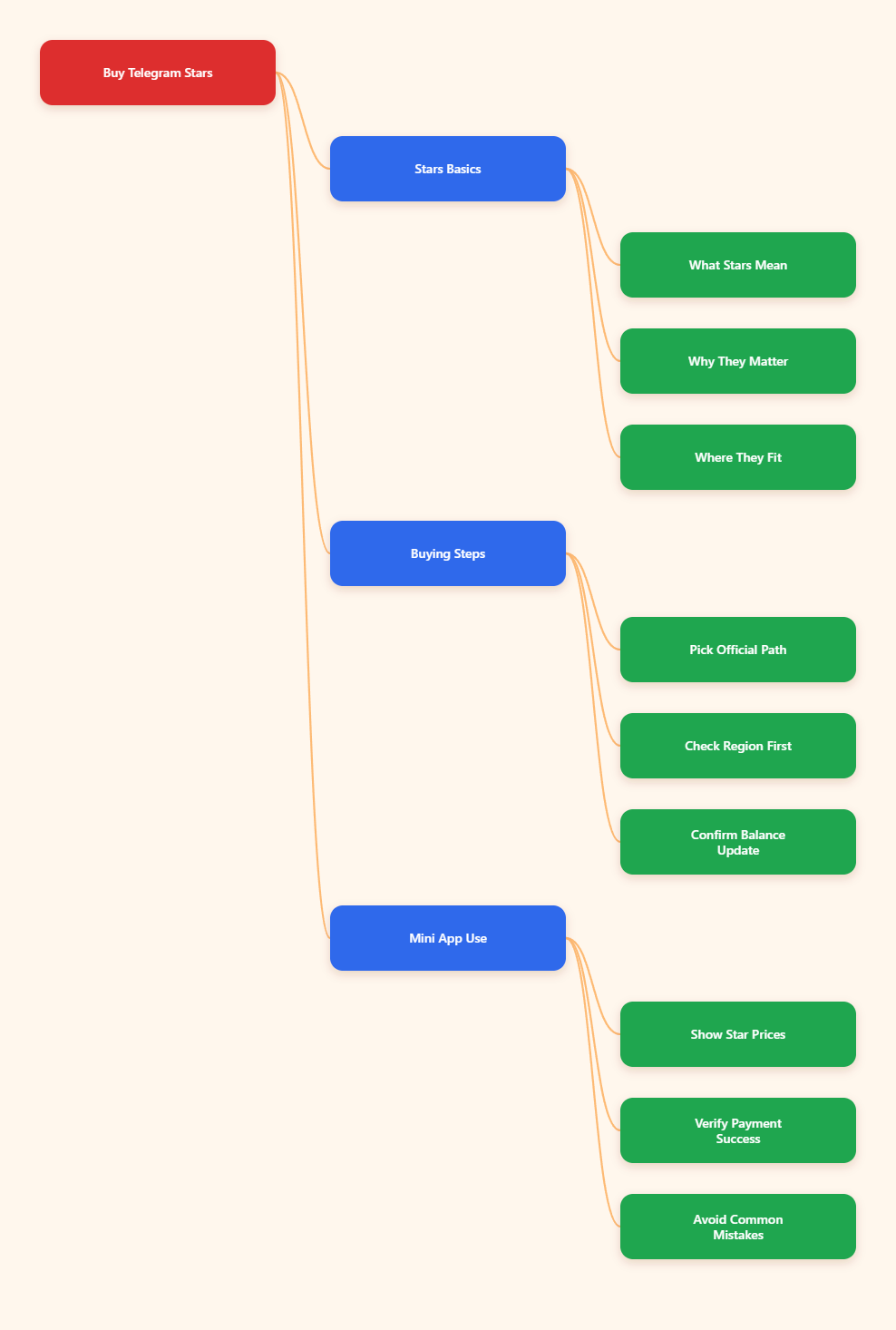
Why Telegram Stars Matter in 2026
Telegram Stars are Telegram’s internal currency for digital purchases inside its ecosystem. They are designed for bots, Mini Apps, paid content, gifts, and other digital goods that live inside Telegram.
For Mini App owners, this matters because Telegram’s rules are not optional. Digital goods and services must be sold exclusively in Telegram Stars, and Telegram says it may not show a bot or Mini App to mobile users if you try to route those sales through another currency or a third-party payment provider.
What Stars are for
Stars are useful whenever the user receives something digital inside Telegram. That includes access tiers, premium features, virtual goods, consumables, and paid subscriptions powered by Stars.
- Unlocking paid content
- Buying digital items
- Paying for Mini App features
- Sending gifts in supported flows
What Stars are not for
Stars are not a universal replacement for every business payment scenario. If you sell physical goods or services that are fulfilled outside the Telegram app, you may use other payment methods where allowed.
That distinction is important because many Mini App owners mix up digital and physical commerce. Telegram’s Star requirement applies to digital goods and services inside bots and Mini Apps, not to every possible transaction a brand might run.
Why this changed the game
Before Stars, Mini App monetization often depended on more complex payment setups. In 2026, Stars reduce friction by keeping the payment experience native to Telegram and aligned with platform rules.
For users, that usually means fewer forms and fewer redirects. For builders, it means a cleaner checkout path and a payment model that fits how Telegram expects digital products to be sold.
How to Buy Telegram Stars for Mini App Payment
Telegram’s official documentation confirms that Stars can be acquired through Telegram’s own app purchase flows, plus certain official Telegram surfaces. The exact screen you see depends on your device, build, and region.
Buy telegram stars for mini app payment only through official Telegram purchase paths whenever possible. That is the safest way to avoid account risk, payment confusion, or unsupported checkout flows.
| Purchase path | Where it appears | Best use case | Watch out for |
|---|---|---|---|
| iOS in-app purchase | Telegram app on iPhone or iPad | Fast top-up on Apple devices | Availability and final price can vary by region and processor |
| Android in-app purchase | Telegram app on Android | Native purchase flow on mobile | Some builds or regions may show different options |
| @PremiumBot | Direct version of Telegram for Android | Official Telegram bot-based top-up | Not every app build uses the same path |
| Web and desktop | Telegram web and desktop apps | Buying from a computer | Check the processor and local availability before paying |
Step 1: Open the Mini App or the Stars entry point
Start from the Mini App that needs payment, or from the Telegram screen that offers a Stars top-up. If a feature is paid with Stars, the app should show that clearly in the checkout flow.
Do not assume a Mini App can accept a regular card payment inside the same screen. If the product is digital and the app is following Telegram’s rules, the payment should resolve to Stars.
Step 2: Choose the official purchase method
If you are on iPhone or iPad, the purchase is usually handled inside Telegram through Apple’s payment flow. On Android, Telegram may offer an in-app purchase or an official bot-based route depending on the build.
On desktop or web, Telegram also supports official purchase flows. The main point is that the payment should come from Telegram’s own supported surfaces, not from a random external seller.
Step 3: Review the price and region details
Prices can vary by region, platform fees, taxes, and package size. Telegram’s own terms also note that Telegram does not process the transaction itself, so if something goes wrong, the relevant payment processor is usually the place to investigate first.
Before you pay, check the final amount, the currency displayed, and whether your account region supports the purchase. That tiny pause prevents most checkout surprises.
Step 4: Complete the checkout and confirm the balance
After payment, the Stars balance should update in Telegram. If you bought Stars specifically for a Mini App, return to the Mini App and refresh the checkout so the new balance is recognized.
If the balance does not appear right away, give the app a moment and reopen the purchase screen. Persistent failures usually point to a processor issue, a regional limit, or a mismatch between app build and payment method.
How to Use Stars Inside a Mini App
Buying Stars is only half the job. The other half is spending them correctly inside the Mini App, so the user sees a clear and native payment experience.
Telegram Mini Apps can support paid subscriptions powered by Stars, and they can also use Stars for gifts and other monetized features. That makes Stars especially useful for subscription products, digital memberships, and small-value checkout flows.
Show the price in Stars first
The user should see the Star cost before payment starts. That makes the purchase understandable and reduces drop-off at the final click.
- Display the price early
- Label the paid feature clearly
- Explain what the user gets
- Keep the checkout short
Keep the payment flow native
A good Stars checkout feels like part of Telegram, not a detour. The user should not be pushed into an awkward external page unless the payment method specifically requires it.
Native flows matter because they build trust. They also fit Telegram’s own monetization model for digital products.
Verify success before delivering value
Whether you are unlocking content or activating a Mini App feature, only deliver the paid item after the payment state is confirmed. That prevents accidental free access and reduces disputes.
For developers, this means checking the payment result before showing the premium screen. For buyers, it means waiting until the app confirms the purchase before closing the checkout.
Practical Checklist Before You Buy
Small mistakes are the most common reason people struggle with Stars. A quick checklist is usually enough to keep the process clean.
Before checkout
- Confirm the Mini App requires Stars
- Check that you are in an official Telegram surface
- Review your region and account settings
- Decide how many Stars you actually need
During checkout
- Read the total price carefully
- Check the payment processor screen
- Do not enter your Telegram password anywhere unusual
- Do not share verification codes or 2FA codes
After checkout
- Confirm the Stars balance updated
- Return to the Mini App and refresh if needed
- Keep the receipt or order record
- Test the paid feature once before scaling usage
If you are buying Stars for a team, test with a small amount first. That is the safest way to confirm the full path works before you commit to a larger budget.
Common Mistakes to Avoid
Most Stars problems are not technical. They come from using the wrong purchase path, misunderstanding Telegram’s rules, or trusting offers that do not come from official sources.
Using third-party sellers blindly
Discount claims can be tempting, but they are also where scams often start. Never give out your Telegram password, recovery code, or two-step verification code to anyone claiming they can “top up” your Stars for you.
If the seller wants account access, that is a major red flag. Official Telegram purchase flows should not require you to hand over your login details.
Trying to sell digital goods without Stars
This is the most important compliance mistake for Mini App owners. If the product is digital and the sale happens inside Telegram, the correct payment rail is Stars.
Trying to force a different currency or a third-party checkout can create a bad user experience and may conflict with Telegram’s monetization rules.
Ignoring device and region differences
Telegram purchase availability can differ by platform, build, and local payment support. That means a flow that works on desktop may not look identical on mobile, and vice versa.
When a button is missing or the purchase sheet does not load, check the account region, the Telegram build, and the payment processor status before assuming the Mini App is broken.
When Stars Are the Wrong Fit
Stars are powerful, but they are not the answer to every monetization problem. The best setup is the one that matches the product type and the platform rules.
Physical goods
If you sell tangible items that ship outside Telegram, Stars are usually not the main payment rail. In that case, follow the commerce and payment rules that apply to your market and fulfillment model.
External services
Consulting, delivery, and off-platform services often need a different checkout design. The important thing is to separate those flows from digital Telegram-native sales so you do not mix rules.
Compliance-first launches
If you are unsure whether a feature should use Stars, map the product first. Ask one simple question: is this a digital good or service sold inside Telegram?
If the answer is yes, Stars are usually the right path. If the answer is no, build the checkout around the real delivery model instead of forcing it into Telegram’s digital payment layer.
Conclusion
In 2026, the cleanest way to buy telegram stars for mini app payment is to use Telegram’s official purchase paths and keep the checkout inside the supported ecosystem. That approach is safer, easier to explain to users, and aligned with Telegram’s rules for digital goods and services.
For buyers, the job is simple: choose the right official purchase method, confirm the price, and make sure the balance updates before you pay in the Mini App. For builders, the job is just as clear: require Stars for digital sales, keep the flow native, and verify the payment before unlocking value.