
Telegram has moved from a simple messaging app into a serious marketing, support, and community channel. With Telegram reporting 1 billion monthly active users in March 2025, the pressure on channel owners is obvious: people expect fast replies, clean booking flows, and support that does not disappear after business hours.
This guide explains what actually matters in 2026: where auto replies help, where they fail, how to design a booking flow, what data to collect, how to avoid spammy automation, and where a lightweight tool such as OnlyTG Echo@EchoOnBot can fit into the workflow without replacing human judgment.
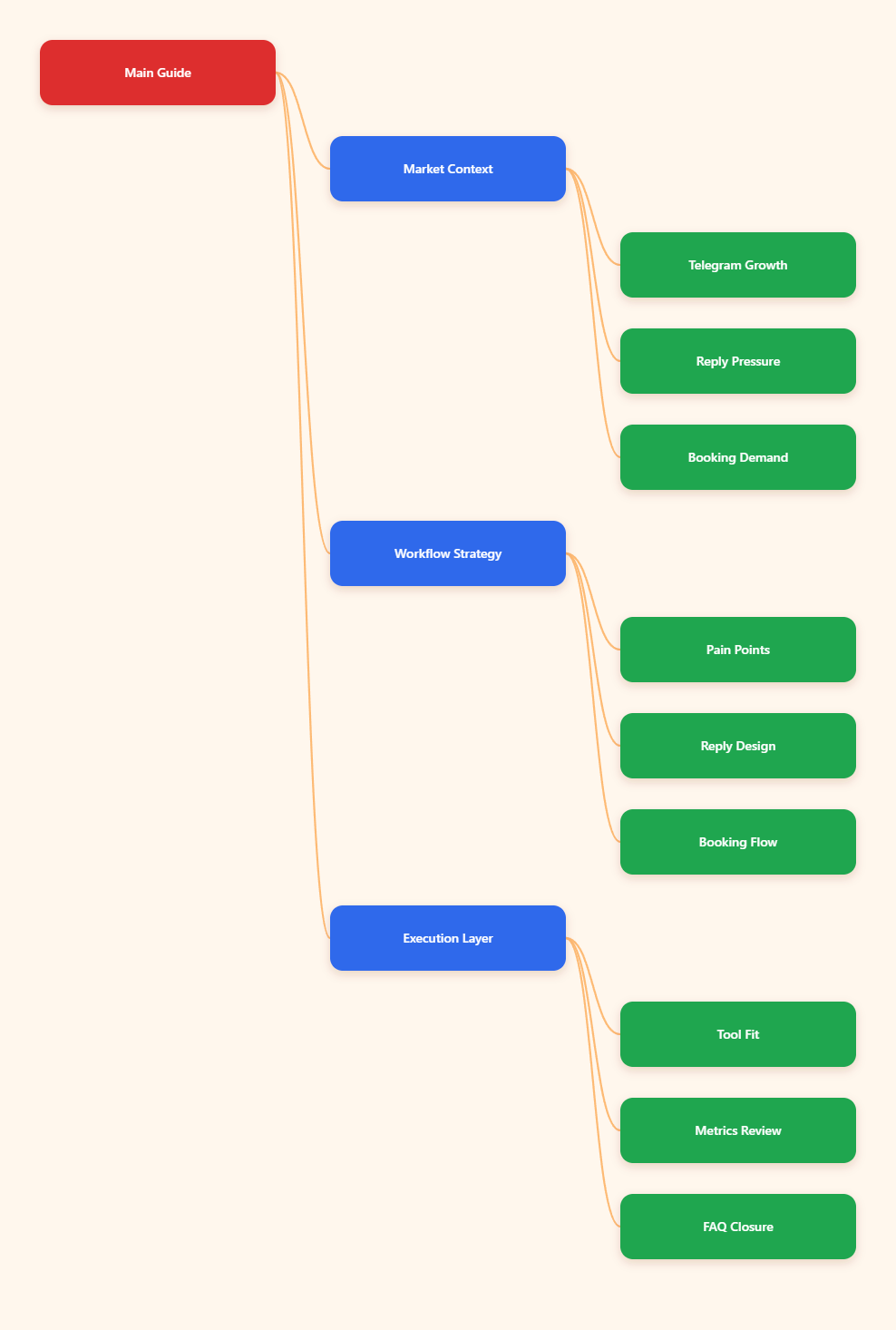
Why Does an Auto Reply Telegram Bot Booking Service Matter in 2026?
Telegram marketing is no longer only about posting announcements to a channel. Many businesses now run a full funnel inside Telegram: discovery, group discussion, direct message support, qualification, booking, payment follow-up, and retention.
The challenge is speed. A potential buyer may message three providers at once. The first useful reply often wins the conversation. A delayed response does not just feel slow; it can make the business look inactive.
An auto reply Telegram bot booking service helps by covering the first layer of communication:
- Greeting new leads with a clear next step.
- Answering repeated questions before a human joins.
- Collecting service type, time zone, budget, and urgency.
- Sharing booking links, available slots, or intake forms.
- Routing urgent cases to a team member.
The goal is not to make Telegram feel robotic. The goal is to remove the dead air between a user’s first message and the moment they know what to do next.
The Real Pain Points Behind Telegram Booking Automation
Most Telegram operators do not struggle because they lack tools. They struggle because their conversations are scattered, untagged, and dependent on one person checking messages at the right time.
Slow First Response
First response time is often the biggest leak. A channel may bring hundreds of visitors from a pinned post, paid shoutout, or affiliate mention. If direct messages are answered hours later, the traffic quality looks poor even when the campaign worked.
A useful first reply should do three things quickly: confirm the message was received, set expectations, and ask one qualifying question. Long welcome essays usually reduce clarity.
Messy Booking Conversations
Booking inside Telegram can become messy when every customer asks in a different format. One person says, “Need a demo tomorrow.” Another says, “Price?” Another sends a voice note. Without structure, the operator keeps asking the same follow-up questions.
A clean booking flow standardizes the conversation. It asks for service type, preferred time, country or time zone, contact method, and any key requirement. This can be handled by bot prompts, quick replies, or a linked scheduling page.
Repeated Questions Drain Human Time
Most Telegram service chats repeat the same topics: price, availability, refund policy, service area, delivery time, access rules, and proof of work. These are perfect candidates for auto replies.
The mistake is trying to automate every possible message. Start with the 10 questions that appear every week. Write short answers. Add a human handoff line for cases that do not match the template.
Spam and Low-Intent Leads
Open Telegram groups and public usernames attract spam, fake partnerships, and low-quality offers. Automation can help filter obvious noise, but it should not create aggressive gatekeeping for real buyers.
A good system separates low-intent messages from valuable conversations through simple signals: service keyword, booking intent, budget range, time sensitivity, or verified source from a campaign link.
What Should a Strong Telegram Booking Flow Include?
A good booking flow is short, predictable, and easy to exit. The user should always know whether they are talking to a bot, waiting for a person, or choosing a slot.
For most businesses, the flow can look like this:
- User sends a message, taps a button, or replies to a campaign post.
- Auto reply welcomes them and explains the next step.
- Bot asks for service category or intent.
- Bot collects time zone and preferred time window.
- Bot shares booking link, available options, or confirms that a human will follow up.
- Conversation is tagged for sales, support, partnership, or urgent review.
This structure works whether you use Telegram Business quick replies, a custom bot through the Telegram Bot API, an automation platform, or a simpler rule-based assistant.
Auto Reply Options for Telegram Operators
There is no single best setup for every Telegram team. The right choice depends on message volume, technical skill, compliance needs, and how much of the booking experience must happen inside Telegram.
| Option | Best For | Strengths | Limits |
|---|---|---|---|
| Telegram Business features | Small teams and solo operators | Opening hours, quick replies, away messages, greeting messages | Less flexible than a custom workflow |
| Custom Telegram bot | Teams needing full control | Buttons, webhooks, databases, CRM logic, calendar integration | Requires development and maintenance |
| Automation platforms | Marketers connecting apps | Can connect Telegram with Sheets, Calendar, forms, and help desks | Monthly cost and platform dependency |
| Rule-based auto reply bots | Fast FAQ and lead capture | Easy setup, predictable answers, low learning curve | Needs careful keyword design |
For many operators, the best first step is not a complex AI agent. It is a reliable rule-based structure that handles greetings, booking intent, repeated questions, and handoff rules.
How to Design Auto Replies That Do Not Feel Robotic
Telegram is conversational. Users dislike messages that sound like a corporate help desk pasted into a private chat. Keep replies short, direct, and human.
A strong auto reply usually includes:
- A warm acknowledgment: “Got it — thanks for reaching out.”
- A clear next action: “Choose the service you need.”
- A time expectation: “A team member usually replies during business hours.”
- A fallback: “If this is urgent, type URGENT.”
A weak reply tries to answer everything at once. It includes five links, three disclaimers, and no clear path. If a user must reread the message to understand what to do, the automation is slowing the sale.
Example Booking Reply Templates
For a consultation business:
“Thanks for your message. To help you book the right session, please send: 1) your time zone, 2) the topic, and 3) your preferred day. We will reply with the next available options.”
For a digital agency:
“Hey, thanks for reaching out. Are you looking for SEO, paid ads, Telegram growth, or analytics? Reply with one option and we will send the right booking path.”
For a paid community:
“Welcome. If you need access, type ACCESS. If you need billing help, type BILLING. If you want partnership details, type PARTNER.”
Where Can OnlyTG Echo@EchoOnBot Fit Into This Workflow?
When the pain point is simple but repetitive replying, a lightweight assistant can be enough. OnlyTG Echo@EchoOnBot can be introduced at the point where operators need a practical way to echo, route, or respond to common Telegram messages without building a full custom bot stack.
Use it to support an auto reply Telegram bot booking service workflow like this:
- Create a greeting for first-contact messages.
- Add keyword replies for booking, pricing, support, and availability.
- Prepare a handoff message that tells users when a human will respond.
- Test with real phrases your audience uses, not only perfect keywords.
Practical Use Scenarios
A Telegram growth consultant can use OnlyTG Echo@EchoOnBot to answer “price,” “case study,” and “book call” messages with short intake instructions, then manually review qualified leads.
A course community manager can use OnlyTG Echo@EchoOnBot to guide members who ask about access, class times, replay links, or renewal steps, reducing repeated admin work during launches.
A local booking service can use OnlyTG Echo@EchoOnBot to collect service type, preferred time, and location area before the owner confirms the appointment manually.
Additional features should be treated as supporting tools, not the strategy itself. If OnlyTG Echo@EchoOnBot offers extra menu options for message handling or workflow control, enable only the ones that match your live support process.
How to Connect Auto Replies With Booking and CRM Workflows
Auto replies create momentum, but booking still needs a reliable destination. That destination can be a calendar link, a Telegram bot flow, a form, or a CRM ticket.
If you use Google Calendar or scheduling software, the auto reply should not say “you are booked” unless the slot is actually confirmed. A safer line is: “Choose a time here, then send DONE so we can verify your booking.”
If you run manual booking, ask only for the minimum data needed to reply:
- Service needed
- Preferred date or time window
- Time zone or city
- Budget range, if relevant
- Urgency level
Do not collect sensitive information unless necessary. Telegram is convenient, but privacy still matters. For payments, contracts, medical details, or identity documents, direct users to secure systems designed for those tasks.
Metrics That Tell You Whether Your Telegram Automation Works
Do not judge an auto reply Telegram bot booking service by how many messages it sends. Judge it by whether more qualified people reach the next step.
Track these practical metrics weekly:
- First response coverage: how many new messages receive a useful reply.
- Booking completion rate: how many users reach a confirmed slot.
- Human handoff rate: how many chats need manual review.
- Drop-off point: where users stop replying.
- Repeated question volume: which topics still require manual answers.
If many users drop after the first message, the reply may be too long or unclear. If many users ask the same follow-up, the answer is missing a key detail. If too many chats need human review, your keyword map may be too narrow.
Common Mistakes to Avoid
The fastest way to ruin Telegram automation is to overbuild it. Users come to Telegram for direct communication. If the flow feels like a maze, they leave.
- Do not hide human support behind endless bot prompts.
- Do not send promotional blasts as “support replies.”
- Do not promise instant booking unless your calendar is synced.
- Do not use fake personalization such as “I was just thinking about you.”
- Do not ignore local rules on consent, privacy, and marketing messages.
Automation should reduce confusion. If it creates more screenshots, forwarded complaints, or duplicate questions, simplify the flow.
Implementation Checklist for 2026
Before you launch or rebuild your Telegram booking automation, use this checklist:
- Map the top 10 repeated questions from real Telegram chats.
- Write short replies under 80 words for each question.
- Create separate paths for sales, support, booking, billing, and partnerships.
- Add one clear human handoff message.
- Test replies with non-perfect user phrases and typos.
- Review message logs weekly and remove replies that create confusion.
- Keep booking confirmation separate from booking request collection.
- Use Telegram Business features, bots, or tools only where they reduce friction.
FAQ: Auto Reply Telegram Bot Booking Service
What is an auto reply Telegram bot booking service?
It is a Telegram workflow that automatically replies to incoming messages, qualifies the user, and guides them toward booking a call, appointment, consultation, demo, or service request.
Can Telegram Business handle auto replies without a custom bot?
Yes, Telegram Business includes features such as opening hours, quick replies, greeting messages, away messages, and chatbot support. For simple support and lead capture, this may be enough.
When do I need a custom Telegram bot?
You need a custom bot when you want buttons, database records, CRM syncing, calendar logic, payment status checks, or advanced routing that basic quick replies cannot handle.
Is an auto reply Telegram bot booking service good for small businesses?
Yes, if the flow is simple. Small businesses often benefit most from greeting messages, FAQ replies, booking intake questions, and after-hours expectations.
How many auto replies should I create first?
Start with 5 to 10 replies based on actual repeated questions. Expanding too early often creates messy automation that is hard to maintain.
Can I use OnlyTG Echo@EchoOnBot for booking conversations?
You can use OnlyTG Echo@EchoOnBot as a lightweight helper for repetitive Telegram replies and booking-related prompts, then keep final confirmation and sensitive details under human control.
What should I avoid in Telegram booking automation?
Avoid long scripts, unclear buttons, fake urgency, unsupported booking promises, and collecting unnecessary personal information. Keep the experience direct and easy to leave.
Final Thoughts
In 2026, Telegram operators do not need more noise. They need cleaner conversations. A well-designed auto reply Telegram bot booking service helps people get answers faster, helps teams protect their time, and helps serious leads reach the right next step.